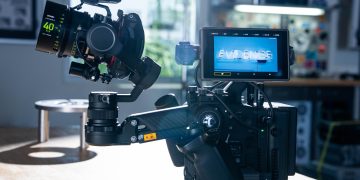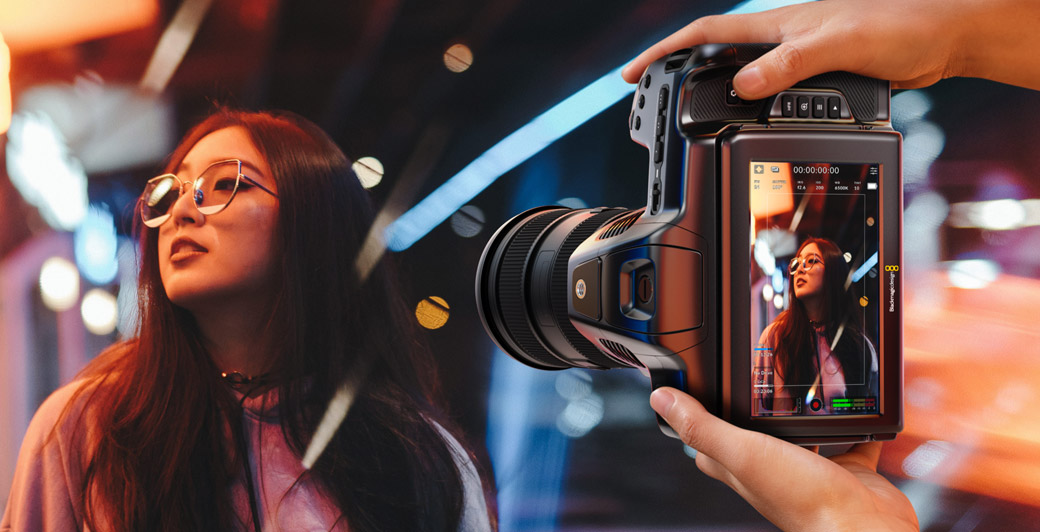
Pocket Cinema 4K is one of Blackmagic Design’s most important compact digital film cameras.
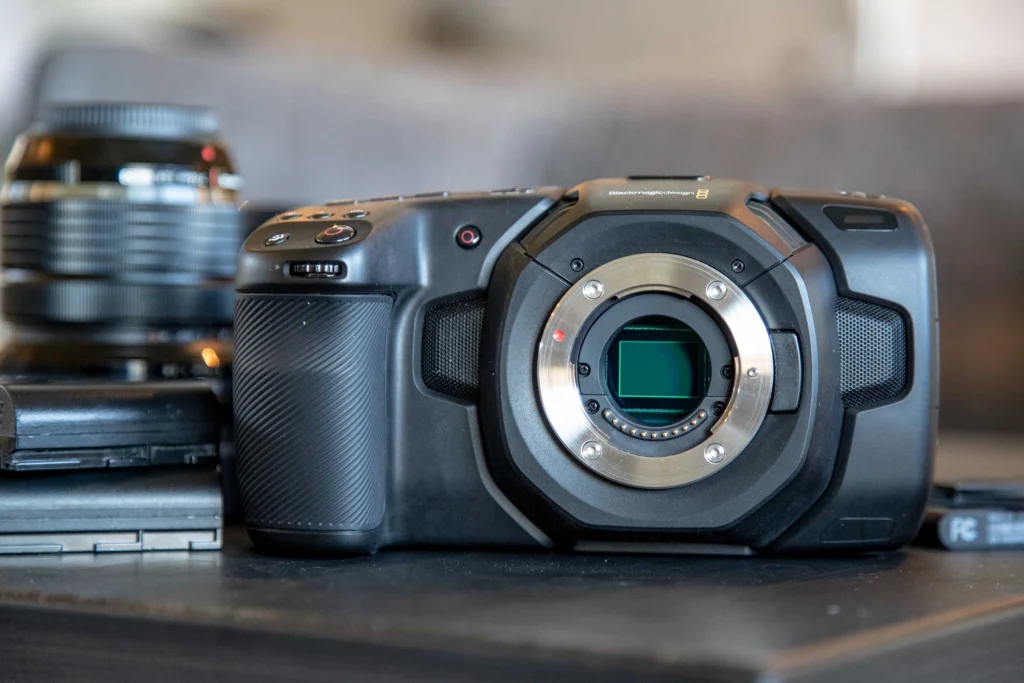
Released in September 2018, the Blackmagic Design Pocket Cinema Camera 4K helped redefine what a low-cost cinema camera could offer. It brought 4K DCI recording, Blackmagic RAW, Apple ProRes, dual native ISO, a large 5-inch touchscreen and Micro Four Thirds lens flexibility into a body priced far below many traditional cinema cameras.
The camera uses a Micro Four Thirds sensor with an active image area of about 18.96 x 10 mm. It records up to 4096 x 2160 in 4K DCI and supports both internal card recording and external USB-C disk recording.
Although newer Blackmagic cameras now offer 6K, 12K and full-frame sensors, the Pocket Cinema 4K remains popular because it is affordable, flexible and easy to build into small rigs. It is especially useful for independent films, YouTube productions, music videos, documentaries, interviews, product videos and film students.
Its biggest strengths are image quality, codec options, lens adaptability and price. Its main limitations are battery life, lack of built-in ND filters, no in-body stabilisation and rolling-shutter performance that needs careful handling.
Key Camera Specifications
The Blackmagic Pocket Cinema Camera 4K uses a Micro Four Thirds sensor and an active MFT lens mount. It records Blackmagic RAW, ProRes and, depending on workflow support, ProRes RAW-style modes listed in some camera databases.
| Feature | Blackmagic Pocket Cinema Camera 4K |
|---|---|
| Camera type | Compact digital film camera |
| Release period | September 2018 |
| Sensor format | Micro Four Thirds |
| Sensor size | 18.96 x 10 mm |
| Maximum resolution | 4096 x 2160 |
| Lens mount | Active MFT mount |
| Base sensitivity | Dual native ISO 400 and 3200 |
| Claimed dynamic range | 13 stops |
| Best listed lab dynamic range | 11 stops at SNR=2 in provided data |
| Rolling shutter | 16.3ms in provided data |
| Main codecs | Blackmagic RAW and Apple ProRes |
| Weight | About 722 g |
| Dimensions | About 86 mm x 96 mm x 178 mm |
| Best use | Indie films, YouTube, music videos, documentaries and student projects |
The Pocket Cinema 4K is best understood as a video-first cinema camera. It is not built like a hybrid stills camera. It is designed for creators who want serious video files, strong colour control and a flexible post-production workflow.
Micro Four Thirds Sensor and Image Quality
The Pocket Cinema 4K uses a Micro Four Thirds sensor with a native 4K DCI resolution of 4096 x 2160.
The sensor is smaller than Super 35 and full-frame sensors, but it has practical advantages. Micro Four Thirds lenses are usually smaller, lighter and more affordable. The mount also adapts well to many other lens systems, including EF, PL, Nikon F, Leica R and vintage lenses through adapters.
This flexibility made the camera attractive to budget-conscious filmmakers who wanted to build different looks without buying expensive cinema lenses.
Why Micro Four Thirds Still Matters
Micro Four Thirds is useful because it keeps camera kits compact.
A filmmaker can build a lightweight handheld rig, a travel setup, a gimbal system or a small documentary kit more easily than with larger-sensor cameras. The format also works well with speed boosters, which can increase field of view and improve low-light performance when using adapted lenses.
For small crews, that flexibility can be more valuable than having a larger sensor.
4K DCI Recording
The Pocket Cinema 4K records 4K DCI at 4096 x 2160.
This is true cinema 4K with a 17:9 aspect ratio. It is wider than standard Ultra HD and useful for filmmakers who want a theatrical digital cinema format.
The camera also records Ultra HD at 3840 x 2160 and HD at 1920 x 1080. This gives creators the option to choose between cinema delivery, broadcast-style UHD and smaller HD files.
| Recording Format | Resolution |
| 4K DCI 17:9 | 4096 x 2160 |
| 4K 2.4:1 | 4096 x 1712 |
| 4K UHD | 3840 x 2160 |
| 2.8K 4:3 | 2880 x 2160 |
| 2.6K 16:9 | 2688 x 1512 |
| HD from 4K sensor area | 1920 x 1080 |
| HD from 2.6K sensor area | 1920 x 1080 |
| HD from HD sensor area | 1920 x 1080 |
The 2.8K 4:3 mode is especially useful for anamorphic-style workflows and adapted lens experiments.
Dynamic Range Performance
Blackmagic claims 13 stops of dynamic range for the Pocket Cinema 4K.
In the provided lab data, the camera reached 11 stops at SNR=2 in Full Sensor mode at 4096 x 2160, ProRes HQ, ISO 400 and BMD Film. At ISO 3200, the same mode measured 10 stops at SNR=2.
| Sensor Mode | Resolution | Codec | ISO | Gamma | Measured Dynamic Range |
| Full Sensor | 4096 x 2160 | ProRes HQ | 400 | BMD Film | 11 stops at SNR=2 |
| Full Sensor | 4096 x 2160 | ProRes HQ | 3200 | BMD Film | 10 stops at SNR=2 |
These figures show that ISO 400 gives the strongest measured performance. ISO 3200 is useful in low light, but it reduces measured dynamic range.
What Dynamic Range Means for Filmmakers
Dynamic range affects how much detail a camera can hold between bright highlights and dark shadows.
This matters when shooting bright skies, windows, practical lights, dark interiors, reflective surfaces and backlit subjects. The Pocket Cinema 4K can create strong cinematic images, but it rewards careful exposure.
The best approach is to protect highlights, avoid deep underexposure and use false colour or waveform tools when possible.
Rolling Shutter Performance
The Pocket Cinema 4K has a listed rolling-shutter result of 16.3ms in the provided camera data.
This result appears across full sensor 4K DCI and UHD modes at both 25fps and 60fps.
| Sensor Mode | Resolution | Codec | Frame Rate | Rolling Shutter |
| Full Sensor | 4096 x 2160 | BRAW and ProRes RAW | 25fps | 16.3ms |
| Full Sensor | 4096 x 2160 | BRAW and ProRes RAW | 60fps | 16.3ms |
| Full Sensor | 3840 x 2160 | BRAW and ProRes RAW | 25fps | 16.3ms |
| Full Sensor | 3840 x 2160 | BRAW and ProRes RAW | 60fps | 16.3ms |
This is not a terrible result, but it is not ideal for fast pans, whip movements or action-heavy handheld work.
Why Rolling Shutter Matters
Rolling shutter can make fast movement look distorted.
Vertical lines may bend during quick pans, and fast-moving subjects can look skewed. This is less noticeable in interviews, tripod shots, product videos and slow camera movement.
For action scenes, sports-style shooting and aggressive handheld work, creators should test the camera and avoid fast whip pans.
Blackmagic RAW Recording
Blackmagic RAW is one of the most important features of the Pocket Cinema 4K.
BRAW gives filmmakers a flexible RAW workflow while keeping file sizes more manageable than many traditional RAW formats. In DaVinci Resolve, users can adjust ISO, white balance, tint and other image settings after recording.
The camera supports several Blackmagic RAW compression settings, including 3:1, 5:1, 8:1, 12:1 and constant-quality modes such as Q0, Q1, Q3 and Q5.
Why BRAW Matters
Blackmagic RAW gives small creators a professional image pipeline.
It allows more control over colour, exposure and contrast than standard compressed video. It also works smoothly in DaVinci Resolve, which makes the camera especially attractive for editors and colourists using Blackmagic’s software.
For independent filmmakers, BRAW is one of the main reasons the Pocket Cinema 4K remains popular.
ProRes Recording Options
The Pocket Cinema 4K also records Apple ProRes.
ProRes is easier to edit than RAW and is useful for fast-turnaround jobs. It does not offer the same post-production flexibility as BRAW, but it is widely supported and reliable.
The camera supports ProRes HQ, ProRes, ProRes LT and ProRes Proxy in 10-bit 4:2:2 workflows.
| ProRes Option | Sampling | Bit Depth |
| ProRes HQ | 4:2:2 | 10-bit |
| ProRes 422 | 4:2:2 | 10-bit |
| ProRes LT | 4:2:2 | 10-bit |
| ProRes Proxy | 4:2:2 | 10-bit |
ProRes is useful for corporate work, events, online video, documentary projects and productions where editing speed matters more than RAW flexibility.
ProRes RAW Note
The provided recording data includes ProRes RAW and ProRes RAW HQ entries.
This should be treated carefully. Blackmagic’s core official Pocket Cinema 4K recording workflows are Blackmagic RAW and Apple ProRes. Some databases may include ProRes RAW references for specific external or updated workflow contexts, but users should confirm the exact recording path and firmware support before planning a shoot around ProRes RAW.
For most filmmakers, the safest workflow choices are Blackmagic RAW for maximum flexibility and ProRes for faster editing.
Recording Modes and Frame Rates
The Pocket Cinema 4K supports full-resolution 4K recording up to 60fps and HD up to 120fps.
| Mode | Resolution | Maximum Listed Frame Rate |
| 4K DCI | 4096 x 2160 | Up to 59.94fps |
| 4K UHD | 3840 x 2160 | Up to 59.94fps |
| HD | 1920 x 1080 | Up to 120fps |
These options make the camera useful for standard cinematic frame rates, social video, YouTube production, music videos and slow-motion work.
Why 4K 60fps Matters
4K 60fps gives filmmakers more creative flexibility.
Footage can be played back at normal speed for smooth motion or slowed down in a 24fps timeline for a gentle slow-motion effect. This is useful for travel videos, product shots, music videos and cinematic B-roll.
For more dramatic slow motion, the HD 120fps mode gives extra flexibility.
Dual Native ISO
The Pocket Cinema 4K has dual native ISO at 400 and 3200.
Dual native ISO helps the camera perform in both normal and low-light conditions. ISO 400 is best for daylight, studio lighting and scenes where maximum dynamic range matters. ISO 3200 is useful for darker interiors, night scenes and available-light work.
The camera can reach higher ISO values, but image quality depends heavily on exposure.
Best ISO Practice
Use ISO 400 whenever there is enough light.
Use ISO 3200 when the scene is genuinely darker and more sensitivity is needed. Avoid underexposure, because pushing shadows too hard in post can increase noise.
The camera performs best when exposure is controlled before recording.
MFT Lens Mount
The Pocket Cinema 4K uses an active Micro Four Thirds lens mount.
This is one of its biggest strengths. MFT lenses are compact and affordable, and the mount can also be adapted to many other lens systems.
Filmmakers can use native MFT lenses for lightweight shooting or adapt EF, PL and vintage lenses for different looks.
Why MFT Is Flexible
The short flange distance of the MFT mount makes it highly adaptable.
This allows creators to experiment with speed boosters, cinema primes, vintage glass, photo lenses and specialty lenses. For budget filmmaking, this is a major advantage.
It also means the Pocket Cinema 4K can become many different cameras depending on the lens setup.
Media and Storage
The Pocket Cinema 4K records to SD UHS-II cards, CFast 2.0 cards and external USB-C disks.
This gives creators several media options depending on codec, frame rate and budget. External USB-C SSD recording became especially popular because it offers affordable storage for Blackmagic RAW.
Storage Planning Tips
High-quality 4K RAW still creates large files.
Use approved media and test every card or SSD before a paid shoot. Slower media can drop frames or fail during recording.
For professional work, footage should be backed up safely before media is reused.
Body Design and Screen
The Pocket Cinema 4K has a lightweight body and a large 5-inch rear touchscreen.
The body weighs about 722 g, making it lighter than the Pocket Cinema 6K models. The large screen is useful for menus, framing and focus checks, but it is fixed and does not tilt.
This can make low-angle, high-angle or shoulder-style shooting more difficult without an external monitor.
Why Rigging Helps
The Pocket Cinema 4K often works best when rigged.
A cage, top handle, side handle, external monitor, SSD mount, power solution and ND filters can make it much more practical. Bare-body shooting is possible, but a small rig improves handling and reliability.
This is especially true for long shooting days.
No Built-In ND Filters
The Pocket Cinema 4K does not include built-in ND filters.
This means users need external ND filters when shooting outdoors. ND filters allow filmmakers to keep a natural shutter angle and desired aperture in bright conditions.
Without ND filters, users may need to stop down the lens or raise shutter speed, which can change the cinematic look.
Best ND Setup
A good variable ND filter can work for lightweight setups.
For more professional work, a matte box with fixed ND filters is better. Users adapting EF lenses through a speed booster may also consider lens-side ND solutions depending on the rig.
ND filters are essential accessories for serious Pocket Cinema 4K shooting.
Best Uses for the Pocket Cinema 4K
The Pocket Cinema 4K is best for creators who want affordable RAW and ProRes recording in a compact body.
It is ideal for:
Independent films
Short films
Music videos
YouTube productions
Documentaries
Interviews
Product videos
Corporate videos
Travel films
Student films
Social media campaigns
Low-budget commercials
It works best when the user can control exposure, power, media and camera movement.
Pocket Cinema 4K vs Pocket Cinema 6K
The Pocket Cinema 6K offers a larger Super 35 sensor and higher resolution, while the Pocket Cinema 4K is cheaper, smaller and more lens-flexible.
| Feature | Pocket Cinema 4K | Pocket Cinema 6K |
| Sensor format | Micro Four Thirds | Super 35 |
| Maximum resolution | 4096 x 2160 | 6144 x 3456 |
| Lens mount | MFT | EF |
| Weight | About 722 g | About 900 g |
| Best rolling-shutter result | 16.3ms in provided data | 19.8ms in CineD data |
| Main advantage | Lower cost and adaptable mount | Higher resolution and Super 35 look |
The Pocket Cinema 4K is better for creators who want affordability and lens adaptability. The Pocket Cinema 6K is better for users who want a larger sensor and more resolution.
Pocket Cinema 4K vs Pocket Cinema 6K Pro
The Pocket Cinema 6K Pro is more production-ready, but the Pocket Cinema 4K remains more affordable and lighter.
| Feature | Pocket Cinema 4K | Pocket Cinema 6K Pro |
| Sensor format | Micro Four Thirds | Super 35 |
| Maximum resolution | 4K DCI | 6K |
| Lens mount | MFT | EF |
| Built-in ND filters | No | Yes |
| Screen | Fixed rear LCD | Tilting 1,500-nit HDR LCD |
| Best advantage | Low price and small lenses | Built-in ND and stronger field use |
The 6K Pro is better for outdoor and professional small-crew production. The 4K remains stronger for budget users and lightweight lens kits.
Key Takeaways
- Blackmagic Pocket Cinema Camera 4K was released in September 2018.
- It uses a Micro Four Thirds sensor measuring about 18.96 x 10 mm.
- Maximum resolution is 4096 x 2160 in 4K DCI.
- The camera uses an active MFT mount.
- It has dual native ISO at 400 and 3200.
- Blackmagic claims 13 stops of dynamic range.
- The provided lab data lists 11 stops at SNR=2 in ProRes HQ at ISO 400.
- The provided lab data lists 16.3ms rolling shutter.
- The camera records Blackmagic RAW and Apple ProRes.
- 4K DCI and Ultra HD support up to 60fps.
- HD supports up to 120fps.
- It records to SD UHS-II, CFast 2.0 and external USB-C disks.
- It does not include built-in ND filters.
- It is best for indie films, YouTube, music videos, documentaries and student projects.
Frequently Asked Questions
What is the Blackmagic Pocket Cinema Camera 4K?
The Blackmagic Pocket Cinema Camera 4K is a compact Micro Four Thirds digital film camera with 4K DCI recording, Blackmagic RAW, ProRes and dual native ISO.
When was the Pocket Cinema 4K released?
The camera was released in September 2018.
What sensor does it use?
It uses a Micro Four Thirds sensor with a listed active area of about 18.96 x 10 mm.
What is the maximum resolution?
The maximum recording resolution is 4096 x 2160 in 4K DCI.
What lens mount does it use?
The camera uses an active Micro Four Thirds mount.
What is the base ISO?
The camera has dual native ISO at 400 and 3200.
Does the Pocket Cinema 4K record Blackmagic RAW?
Yes. The camera records Blackmagic RAW in several compression settings.
Does the Pocket Cinema 4K record ProRes?
Yes. It supports Apple ProRes recording in several 10-bit 4:2:2 options.
What dynamic range did the provided lab data show?
The provided lab data lists 11 stops at SNR=2 in 4096 x 2160 ProRes HQ at ISO 400 and BMD Film.
What is the rolling shutter result?
The provided lab data lists 16.3ms rolling shutter in full sensor 4K DCI and UHD modes.
Does the Pocket Cinema 4K have built-in ND filters?
No. The camera does not include built-in ND filters, so external ND filters are needed for outdoor exposure control.
Who should use the Pocket Cinema 4K?
It is best for independent filmmakers, students, YouTubers, documentary shooters, music video creators and small production teams that want affordable RAW and ProRes recording.
Conclusion
Blackmagic Pocket Cinema Camera 4K remains one of the best-value digital film cameras for creators who want professional recording options at a low price.
Its Micro Four Thirds sensor, 4K DCI recording, Blackmagic RAW, ProRes, dual native ISO, MFT lens flexibility and USB-C recording make it a capable tool for independent production. It is not perfect. It needs good power planning, external ND filters, careful exposure and some rigging for serious work.
However, its strengths still matter. The Pocket Cinema 4K gives filmmakers an affordable way into RAW recording, DaVinci Resolve grading and flexible lens workflows.
For creators who want a compact cinema camera with strong image control and a low-cost ecosystem, the Pocket Cinema 4K remains a smart and practical choice.
Read Also: URSA Mini Pro 4.6K G2: Specs, Dynamic Range, Recording Modes and Features