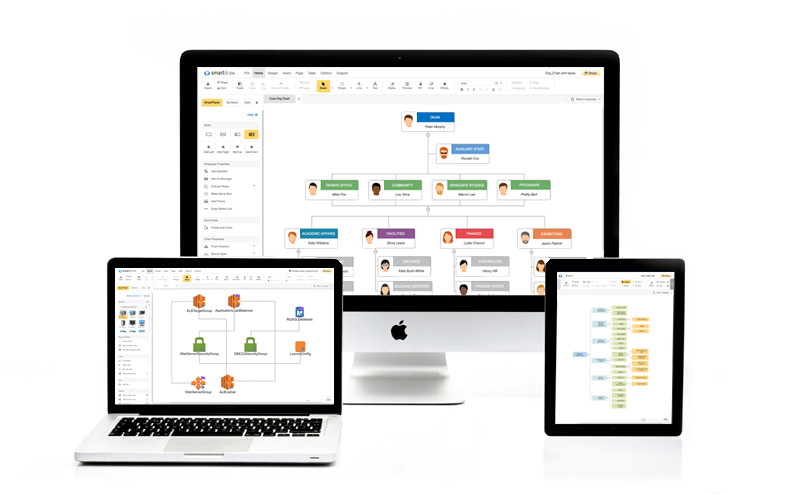
For Mac users who have previously relied on Visio for creating flowcharts, diagrams, and mind maps on Windows, the search for an equivalent solution on macOS can be a bit overwhelming. Visio’s user-friendly design and vast library of shapes and templates make it a popular tool in fields like engineering, project management, and business analysis. However, since Visio isn’t available for macOS, finding a reliable alternative is crucial.
In this article, we’ve rounded up the top 6 Visio alternatives for Mac in 2026, based on functionality, ease of use, and compatibility with the macOS ecosystem. Whether you need a tool for simple flowchart creation, complex diagrams, or brainstorming sessions, one of these apps is sure to meet your needs.
1. MindNode: Intuitive Mind Mapping
MindNode is one of the best mind mapping tools for Mac. It’s ideal for brainstorming, organizing ideas, and visualizing complex thoughts. Its user-friendly interface and drag-and-drop functionality make it easy to map out ideas quickly. Whether you’re planning a project or just need to connect thoughts, MindNode provides an intuitive workspace.
Why It Rocks:
- Simple and easy-to-use interface.
- Syncs with iCloud for access across devices.
- Excellent for organizing ideas and concepts visually.
Pros:
- Great for mind mapping but not ideal for creating formal diagrams.
- Excellent for personal use and project brainstorming.
- Customizable with stickers and checkboxes.
Cons:
- Lacks advanced features for formal diagramming.
- Limited customization for layout and templates.
Pricing: Available on Setapp, with a 7-day trial.
2. Bike: Streamlined Outlining
Bike is a minimalist tool that excels in organizing thoughts and research through simple outlines. It’s great for users who prefer text-based organization over complex visuals. Bike’s clean and distraction-free environment helps you stay focused on your work while creating detailed outlines, lists, and notes.
Why It Rocks:
- Clean, minimalist interface for efficient outlining.
- Allows linking and quick navigation within the document.
- Offers multiple writing modes to suit different workflows.
Pros:
- Efficient for long-form document outlining.
- Simple and lightweight for quick tasks.
- Fast and responsive interface.
Cons:
- No advanced diagramming tools.
- Better suited for outlining rather than creating visuals.
Pricing: Available on Setapp, with a 7-day trial.
3. Craft: Collaborative Document Editing
Craft is more than just a mind-mapping tool—it’s an all-in-one solution for collaborative document editing. If you work in teams or need to create organized documents, Craft is a great alternative. With its rich templates and collaboration tools, you can not only map out ideas but also create documents, reports, and presentations.
Why It Rocks:
- Offers a variety of templates for creating different types of documents.
- Excellent for team collaborations and sharing ideas.
- Seamless integration with other apps.
Pros:
- Powerful team collaboration features.
- Customizable templates to suit different projects.
- User-friendly interface with a block-based system.
Cons:
- Better for document editing than diagram creation.
- Requires some time to learn the block-based design.
Pricing: Available on Setapp, with a 7-day trial.
4. MarginNote: Automatic Mind Map Generation
MarginNote is a powerful tool for note-taking, annotation, and mind mapping. It’s particularly useful for students and researchers who need to organize their thoughts and study materials. The unique feature of MarginNote is its ability to automatically create mind maps from your notes, making it perfect for understanding complex documents.
Why It Rocks:
- Automatically converts highlighted text into mind maps.
- Great for organizing study materials and research.
- Robust annotation tools for notes and PDFs.
Pros:
- Automatic mind map generation based on your highlights.
- Excellent for organizing complex documents.
- Great for study tasks, helping you visualize connections.
Cons:
- Not ideal for formal diagram creation or flowcharts.
- Limited customization for advanced diagramming.
Pricing: Available on Setapp, with a 7-day trial.
5. Diagrams: Flowchart and Diagram Creation
Diagrams is perfect for users who need a simple, no-frills tool to create flowcharts and diagrams. It’s ideal for creating basic visuals and connecting ideas in a straightforward way. If you’re looking for an easy-to-use, intuitive app to create and edit diagrams, Diagrams is a great choice.
Why It Rocks:
- Super easy-to-use for creating basic flowcharts.
- Quick access to flowchart tools with built-in palettes.
- Customizable text formats and colors for personalization.
Pros:
- Great for creating basic diagrams and flowcharts.
- Simple, intuitive interface that’s beginner-friendly.
- Fast and lightweight.
Cons:
- Limited advanced features for complex diagrams.
- Not suitable for highly detailed or custom visuals.
Pricing: Available on Setapp, with a 7-day trial.
6. Mockuuups Studio: Mockup Design and Visualization
If you’re looking to create mockups or visual designs, Mockuuups Studio is a great tool for showcasing your ideas. While it’s not a direct replacement for Visio, Mockuuups Studio excels at turning static images into interactive designs for presentations and mockups, making it a great choice for marketing and creative professionals.
Why It Rocks:
- Over 500 customizable mockup scenes to choose from.
- Simple drag-and-drop interface for fast mockup creation.
- Ideal for presentations and marketing material.
Pros:
- Perfect for product mockups and presentations.
- Large selection of customizable scenes.
- Easy-to-use interface for quick design work.
Cons:
- More focused on mockups than traditional diagramming.
- Learning curve for advanced users.
Pricing: Available on Setapp, with a 7-day trial.
How to Choose the Best Visio Alternative for Mac
Choosing the right Visio alternative depends on your specific needs and the type of work you’re doing. Here are some tips to help you decide:
- Determine your priorities: Do you need a mind mapping tool, flowchart creator, or a full document editor? Different apps cater to different needs, so consider what features matter most to you.
- Check compatibility: Make sure the app integrates well with your macOS system and works seamlessly across other Apple devices.
- Explore free trials: Many of these apps offer free trials, so take advantage of that to test the features and see which app fits your workflow.