
Nyongesa Sande
No Result
View All Result
  • News
    • World
    • Africa
  • Politics
  • Business
  • Tech
  • AI
  • Telecom
  • Sports
  • Opinion
  • Lifestyle
  • Live
  • World Cup 2026
    • World Cup 2026 Standings
    • World Cup 2026
Nyongesa Sande
  • About Us
    • Nyosake Designers
      • Nyosake Webmasters
      • Nyosake Investment
  • Contact Us
    • Newsroom Contact
  • Ownership Disclosure
  • Advertise
No Result
View All Result
Nyongesa Sande
No Result
View All Result
  • News
  • Politics
  • Business
  • Tech
  • AI
  • Telecom
  • Sports
  • Opinion
  • Lifestyle
  • Live
  • World Cup 2026
ADVERTISEMENT

Home » How to Fix HomePod Mini Not Working

How to Fix HomePod Mini Not Working

NyongesaSande News Desk by NyongesaSande News Desk
6 months ago
in How To
Reading Time: 5 mins read
A A
HomePod Not Playing? Here’s What’s Actually Going On and How to Fix It

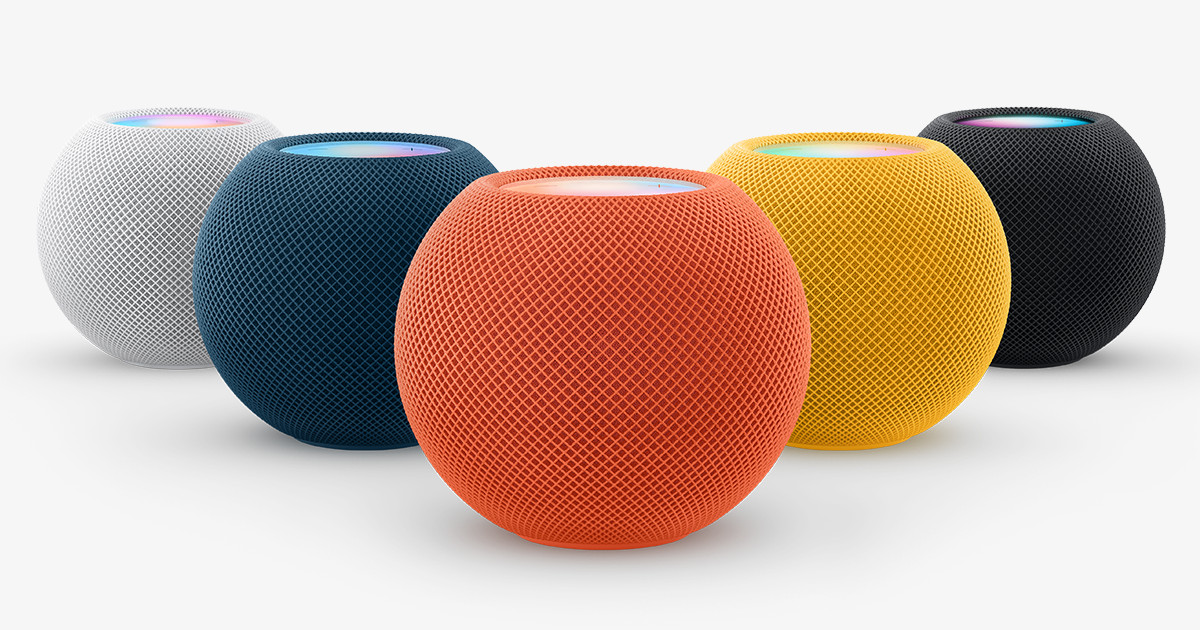
If your HomePod mini suddenly stops working, it can be a frustrating experience. One minute, it’s responding to your commands, and the next, it’s unresponsive. Fortunately, most of these issues have predictable causes, and with a few steps, you can often get it working again. Let’s explore the most common solutions.

  • Start with the Home App
  • Update Before You Troubleshoot Anything Else
  • Fixing Wi-Fi and Internet Drops
  • When the HomePod Mini Ignores Your Voice
  • Stereo Pairing Problems
  • When the HomePod Mini Is Stuck on Configuring
  • When Nothing Seems to Fix It
  • Final Thoughts

Start with the Home App

The Home app is your first stop. If the HomePod mini can’t connect to Wi-Fi, sign into your Apple account, or faces other glitches, you’ll likely see a “No Response” message or a specific alert. Tap the HomePod tile in the app to see what it’s saying. These alerts usually give you clear insights into what’s going wrong.


Update Before You Troubleshoot Anything Else

Outdated software can cause a variety of issues, such as audio not playing, AirPlay failing, or unresponsive apps. Before trying anything else, check for updates:

ADVERTISEMENT
  1. Open the Home app.
  2. Go to Home Settings.
  3. Tap Software Update.

If an update is available, install it. This could save you a lot of time troubleshooting.


Fixing Wi-Fi and Internet Drops

If Siri says there’s no internet, your connectivity is likely the issue. Try these steps:

ADVERTISEMENT
  1. Reset your home network by powering down the modem and router for 10 seconds, then turning them back on.
  2. If the HomePod mini is in a weak Wi-Fi spot, move it or adjust your router.
  3. Make sure your iPhone is connected to the same network that the HomePod mini should use. If the Home app shows a Wi-Fi alert, tap it, and the HomePod will adopt your iPhone’s network settings automatically.

When the HomePod Mini Ignores Your Voice

If the HomePod mini doesn’t respond to Hey Siri, first check if it’s powered on. Tap the top of the device—if no light appears, try a different 20-watt USB adapter, as underpowered adapters often cause issues.

If Siri is still unresponsive, go to the Home app and toggle Listen for “Hey Siri” off and on again, or reset the mini via the app. This can resolve voice recognition issues.


Stereo Pairing Problems

Pairing two HomePod minis is straightforward, but make sure:

ADVERTISEMENT
  • Both are using the same Apple ID.
  • Both are on the same network.
  • Both are assigned to the same room in the Home app.

If they won’t pair, try these steps:

  1. Place them next to each other.
  2. Unplug them, then plug them back in and wait for the connection.
  3. Once paired, move them back to their desired locations.

When the HomePod Mini Is Stuck on Configuring

If your HomePod mini is stuck on the “configuring” screen, it could be due to an issue with iCloud. Here’s what you can do:

  1. Check Apple’s System Status page to see if iCloud is experiencing issues.
  2. Review your iCloud settings for any alerts that need fixing.
  3. Give the mini some time—Apple’s servers can sometimes slow down during busy hours.
  4. If it’s still stuck, try a factory reset through the Home app and set it up again.

When Nothing Seems to Fix It

If your HomePod mini continues to have issues even after following the above steps—like refusing updates, constantly dropping Wi-Fi, or ignoring voice commands—it might be a hardware issue. In this case, contact Apple Support for diagnosis and possible replacement.


Final Thoughts

If your HomePod mini isn’t working, the issue is likely related to Wi-Fi, software, voice settings, or pairing. Follow these troubleshooting steps to address the most common causes and get your HomePod mini back to normal. If all else fails, Apple Support is your next best option for hardware issues.

Share2Tweet1SendShareScanSharePinShareShare
Google Add as a Preferred Source on Google
Previous Post

How to Fix Safari Crashes When Closing a Tab

Next Post

How to Unpair Apple Watch from iPhone

NyongesaSande News Desk

NyongesaSande News Desk

Nyongesa Sande offers diverse content across news, technology, entertainment, and more, aiming to provide readers with a wide range of informative and engaging articles. NYONGESA SANDE's dedicated team provides our audience not only with the highly relevant news but also with outstanding interactive experience.

Related Posts

How to Weld a 2-Block Rectangular Hollow Block Mold: Measurements, Materials and Step-by-Step Guide
How To

How to Weld a 2-Block Rectangular Hollow Block Mold: Measurements, Materials and Step-by-Step Guide

1 month ago
How to Create a Facebook Account on iPhone App
How To

How to Fix Facebook Confirmation Email Not Received

1 month ago
How to Create a Facebook Account on iPhone App
How To

How to Fix Facebook Confirmation Code Not Received

1 month ago
How to Create a Facebook Account on iPhone App
How To

How to Confirm Your Facebook Email or Phone Number

1 month ago
How to Create a Facebook Account on iPhone App
How To

How to Understand Your Facebook Account and Profiles

1 month ago
How to Create a Facebook Account on iPhone App
How To

How to Fix Facebook Name Not Accepted

1 month ago
Load More
Next Post
Phantom Vibrations After watchOS 26.2 Update: What’s Going On and How to Stop It

How to Unpair Apple Watch from iPhone

HomePod Not Playing? Here’s What’s Actually Going On and How to Fix It

How to Factory Reset HomePod Mini

Trending

  • Top 10 Richest People in Tripura (2026)

    Top 10 Richest People in Tripura (2026)

    169 shares
    Share 68 Tweet 42
  • Product Review: Bose Portable Smart Speaker

    184 shares
    Share 74 Tweet 46
  • QVSELP Scam Warning: Why Kenyans Should Be Careful

    4 shares
    Share 2 Tweet 1
  • ZimLoan: A Quick Guide to Salary Advance Loans in Zimbabwe

    288 shares
    Share 115 Tweet 72
  • Top 10 Richest People in Manipur (2026)

    58 shares
    Share 23 Tweet 15
  • List of All Phone Numbers for the Kenyan 13th Parliament – Contact your MP today

    156 shares
    Share 62 Tweet 39
  • Final World Cup 2026: Messi, Ronaldo and Veteran Stars Facing Their Last Dance

    1 shares
    Share 0 Tweet 0
  • 2026 World Cup Absentees: Biggest Stars Missing the Tournament

    1 shares
    Share 0 Tweet 0
  • Top 10 Richest People in Jammu & Kashmir (2026)

    90 shares
    Share 36 Tweet 23
  • Top 10 Richest People in Meru County

    86 shares
    Share 34 Tweet 22
ADVERTISEMENT
ADVERTISEMENT

Who We Are

Nyongesa Sande

NyongesaSande.com is a digital news and media platform covering breaking news, business, technology, AI, politics, sports, world affairs and African innovation.

News Sections

  • News
    • World
    • Africa
  • Politics
  • Business
  • Tech
  • AI
  • Telecom
  • Sports
  • Opinion
  • Lifestyle
  • Live
  • World Cup 2026
    • World Cup 2026 Standings
    • World Cup 2026

Editorial Standards

  • Editorial Policy
  • Fact Checking Policy
  • Corrections Policy
  • Ethics Policy
  • AI Usage Policy
  • News Tips
  • Submit Press Release

Legal

  • Privacy Policy
  • Terms of Use
  • Cookie Policy
  • Disclaimer
  • Risk Disclaimer
  • DMCA
  • Ad Choices

Our Company

  • About Us
    • Nyosake Designers
      • Nyosake Webmasters
      • Nyosake Investment
  • Contact Us
    • Newsroom Contact
  • Ownership Disclosure
  • Advertise
  • Privacy Policy
  • Terms of Use
  • Cookie Policy
  • Disclaimer
  • Risk Disclaimer
  • DMCA
  • Ad Choices

NyongesaSande.com is an independent digital news and media platform covering Africa, business, technology, AI, politics and global developments.

© 2026 NyongesaSande.com. All rights reserved.

No Result
View All Result
  • News
    • World
    • Africa
  • Politics
  • Business
  • Tech
  • AI
  • Telecom
  • Sports
  • Opinion
  • Lifestyle
  • Live
  • World Cup 2026
    • World Cup 2026 Standings
    • World Cup 2026

NyongesaSande.com is an independent digital news and media platform covering Africa, business, technology, AI, politics and global developments.

© 2026 NyongesaSande.com. All rights reserved.
