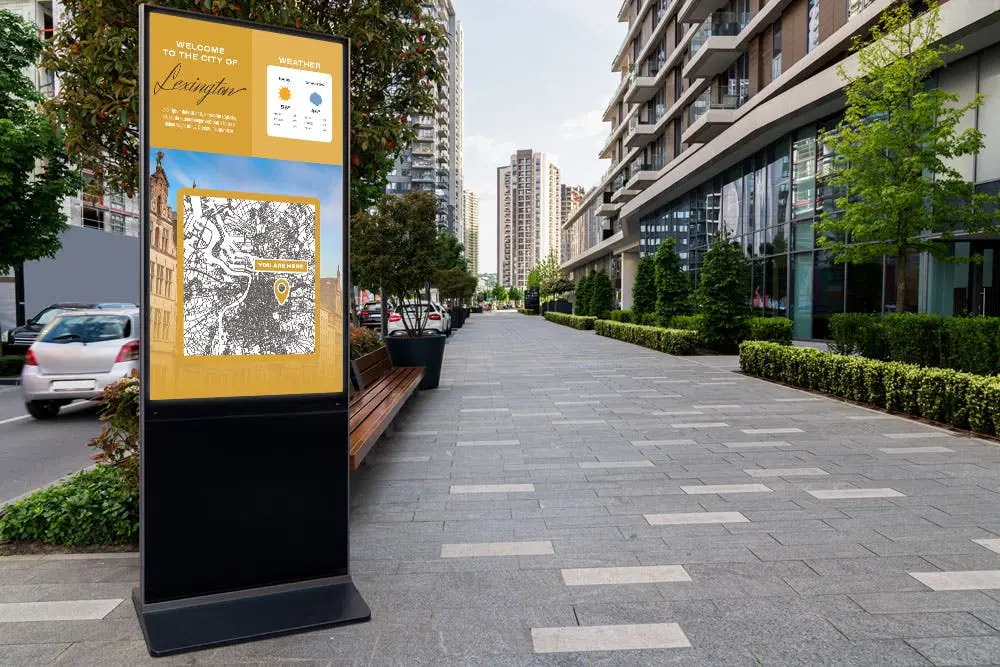
Imagine accessing directions, schedules, or services instantly without waiting in line. This is the role of the information kiosk, a self-service device that delivers real-time information through interactive digital screens. Found in airports, malls, and government offices, these kiosks are designed to enhance convenience, improve customer experience, and streamline operations across industries.

By integrating touchscreen technology, internet connectivity, and digital signage software, information kiosks provide users with immediate access to relevant details and services. From wayfinding to self-checkout, they simplify everyday interactions while reducing dependency on staff.
Information Kiosks Defined
According to the Kiosk Industry Association, an information kiosk is a computer-like station where users can obtain information or complete simple tasks independently. They are widely used in public spaces to deliver directions, event schedules, product details, and even transactions such as ticket printing or service payments.
The main purpose is to empower users with quick, on-demand access while easing staff workloads and reducing waiting times.
Types of Information Kiosks
- Wayfinding and Directory Kiosks – Provide maps, directions, and searchable listings for malls, hospitals, and campuses.
- Self-Service Kiosks – Enable independent check-ins, food ordering, or payments, cutting queues in airports, restaurants, and retail stores.
- Digital Signage Kiosks – Display multimedia content, advertisements, or announcements in high-traffic areas, updated remotely in real time.
Features and Components
Hardware
- Display screens (LCD or LED) for high-resolution visuals.
- Touch panels for intuitive interaction.
- Printers for tickets, receipts, or confirmations.
- Peripherals like barcode or QR code readers to support scanning and identification.
Software
- User interface (UI): Simple navigation for easy use.
- Content management system (CMS): Updates information and schedules content.
- Database integration: Provides access to real-time data such as inventory or schedules.
Use Cases Across Industries
- Healthcare: Patient check-ins, appointment booking, and payment processing.
- Retail: Endless aisle shopping, product browsing, loyalty program access, and self-checkout.
- Transportation: Ticketing, flight/train check-ins, and real-time route updates.
- Education: Campus navigation, class schedules, and event notifications.
- Government: Service applications, fine payments, appointment scheduling, and permit renewals.
Kiosks and Digital Signage Integration
Pairing information kiosks with digital signage software adds an engaging, visual layer to self-service functionality. This allows real-time updates, personalized content, and dynamic communication while keeping the interface intuitive and user-friendly. The result is a more versatile kiosk that informs, guides, and captivates users effectively.
Conclusion
An information kiosk is a powerful tool for enhancing customer service, improving operational efficiency, and reducing staff burden across industries. With the right hardware, software, and digital signage integration, kiosks become more than just information points—they become multi-purpose communication hubs.
Businesses looking to elevate customer engagement and streamline services can explore platforms like Samsung VXT, which combine kiosk functionality with advanced digital signage for a complete solution.