Is it safe to download Adobe Flash Player for Mac is a question that still comes up surprisingly often. Even years after Adobe officially shut Flash down, Mac users continue to encounter pop-ups urging them to “update Flash Player” or “install Flash to continue.” These messages look convincing, but they are one of the most common delivery methods for malware on macOS today.
Adobe Flash Player once powered much of the interactive web, from videos and animations to games and learning tools. However, that era is over. Flash reached the end of its life, and Adobe permanently disabled it. Any website or installer that claims Flash is still required is either outdated or actively malicious.
This guide explains why it is not safe to download Adobe Flash Player for Mac, how modern technologies replaced it, how fake Flash installers spread malware, and what safe alternatives exist if you need to access old Flash content.
What Was Adobe Flash Player
Adobe Flash Player was a browser plug-in introduced in the late 1990s to enable animations, video playback, and interactive web content. At its peak, Flash ran on most websites and browsers.
Over time, Flash became associated with serious security issues. Its closed architecture, frequent vulnerabilities, and heavy system resource use made it a constant target for attackers. Browser makers and operating system developers gradually restricted it, and Adobe officially discontinued Flash in 2020.
Is It Safe to Download Adobe Flash Player for Mac Today
No, it is not safe to download Adobe Flash Player for Mac under any circumstances.
Adobe permanently shut down Flash and disabled all official download channels. This means:
There are no security updates
There are no bug fixes
There is no legitimate installer
Any Flash Player download you find online today is unsafe. At best, it is an outdated copy that exposes your Mac to known exploits. At worst, it is malware disguised as a Flash installer.
Why Flash Player Pop-Ups Are Dangerous
Fake Flash Player pop-ups remain one of the most effective social-engineering tricks used by cybercriminals. These alerts often appear while browsing streaming sites, file-sharing pages, or compromised websites.
The pop-ups typically claim:
Flash Player is out of date
A video requires Flash to play
Your browser needs a Flash update
Once clicked, these installers can deploy spyware, adware, ransomware, or browser hijackers.
Moonlock detects and blocks many of these threats in real time. It scans downloads, monitors network connections, and alerts users to malicious activity before damage occurs.
Why Flash Is No Longer Needed on Mac
Modern web technologies fully replaced Flash years ago. Today’s websites rely on open standards that are safer, faster, and more efficient.
These include:
HTML5 for video and multimedia
CSS3 for animations and layout
JavaScript for interactivity
Because these technologies are built directly into modern browsers, Flash is no longer required for:
Streaming video
Online games
Interactive websites
macOS and major browsers now block outdated plug-ins by default, further reducing the need for Flash.
Is Adobe Flash Player Safe to Use If Already Installed
No. Even if Flash is already installed, it remains unsafe.
Since Flash no longer receives updates, every known vulnerability remains open. Attackers actively target systems with leftover Flash components because they are easy entry points.
If Flash Player is present on your Mac, it should be removed completely to eliminate unnecessary risk.
Safe Alternatives to Adobe Flash Player on Mac
Some users still need to open old Flash files, such as SWF or FLV formats. While Flash itself is unsafe, alternatives exist that do not expose your system to browser-based attacks.
Elmedia Player can open FLV files and handle many legacy video formats safely. It works as a standalone media player rather than a browser plug-in, reducing security risks.
For archived Flash content, emulator-based solutions and open-source projects can also provide limited access without enabling Flash in a browser.
Can You Still Install Adobe Flash Player on macOS
No. Adobe permanently disabled Flash installations worldwide.
Adobe stated that:
“All official channels for Flash Player remain permanently deactivated.”
Any guides suggesting workarounds or re-enabled installers rely on unsafe methods that bypass system protections. Using these methods increases the risk of malware infection and system compromise.
How Fake Flash Installers Infect Macs
Fake Flash installers often bundle:
Adware that injects ads into browsers
Spyware that tracks browsing behavior
Backdoor tools that allow remote access
Once installed, these threats may persist even after the visible app is removed. This is why proper cleanup is important.
AdLock helps prevent fake Flash pop-ups by blocking malicious ads and deceptive banners before they load.
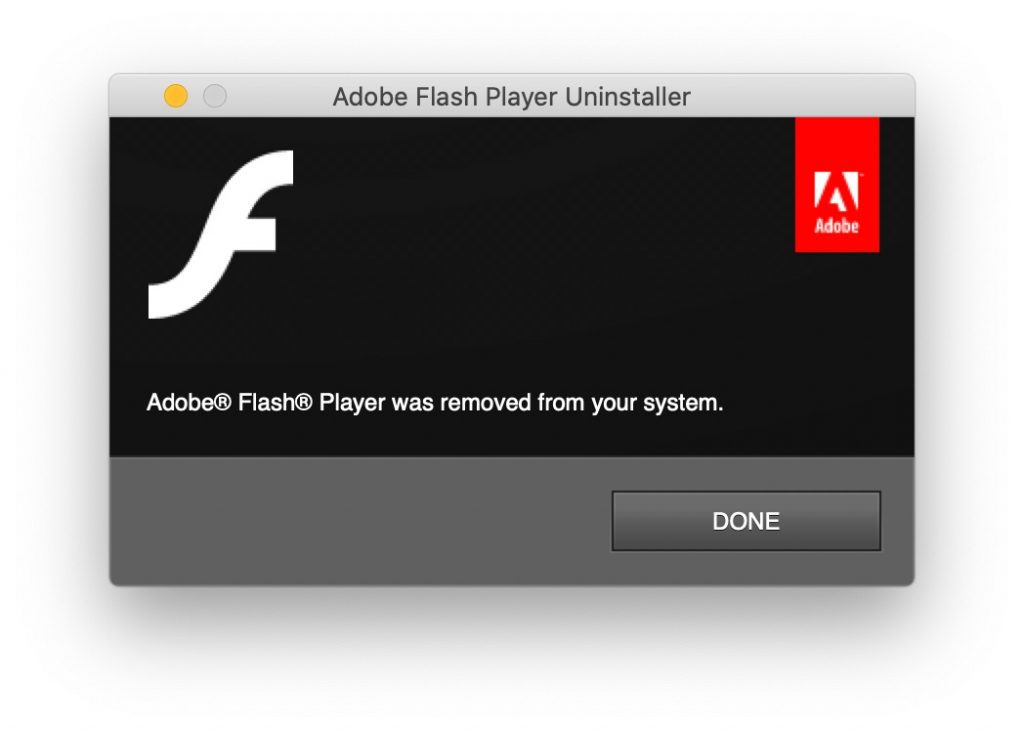
How to Uninstall Adobe Flash Player Completely on Mac
Flash Player embeds itself deeply into system folders, which makes manual removal unreliable.
Adobe provides an official uninstaller, but many users prefer a tool that removes leftover files automatically.
CleanMyMac scans for residual Flash components, background agents, caches, and hidden files that standard uninstallers may miss. Removing these leftovers reduces exposure to known vulnerabilities.
After uninstallation, restarting the Mac ensures all components are fully removed.
What to Do If You See a Flash Update Prompt
If you encounter a Flash update prompt:
Do not click it
Close the browser tab
Clear browser data if needed
Run a malware scan
Legitimate websites no longer require Flash. Treat every Flash-related message as a security warning rather than a software request.
Why Flash Player Should Stay in the Past
The question is it safe to download Adobe Flash Player for Mac has a simple answer because the web has moved on. Flash no longer serves a functional purpose, and keeping it installed only increases risk.
Modern browsers, operating systems, and websites are built on safer, open standards that deliver better performance without exposing users to unnecessary threats.
Key Takeaway for Mac Users
If you need to view legacy Flash content, use safe media players or emulators. Never install Flash itself. Protect your Mac with malware detection, ad blocking, and routine cleanup to avoid falling victim to fake Flash installers.