
Nyongesa Sande
No Result
View All Result
  • News
    • World
    • Africa
  • Politics
  • Business
  • Tech
  • AI
  • Telecom
  • Sports
  • Opinion
  • Lifestyle
  • Live
  • World Cup 2026
    • World Cup 2026 Standings
    • World Cup 2026
Nyongesa Sande
  • About Us
    • Nyosake Designers
      • Nyosake Webmasters
      • Nyosake Investment
  • Contact Us
    • Newsroom Contact
  • Ownership Disclosure
  • Advertise
No Result
View All Result
Nyongesa Sande
No Result
View All Result
  • News
  • Politics
  • Business
  • Tech
  • AI
  • Telecom
  • Sports
  • Opinion
  • Lifestyle
  • Live
  • World Cup 2026
ADVERTISEMENT

Home » How to Stop App Tracking on iPhone

How to Stop App Tracking on iPhone

NyongesaSande News Desk by NyongesaSande News Desk
6 months ago
in How To
Reading Time: 4 mins read
A A
How to Stop App Tracking on iPhone

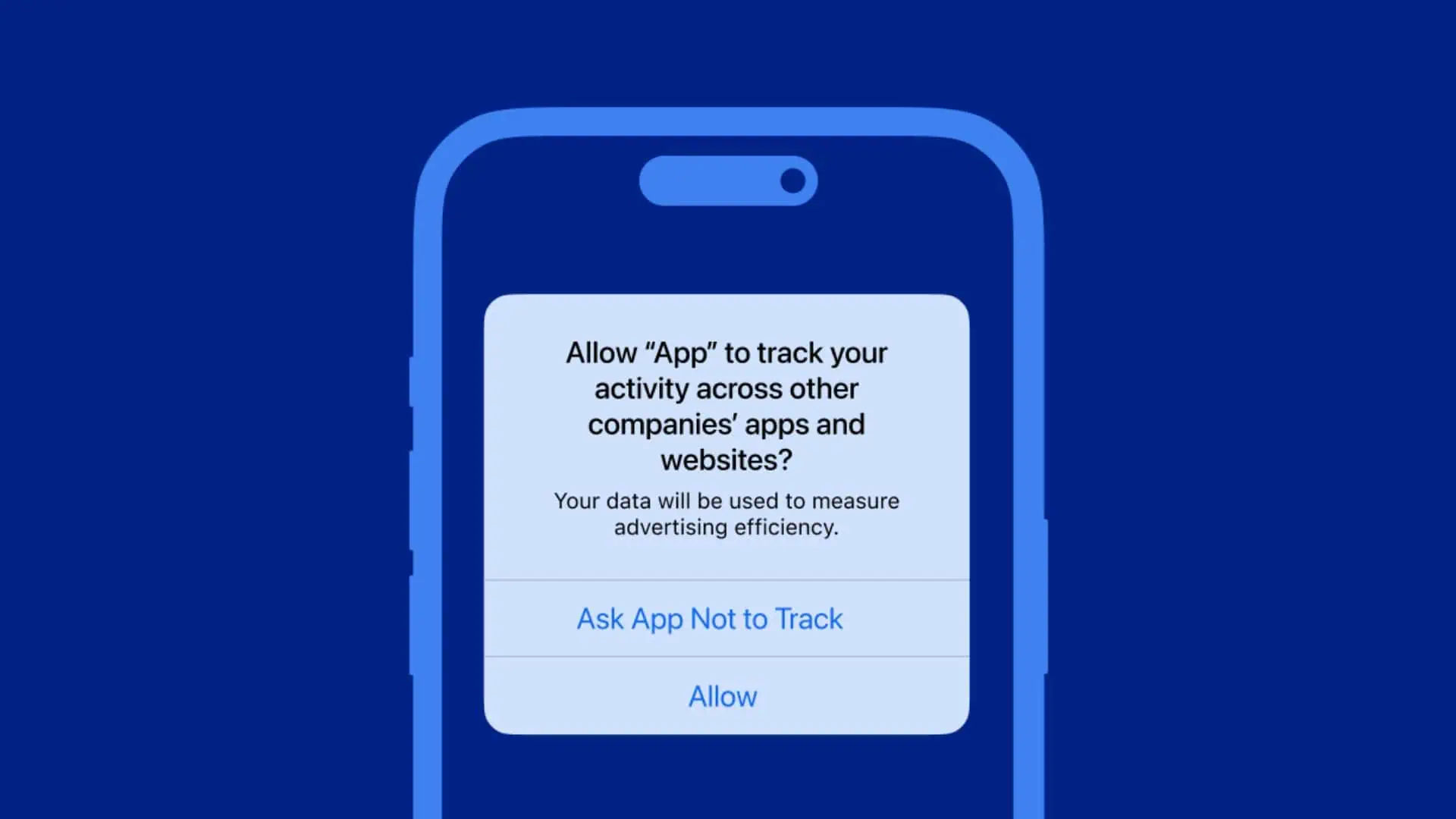
If you’re concerned about privacy and want to prevent apps from tracking your online activity, Apple’s App Tracking Transparency feature gives you the power to control what data is shared. Fortunately, stopping app tracking on your iPhone is straightforward. Let’s walk through the process of managing tracking requests and blocking unwanted data collection.

  • Start by Blocking New Tracking Requests
  • Review the Apps Already Tracking You
  • Why the Toggle Might Be Grayed Out
  • What Stopping Tracking Really Does
  • The Bottom Line

Start by Blocking New Tracking Requests

Every time you install a new app, it can ask for permission to track you across other apps and websites. You can block these requests from the get-go to stop any tracking before it even starts.

Steps to Block New Tracking Requests:

ADVERTISEMENT
  1. Open Settings on your iPhone.
  2. Scroll down and tap on Privacy & Security.
  3. Tap Tracking.
  4. At the top, you’ll see Allow Apps to Request to Track.
  5. Turn this toggle off.

Once this is done, any app that tries to ask for permission to track you will be automatically denied. You won’t see any tracking requests or pop-ups, and apps won’t have access to your advertising identifier or any device-level data used for targeted ads.


Review the Apps Already Tracking You

If you’ve already granted tracking permissions in the past, you can easily revoke them. To check which apps have permission to track you and stop them from doing so:

ADVERTISEMENT
  1. Go back to the Tracking menu under Privacy & Security.
  2. Here, you’ll see a list of apps that have previously asked to track you.
  3. Tap on any app you want to disable tracking for and toggle it off.

This effectively prevents those apps from using your Identifier for Advertisers (IDFA), making it harder for them to track your activities across different apps and websites.


Why the Toggle Might Be Grayed Out

Sometimes, the option to turn off app tracking may appear unavailable or grayed out. This can happen for several reasons:

  • You’re using a child account.
  • Your Apple ID was created recently.
  • Your device is managed by a school or workplace.
  • There may be a configuration profile enforcing restrictions.

If this happens, iOS automatically blocks tracking, so you don’t need to worry about it. The restrictions will apply until your situation changes.

ADVERTISEMENT

What Stopping Tracking Really Does

Turning off tracking doesn’t mean you’ll stop seeing ads altogether. It simply means you won’t see ads tailored to you based on what you’ve done in other apps or on other websites. Instead, you’ll be shown generic ads, which gives you more privacy without breaking how the apps function.


The Bottom Line

You don’t need to let apps track your activity if you don’t want to. With iOS’s App Tracking Transparency settings, you can easily block new tracking requests and manage which apps are allowed to track you. Once you turn off these switches, your iPhone stops sharing your data with advertisers, giving you more control over your privacy.

By following these simple steps, you can take a big step towards maintaining your privacy without affecting your overall app experience.

Share2Tweet1SendShareScanSharePinShareShare
Google Add as a Preferred Source on Google
Previous Post

Apple TV App Stuck Loading? Here’s How to Kill the Spinning Wheel (2026 Guide)

Next Post

How to Play LBC Radio via Apple Music on HomePods and iPhone

NyongesaSande News Desk

NyongesaSande News Desk

Nyongesa Sande offers diverse content across news, technology, entertainment, and more, aiming to provide readers with a wide range of informative and engaging articles. NYONGESA SANDE's dedicated team provides our audience not only with the highly relevant news but also with outstanding interactive experience.

Related Posts

How to Weld a 2-Block Rectangular Hollow Block Mold: Measurements, Materials and Step-by-Step Guide
How To

How to Weld a 2-Block Rectangular Hollow Block Mold: Measurements, Materials and Step-by-Step Guide

1 month ago
How to Create a Facebook Account on iPhone App
How To

How to Fix Facebook Confirmation Email Not Received

1 month ago
How to Create a Facebook Account on iPhone App
How To

How to Fix Facebook Confirmation Code Not Received

1 month ago
How to Create a Facebook Account on iPhone App
How To

How to Confirm Your Facebook Email or Phone Number

1 month ago
How to Create a Facebook Account on iPhone App
How To

How to Understand Your Facebook Account and Profiles

1 month ago
How to Create a Facebook Account on iPhone App
How To

How to Fix Facebook Name Not Accepted

1 month ago
Load More
Next Post
How to Fix Incorrect Apple Music Replay 2026 Statistics

How to Play LBC Radio via Apple Music on HomePods and iPhone

How to Control Favicons in Safari’s Favorites Bar

How to Fix Safari Crashes When Closing a Tab

Trending

  • Top 10 Richest People in Tripura (2026)

    Top 10 Richest People in Tripura (2026)

    169 shares
    Share 68 Tweet 42
  • Product Review: Bose Portable Smart Speaker

    184 shares
    Share 74 Tweet 46
  • QVSELP Scam Warning: Why Kenyans Should Be Careful

    4 shares
    Share 2 Tweet 1
  • ZimLoan: A Quick Guide to Salary Advance Loans in Zimbabwe

    288 shares
    Share 115 Tweet 72
  • Top 10 Richest People in Manipur (2026)

    58 shares
    Share 23 Tweet 15
  • List of All Phone Numbers for the Kenyan 13th Parliament – Contact your MP today

    156 shares
    Share 62 Tweet 39
  • Final World Cup 2026: Messi, Ronaldo and Veteran Stars Facing Their Last Dance

    1 shares
    Share 0 Tweet 0
  • 2026 World Cup Absentees: Biggest Stars Missing the Tournament

    1 shares
    Share 0 Tweet 0
  • Top 10 Richest People in Jammu & Kashmir (2026)

    90 shares
    Share 36 Tweet 23
  • Top 10 Richest People in Meru County

    86 shares
    Share 34 Tweet 22
ADVERTISEMENT
ADVERTISEMENT

Who We Are

Nyongesa Sande

NyongesaSande.com is a digital news and media platform covering breaking news, business, technology, AI, politics, sports, world affairs and African innovation.

News Sections

  • News
    • World
    • Africa
  • Politics
  • Business
  • Tech
  • AI
  • Telecom
  • Sports
  • Opinion
  • Lifestyle
  • Live
  • World Cup 2026
    • World Cup 2026 Standings
    • World Cup 2026

Editorial Standards

  • Editorial Policy
  • Fact Checking Policy
  • Corrections Policy
  • Ethics Policy
  • AI Usage Policy
  • News Tips
  • Submit Press Release

Legal

  • Privacy Policy
  • Terms of Use
  • Cookie Policy
  • Disclaimer
  • Risk Disclaimer
  • DMCA
  • Ad Choices

Our Company

  • About Us
    • Nyosake Designers
      • Nyosake Webmasters
      • Nyosake Investment
  • Contact Us
    • Newsroom Contact
  • Ownership Disclosure
  • Advertise
  • Privacy Policy
  • Terms of Use
  • Cookie Policy
  • Disclaimer
  • Risk Disclaimer
  • DMCA
  • Ad Choices

NyongesaSande.com is an independent digital news and media platform covering Africa, business, technology, AI, politics and global developments.

© 2026 NyongesaSande.com. All rights reserved.

No Result
View All Result
  • News
    • World
    • Africa
  • Politics
  • Business
  • Tech
  • AI
  • Telecom
  • Sports
  • Opinion
  • Lifestyle
  • Live
  • World Cup 2026
    • World Cup 2026 Standings
    • World Cup 2026

NyongesaSande.com is an independent digital news and media platform covering Africa, business, technology, AI, politics and global developments.

© 2026 NyongesaSande.com. All rights reserved.
