Nyongesa Sande
No Result
View All Result
  • News
    • World
    • Africa
  • Politics
  • Business
  • Tech
  • AI
  • Telecom
  • Sports
  • Opinion
  • Lifestyle
  • Live
Nyongesa Sande
No Result
View All Result
Nyongesa Sande
No Result
View All Result
  • News
  • Politics
  • Business
  • Tech
  • AI
  • Telecom
  • Sports
  • Opinion
  • Lifestyle
  • Live
ADVERTISEMENT

Home » How to Reverse M-Pesa Money: A Step-by-Step Guide

How to Reverse M-Pesa Money: A Step-by-Step Guide

NyongesaSande News Desk by NyongesaSande News Desk
5 months ago
in Money
Reading Time: 6 mins read
A A
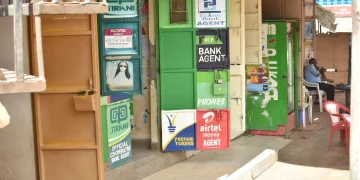
LIST OF SAFARICOM MOBILE BANKING CODES/PAYBILLS IN KENYA

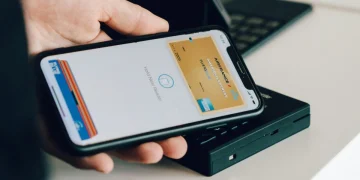
Sending money to the wrong number is a common mistake many M-Pesa users make, but the good news is that reversing M-Pesa money is possible, and Safaricom has made this process straightforward and easy to follow. Whether you’ve accidentally entered the wrong recipient, sent funds to a wrong digit, or fallen victim to fraud, this guide will provide you with the necessary steps to get your money back quickly.

  • Contents
  • When Can You Reverse M-Pesa Transactions?
  • How to Reverse M-Pesa Money: 3 Main Methods
    • 1. Use the SMS Reversal Option (FASTEST)
    • 2. Call Safaricom Customer Care
    • 3. Use the MySafaricom App or Zuri Chatbot
  • Reversal for Paybill/Till Payments
  • Important Tips to Maximize Your Chances
  • How to Avoid Wrong Transactions in the Future
  • Final Thoughts

Contents

  1. When Can You Reverse M-Pesa Transactions?
  2. How to Reverse M-Pesa Money: 3 Main Methods
      1. Use the SMS Reversal Option (FASTEST)
      1. Call Safaricom Customer Care
      1. Use the MySafaricom App or Zuri Chatbot
  3. Reversal for Paybill/Till Payments
  4. Important Tips to Maximize Your Chances
  5. How to Avoid Wrong Transactions in the Future
  6. Final Thoughts

When Can You Reverse M-Pesa Transactions?

M-Pesa reversals can only be made under certain conditions, which include:

  • You sent money to the wrong phone number.
  • You paid a business paybill or till number incorrectly.
  • You were tricked into making a fraudulent payment.
  • The recipient has not yet withdrawn or used the funds.

However, if the recipient has already used or withdrawn the funds, the reversal process may become more complex and might involve legal steps.

ADVERTISEMENT

How to Reverse M-Pesa Money: 3 Main Methods

1. Use the SMS Reversal Option (FASTEST)

This is the quickest method for reversing money sent to the wrong number.

Steps to follow:

ADVERTISEMENT
  1. Immediately after the transaction, go to your M-Pesa message inbox.
  2. Reply to the SMS you received from M-Pesa with the word “Reverse” (without quotes).
  3. Send the message within 5 minutes of the transaction to ensure the best chances of success.
  4. Wait for Safaricom to process the reversal. You will receive feedback via SMS within 2 hours.

Note: This method works only for Person-to-Person (P2P) transactions.


2. Call Safaricom Customer Care

If you missed the SMS window or need additional assistance, you can contact Safaricom’s customer care.

Steps to follow:

ADVERTISEMENT
  1. Dial 100 (for prepaid) or 200 (for postpaid customers).
  2. Request to speak to a customer care agent by saying, “Talk to customer care”.
  3. Provide the following details to the agent:
    • Transaction code (e.g., Mxxxxxxx).
    • Amount sent.
    • Time and date of the transaction.
    • Wrong recipient’s number.
  4. The customer care agent will submit a reversal request on your behalf.
  5. Wait for confirmation via SMS.

3. Use the MySafaricom App or Zuri Chatbot

If you prefer using your smartphone, you can initiate the reversal through the MySafaricom App or Zuri, Safaricom’s AI assistant.

Steps to follow using the MySafaricom App:

  1. Open the MySafaricom App.
  2. Go to M-Pesa Statement, and find the transaction you wish to reverse.
  3. Tap “Report Issue”, and select “Wrong Transaction”.
  4. Fill in the reason for the reversal and submit the request.

Alternatively, you can chat with Zuri on WhatsApp via +254 722 000 100 or on Facebook Messenger for assistance.


Reversal for Paybill/Till Payments

In the case where you accidentally sent money to a Paybill or Till number, the reversal process is slightly different:

  1. Send an SMS to 456 with your transaction details (such as Paybill/Till number and amount).
  2. Call 100/200, provide the Paybill/Till number, and request a reversal.

Reversals for Paybill/Till payments might take up to 48 hours, and some vendors may need to authorize the reversal.


Important Tips to Maximize Your Chances

  • Act FAST: The sooner you report the wrong transaction, the higher your chances of success.
  • Do not delete the transaction SMS as it serves as proof.
  • Double-check recipient details before making any transactions.
  • Be firm and polite when talking to customer care or the recipient.
  • Report fraud: If you suspect fraudulent activity, file a police report or contact Safaricom immediately.

How to Avoid Wrong Transactions in the Future

  • Double-check the recipient number before completing the transaction.
  • Use Lipa na M-Pesa names to confirm if the business name matches.
  • Activate Hakikisha: This feature allows you to see the recipient’s name before you confirm the transaction.
  • Set up transaction limits and alerts for added safety and to minimize mistakes.

Final Thoughts

Accidentally sending money to the wrong recipient can be stressful, but with Safaricom’s reversal options, you can quickly recover your funds. By acting quickly, contacting customer care, or using the MySafaricom App, you stand a good chance of getting your money back. Stay vigilant, confirm all details before sending, and use the available tools to protect your M-Pesa transactions.


Tags: KenyaM-PesaM-Pesa helpM-Pesa MistakeM-PESA transactionsmobile moneyMoney TransferReversalReverse M-Pesa MoneySafaricom
Google Add as a Preferred Source on Google
Previous Post

How to Send Money from M-PESA to MTN Rwanda Instantly

Next Post

How to Make Money Online in Kenya

NyongesaSande News Desk

NyongesaSande News Desk

Nyongesa Sande offers diverse content across news, technology, entertainment, and more, aiming to provide readers with a wide range of informative and engaging articles. NYONGESA SANDE's dedicated team provides our audience not only with the highly relevant news but also with outstanding interactive experience.

Related Posts

Rolled euro banknotes and stacked coins on a table representing savings, investments, and financial growth.
Money

Most Traded Currencies in Forex Explained

by NyongesaSande News Desk
17 hours ago
0

Most traded currencies dominate the global foreign exchange market because they are linked to the...

Read moreDetails
Kenyans Transacted KES 41.7 Trillion Through M-PESA
Money

Kenyans Transacted KES 41.7 Trillion Through M-PESA

by NyongesaSande News Desk
4 weeks ago
0

Safaricom customers moved KES 41.7 trillion through M-PESA during the financial year ending March 2026,...

Read moreDetails
Airtel Money IPO Delayed Amid Market Uncertainty
Money

Airtel Money IPO Delayed Amid Market Uncertainty

by NyongesaSande News Desk
4 weeks ago
0

Airtel Africa has delayed the planned Airtel Money initial public offering to the second half...

Read moreDetails
List of Kenya Saccos Paybill Numbers
Money

Kenya Water Companies PayBill Numbers List

by NyongesaSande News Desk
5 months ago
0

Paying water bills in Kenya has become faster and more reliable thanks to M-Pesa PayBill...

Read moreDetails
Top International Money Transfer Platforms in Kenya
Finance

Top International Money Transfer Platforms in Kenya

by NyongesaSande News Desk
5 months ago
0

Sending money abroad from Kenya has become easier, faster, and more affordable thanks to digital...

Read moreDetails
Uganda Shilling Ranked World’s Most Stable Currency – Ggoobi
Money

Uganda Shilling Ranked World’s Most Stable Currency – Ggoobi

by NyongesaSande News Desk
5 months ago
0

In a significant announcement during the Quarter Three Press Briefing for the Financial Year 2025/26,...

Read moreDetails
Load More
Next Post
How to Make Money Online in Kenya

How to Make Money Online in Kenya

How to Import Perfumes to Kenya: A Step-by-Step Guide

A Simple Guide on How to File KRA Returns Online

ADVERTISEMENT

Who We Are

Nyongesa Sande

NyongesaSande.com is a digital news and media platform covering breaking news, business, technology, AI, politics, sports, world affairs and African innovation.

News Sections

  • News
    • World
    • Africa
  • Politics
  • Business
  • Tech
  • AI
  • Telecom
  • Sports
  • Opinion
  • Lifestyle
  • Live

Editorial Standards

  • Editorial Policy
  • Fact Checking Policy
  • Corrections Policy
  • Ethics Policy
  • AI Usage Policy
  • News Tips
  • Submit Press Release

Legal

  • Privacy Policy
  • Terms of Use
  • Cookie Policy
  • Disclaimer
  • Risk Disclaimer
  • DMCA
  • Ad Choices

Our Company

  • About Us
    • Nyosake Designers
      • Nyosake Webmasters
      • Nyosake Investment
  • Contact Us
    • Newsroom Contact
  • Ownership Disclosure
  • Advertise
  • Privacy Policy
  • Terms of Use
  • Cookie Policy
  • Disclaimer
  • Risk Disclaimer
  • DMCA
  • Ad Choices

NyongesaSande.com is an independent digital news and media platform covering Africa, business, technology, AI, politics and global developments.

© 2026 NyongesaSande.com. All rights reserved.

No Result
View All Result
  • News
    • World
    • Africa
  • Politics
  • Business
  • Tech
  • AI
  • Telecom
  • Sports
  • Opinion
  • Lifestyle
  • Live

NyongesaSande.com is an independent digital news and media platform covering Africa, business, technology, AI, politics and global developments.

© 2026 NyongesaSande.com. All rights reserved.