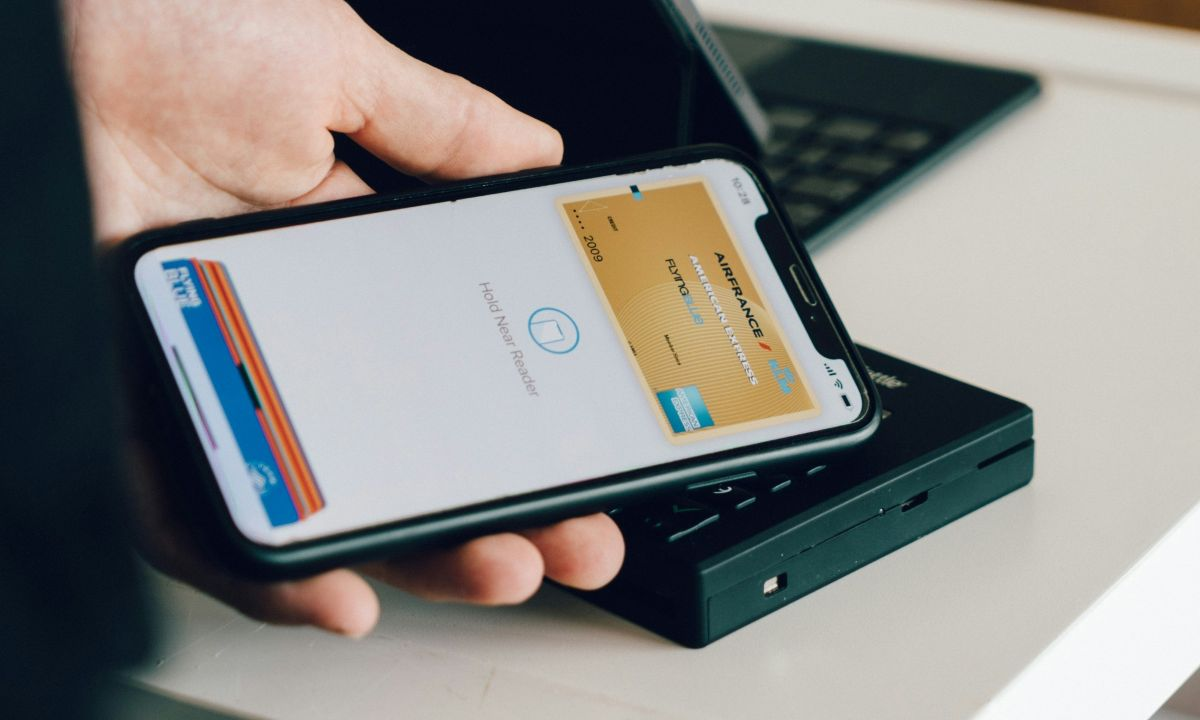
Amex Apple Pay rewards redemption is now available for eligible American Express Card Members, giving users a new way to apply Membership Rewards points directly during online checkout.
The new feature allows eligible cardholders to use points when paying with Apple Pay on the web or in participating apps on an iPhone or iPad. Instead of leaving checkout, opening the Amex app or redeeming points separately, users can select an eligible American Express card in Apple Pay, choose “Use Rewards,” enter the amount of points they want to apply and complete the transaction.
The feature is designed to make rewards redemption more seamless. For years, credit card points have often required users to visit separate portals, search for eligible partners or redeem points after a transaction. By adding point redemption directly into Apple Pay checkout, American Express is making Membership Rewards feel more usable for everyday online purchases.
For Apple Pay, the integration adds another practical payment option inside its secure checkout flow. For American Express, it gives cardholders more flexibility and may encourage more frequent engagement with Membership Rewards.
How the New Amex Apple Pay Feature Works
The process is simple. A cardholder shops online or inside a participating app using an iPhone or iPad. At checkout, they select Apple Pay as the payment method. They then choose an eligible American Express card linked to Membership Rewards.
If the transaction qualifies, a “Use Rewards” option appears. The cardholder can then enter the amount of points they want to redeem toward all or part of the purchase. Once the Apple Pay transaction is completed, the selected Membership Rewards points are redeemed.
This means users do not need to leave the checkout page, open a separate app or complete a separate redemption process after purchase. The points are applied inside the Apple Pay checkout experience.
The feature is available for eligible American Express Card Members and eligible purchases. As with most rewards programmes, terms, merchant participation and card eligibility may apply.
Why This Matters for American Express Cardholders
The new feature matters because it makes Membership Rewards points easier to use at the point of purchase. Many cardholders accumulate points but do not always redeem them regularly because the process can feel inconvenient or confusing.
By placing the redemption option inside Apple Pay, American Express reduces friction. A user can decide in the moment whether to pay with points, card balance or a combination of both.
This may be useful for everyday purchases, smaller online transactions or moments when a cardholder wants to reduce out-of-pocket spending. It also gives users more control over how they use their points.
However, cardholders should still consider redemption value. Not every points redemption offers the same return. In many rewards programmes, travel transfers or selected travel bookings can offer better value than checkout redemptions. The convenience of Apple Pay redemption may be attractive, but users should compare whether using points at checkout is the best financial choice for them.
Security and Privacy During Checkout
Security is one of the main selling points of Apple Pay. When a card is added to Apple Pay, the actual card number is not stored on the device or Apple servers in the same way as a normal card entry. Apple Pay uses a device-specific number and a unique transaction code when processing payments.
American Express also says the new rewards redemption happens within Apple Pay’s secure checkout experience. Users do not need to enter card details manually on a merchant website or move into a separate redemption flow.
This can reduce friction and may also lower the risk of entering payment information on less trusted websites. However, users should still shop only with trusted merchants and avoid clicking suspicious links that claim to offer rewards redemption.
How to Add an American Express Card to Apple Pay
Cardholders can add an eligible American Express card to Apple Pay through the Wallet app on iPhone.
Open the Wallet app, tap the plus button, then follow the instructions to add the card. In some cases, users can hold the physical card near the iPhone or enter details manually. American Express may require verification before the card is activated in Apple Pay.
Once added, the user can make the Amex card the default Apple Pay card or select it manually during checkout. When shopping online or in apps, the cardholder chooses Apple Pay, selects the eligible Amex card and looks for the “Use Rewards” option if the transaction qualifies.
Where the Feature Can Be Used
The feature is designed for online purchases and in-app checkout on iPhone and iPad where Apple Pay is accepted and the selected American Express card is eligible.
It does not mean every Apple Pay transaction will automatically support Membership Rewards redemption. Availability may depend on the merchant, purchase type, card product and American Express terms.
Cardholders should check the checkout screen carefully. If “Use Rewards” appears, they can apply points. If it does not appear, the purchase may not be eligible or the selected card may not support the feature.
What to Consider Before Using Points at Checkout
Using points at checkout is convenient, but convenience is not always the same as maximum value.
American Express Membership Rewards points can often be redeemed in multiple ways, including travel, statement credits, gift cards, shopping partners and transfer partners. Some redemption methods may deliver more value per point than others.
Before using points through Apple Pay, cardholders should ask a simple question: is this the best use of my points, or am I choosing it because it is easy?
For small everyday purchases, the convenience may be worth it. For larger redemptions, frequent travellers may prefer to compare other options first.
Users should also check whether applying points affects rewards earned on the transaction. In many rewards systems, points are earned only on the portion paid with the card, not the portion covered by redeemed points. Terms may vary, so cardholders should review Amex rules before relying on a specific earning outcome.
Why American Express Is Expanding Checkout Redemption
American Express is expanding checkout redemption because cardholders increasingly expect rewards to be flexible, immediate and easy to use. Modern consumers do not want points to sit unused because redemption feels complicated.
By integrating Membership Rewards into Apple Pay, Amex is placing rewards where spending decisions happen. This can increase engagement and make points feel more practical.
The move also reflects a wider trend in payments. Digital wallets are becoming more than card containers. They are turning into checkout platforms where users can manage payment methods, security, instalments, rewards and identity verification.
For American Express, deeper Apple Pay integration keeps its cards relevant in a mobile-first payments environment.
What This Means for Apple Pay
For Apple Pay, the feature strengthens its position as a convenient checkout option for online and in-app purchases. Adding rewards redemption gives users another reason to choose Apple Pay instead of manually entering card details.
It also helps Apple Pay compete with other checkout systems that offer rewards, wallet balances, instalments or loyalty integrations.
The update shows how digital wallets are becoming smarter. Instead of simply processing a card payment, Apple Pay can now support richer payment choices, including applying points before completing the purchase.
Conclusion: Amex Apple Pay Rewards Make Points Easier to Use
The Amex Apple Pay update gives eligible American Express Card Members a faster way to redeem Membership Rewards points during online checkout. Users can shop online or in apps, choose Apple Pay, select an eligible Amex card, tap “Use Rewards” and apply points toward all or part of the purchase.
The feature adds convenience, reduces redemption friction and makes Membership Rewards more visible at the moment of payment. It also strengthens Apple Pay’s role as a secure and flexible checkout platform.
Still, cardholders should use the feature thoughtfully. Pay-with-points checkout can be convenient, but it may not always deliver the highest value compared with other Membership Rewards redemption options. The best approach is to balance convenience, value and personal spending needs.
FAQs
Can American Express cardholders use points with Apple Pay?
Yes. Eligible American Express Card Members can now use Membership Rewards points when checking out online or in participating apps with Apple Pay. The feature allows users to apply points directly within the Apple Pay checkout flow without opening another app or completing a separate redemption process.
How do I use Amex points with Apple Pay?
Shop online or in an app using an iPhone or iPad, then select Apple Pay at checkout. Choose an eligible American Express card and look for the “Use Rewards” option. If available, enter the amount of points you want to apply toward the purchase, then complete the transaction through Apple Pay.
Can I use Amex points to pay for part of a purchase?
Yes. American Express says eligible cardholders can apply Membership Rewards points toward all or part of an eligible purchase. This gives users flexibility to reduce the cash portion of a transaction without needing to cover the full amount with points.
Do I need to open the Amex app to redeem points?
No. The new feature allows eligible cardholders to redeem points directly inside the Apple Pay checkout experience. You do not need to leave checkout, open the Amex app or complete a separate redemption step, provided the transaction and card are eligible.
Does this work in stores?
The announced feature focuses on online purchases and in-app checkout using Apple Pay on iPhone or iPad. Cardholders should check American Express terms and the Apple Pay checkout screen to confirm where the “Use Rewards” option is available. Not every Apple Pay transaction may support points redemption.
Is every American Express card eligible?
Not necessarily. The feature applies to eligible American Express Card Members and eligible cards that participate in Membership Rewards. Some Amex cards may not earn Membership Rewards or may not support this checkout redemption feature. Cardholders should check their account terms or Amex app for eligibility.
Is using Amex points with Apple Pay safe?
Yes, the feature works within Apple Pay’s secure checkout experience. Apple Pay uses device-specific payment security and does not share the actual card number with merchants. Users should still shop only with trusted merchants and avoid suspicious links claiming to offer rewards redemption.
Will Apple store my transaction information?
American Express says the redemption takes place within Apple Pay’s secure checkout experience. Apple’s payment design is built around privacy and security, including not sharing the actual card number with merchants. Users should review Apple Pay and American Express privacy terms for full details.
Is using points at checkout the best value?
Not always. Pay-with-points checkout is convenient, but Membership Rewards points may sometimes offer better value through travel redemptions or transfer partners. Users should compare redemption options before using a large number of points at checkout. For smaller purchases, convenience may be the main benefit.
How do I add my American Express card to Apple Pay?
Open the Wallet app on your iPhone, tap the plus button and follow the instructions to add your American Express card. You may be asked to verify the card before activation. Once added, you can choose it during Apple Pay checkout and use rewards if the transaction is eligible.
Read Also: PlayStation Discs Are Coming to an End for New Games