
Nyongesa Sande
No Result
View All Result
  • News
    • World
    • Africa
  • Politics
  • Business
  • Tech
  • AI
  • Telecom
  • Sports
  • Opinion
  • Lifestyle
  • Live
  • World Cup 2026
    • World Cup 2026 Standings
    • World Cup 2026
Nyongesa Sande
  • About Us
    • Nyosake Designers
      • Nyosake Webmasters
      • Nyosake Investment
  • Contact Us
    • Newsroom Contact
  • Ownership Disclosure
  • Advertise
No Result
View All Result
Nyongesa Sande
No Result
View All Result
  • News
  • Politics
  • Business
  • Tech
  • AI
  • Telecom
  • Sports
  • Opinion
  • Lifestyle
  • Live
  • World Cup 2026
ADVERTISEMENT

Home » How to Resolve iPhone Battery Draining Quickly Issue

How to Resolve iPhone Battery Draining Quickly Issue

NyongesaSande News Desk by NyongesaSande News Desk
6 months ago
in How To
Reading Time: 4 mins read
A A
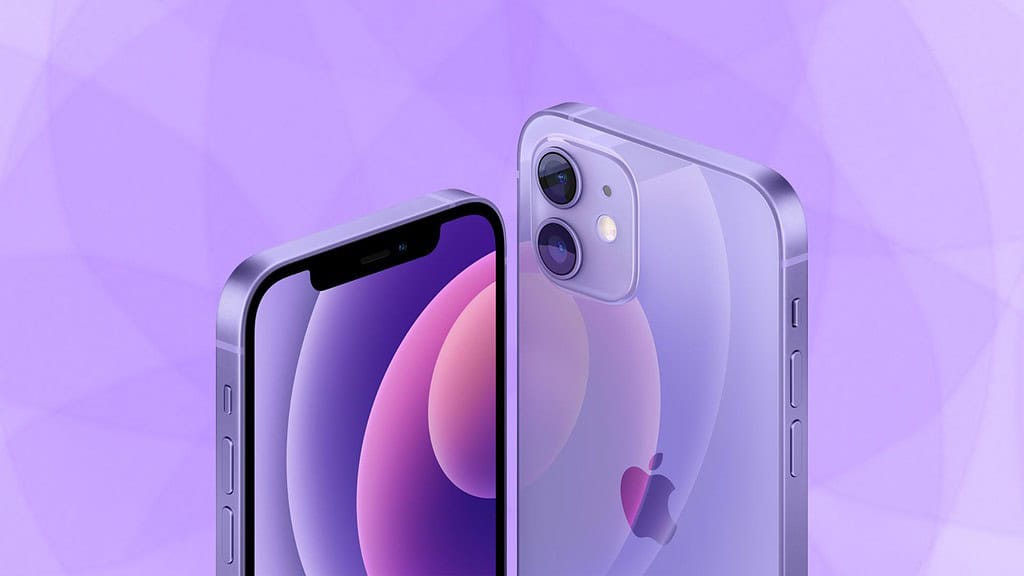
How Long Your iPhone 12 Really Lasts Before Apple Drops Support

Having issues with your iPhone battery draining quickly? You’re not alone. Many users experience rapid battery depletion, which can be frustrating, especially when you need your phone for important tasks. Luckily, there are several simple methods to troubleshoot and fix the issue. Here’s a detailed guide to help you extend your iPhone’s battery life.

  • 1. Check Battery Usage in Settings
  • 2. Turn Off Background App Refresh
  • 3. Enable Low Power Mode
  • 4. Update Your iPhone Software
  • 5. Check for Battery Health
  • 6. Disable Location Services
  • 7. Reduce Screen Brightness

1. Check Battery Usage in Settings

The first step in addressing the iPhone battery draining issue is identifying which apps are consuming the most power. To do this:

  • Go to Settings.
  • Tap Battery.
  • Here, you’ll see a list of apps and their battery usage over the past 24 hours or 7 days.

By identifying the apps that drain the most battery, you can take necessary action, such as reducing their usage or adjusting settings to limit their background activity.

ADVERTISEMENT

2. Turn Off Background App Refresh

Background App Refresh allows apps to update content even when you are not actively using them. This feature can be helpful, but it also uses significant power. To save battery, you can turn it off:

  • Open Settings.
  • Tap General and select Background App Refresh.
  • Choose Off or limit the feature to Wi-Fi only.

Turning off this feature can help reduce unnecessary battery consumption, especially if many apps are constantly refreshing in the background.

ADVERTISEMENT

3. Enable Low Power Mode

Low Power Mode is a handy feature on your iPhone that reduces power consumption by limiting certain functions like mail fetching, automatic downloads, and visual effects. To enable it:

  • Go to Settings.
  • Tap Battery and toggle the Low Power Mode switch.

This simple step can significantly improve your iPhone’s battery life without affecting its performance too much.

4. Update Your iPhone Software

Sometimes, software bugs can cause battery draining problems. Ensure that your iPhone is running the latest version of iOS, as each update often includes performance improvements and bug fixes. To check for updates:

ADVERTISEMENT
  • Open Settings.
  • Tap General, then Software Update.
  • If an update is available, tap Download and Install.

Keeping your device updated can help fix bugs that may be draining your battery.

5. Check for Battery Health

If your iPhone is still draining battery quickly after trying the steps above, it’s worth checking the health of your battery. Apple provides a built-in tool to check battery health:

  • Go to Settings.
  • Tap Battery, then Battery Health.

If your maximum capacity is significantly lower than 100%, your battery may need to be replaced. If this is the case, visit an Apple Store or authorized service provider for a replacement.

6. Disable Location Services

Location services can also be a big drain on your iPhone’s battery, especially if apps are constantly tracking your whereabouts. You can manage location services by:

  • Going to Settings.
  • Tapping Privacy, then Location Services.
  • Disable Location Services or adjust settings for specific apps that don’t need your location.

Limiting location access can help conserve battery life.

7. Reduce Screen Brightness

A bright screen can quickly drain your iPhone’s battery. To reduce screen brightness:

  • Open Control Center (swipe down from the top right corner).
  • Adjust the brightness slider to a lower setting.

You can also enable Auto-Brightness in Settings > Accessibility > Display & Text Size, which adjusts the screen brightness based on your environment.


Conclusion

By following these steps, you should see an improvement in your iPhone’s battery life. Remember to monitor your battery’s health regularly and use power-saving settings to keep your device running efficiently. If you continue to experience issues with iPhone battery draining, consider visiting an Apple Store for further assistance.

Share1Tweet1SendShareScanSharePinShareShare
Google Add as a Preferred Source on Google
Previous Post

Best HomePod Alternatives

Next Post

How to Create an Automation to Turn on Lights After Sunset When You Arrive Home

NyongesaSande News Desk

NyongesaSande News Desk

Nyongesa Sande offers diverse content across news, technology, entertainment, and more, aiming to provide readers with a wide range of informative and engaging articles. NYONGESA SANDE's dedicated team provides our audience not only with the highly relevant news but also with outstanding interactive experience.

Related Posts

How to Weld a 2-Block Rectangular Hollow Block Mold: Measurements, Materials and Step-by-Step Guide
How To

How to Weld a 2-Block Rectangular Hollow Block Mold: Measurements, Materials and Step-by-Step Guide

1 month ago
How to Create a Facebook Account on iPhone App
How To

How to Fix Facebook Confirmation Email Not Received

1 month ago
How to Create a Facebook Account on iPhone App
How To

How to Fix Facebook Confirmation Code Not Received

1 month ago
How to Create a Facebook Account on iPhone App
How To

How to Confirm Your Facebook Email or Phone Number

1 month ago
How to Create a Facebook Account on iPhone App
How To

How to Understand Your Facebook Account and Profiles

1 month ago
How to Create a Facebook Account on iPhone App
How To

How to Fix Facebook Name Not Accepted

1 month ago
Load More
Next Post
CarPlay

How to Create an Automation to Turn on Lights After Sunset When You Arrive Home

iOS 26.3 Beta 1: New Features and Changes So Far

How to Fix AirDrop Not Working After iOS 26 Upgrade on iPhone

Trending

  • Top 10 Richest People in Tripura (2026)

    Top 10 Richest People in Tripura (2026)

    169 shares
    Share 68 Tweet 42
  • Product Review: Bose Portable Smart Speaker

    184 shares
    Share 74 Tweet 46
  • QVSELP Scam Warning: Why Kenyans Should Be Careful

    4 shares
    Share 2 Tweet 1
  • ZimLoan: A Quick Guide to Salary Advance Loans in Zimbabwe

    288 shares
    Share 115 Tweet 72
  • Top 10 Richest People in Manipur (2026)

    58 shares
    Share 23 Tweet 15
  • List of All Phone Numbers for the Kenyan 13th Parliament – Contact your MP today

    156 shares
    Share 62 Tweet 39
  • Final World Cup 2026: Messi, Ronaldo and Veteran Stars Facing Their Last Dance

    1 shares
    Share 0 Tweet 0
  • 2026 World Cup Absentees: Biggest Stars Missing the Tournament

    1 shares
    Share 0 Tweet 0
  • Top 10 Richest People in Jammu & Kashmir (2026)

    90 shares
    Share 36 Tweet 23
  • Top 10 Richest People in Meru County

    86 shares
    Share 34 Tweet 22
ADVERTISEMENT
ADVERTISEMENT

Who We Are

Nyongesa Sande

NyongesaSande.com is a digital news and media platform covering breaking news, business, technology, AI, politics, sports, world affairs and African innovation.

News Sections

  • News
    • World
    • Africa
  • Politics
  • Business
  • Tech
  • AI
  • Telecom
  • Sports
  • Opinion
  • Lifestyle
  • Live
  • World Cup 2026
    • World Cup 2026 Standings
    • World Cup 2026

Editorial Standards

  • Editorial Policy
  • Fact Checking Policy
  • Corrections Policy
  • Ethics Policy
  • AI Usage Policy
  • News Tips
  • Submit Press Release

Legal

  • Privacy Policy
  • Terms of Use
  • Cookie Policy
  • Disclaimer
  • Risk Disclaimer
  • DMCA
  • Ad Choices

Our Company

  • About Us
    • Nyosake Designers
      • Nyosake Webmasters
      • Nyosake Investment
  • Contact Us
    • Newsroom Contact
  • Ownership Disclosure
  • Advertise
  • Privacy Policy
  • Terms of Use
  • Cookie Policy
  • Disclaimer
  • Risk Disclaimer
  • DMCA
  • Ad Choices

NyongesaSande.com is an independent digital news and media platform covering Africa, business, technology, AI, politics and global developments.

© 2026 NyongesaSande.com. All rights reserved.

No Result
View All Result
  • News
    • World
    • Africa
  • Politics
  • Business
  • Tech
  • AI
  • Telecom
  • Sports
  • Opinion
  • Lifestyle
  • Live
  • World Cup 2026
    • World Cup 2026 Standings
    • World Cup 2026

NyongesaSande.com is an independent digital news and media platform covering Africa, business, technology, AI, politics and global developments.

© 2026 NyongesaSande.com. All rights reserved.
