Google Wallet package tracking is now rolling out as Google expands the app beyond payments, passes and digital IDs. The new feature allows users to see upcoming package deliveries inside Google Wallet by pulling order and shipping information from Gmail.
The idea is simple: when Gmail detects a digital receipt, tracking number or shipping update from a supported merchant, Google Wallet can surface that information in a more convenient place. Instead of searching through email threads to find a delivery confirmation, users may see packages arriving soon directly on the Google Wallet home screen.
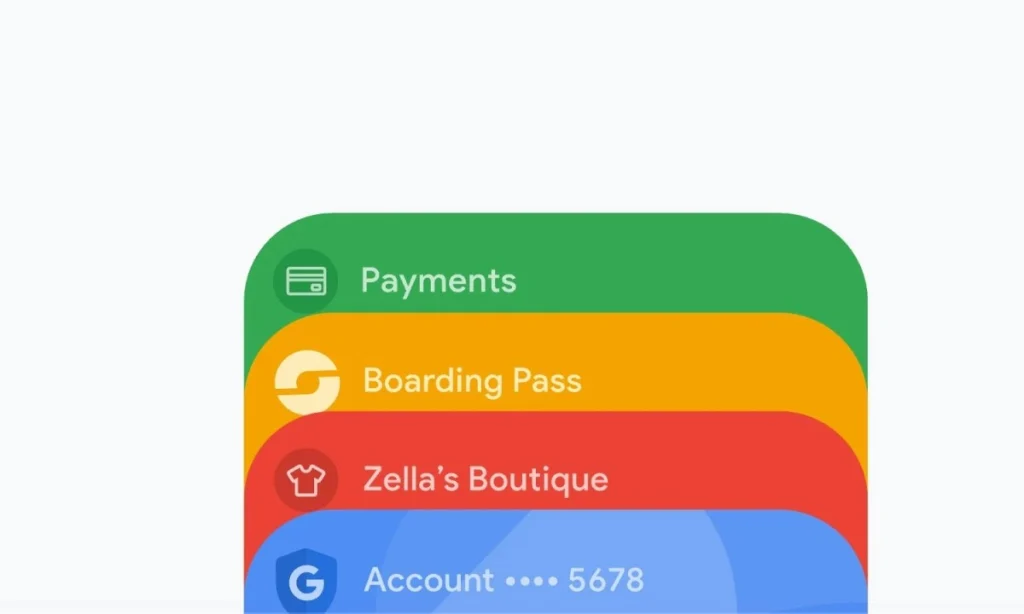
This makes Google Wallet feel more like a daily-use dashboard. For many users, the app already stores payment cards, loyalty cards, boarding passes, event tickets and digital IDs. Package tracking adds another practical layer by helping people monitor online orders without leaving the Wallet experience.
The feature is currently limited, and not every order will appear. Google Wallet package tracking depends on Gmail, supported merchants, compatible email formats and smart features being enabled. It is also rolling out first in the United States.
Still, the update shows where Google wants Wallet to go. It is no longer just a place to pay. It is becoming a central app for transactions, travel, passes and now deliveries.
How Google Wallet Package Tracking Works
Google Wallet package tracking works by using order information already available in Gmail. When a user receives a purchase confirmation, receipt or shipping email, Gmail can identify key details such as the merchant name, tracking number, order information and delivery status.
Google Wallet then uses that information to display package updates inside the Wallet app. Packages expected to arrive soon can appear on the home screen alongside passes and payment methods. Users can also open the package entry to see more detailed tracking information.
The feature does not delete, edit or move emails in Gmail. It simply uses information from eligible Gmail messages to create a package-tracking view in Wallet.
This is useful because delivery information is often scattered across inboxes. A user may have one email confirming the order, another email from the merchant, another from the carrier and later delivery updates. Google Wallet tries to make that experience easier by showing the most useful shipping information in one place.
What Users Will See in Google Wallet
When the feature is available, users may see packages arriving soon on the Google Wallet home screen. These order cards can appear near other important items, making delivery updates easier to find.
Opening an order can show package tracking details, shipping status and related order information. In some cases, users may also get a button that leads to the carrier’s website for more detailed tracking.
This is important because Google Wallet does not fully replace carrier tracking pages. Instead, it works as a quick overview. If a user wants deeper information, such as the latest scan location, delivery route or carrier-specific update, the carrier’s website may still be needed.
Users can also remove or dismiss order entries from Wallet. This helps keep the app clean after a package has arrived or after the user no longer wants to see that order.
Gmail Is Central to the Feature
Gmail is the foundation of Google Wallet package tracking. The feature depends on order emails that include tracking information. If the purchase confirmation or shipping email is not in Gmail, Wallet may not be able to display the package.
Gmail package tracking already allows users to see delivery information in their inbox. Google Wallet extends that convenience by bringing some of those delivery updates into the Wallet app.
For this to work, users must have the correct Gmail settings enabled. Google says package tracking requires smart features in Gmail settings. Without those settings, Gmail may not be able to process order emails in the way needed for package tracking.
That means users who do not see packages in Google Wallet should first check their Gmail settings. They should confirm that package tracking and Google Workspace smart features are turned on for the correct account.
How to Enable Package Tracking
Users who want Google Wallet package tracking should check their Gmail app settings.
Open Gmail, tap the menu icon, go to Settings and select the Gmail account connected to Google Wallet. From there, look for package tracking and smart features settings. These settings must be enabled for Gmail to identify order information and allow it to appear in other Google products.
The exact wording may vary slightly depending on device, region and app version, but the important setting is the one that allows Google Workspace smart features and package tracking.
After enabling the feature, users should not expect every old order to appear immediately. The rollout may take time, and Google Wallet may only show supported orders from participating merchants.
Users should also make sure the Google Wallet app is updated. Older versions may not display the new order-tracking interface.
Availability Is Limited for Now
Google Wallet package tracking is currently rolling out in the United States. That means users in other countries may not see it yet, even if they use Gmail and Google Wallet.
The feature also depends on supported merchants. Google says it supports many major merchants, but smaller retailers or non-US merchants may not always appear in Wallet. This is because order emails vary widely. Some merchants use formats that are easy for Gmail to recognize, while others may not include enough structured information.
This limitation is important. Users should not assume that every online purchase will automatically appear in Google Wallet. Orders from large retailers are more likely to work, while smaller stores, international sellers or unusual email formats may not show up.
Google may expand support over time, but for now the feature should be treated as a helpful convenience rather than a universal package tracker.
Why This Feature Makes Sense
At first, package tracking may seem like an unusual addition to Google Wallet. But it makes sense when looking at how people use digital wallets today.
A digital wallet is no longer only about payment cards. It is a place for anything connected to real-world transactions. That includes tickets, loyalty cards, boarding passes, IDs, receipts and now online orders.
Package tracking fits naturally into that environment. A purchase starts with payment, continues with a receipt and ends with delivery. Google Wallet is trying to bring more of that journey into one app.
This also helps Google compete with other digital wallet platforms. Apple Wallet, Samsung Wallet and other services are all trying to become more useful beyond simple tap-to-pay transactions. Adding order tracking makes Google Wallet more relevant in everyday life.
Privacy and Control
Because the feature uses Gmail information, privacy is an important part of the discussion.
Google says Gmail package tracking identifies tracking numbers through automatic processing. The system uses tracking numbers to look up order status and show delivery information. Users can turn package tracking on or off in Gmail settings.
This gives users control. People who prefer not to have Gmail process order emails for package tracking can disable the feature. Users who want convenience can leave it enabled.
It is also important to understand that Google Wallet package tracking does not change the original email messages. Managing package entries in Wallet does not delete the receipt or shipping email from Gmail.
Still, users who are sensitive about inbox-based features should review their Gmail smart features settings carefully. They should only enable the feature if they are comfortable with Google using order email information to provide tracking updates.
Google Wallet Is Becoming More Useful
The package-tracking update is part of a wider push to make Google Wallet more useful. The app already handles payment cards, transit passes, loyalty cards, tickets, boarding passes and digital IDs in some markets.
Adding package tracking helps Wallet become a daily utility rather than an app people open only when paying in stores. Many people shop online regularly, and delivery updates are among the most common things users search for in their inboxes.
By placing delivery information in Wallet, Google reduces the number of steps needed to check an order. Instead of opening Gmail, searching for a receipt, finding the carrier email and tapping a tracking link, users can open Wallet and see delivery cards directly.
This convenience is the main value of the feature.
What This Means for Android Users
For Android users in the United States, Google Wallet package tracking could become a useful everyday feature. It may be especially helpful for people who order frequently from major retailers.
The feature could also help during busy shopping periods such as holidays, back-to-school seasons, sales events and major online promotions. During these periods, people often have multiple packages in transit at the same time. Having upcoming deliveries grouped inside Wallet can reduce confusion.
However, Android users should keep expectations realistic. This is not a full replacement for carrier apps such as UPS, FedEx, USPS or DHL. Carrier apps may still provide more detailed delivery control, including delivery instructions, pickup options and address management.
Google Wallet is best viewed as a quick package overview tool.
What This Means for Gmail Users
For Gmail users, the feature shows how Google is connecting its apps more closely. Gmail already contains a lot of transaction information, including receipts, bookings, shipping notices and order confirmations. Google Wallet can now use some of that data to create a more useful transaction hub.
This may save time for users who rely heavily on Gmail. Instead of manually sorting order emails, users can let Gmail detect relevant shipping details and send the useful parts to Wallet.
The feature also shows why Gmail smart features matter. Many of Google’s convenience tools depend on the user allowing Gmail to identify dates, orders, reservations, tracking numbers and other structured information inside emails.
Users who turn off smart features may have more privacy control, but they may also lose helpful integrations like package tracking.
Possible Limitations
Google Wallet package tracking has several limitations.
First, it is available in the United States for now. Users in other countries may have to wait.
Second, it depends on Gmail. If a user shops with a different email account, the order may not appear in Google Wallet.
Third, it depends on supported merchants and email formats. Some smaller stores may not work.
Fourth, it may not show every delivery update as quickly or as deeply as the carrier’s own website.
Fifth, users must enable the required smart features and package tracking settings in Gmail.
These limitations do not make the feature useless. They simply mean users should see it as an added convenience rather than a perfect tracking solution.
Why Smaller Merchants May Not Always Work
One reason smaller merchants may not appear in Google Wallet is email formatting. Large retailers often send structured order emails that are easier for automated systems to read. They may include clear tracking numbers, product names, order IDs, delivery estimates and carrier links.
Smaller merchants may use less consistent email templates. Some may send plain-text receipts. Others may use third-party platforms that do not include standardized tracking details. In those cases, Gmail may not have enough reliable information to create a tracking card in Wallet.
This is why Google Wallet package tracking is more likely to work with major retailers and common carriers. As more merchants improve email formatting, support could become wider.
How to Remove a Package from Google Wallet
Users who no longer want to see a package in Google Wallet can remove it from the Wallet interface. This is useful after a delivery is complete or when the order is no longer relevant.
Removing an order from Wallet does not remove the original email from Gmail. The receipt and shipping messages remain in the inbox unless the user deletes them separately.
This separation is useful because it allows Wallet to stay clean without affecting email records. A user can dismiss a package card while still keeping the receipt in Gmail for future reference.
Is Google Wallet Package Tracking Worth Using?
Google Wallet package tracking is worth using for people who already rely on Gmail and Google Wallet. It reduces the need to search through emails and gives users a faster way to check deliveries.
It is especially useful for frequent online shoppers, people who manage multiple orders and users who prefer to keep transaction-related information in one place.
However, users who do not use Gmail for shopping receipts may not benefit much. The feature is also less useful for people outside the United States until Google expands availability.
For now, it is a convenient feature with clear limitations. It will become more powerful if Google expands it to more countries, more merchants and more carriers.
Conclusion
Google Wallet package tracking is a practical update that brings online order information from Gmail into the Wallet app. Users can see upcoming deliveries, view shipping status and access tracking details without digging through their inbox.
The feature is rolling out in the United States and works best with Gmail-linked orders from supported merchants. Users must also enable Gmail package tracking and smart features for the integration to work properly.
Google Wallet is gradually becoming more than a payment app. With package tracking, the app now moves closer to being a broader transaction hub for purchases, passes, travel and everyday digital records.
For Android users who shop online regularly, this could become one of Google Wallet’s most convenient additions yet.
Read Also: KNEC e-Certificate Platform Goes Live for Online Certificate Access