


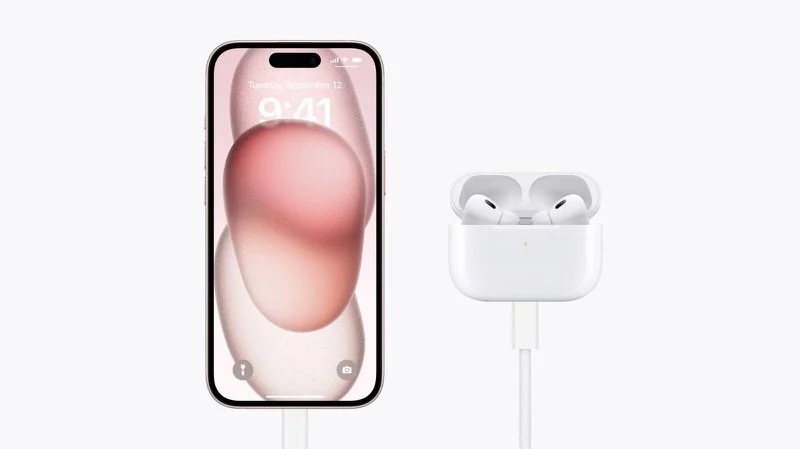
If you’re on the go and running out of battery, you can now charge AirPods using your iPhone—and even charge another iPhone or Apple Watch—thanks to USB-C support on iPhone 15 and newer. Apple’s USB-C port allows device-to-device power transfer, providing a handy backup when chargers or outlets are unavailable.
This guide explains what devices are supported, what cables you need, and how to make the most of iPhone reverse charging.
What Devices Can Be Charged With Your iPhone?
Using iPhone 15 or newer with a USB-C port, you can charge:
- AirPods Pro (2nd generation) with USB-C
- AirPods with a Lightning port (using an adapter cable)
- Apple Watch (via USB-C charging puck)
- Another iPhone 15 or newer
- USB-C Android phones (with Power Delivery support)
🔋 Note: Power output is capped at 4.5W, making it best for small devices or emergency top-ups.
How to Charge AirPods Using Your iPhone
- Use the right cable:
- USB-C to USB-C if your AirPods have a USB-C case
- USB-C to Lightning for older AirPods
- Plug one end of the cable into your iPhone’s USB-C port
- Plug the other end into your AirPods charging case
Charging begins automatically. It’s a simple and effective way to give your earbuds a quick boost without a wall adapter.
How to Charge Another iPhone With Your iPhone
- Connect two iPhone 15 or newer models with a USB-C to USB-C cable
- The devices will detect battery levels
- Power flows from the phone with more charge to the one with less
This dynamic feature is ideal if your friend’s phone is running low and yours has enough to spare.
Charging Other Devices
- Apple Watch: Connect the USB-C Apple Watch charging puck to your iPhone
- Android Phone: Use a USB-C to USB-C cable
- Works best with phones that support USB Power Delivery (PD)
- If PD is not supported, charging behavior may be inconsistent
Limitations of iPhone-to-Device Charging
- Maximum output: 4.5 watts
- Not ideal for charging another iPhone completely
- Best for small accessories or temporary power boosts
- No support for wireless reverse charging via MagSafe (yet)
Despite long-standing rumors, Apple has not enabled reverse wireless charging through MagSafe. You still cannot place AirPods on the back of your iPhone to charge them.
Pro Tip: Use for Emergency Power Sharing
This feature shines when:
- You’re in transit without a power bank
- Your Apple Watch dies midday
- You forgot to charge your AirPods before a call
- A friend’s iPhone needs juice and you have more battery to spare
Conclusion
Apple’s USB-C charging capabilities on iPhone 15 and later models bring meaningful utility for users on the go. Whether you want to charge AirPods using your iPhone, revive your Apple Watch, or share power with a friend’s iPhone, all it takes is the right cable.
While it won’t replace a wall charger, this feature is perfect for emergency use—and it’s one more reason USB-C makes iPhones more versatile than ever.


