Nyongesa Sande
No Result
View All Result
  • News
    • World
    • Africa
  • Politics
  • Business
  • Tech
  • AI
  • Telecom
  • Sports
  • Opinion
  • Lifestyle
  • Live
  • World Cup 2026
    • World Cup 2026 Standings
    • World Cup 2026
Nyongesa Sande
  • About Us
    • Nyosake Designers
      • Nyosake Webmasters
      • Nyosake Investment
  • Contact Us
    • Newsroom Contact
  • Ownership Disclosure
  • Advertise
No Result
View All Result
Nyongesa Sande
No Result
View All Result
  • News
  • Politics
  • Business
  • Tech
  • AI
  • Telecom
  • Sports
  • Opinion
  • Lifestyle
  • Live
  • World Cup 2026
ADVERTISEMENT

Home » Centenary Bank Uganda SWIFT code: CERBUGKA explained (step-by-step)

Centenary Bank Uganda SWIFT code: CERBUGKA explained (step-by-step)

NyongesaSande News Desk by NyongesaSande News Desk
10 months ago
in SWIFT/BIC
Reading Time: 3 mins read
A A
Centenary Bank Uganda SWIFT code: CERBUGKA explained (step-by-step)

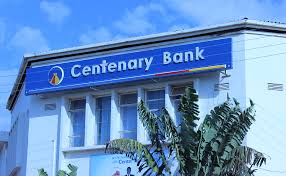
Centenary Bank Uganda SWIFT code is the official identifier for international transfers with Centenary Rural Development Bank Limited. The 8-character version is CERBUGKA, while the full 11-character format is CERBUGKAXXX. Sometimes it may appear as CERBUGKA XXX, but the correct format is always CERBUGKAXXX without spaces.

The registered head-office address for this SWIFT code is:
Centenary Rural Development Bank Limited, 44–46, Plot 2 Kampala Road, Burton Street, Mapeera House, Kampala, Uganda.

A SWIFT/BIC code is structured into four parts:

ADVERTISEMENT
  • CERB → bank code (Centenary Bank)
  • UG → country code (Uganda)
  • KA → location code (Kampala)
  • XXX → branch code (head office)

From this breakdown, CERBUGKA identifies Centenary Bank in Kampala, Uganda. Adding XXX makes it the full 11-character head-office SWIFT code: CERBUGKAXXX.

Quick reference (copy-ready):

ADVERTISEMENT
  • 8-character SWIFT/BIC: CERBUGKA
  • 11-character SWIFT/BIC: CERBUGKAXXX
  • Bank: Centenary Rural Development Bank Limited
  • Address: 44–46, Plot 2 Kampala Road, Burton Street, Mapeera House, Kampala, Uganda
  • Usage: International transfers to or from Centenary Bank Uganda accounts

When to use it
Use the Centenary Bank Uganda SWIFT code whenever you are sending money internationally to a Centenary account or receiving funds from abroad into Uganda.

Common mistakes to avoid

  • Writing the SWIFT code with spaces (always use CERBUGKAXXX, not “CERBUGKA XXX”).
  • Confusing Centenary Bank Uganda with commercial banks in Kenya or Tanzania.
  • Using the 8-character form when the transfer form requires the 11-character format.

Step-by-step guide to making a transfer with Centenary Bank Uganda SWIFT code

ADVERTISEMENT
  1. Confirm the recipient’s account name and Centenary Bank account number.
  2. Enter the SWIFT code: CERBUGKA (8-character) or CERBUGKAXXX (11-character).
  3. Provide the registered bank address: 44–46, Plot 2 Kampala Road, Burton Street, Mapeera House, Kampala, Uganda.
  4. Choose the transfer currency (USD, EUR, GBP, or UGX are common).
  5. Decide how the fees will be charged (sender, recipient, or shared).
  6. Clearly state the purpose of payment (e.g., school fees, remittance, business).
  7. Double-check all transfer details before submitting.
  8. Save your confirmation receipt and share the transfer reference with the recipient.

Final checklist
✔ Recipient account details accurate
✔ SWIFT code entered correctly (CERBUGKA or CERBUGKAXXX)
✔ Bank address provided if required
✔ Purpose of payment clearly indicated
✔ Transfer fees arrangement agreed

By using the Centenary Bank Uganda SWIFT code correctly, you ensure your international transfers are completed securely, quickly, and without delays.

Tags: bank transfersCentenary BankCentenary Bank Uganda SWIFT codeCERBUGKASWIFT code Uganda
Share1Tweet1SendShareScanSharePinShareShare
Google Add as a Preferred Source on Google
Previous Post

Cairo Bank Uganda SWIFT code: CAIEUGKA explained (step-by-step)

Next Post

Citibank Uganda SWIFT code: CITIUGKA explained (step-by-step)

NyongesaSande News Desk

NyongesaSande News Desk

Nyongesa Sande offers diverse content across news, technology, entertainment, and more, aiming to provide readers with a wide range of informative and engaging articles. NYONGESA SANDE's dedicated team provides our audience not only with the highly relevant news but also with outstanding interactive experience.

Related Posts

Flag of Bahrain
SWIFT/BIC

Bahrain SWIFT Codes: Complete Bank Directory

10 months ago
Flag of Bahamas, The
SWIFT/BIC

Bahamas SWIFT Codes: Full Bank Directory

10 months ago
Flag of Azerbaijan
SWIFT/BIC

Azerbaijan SWIFT Codes: Full Bank Directory

10 months ago
Flag of Austria
SWIFT/BIC

Austria SWIFT Codes: Complete Bank Directory

10 months ago
Flag of Australia
SWIFT/BIC

Australia SWIFT Codes: Complete Bank Directory

10 months ago
Flag of Aruba
SWIFT/BIC

Aruba SWIFT Codes: Full List of Banks

10 months ago
Load More
Next Post
Citibank Uganda SWIFT code: CITIUGKA explained (step-by-step)

Citibank Uganda SWIFT code: CITIUGKA explained (step-by-step)

DFCU Bank Uganda

DFCU Bank Uganda SWIFT code: DFCUUGKA explained (step-by-step)

Trending

  • Top 10 Richest People in Tripura (2026)

    Top 10 Richest People in Tripura (2026)

    169 shares
    Share 68 Tweet 42
  • Product Review: Bose Portable Smart Speaker

    184 shares
    Share 74 Tweet 46
  • QVSELP Scam Warning: Why Kenyans Should Be Careful

    4 shares
    Share 2 Tweet 1
  • ZimLoan: A Quick Guide to Salary Advance Loans in Zimbabwe

    288 shares
    Share 115 Tweet 72
  • Top 10 Richest People in Manipur (2026)

    58 shares
    Share 23 Tweet 15
  • List of All Phone Numbers for the Kenyan 13th Parliament – Contact your MP today

    156 shares
    Share 62 Tweet 39
  • Final World Cup 2026: Messi, Ronaldo and Veteran Stars Facing Their Last Dance

    1 shares
    Share 0 Tweet 0
  • 2026 World Cup Absentees: Biggest Stars Missing the Tournament

    1 shares
    Share 0 Tweet 0
  • Top 10 Richest People in Jammu & Kashmir (2026)

    90 shares
    Share 36 Tweet 23
  • Top 10 Richest People in Meru County

    86 shares
    Share 34 Tweet 22
ADVERTISEMENT
ADVERTISEMENT

Who We Are

Nyongesa Sande

NyongesaSande.com is a digital news and media platform covering breaking news, business, technology, AI, politics, sports, world affairs and African innovation.

News Sections

  • News
    • World
    • Africa
  • Politics
  • Business
  • Tech
  • AI
  • Telecom
  • Sports
  • Opinion
  • Lifestyle
  • Live
  • World Cup 2026
    • World Cup 2026 Standings
    • World Cup 2026

Editorial Standards

  • Editorial Policy
  • Fact Checking Policy
  • Corrections Policy
  • Ethics Policy
  • AI Usage Policy
  • News Tips
  • Submit Press Release

Legal

  • Privacy Policy
  • Terms of Use
  • Cookie Policy
  • Disclaimer
  • Risk Disclaimer
  • DMCA
  • Ad Choices

Our Company

  • About Us
    • Nyosake Designers
      • Nyosake Webmasters
      • Nyosake Investment
  • Contact Us
    • Newsroom Contact
  • Ownership Disclosure
  • Advertise
  • Privacy Policy
  • Terms of Use
  • Cookie Policy
  • Disclaimer
  • Risk Disclaimer
  • DMCA
  • Ad Choices

NyongesaSande.com is an independent digital news and media platform covering Africa, business, technology, AI, politics and global developments.

© 2026 NyongesaSande.com. All rights reserved.

No Result
View All Result
  • News
    • World
    • Africa
  • Politics
  • Business
  • Tech
  • AI
  • Telecom
  • Sports
  • Opinion
  • Lifestyle
  • Live
  • World Cup 2026
    • World Cup 2026 Standings
    • World Cup 2026

NyongesaSande.com is an independent digital news and media platform covering Africa, business, technology, AI, politics and global developments.

© 2026 NyongesaSande.com. All rights reserved.