Sending and Receiving Money Across Networks with Airtel Money. Airtel Money has made it easier and more affordable to send and receive money across networks, including Safaricom’s Mpesa. With seamless interoperability, you can now send money directly from Airtel Money to Mpesa without any hassle. Here’s how you can use this convenient service.
Steps to Send Money to Mpesa
- Dial
*334#on your Airtel line. - Select “Send Money” from the menu.
- Choose “Send Money to Any Network” (Note: Airtel-to-Airtel transfers are free).
- Enter the Safaricom number of the recipient.
- Re-enter the Safaricom number to confirm.
- Enter the amount you wish to send.
- Enter your Airtel Money PIN to confirm the transaction.
What You Need to Access the Service
- Sender:
- Must be an Airtel subscriber.
- Must be registered on Airtel Money.
- Recipient:
- Must be a Safaricom subscriber.
- Must be registered on Mpesa.
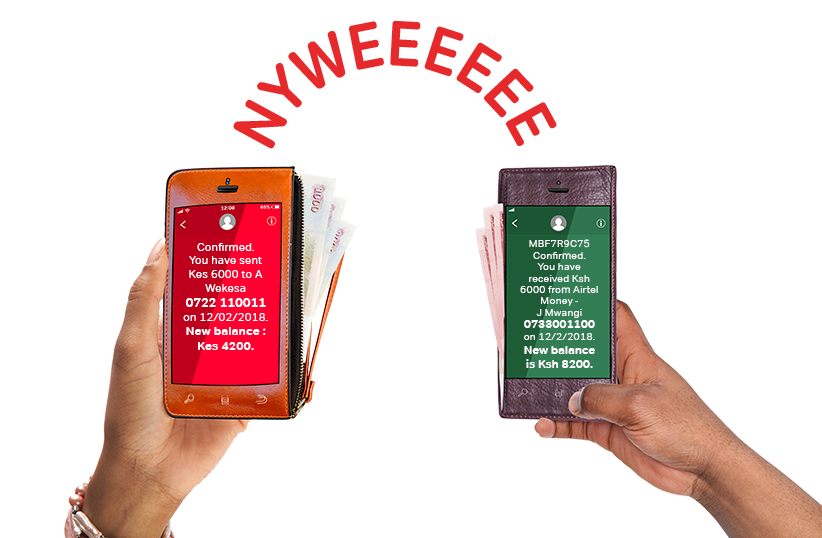
Confirmation and Notifications. Sending and Receiving Money Across Networks with Airtel Money
- For the Sender:
- You will receive a confirmation message from Airtel Money, detailing the transaction and your updated account balance.
- For the Recipient:
- The recipient will receive a confirmation message from Mpesa, indicating the amount received and their new account balance.
Why Use This Service?
- Affordability: Airtel Money offers some of the lowest transfer charges when sending money across networks.
- Convenience: No need for intermediaries or withdrawal before transferring.
- Transparency: Both parties receive instant confirmation messages.
With Airtel Money’s cross-network transfer service, sending money to Mpesa has never been easier or more affordable. Start using this feature today to enjoy seamless financial transactions!