Nyongesa Sande
No Result
View All Result
  • News
    • World
    • Africa
  • Politics
  • Business
  • Tech
  • AI
  • Telecom
  • Sports
  • Opinion
  • Lifestyle
  • Live
  • World Cup 2026
    • World Cup 2026 Standings
    • World Cup 2026
Nyongesa Sande
  • About Us
    • Nyosake Designers
      • Nyosake Webmasters
      • Nyosake Investment
  • Contact Us
    • Newsroom Contact
  • Ownership Disclosure
  • Advertise
No Result
View All Result
Nyongesa Sande
No Result
View All Result
  • News
  • Politics
  • Business
  • Tech
  • AI
  • Telecom
  • Sports
  • Opinion
  • Lifestyle
  • Live
  • World Cup 2026
ADVERTISEMENT

Home » Mywifiext.net

Mywifiext.net

NyongesaSande News Desk by NyongesaSande News Desk
2 years ago
in Technology
Reading Time: 4 mins read
A A
NETGEAR Router Login – routerlogin.net

Mywifiext.net is the web-based admin panel of NETGEAR range extender to login and change WiFi password, SSID, and default settings at http://mywifiext.net.

Mywifiext.net Login

192.168.1.250 Login

ADVERTISEMENT

How to setup Mywifiext.net?

  1. Connect to the NETGEAR extender’s default WiFi Network (SSID) NETGEAR_EXT. (Either it has no password, or the default password is password.)
  2. Open a browser and type mywifiext.net in the address bar.
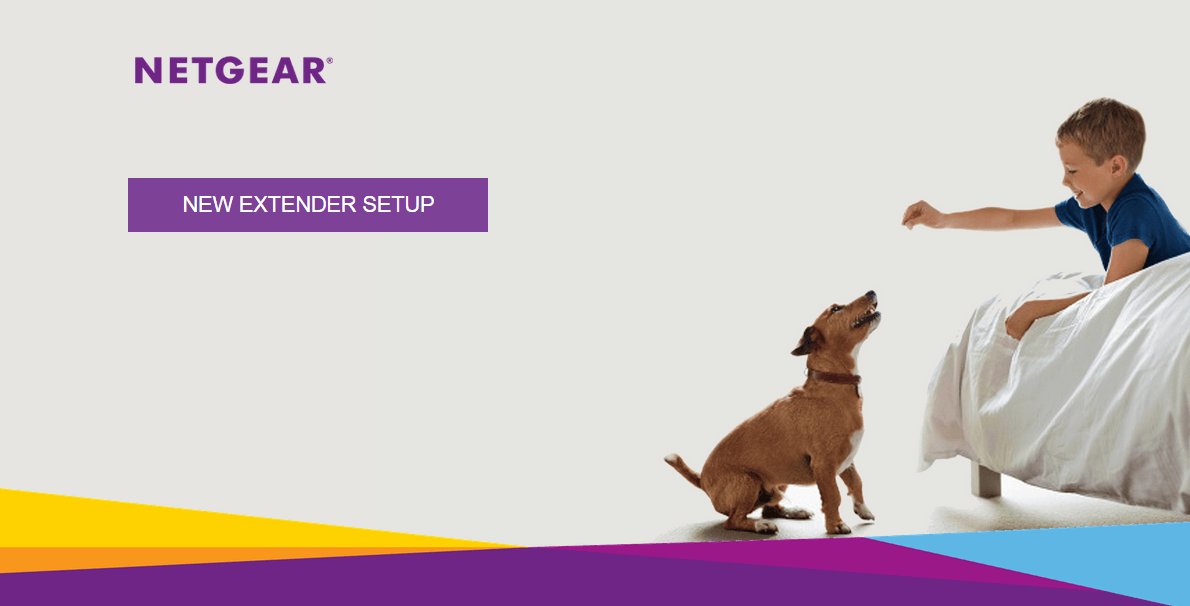
  3. Click NEW EXTENDER SETUP.
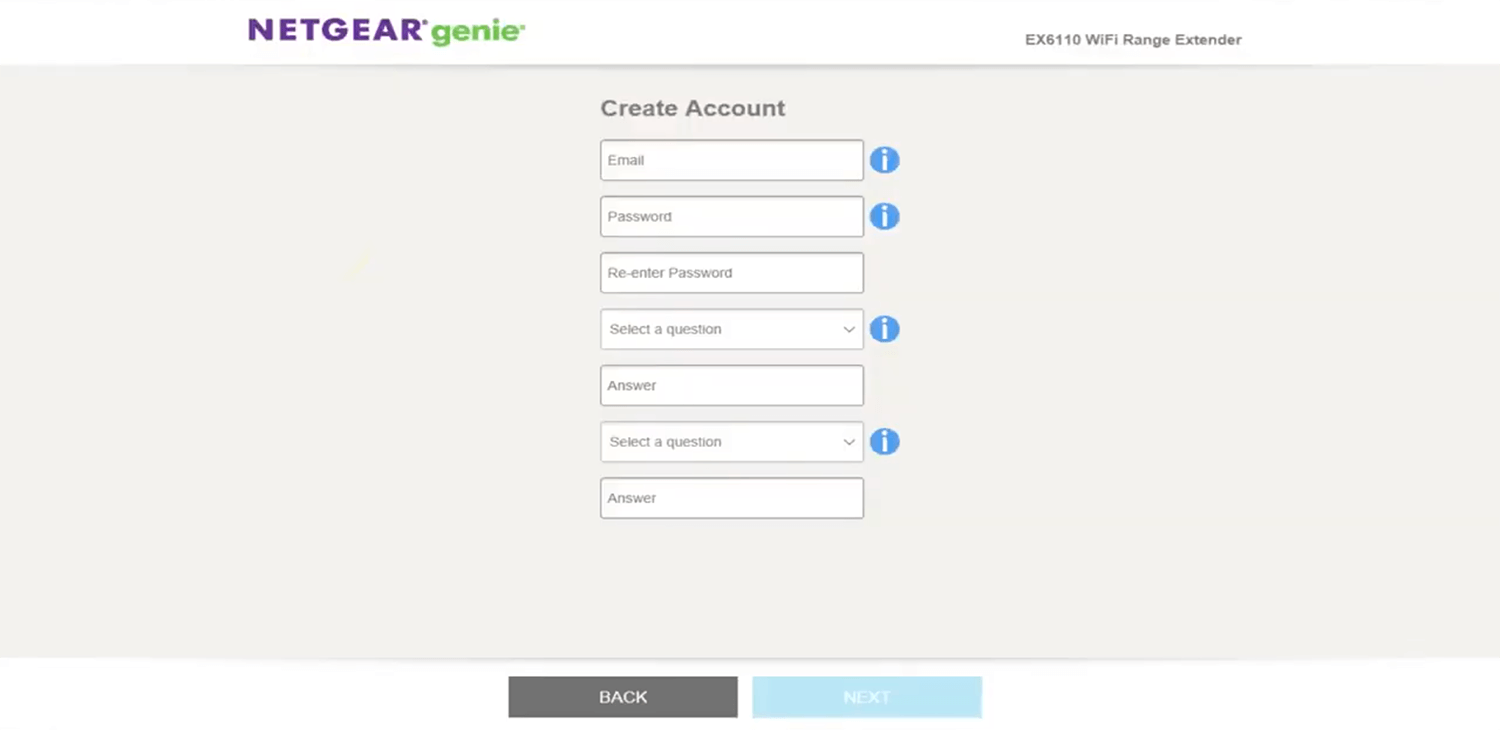
  4. Create an Account by entering Email, Password and Security Question and click NEXT.
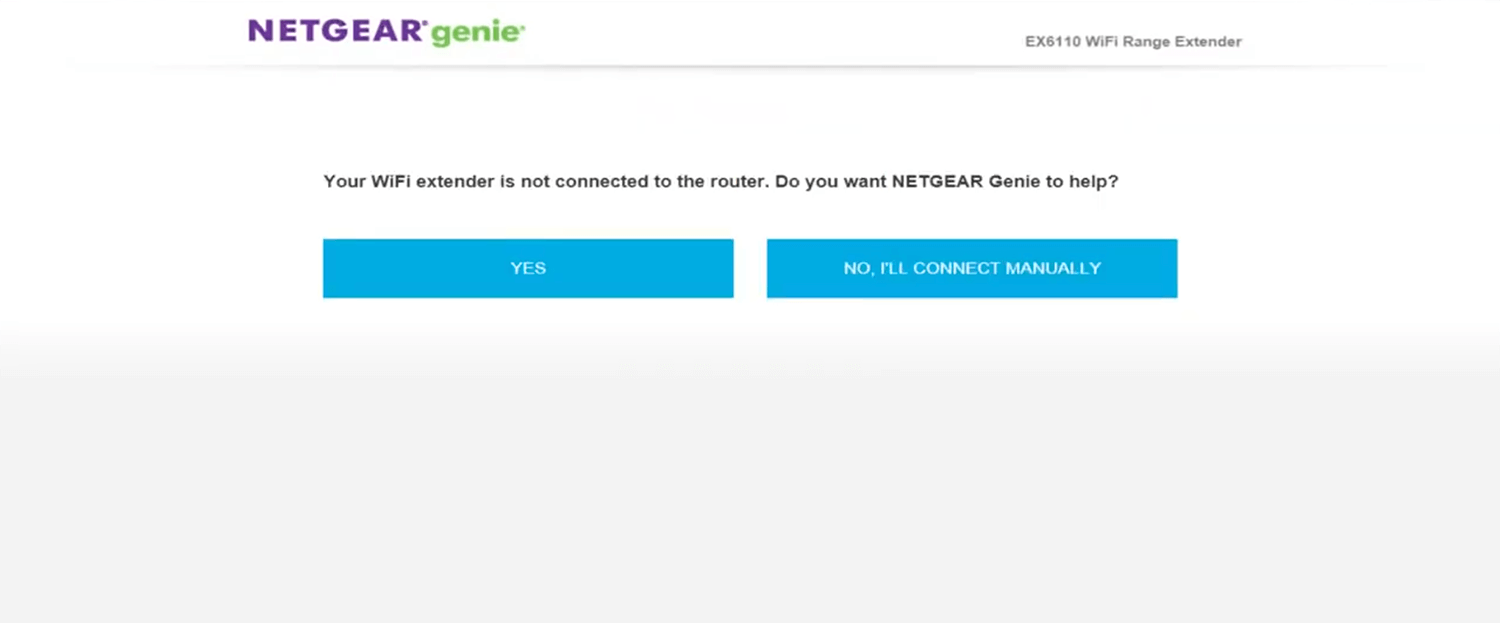
  5. When promoted “Your WiFi extender is not connected to the router”, click YES.
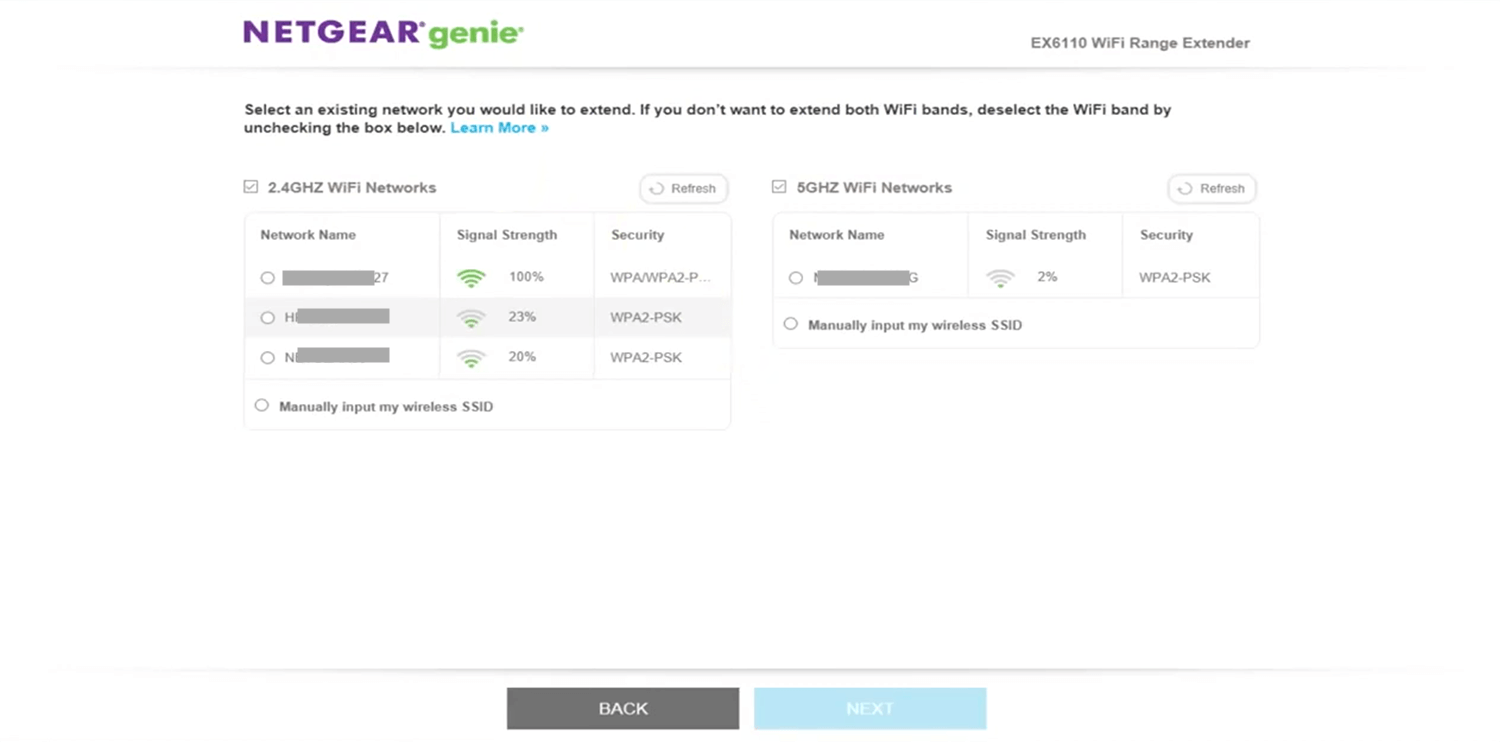
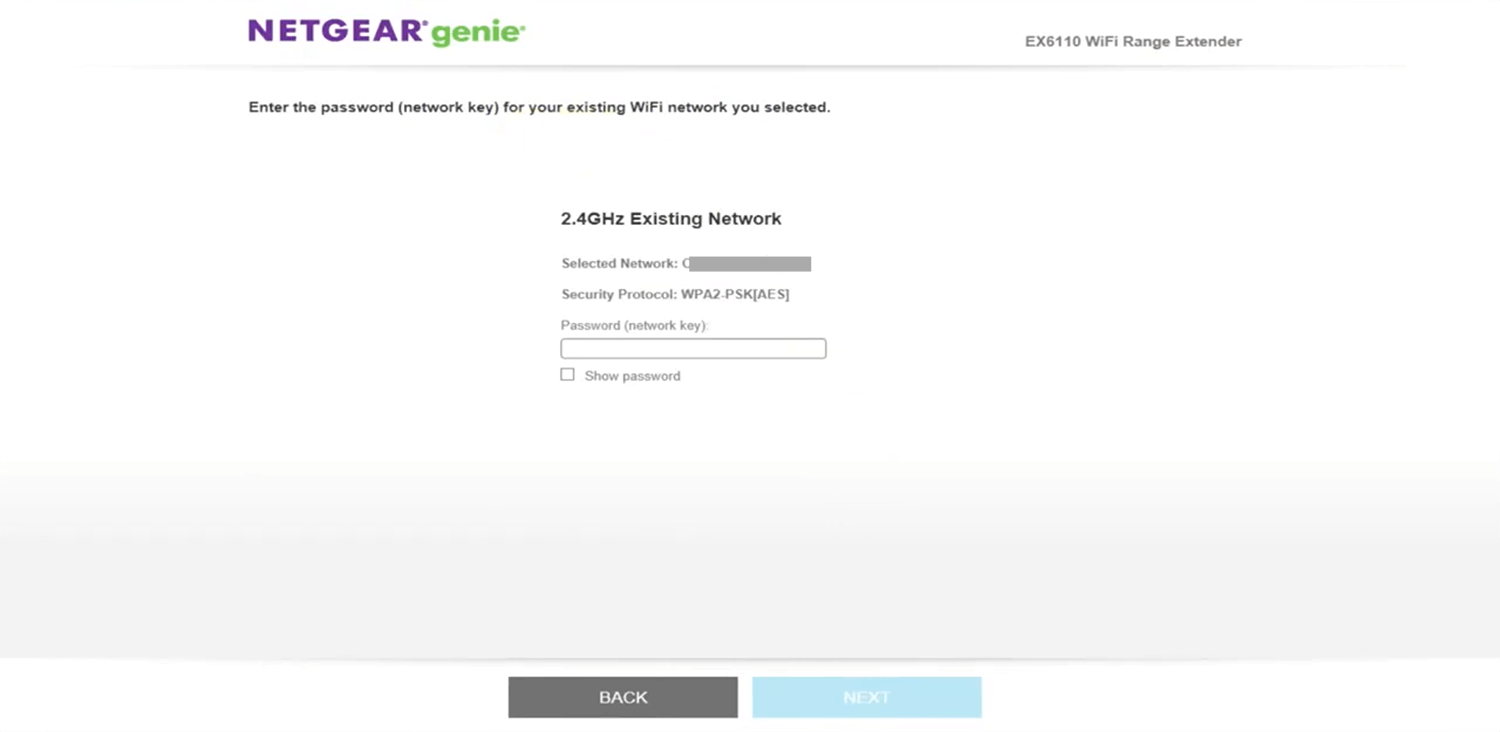
  6. Select your existing WiFi network you would like to extend. If you don’t want to extend both 2.4GHZ and 5GHZ WiFi Networks, you may deselect the WiFi band and click NEXT.
  7. Enter the password (network key) for your existing 2.4GHz and 5GHz WiFi Networks and click NEXT.
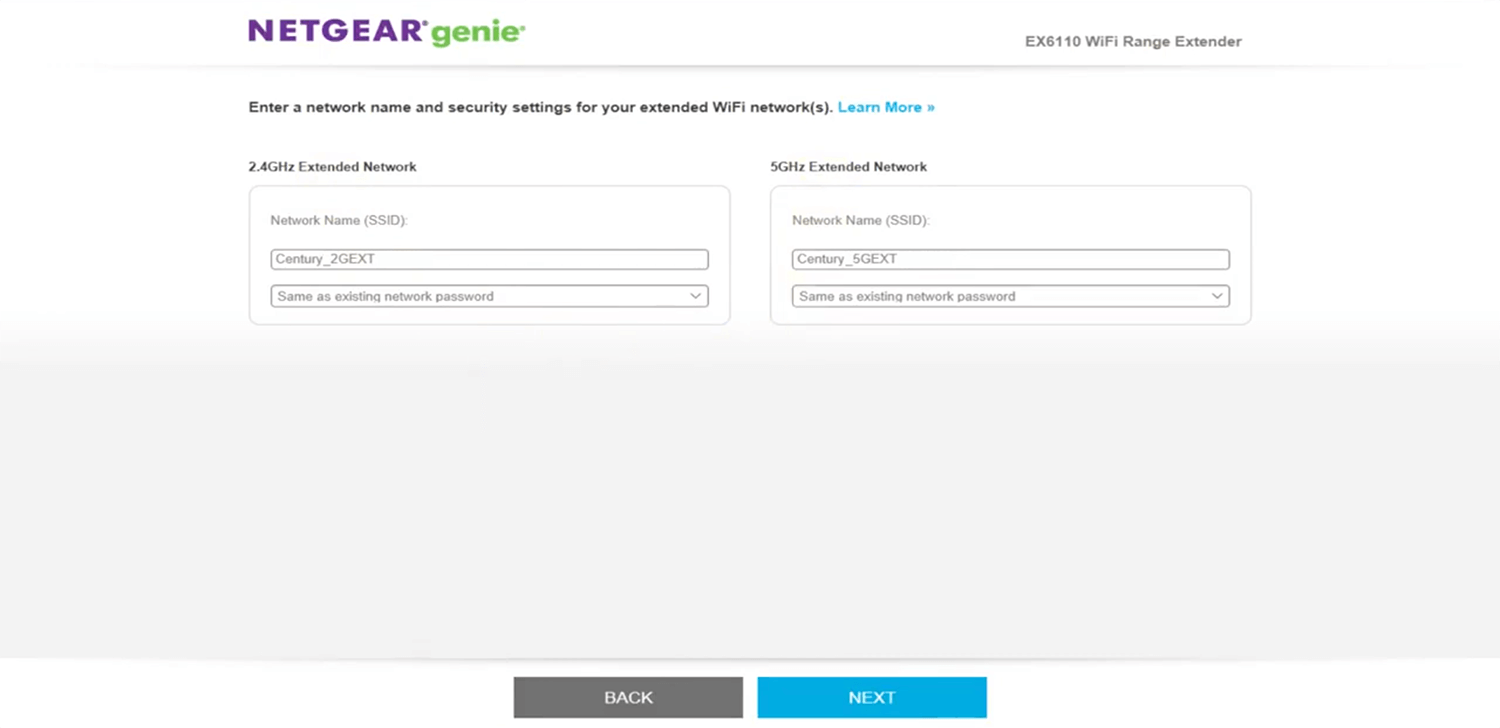
  8. Enter a Network Name (SSID) for your Extended WiFi Network(s).
  9. For the Extended Network WiFi Password, you can select Same as existing network password, Use a different password, or None and click NEXT.
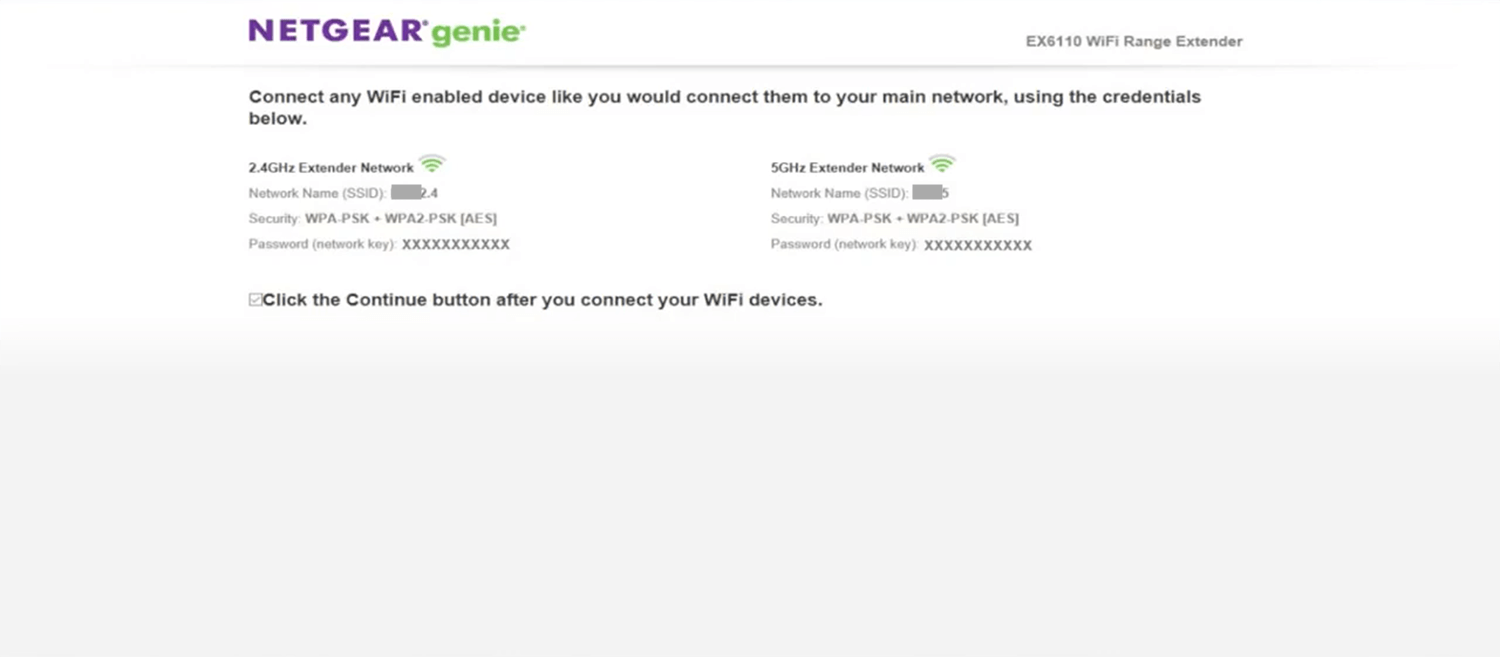
  10. Connect to your Extended Network and click the CONTINUE button to complete the setup.

Unable to access Mywifiext.net?

You will only be able to access this website if your WiFi Router is physically or wirelessly connected to the NETGEAR Range Extender, otherwise, you will receive an error saying ” You are not connected to your extender’s WiFi network.”

Here are some troubleshooting tips that you can do to fix this issue:

  • If the web address doesn’t work, enter one of the following URLs:
    Windows: http://mywifiext
    Mac OS X or iOS: http://mywifiext.local
    Android: http://192.168.1.250
  • Bring the Range Extender and Router in the same room.
  • Make sure that the Extender is plugged into a power source and on.
  • Make sure that the connection between the router and extender is established.
  • Reset the cache of your browser and try again.
  • Try using a different web browser.
  • Connect your PC directly to the Extender using an Ethernet cable.
Share1Tweet1SendShareScanSharePinShareShare
Google Add as a Preferred Source on Google
Previous Post

NETGEAR Router Login – routerlogin.net

Next Post

Asus Router Login

NyongesaSande News Desk

NyongesaSande News Desk

Nyongesa Sande offers diverse content across news, technology, entertainment, and more, aiming to provide readers with a wide range of informative and engaging articles. NYONGESA SANDE's dedicated team provides our audience not only with the highly relevant news but also with outstanding interactive experience.

Related Posts

IMO vs WhatsApp: Best Messaging App Compared
Technology

IMO vs WhatsApp: Which App Is Best for International Messaging?

6 days ago
Galaxy Z Fold8 Could Be Lighter Than S26 Ultra
Tech News

Galaxy Z Fold8 Could Be Lighter Than S26 Ultra

1 week ago
Nvidia Vera CPU Promises 80% Faster AI Performance
Tech News

Nvidia Vera CPU Promises 80% Faster AI Performance

1 week ago
AMD Unveils 5800X3D, 7700X3D and RX 9070 GRE
Tech News

AMD Unveils 5800X3D, 7700X3D and RX 9070 GRE

1 week ago
Leaked iPhone Fold Photo Reveals New Design
Tech News

Leaked iPhone Fold Photo Reveals New Design

1 week ago
Google Opens First Store Outside the US
Tech News

Google Opens First Store Outside the US

1 week ago
Load More
Next Post
Asus Router Login

Asus Router Login

Best Internet Providers in India: Simplified Guide 2024

jiofi.local.html

Trending

  • FIFA 2026 World Cup Stadiums: Everything to Know

    FIFA 2026 World Cup Stadiums: Everything to Know

    3 shares
    Share 1 Tweet 1
  • List of Elected MCAs in Nakuru County for the 2017 General Elections

    23 shares
    Share 9 Tweet 6
  • World Cup 2026 Venues, Tickets and Fan Festivals

    2 shares
    Share 1 Tweet 1
  • World Cup 2026 Tickets and Hospitality

    1 shares
    Share 0 Tweet 0
  • List of 2022 – 2027 mps contacts in Kenya

    586 shares
    Share 234 Tweet 147
  • List of Elected MCAs in Meru County for the 2017 General Elections

    11 shares
    Share 4 Tweet 3
  • Levi’s Stadium World Cup 2026 Guide: Capacity, Location, Matches and Round of 32 Venue

    1 shares
    Share 0 Tweet 0
  • Germany vs Curaçao: 2026 World Cup Match Preview

    1 shares
    Share 0 Tweet 0
  • MTN Router Login

    14 shares
    Share 6 Tweet 4
  • QVSELP Scam Warning: Why Kenyans Should Be Careful

    2 shares
    Share 1 Tweet 1
ADVERTISEMENT
ADVERTISEMENT

Who We Are

Nyongesa Sande

NyongesaSande.com is a digital news and media platform covering breaking news, business, technology, AI, politics, sports, world affairs and African innovation.

News Sections

  • News
    • World
    • Africa
  • Politics
  • Business
  • Tech
  • AI
  • Telecom
  • Sports
  • Opinion
  • Lifestyle
  • Live
  • World Cup 2026
    • World Cup 2026 Standings
    • World Cup 2026

Editorial Standards

  • Editorial Policy
  • Fact Checking Policy
  • Corrections Policy
  • Ethics Policy
  • AI Usage Policy
  • News Tips
  • Submit Press Release

Legal

  • Privacy Policy
  • Terms of Use
  • Cookie Policy
  • Risk Disclaimer
  • Disclaimer
  • DMCA
  • Ad Choices

Our Company

  • About Us
    • Nyosake Designers
      • Nyosake Webmasters
      • Nyosake Investment
  • Contact Us
    • Newsroom Contact
  • Ownership Disclosure
  • Advertise
  • Privacy Policy
  • Terms of Use
  • Cookie Policy
  • Risk Disclaimer
  • Disclaimer
  • DMCA
  • Ad Choices

NyongesaSande.com is an independent digital news and media platform covering Africa, business, technology, AI, politics and global developments.

© 2026 NyongesaSande.com. All rights reserved.

No Result
View All Result
  • News
    • World
    • Africa
  • Politics
  • Business
  • Tech
  • AI
  • Telecom
  • Sports
  • Opinion
  • Lifestyle
  • Live
  • World Cup 2026
    • World Cup 2026 Standings
    • World Cup 2026

NyongesaSande.com is an independent digital news and media platform covering Africa, business, technology, AI, politics and global developments.

© 2026 NyongesaSande.com. All rights reserved.