
Nyongesa Sande
No Result
View All Result
  • News
    • World
    • Africa
  • Politics
  • Business
  • Tech
  • AI
  • Telecom
  • Sports
  • Opinion
  • Lifestyle
  • Live
  • World Cup 2026
    • World Cup 2026 Standings
    • World Cup 2026
Nyongesa Sande
  • About Us
    • Nyosake Designers
      • Nyosake Webmasters
      • Nyosake Investment
  • Contact Us
    • Newsroom Contact
  • Ownership Disclosure
  • Advertise
No Result
View All Result
Nyongesa Sande
No Result
View All Result
  • News
  • Politics
  • Business
  • Tech
  • AI
  • Telecom
  • Sports
  • Opinion
  • Lifestyle
  • Live
  • World Cup 2026
ADVERTISEMENT

Home » How to turn off Tesla

How to turn off Tesla

NyongesaSande News Desk by NyongesaSande News Desk
1 year ago
in How To
Reading Time: 3 mins read
A A
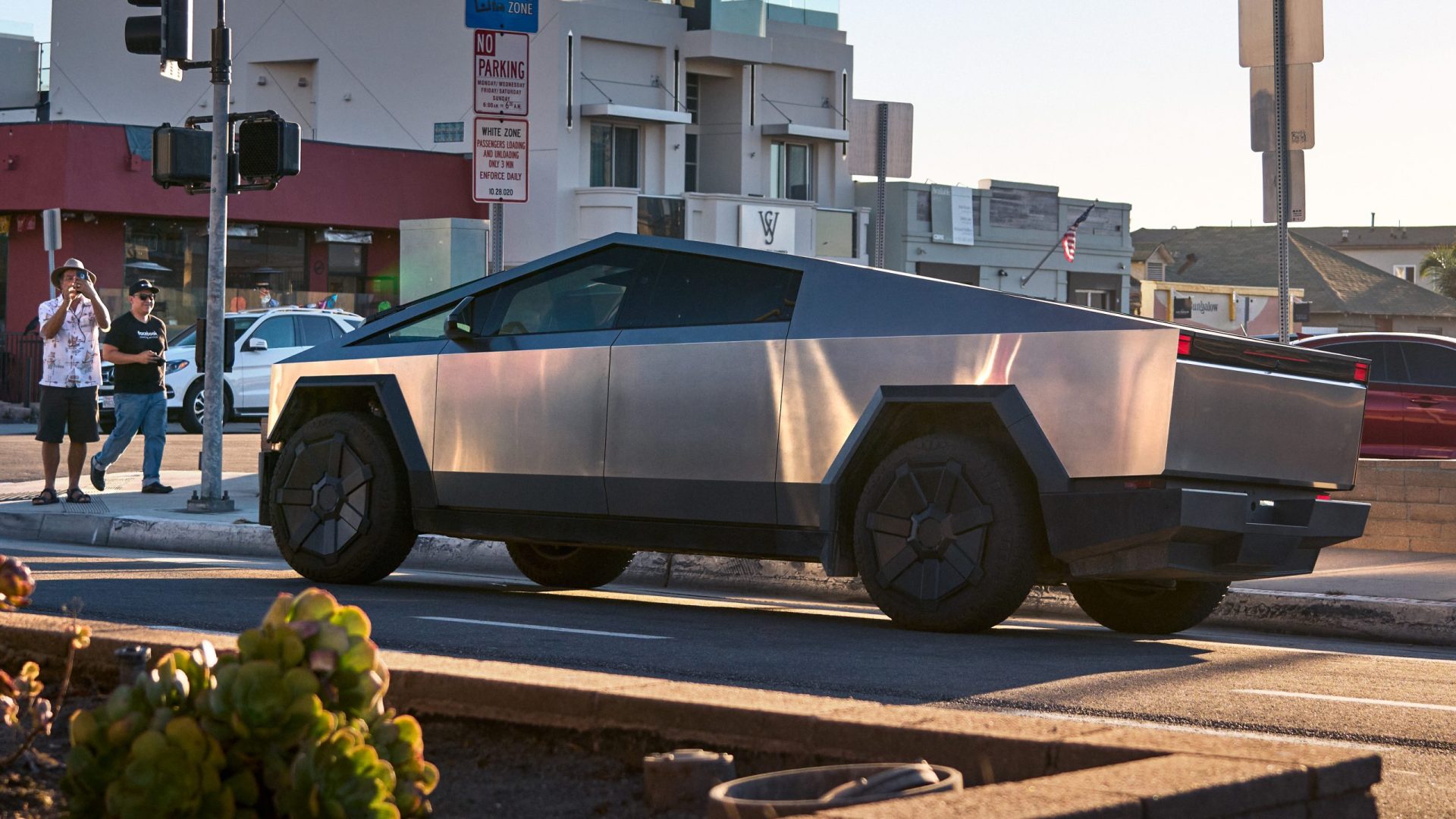
Tesla Cybertruck Rear-Wheel Drive 2023

Turning off your Tesla is a straightforward process, designed with user convenience in mind. The vehicle is engineered to power down automatically under certain conditions, but manual shutdown is also possible when needed. Here’s how you can turn off your Tesla:

Automatic Power Off:

When you finish driving, simply shift your Tesla into ‘Park’ by pressing the button on the end of the drive stalk. Once in ‘Park,’ the vehicle will power off automatically, turning off the instrument panel and touchscreen, provided you leave the vehicle with the key fob or phone key.

ADVERTISEMENT

The Droid Guy

Manual Power Off:

ADVERTISEMENT

If you prefer to power off your Tesla manually while sitting inside, follow these steps:

  1. Ensure the vehicle is in ‘Park.’
  2. On the touchscreen, tap the car icon located at the bottom left.
  3. Navigate to ‘Safety & Security.’
  4. Scroll down and select ‘Power Off.’
  5. Confirm your selection to initiate the shutdown.

The vehicle will remain powered off until you interact with it by pressing the brake pedal, opening a door, or touching the touchscreen.

www.iphonelife.com

ADVERTISEMENT

Power Cycling (Rebooting):

If your Tesla exhibits unusual behavior or displays a nondescript alert, you can perform a power cycle to reset the vehicle’s systems:

  1. Shift into ‘Park.’
  2. On the touchscreen, go to ‘Controls’ > ‘Safety & Security’ > ‘Power Off.’
  3. Wait for at least two minutes without interacting with the vehicle—do not open the doors, touch the brake pedal, or use the touchscreen.
  4. After two minutes, press the brake pedal or open a door to wake the vehicle.

This process helps in resolving minor software glitches by rebooting the vehicle’s systems.

Tesla

Additional Considerations:

  • Automatic Shutdown Timing: If you exit the vehicle and take your key fob or phone key with you, the Tesla will automatically power off. Additionally, the vehicle powers off automatically after being in ‘Park’ for 30 minutes, even if you are sitting in the driver’s seat. Tesla
  • Energy Conservation: While manual power-off is available, it’s generally unnecessary for daily use. Tesla vehicles are designed to manage power efficiently, and manual shutdown does not significantly conserve battery life. However, if you’re planning to leave your Tesla unused for an extended period, it’s advisable to adjust settings like ‘Sentry Mode’ and ‘Cabin Overheat Protection’ to reduce energy consumption. Find My Electric

Understanding these procedures ensures that you can effectively manage your Tesla’s power settings, enhancing both the vehicle’s performance and your user experience.

Tags: How To
Share1Tweet1SendShareScanSharePinShareShare
Google Add as a Preferred Source on Google
Previous Post

Understanding Country Code 81: Japan

Next Post

Understanding Country Code 98: Iran

NyongesaSande News Desk

NyongesaSande News Desk

Nyongesa Sande offers diverse content across news, technology, entertainment, and more, aiming to provide readers with a wide range of informative and engaging articles. NYONGESA SANDE's dedicated team provides our audience not only with the highly relevant news but also with outstanding interactive experience.

Related Posts

How to Weld a 2-Block Rectangular Hollow Block Mold: Measurements, Materials and Step-by-Step Guide
How To

How to Weld a 2-Block Rectangular Hollow Block Mold: Measurements, Materials and Step-by-Step Guide

1 month ago
How to Create a Facebook Account on iPhone App
How To

How to Fix Facebook Confirmation Email Not Received

2 months ago
How to Create a Facebook Account on iPhone App
How To

How to Fix Facebook Confirmation Code Not Received

2 months ago
How to Create a Facebook Account on iPhone App
How To

How to Confirm Your Facebook Email or Phone Number

2 months ago
How to Create a Facebook Account on iPhone App
How To

How to Understand Your Facebook Account and Profiles

2 months ago
How to Create a Facebook Account on iPhone App
How To

How to Fix Facebook Name Not Accepted

2 months ago
Load More
Next Post
Understanding Country Code 98: Iran

Understanding Country Code 98: Iran

How to Send Money from Apple Pay to Cash App: Step-by-Step Method

Can you use apple pay for Amazon?

ADVERTISEMENT

Trending

  • List of Elected MCAs in Mombasa County for the 2017 General Elections

    List of Elected MCAs in Kajiado County for the 2017 General Elections

    7 shares
    Share 3 Tweet 2
  • South Korea FIFA World Cup 2026 Kits: Home, Away, Release Dates & Prices

    5 shares
    Share 2 Tweet 1
  • Top 10 Richest People in Tripura (2026)

    181 shares
    Share 72 Tweet 45
  • List of Elected MCAs in Siaya County for the 2017 General Elections

    7 shares
    Share 3 Tweet 2
  • List of 2022 – 2027 mps contacts in Kenya

    594 shares
    Share 238 Tweet 149
  • How to Check UHR and GHRIS Payslips Online

    134 shares
    Share 54 Tweet 34
  • Top 10 Richest People in Manipur (2026)

    64 shares
    Share 26 Tweet 16
  • Top 25 Richest People in Kisii and Nyamira Counties in 2026

    41 shares
    Share 16 Tweet 10
  • Top 10 Richest People in Meru County

    91 shares
    Share 36 Tweet 23
  • List of Elected MCAs in Kwale County for the 2017 General Elections

    4 shares
    Share 2 Tweet 1
ADVERTISEMENT

Who We Are

Nyongesa Sande

NyongesaSande.com is a digital news and media platform covering breaking news, business, technology, AI, politics, sports, world affairs and African innovation.

News Sections

  • News
    • World
    • Africa
  • Politics
  • Business
  • Tech
  • AI
  • Telecom
  • Sports
  • Opinion
  • Lifestyle
  • Live
  • World Cup 2026
    • World Cup 2026 Standings
    • World Cup 2026

Editorial Standards

  • Editorial Policy
  • Fact Checking Policy
  • Corrections Policy
  • Ethics Policy
  • AI Usage Policy
  • News Tips
  • Submit Press Release

Legal

  • Privacy Policy
  • Terms of Use
  • Cookie Policy
  • Disclaimer
  • Risk Disclaimer
  • DMCA
  • Ad Choices

Our Company

  • About Us
    • Nyosake Designers
      • Nyosake Webmasters
      • Nyosake Investment
  • Contact Us
    • Newsroom Contact
  • Ownership Disclosure
  • Advertise
  • Privacy Policy
  • Terms of Use
  • Cookie Policy
  • Disclaimer
  • Risk Disclaimer
  • DMCA
  • Ad Choices

NyongesaSande.com is an independent digital news and media platform covering Africa, business, technology, AI, politics and global developments.

© 2026 NyongesaSande.com. All rights reserved.

No Result
View All Result
  • News
    • World
    • Africa
  • Politics
  • Business
  • Tech
  • AI
  • Telecom
  • Sports
  • Opinion
  • Lifestyle
  • Live
  • World Cup 2026
    • World Cup 2026 Standings
    • World Cup 2026

NyongesaSande.com is an independent digital news and media platform covering Africa, business, technology, AI, politics and global developments.

© 2026 NyongesaSande.com. All rights reserved.
