Facebook has become a goldmine of entertaining and valuable video content. Whether it’s a heartwarming moment, a tutorial you want to keep, or just something funny that brightens your day, you might want to download these videos to your Mac for offline viewing. In this guide, I’ll walk you through the steps on how to download Facebook videos, from your own videos to other public posts, along with some troubleshooting tips and useful tools.
How to Download Your Own Facebook Videos
If the video you want to download is one you uploaded to Facebook, Facebook makes it super simple. Here’s how:
- Log in to Facebook on your Mac.
- Go to your profile and click on Videos (located under your cover photo).
- Browse through your videos and click on the one you want to download.
- In the top-right corner of the video, click the three-dot menu (⋯).
- Select Download Video.
The video will automatically save as an MP4 file to your Mac’s Downloads folder.
How to Download Facebook Live Videos
Facebook Live videos are available for only 30 days after the broadcast. Here’s how to download them while they’re still available:
- Go to your Facebook Profile or Page.
- Click on Videos or More > Live Videos.
- Find the live video you want to download.
- Open the video in full-screen mode.
- In the top-right corner, click the three-dot menu (⋯).
- Select Download SD or Download HD.
The video will be saved to your Downloads folder in the resolution you selected.
What If You Can’t Download Facebook Videos?
If a video is private or belongs to someone else and isn’t marked as public, you won’t be able to download it. However, you can always save it for later within Facebook:
- Click on the three-dot menu (⋯) of the post.
- Choose Save Video to bookmark it for easy access within Facebook itself.
This will save the video to your Facebook account, but it won’t download it to your Mac.
How to Download Public Facebook Videos Using Third-Party Tools
To download someone else’s public video, you’ll need a third-party tool. Here are some of the best options:
1. Pulltube
Pulltube is a native Mac app that’s easy to use for downloading Facebook videos, and it’s perfect for both beginners and advanced users.
Steps to use Pulltube:
- Find the Facebook video you want to download.
- Copy the video URL.
- Open Pulltube and paste the URL into the app.
- Choose the video quality, and optionally, trim the video.
- Hit Download.
The video will be saved in the chosen quality directly to your Mac.
2. Downie
Downie is another fantastic tool that lets you download videos from Facebook with ease. It even has an integrated browser for video searching.
Steps to use Downie:
- Copy the Facebook video link.
- Open Downie and click the + button or press Command + V.
- The download will start automatically.
You can also choose to download audio, video, or even the video’s thumbnail.
3. Free Your Music
FreeYourMusic is perfect for transferring Spotify playlists or downloading Facebook videos and can manage multiple platforms.
Steps to use FreeYourMusic:
- Copy the video URL.
- Open FreeYourMusic and paste the link.
- Download the file directly to your Mac.
Online Tools for Downloading Facebook Videos
For users who prefer not to install apps, online tools can work just fine. These tools let you download public Facebook videos directly from your browser:
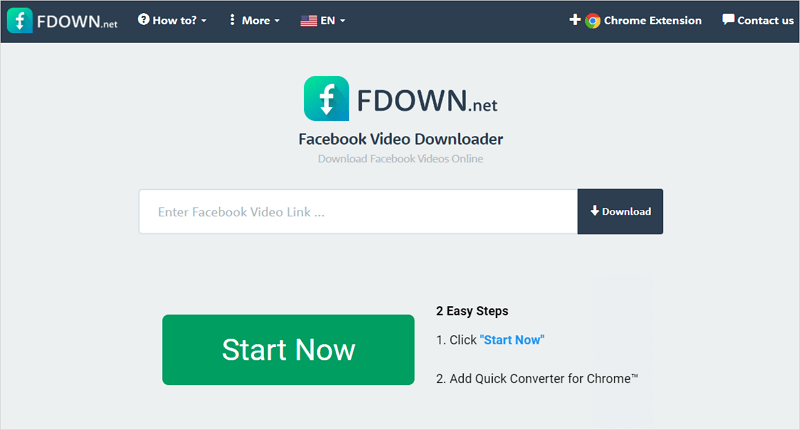
1. FDOWN.net
FDOWN.net is simple and works directly in your browser. Here’s how to use it:
- Paste the Facebook video URL into the site.
- Choose your preferred video format and start downloading.
2. Getfvid
Getfvid allows you to download Facebook videos in HD and 4K quality.
- Paste the video URL.
- Choose the download format and quality.
3. SnapSave
For HD and full-quality downloads, SnapSave is your go-to tool.
- Paste the video link into SnapSave.
- Download the video in HD or 4K.
4. Toolzu
Toolzu is another reliable browser-based Facebook downloader that’s especially good for public Facebook videos.
- Paste the video link.
- Select the quality, and hit download.
How to Organize and Manage Downloads on Mac
To keep your downloads organized and avoid clutter, apps like CleanMyMac are handy. CleanMyMac helps you remove unwanted files, including large videos, so you can free up space on your Mac.
Steps to use CleanMyMac for organizing downloads:
- Install and open CleanMyMac.
- Click System Junk and run the scan.
- Review and remove any unnecessary files.
Troubleshooting Download Issues
Sometimes, things don’t go as smoothly as expected. Here’s how to solve common issues:
- Missing Videos: If you can’t download a video, make sure it’s public. Facebook doesn’t allow downloading videos that are restricted or set to private.
- Transfer Errors: If you encounter errors during the download, try reloading the page and copying the URL again.
- Video Quality Issues: If the video is blurry or has low resolution, try using a different tool like Downie or SnapSave that supports higher-quality downloads.
Final Thoughts on Downloading Facebook Videos to Mac
Downloading Facebook videos to your Mac is easier than you think, and it’s a great way to preserve memorable content or enjoy videos offline. Tools like Pulltube and Downie make the process quick and simple, while FreeYourMusic and Setapp provide even more options for managing and downloading media.
Remember to respect copyright laws when downloading content that isn’t your own, and always keep your Mac organized with apps like CleanMyMac.