


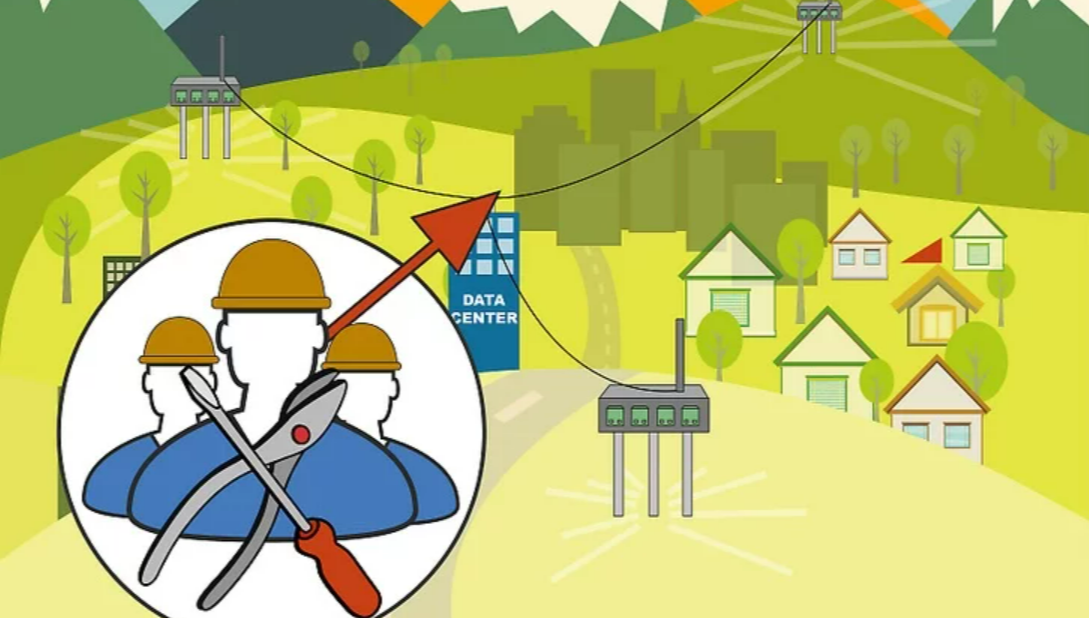
Want to build your own Internet Service Provider? Whether you’re launching a small rural broadband network or a citywide wireless service, starting an ISP requires planning, equipment, legal licenses, and customer support infrastructure. This guide walks you through everything—from scouting locations to wiring homes, purchasing relay towers, installing CPEs, and setting up business operations.
🛠 Part 1: Scouting the Location
Step 1: Find a Building for Your Data Center
Choose a tall building with existing fiber optic lines. The height improves signal reach, while fiber access is essential for upstream bandwidth.
Step 2: Identify Relay Points
Scout radio towers, water towers, or high rooftops. These will spread your signal across neighborhoods.
Step 3: Negotiate Leases
Pay $100–$500/month per relay or rooftop. Offer free Internet as a bargaining chip.
Step 4: Get an Upstream Fiber Connection
Negotiate with local ISPs for a 1 Gbps upstream line. Expect $1,000–$3,000/month in recurring costs and 90 days for installation.
💻 Part 2: Buying Equipment
Step 1: Get Routers or Switches
Buy a router for your data center and access points for each relay. Routers are ideal for managing Wi-Fi networks and IP addresses.
Step 2: Buy CPEs for Customer Homes
Each customer needs a Customer-Premises Equipment (CPE) device like a rooftop antenna to connect to your network.
Step 3: Add Wireless Backhauls
Use wireless backhauls to bridge customers who are out of direct relay range.
Step 4: Use Customer Management Software
Install tools like UCRM to handle billing, support, network diagnostics, and user data management.
🌐 Part 3: Building the Network
Step 1: Install a Router in the Data Center
Configure it with DHCP and NAT to assign IPs to customer devices.
Step 2: Mount Antennas at Relay Points
Use weatherproof mounts, ensuring the antennas point toward customer zones.
Step 3: Install Access Points and Backhauls
Secure devices on antennas with metal clamps, pointing toward user homes.
Step 4: Run Shielded Cables to Network Switches
Use CAT5e shielded cables, looped at ends to prevent water damage.
🏡 Part 4: Wiring a Customer’s Home
Step 1: Mount the CPE
Choose a bracket that fits the customer’s roof type. Point it toward your nearest relay antenna.
Step 2: Drill an Entry Hole
Use a stud finder with AC detection to drill safely through walls.
Step 3: Run CAT5e Cable
Attach the cable to the home exterior, routing it through your drilled entry.
Step 4: Connect to a Router or Switch
Use Power over Ethernet (PoE) devices for simple and reliable connections.
Step 5: Finalize with Software
Assign IP addresses, run firmware updates, and test signal strength on a laptop.
📋 Part 5: Setting Up Your ISP Business
Step 1: Write a Business Plan
Detail your coverage area, pricing model, staff, and expected capital.
Step 2: Check Local Regulations
Visit your national and municipal communication authority for ISP licensing requirements.
Step 3: Apply for a Business License
Submit an application with your ISP name, structure, and service details. Approval can take up to 60 days.
Step 4: Market Your ISP
Use flyers, TV ads, digital marketing, and door-to-door promotions.
Step 5: Maintain Your Network
Track usage, fix outages, and replace worn equipment using your customer management system.
💡 Tips
- Use a network mapping tool to plan relay-to-customer coverage.
- Offer competitive speeds and prices to win over users from larger ISPs.
- Build a support hotline or ticket system to resolve outages quickly.
⚠️ Warnings
- Climbing antennas or rooftops is dangerous. Always use a harness or hire professionals.
- Improper drilling can damage property or cause injury—check for wires first.
- Failing to get permits can result in legal fines or business closure.
❓ Q&A
Q: Can I run an ISP for private use without a license?
A: Yes, as long as you’re not selling the service. Once you charge customers, licensing is required.
Q: What’s the biggest startup cost?
A: Fiber installation or leasing relay sites. Fiber trenching alone can exceed $15,000.
Q: Can I make profit as a small ISP?
A: Yes, especially in underserved areas with minimal competition and strong customer loyalty.




