Getting the perfect fit for your AirPods Pro 3 is essential for experiencing the best sound quality, comfort, and effective noise cancellation. With the AirPods Pro 3, Apple has taken its already impressive in-ear design to the next level by offering more customization options, including adjustable ear tips and fit testing. A well-fitted pair of AirPods Pro 3 will help ensure that you get the most out of their powerful features, such as active noise cancellation and spatial audio.
However, achieving the best fit may require some adjustment since everyone’s ears are different. The right size and fit can dramatically improve your listening experience by providing a secure seal, which enhances both audio performance and noise isolation. In this guide, we’ll walk you through the steps to get the best fit with your AirPods Pro 3, ensuring you enjoy optimal comfort and sound during your daily use.
Steps to Get the Best Fit with Your AirPods Pro 3
1. Choose the Right Size Ear Tips
AirPods Pro 3 come with multiple sizes of silicone ear tips to accommodate different ear shapes and sizes. The key to achieving the best fit is selecting the right size ear tips that provide a secure seal without causing discomfort.
- Test the Included Ear Tips
The AirPods Pro 3 comes with small, medium, and large silicone ear tips. Medium ear tips are pre-installed by default, but you can easily swap them out for a different size if needed. Test each size to see which offers the most comfortable fit and the best seal for your ears. - Use the Ear Tip Fit Test
AirPods Pro 3 includes a feature to help you determine if the ear tips are providing a proper seal. To run the test:- Open the Settings app on your iPhone or iPad.
- Go to Bluetooth and select your AirPods Pro 3.
- Tap Ear Tip Fit Test to start the test.
2. Adjust the AirPods Pro 3 for Comfort
Once you’ve selected the correct ear tip size, it’s time to adjust the AirPods Pro 3 for maximum comfort and a secure fit. A proper fit helps prevent the earbuds from slipping out, especially during movement.
- Insert the Earbuds Securely
Gently insert the AirPods Pro 3 into your ears, ensuring the ear tips sit comfortably in your ear canal. Tilt the earbuds slightly forward or backward to find the most secure and comfortable fit. - Adjust the Angle for Better Sound
The angle of the earbud can affect the audio quality. Experiment with slightly rotating the AirPods in your ears to find the best position that enhances sound clarity and bass.
3. Test Active Noise Cancellation and Transparency Mode
The AirPods Pro 3 come with two main audio modes: Active Noise Cancellation (ANC) and Transparency Mode. The fit of your earbuds directly impacts the performance of these modes, so it’s important to ensure a snug fit for maximum effectiveness.
- Activate Active Noise Cancellation
With the right fit, ANC will block out external noise, allowing you to enjoy an immersive listening experience. To activate ANC, press and hold the force sensor on the stem of either AirPod Pro 3. - Try Transparency Mode
If you need to hear some of the surrounding sounds, you can switch to Transparency Mode. This mode allows external sounds to pass through the earbuds while you listen to music. A proper fit will ensure that the external sound is mixed in naturally with your audio.
4. Adjust the AirPods Pro 3 for a Secure Seal
If you find that the AirPods Pro 3 are still not staying securely in your ears, you can fine-tune the fit by adjusting the angle or trying a different ear tip. A good seal will improve the sound quality and ensure the effective performance of both ANC and Transparency Mode.
- Check for Light Leakage
When wearing your AirPods Pro 3, check for any gaps around the edges of the ear tips. Light leakage could indicate that the earbuds aren’t seated properly in your ear, which can affect audio performance. - Re-Check the Ear Tip Fit Test
Run the Ear Tip Fit Test again if you’re unsure whether the seal is correct. If the test indicates that the seal needs improvement, try adjusting the ear tips or switching to a different size.
5. Use the AirPods Pro 3 for Extended Periods
To ensure that your AirPods Pro 3 stay comfortable throughout long listening sessions, it’s essential to assess how they feel after wearing them for an extended period.
- Check for Pressure Points
After wearing your AirPods for a while, pay attention to any pressure points or discomfort. If you feel any pain, you may need to adjust the ear tips or change their size for a more comfortable fit. - Take Regular Breaks
Even with the perfect fit, it’s important to take breaks during long listening sessions to prevent discomfort. This is particularly important if you’re wearing the earbuds for hours at a time, such as during travel or work.
Additional Tips for Maintaining a Good Fit with AirPods Pro 3
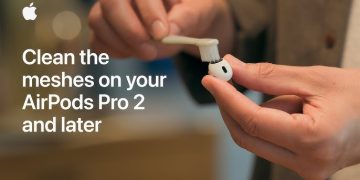
- Keep Your AirPods Clean: Regularly clean your AirPods Pro 3, especially around the ear tips and mesh areas, to maintain a good seal and optimal audio performance. Use a soft, lint-free cloth to wipe the ear tips, and remove any debris with a dry cotton swab.
- Store Your AirPods Properly: When not in use, store your AirPods Pro 3 in their charging case to prevent the ear tips from collecting dust or getting damaged.
- Replace Worn-Out Ear Tips: If the silicone ear tips become worn or damaged over time, replace them with new ones to maintain the best fit and performance.
Why a Proper Fit Matters for AirPods Pro 3
A good fit is critical to achieving the best sound experience and ensuring the full functionality of your AirPods Pro 3. The right ear tips create a seal that enhances noise isolation and improves sound quality, allowing you to enjoy richer audio and better noise cancellation. Moreover, a secure fit ensures comfort during extended use, preventing the AirPods from falling out and ensuring an immersive experience.
Final Thoughts on Getting the Best Fit with AirPods Pro 3
Achieving the best fit with your AirPods Pro 3 is easy if you follow these simple steps. By choosing the right ear tip size, adjusting the earbuds for comfort, and testing for a secure seal, you can enjoy the full potential of your AirPods Pro 3. With proper care and regular adjustments, you’ll get the best sound quality, noise cancellation, and comfort, ensuring that your AirPods Pro 3 are always performing at their best.