Baringo Technical College Student Portal. Baringo Technical College, located in Kapsoo along the Kabarnet – Tenges Road in Baringo County, provides various educational programs including diploma, certificate, artisan, and short-term courses. The college offers an ERP (Enterprise Resource Planning) system that enables students and staff to manage their information online efficiently. This guide will walk you through how to access and use the Baringo Technical College Student Portal.
Services Available on the Baringo Technical College Student Portal:
- Download Fee Statement and Fee Structure
- Apply for Placement at Baringo Technical College
- Access Termly Reports and Academic Transcripts
- Online Reporting and Hostel Booking
- Exam Card Printing
How to Access the Baringo Technical College Student Portal:
- Open the College Website:
- On your web browser, go to https://baringotechnical.ac.ke.
- Navigate to the Student Portal:
- Once the website has fully loaded, locate the menu item “Student Life.”
- Hover over “Student Life” and click on the “Student Portal” link. Alternatively, you can directly access the portal through this link: Baringo Technical College StudentPortal.
- Login to the Portal:
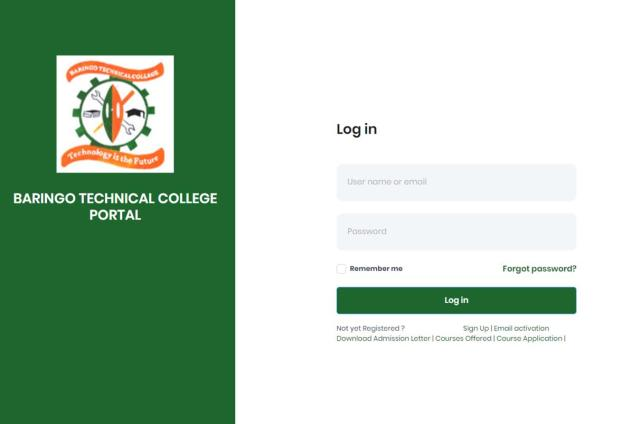
- On the student portal login page, enter your Username/Email and Password that you set during registration.
- Click on “Login” to access your student portal dashboard.
- New Users Registration:
- If you do not have an account yet, click on the “Register” link on the portal page.
- Follow the prompts to enter your details and set a password.
- A confirmation link will be sent to your registered email. Click on this link to activate your account.
- Accessing Services:
- Once logged in, you can navigate through the portal to access various services such as downloading fee statements, booking hostels, printing exam cards, and accessing academic transcripts.
Requirements to Access the Baringo Technical College StudentPortal:
- Admission as a student at Baringo Technical College
- Stable internet connection
- A PC or Smartphone
- Username/Email (registration number) and the password
If you face any issues accessing the portal or require further assistance, you can contact the college’s support team through the contact information provided on their website.