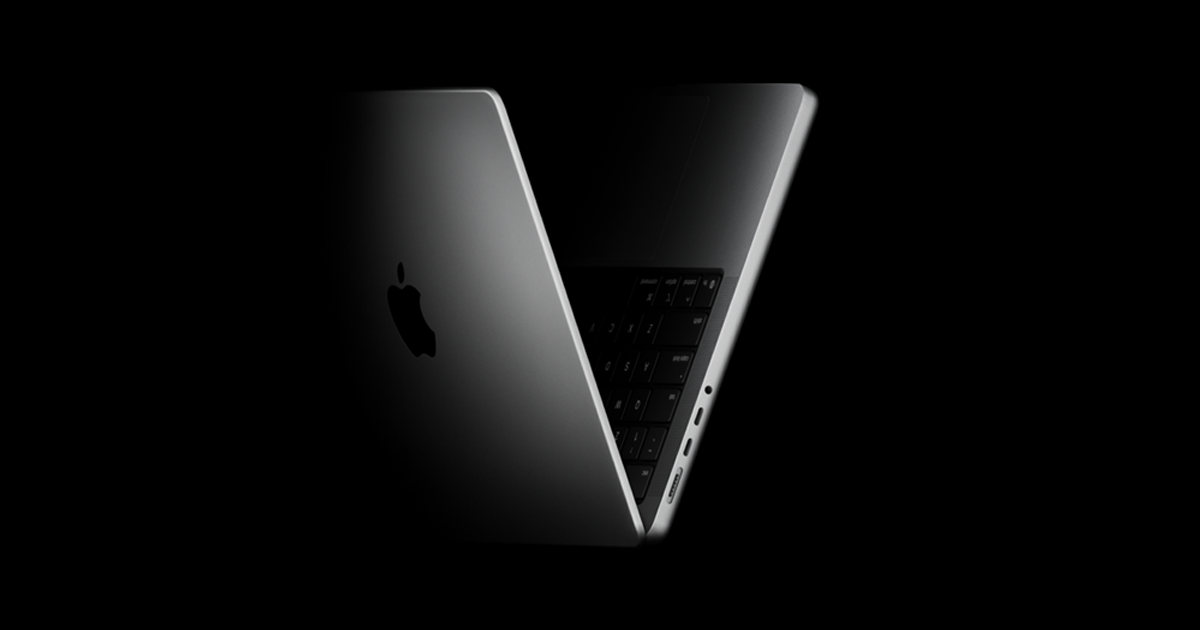
Apple has consistently revolutionized the laptop industry with its MacBook line, introducing innovative features and setting design trends that have influenced the tech world. From the first MacBook Pro in 2006 to the latest MacBook Air and Pro models with M-series chips, Apple’s journey has been a testament to its commitment to performance and design excellence.
If you’re a tech enthusiast, collector, or someone looking to upgrade your MacBook, understanding the history and evolution of MacBooks can help you make a more informed decision. In this comprehensive guide, we will walk you through all MacBook generations in chronological order, highlighting the major changes and advancements with each release.
MacBook Generations
1. MacBook Pro Aluminium (2006)
Release Date: February 14, 2006
The MacBook Pro was the first to introduce Intel processors, marking the end of the PowerPC era. It also introduced the now-iconic MagSafe power connector and backlit keyboard.
- Display: 15.4-inch, 1440×900 resolution
- Chip: Intel Core Duo
- Battery Life: 4-5 hours
- Key Features: Backlit keyboard, integrated webcam, MagSafe connector
2. MacBook (2006)
Release Date: May 16, 2006
The MacBook was positioned as a more affordable option compared to the MacBook Pro, featuring a polycarbonate design.
- Display: 13.3-inch, 1280×800 resolution
- Chip: Intel Core Duo
- Battery Life: 4-5 hours
- Key Features: Polycarbonate design, MagSafe, USB 2.0
3. MacBook Air Unibody (2008)
Release Date: January 15, 2008
The MacBook Air became known as the world’s thinnest laptop at the time. It lacked an optical drive but featured an incredibly sleek design.
- Display: 13.3-inch, 1280×800 resolution
- Chip: Intel Core 2 Duo
- Battery Life: Up to 5 hours
- Key Features: Thin and lightweight, no optical drive, LED-backlit screen
4. MacBook Aluminum Unibody (2008)
Release Date: October 14, 2008
This model featured an aluminum unibody design and was a significant step in the evolution of MacBook aesthetics.
- Display: 13.3-inch, 1280×800 resolution
- Chip: Intel Core 2 Duo
- Battery Life: Up to 5 hours
- Key Features: Unibody aluminum, glass-covered display, multi-touch trackpad
5. MacBook Air Tapered Unibody (2010)
Release Date: October 20, 2010
Apple further refined the MacBook Air with a tapered design and introduced faster storage options.
- Display: 11.6-inch or 13.3-inch
- Chip: Intel Core 2 Duo
- Battery Life: 7 hours (13-inch)
- Key Features: Tapered unibody design, solid-state storage, SD card slot (13-inch)
6. MacBook Pro Retina (2012)
Release Date: June 11, 2012
The Retina display became a game-changer in laptop visuals. Apple also introduced the ultra-thin MacBook Pro with Retina, which came without an optical drive.
- Display: 15.4-inch Retina, 2880×1800 resolution
- Chip: Intel Core i7
- Battery Life: Up to 7 hours
- Key Features: Retina display, no optical drive, Thunderbolt ports
7. MacBook Retina 12-inch (2015)
Release Date: April 10, 2015
This model was ultra-light, featuring a fanless design and a 12-inch Retina display.
- Display: 12-inch Retina
- Chip: Intel Core M
- Battery Life: 9-10 hours
- Key Features: Single USB-C port, fanless design, ultra-thin profile
8. MacBook Pro with Touch Bar (2016)
Release Date: October 27, 2016
The introduction of the Touch Bar was a defining feature of this model, alongside the move to USB-C and the removal of many legacy ports.
- Display: 13.3-inch or 15.4-inch Retina
- Chip: Intel Core i5/i7
- Battery Life: Up to 10 hours
- Key Features: Touch Bar, USB-C ports, Touch ID
9. MacBook Air Retina (2018)
Release Date: October 30, 2018
Apple updated the MacBook Air with a Retina display and improved performance, moving to an all-aluminum body with a thinner bezel.
- Display: 13.3-inch Retina
- Chip: Intel Core i5
- Battery Life: Up to 12 hours
- Key Features: Retina display, improved keyboard, USB-C
10. MacBook Pro 16-inch (2019)
Release Date: November 13, 2019
Apple introduced a larger 16-inch screen with improved graphics and battery life, along with the return of the Magic Keyboard.
- Display: 16-inch Retina
- Chip: Intel Core i7/i9
- Battery Life: Up to 11 hours
- Key Features: Magic Keyboard, larger display, improved cooling
11. MacBook Air M1 (2020)
Release Date: November 10, 2020
This was Apple’s first transition to its own M1 Silicon chip, marking a new era of performance and efficiency.
- Display: 13.3-inch Retina
- Chip: Apple M1
- Battery Life: Up to 18 hours
- Key Features: Fanless design, Apple M1 chip, improved battery life
12. MacBook Pro 13-inch M1 (2020)
Release Date: November 10, 2020
Another M1-powered model, this MacBook Pro featured the same M1 chip but with more pro-level performance options.
- Display: 13.3-inch Retina
- Chip: Apple M1
- Battery Life: Up to 20 hours
- Key Features: M1 chip, improved performance, better battery life
13. MacBook Pro 14/16-inch M1 Pro/Max (2021)
Release Date: October 18, 2021
Apple made a major design and performance leap with these models, introducing the M1 Pro and Max chips.
- Display: 14.2-inch or 16.2-inch Liquid Retina XDR
- Chip: Apple M1 Pro/Max
- Battery Life: Up to 21 hours
- Key Features: M1 Pro/Max chips, return of ports (HDMI, SD), MagSafe
14. MacBook Pro 13-inch M2 (2022)
Release Date: June 24, 2022
The 13-inch model was updated with the faster M2 chip, improving performance while maintaining the same design.
- Display: 13.3-inch Retina
- Chip: Apple M2
- Battery Life: Up to 20 hours
- Key Features: M2 chip, improved performance
15. MacBook Air M2 (2022)
Release Date: July 15, 2022
The MacBook Air received a complete redesign with the new M2 chip, including thinner bezels and a larger display.
- Display: 13.6-inch Liquid Retina
- Chip: Apple M2
- Battery Life: Up to 18 hours
- Key Features: New design, M2 chip, improved camera
16. MacBook Pro 14/16-inch M2 Pro/Max (2023)
Release Date: January 24, 2023
Apple’s latest professional models with M2 Pro/Max chips offered more memory options and improved performance for demanding tasks.
- Display: 14.2-inch or 16.2-inch Liquid Retina XDR
- Chip: Apple M2 Pro/Max
- Battery Life: Up to 22 hours
- Key Features: M2 Pro/Max chips, more RAM, 120Hz ProMotion
17. MacBook Air 15-inch M2 (2023)
Release Date: June 13, 2023
For the first time, Apple offered a 15-inch MacBook Air, combining the slim design of the Air with a larger display.
- Display: 15.3-inch Liquid Retina
- Chip: Apple M2
- Battery Life: Up to 18 hours
- Key Features: 15-inch screen, M2 chip, fanless design
18. MacBook Pro 14/16-inch M3 (2023)
Release Date: November 7, 2023
The latest models feature the M3 chip, offering improved performance for power users.
- Display: 14.2-inch or 16.2-inch Liquid Retina XDR
- Chip: Apple M3 Pro/Max
- Battery Life: Up to 22 hours
- Key Features: M3 chip, enhanced graphics, better performance
19. MacBook Air 13/15-inch M3 (2024)
Release Date: March 8, 2024
The new Air models feature the base M3 chip, offering speed and efficiency improvements.
- Display: 13.6-inch or 15.3-inch Liquid Retina
- Chip: Apple M3
- Battery Life: Up to 18 hours
- Key Features: M3 chip, improved GPU
20. MacBook Pro 14/16-inch M4 Pro/Max (2024)
Release Date: November 8, 2024
The M4 Pro/Max chips provide significant power for creatives and professionals working on high-demand tasks.
- Display: 14.2-inch or 16.2-inch Liquid Retina XDR
- Chip: Apple M4 Pro/Max
- Battery Life: Up to 24 hours
- Key Features: M4 chips, enhanced GPU
21. MacBook Air 13/15-inch M4 (2025)
Release Date: March 12, 2025
The M4-powered MacBook Air brings more power to the thin and light form factor.
- Display: 13.6-inch or 15.3-inch Liquid Retina
- Chip: Apple M4
- Battery Life: Up to 18 hours
- Key Features: M4 chip, new performance benchmarks
MacBook Evolution Summary
Since its debut in 2006, the MacBook has evolved through major design and performance milestones. Each generation brought something new: improved displays, better processing power, and thinner, lighter designs. With the transition to Apple Silicon in 2020, the MacBook line became even more efficient and powerful. Expect further innovation with each new release as Apple continues to redefine what a laptop can be.
For anyone looking to explore the full potential of their MacBook, consider using tools like CleanMyMac for optimal performance and Path Finder for advanced file management.