
Nyongesa Sande
No Result
View All Result
  • News
    • World
    • Africa
  • Politics
  • Business
  • Tech
  • AI
  • Telecom
  • Sports
  • Opinion
  • Lifestyle
  • Live
  • World Cup 2026
    • World Cup 2026 Standings
    • World Cup 2026
Nyongesa Sande
No Result
View All Result
Nyongesa Sande
No Result
View All Result
  • News
  • Politics
  • Business
  • Tech
  • AI
  • Telecom
  • Sports
  • Opinion
  • Lifestyle
  • Live
  • World Cup 2026
ADVERTISEMENT

Home » Activate Low Power Mode With a Focus on iPhone

Activate Low Power Mode With a Focus on iPhone

NyongesaSande News Desk by NyongesaSande News Desk
12 months ago
in How To
Reading Time: 3 mins read
A A
Activate Low Power Mode With a Focus on iPhone

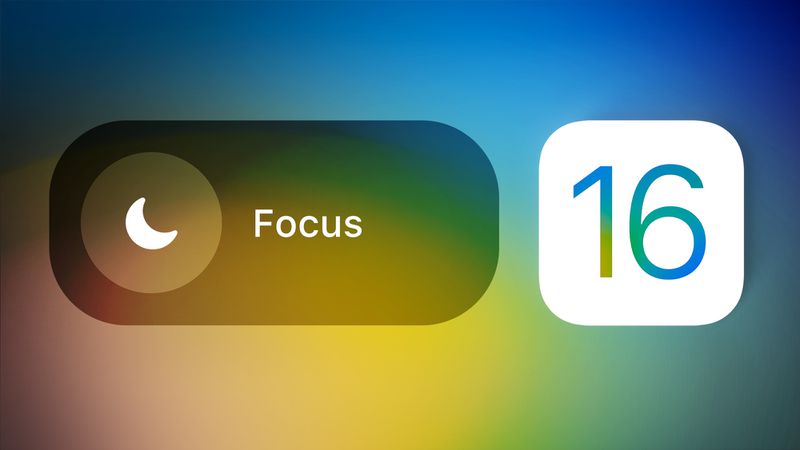
Apple’s Focus mode allows you to personalize how your iPhone behaves in different contexts—whether you’re working, sleeping, or relaxing. With iOS 16 and later, you can now activate Low Power Mode with a Focus, using System Filters to conserve battery based on your routine.

  • What Are Focus Filters and System Filters?
  • How to Activate Low Power Mode With a Focus
  • Why This Feature Is Useful
  • Developer Tip
  • Conclusion

What Are Focus Filters and System Filters?

Focus Filters let you customize app behavior while a specific Focus is enabled. For example, in a Work Focus, you can limit which calendars or email inboxes appear. System Filters extend this functionality to include core iPhone settings—such as enabling Low Power Mode.

Low Power Mode reduces battery usage by disabling background app activity, mail fetch, motion effects, and more. Automating it with Focus ensures your battery lasts longer without manual intervention.

ADVERTISEMENT

How to Activate Low Power Mode With a Focus

Follow these steps to automatically turn on Low Power Mode whenever a chosen Focus is enabled:

  1. Open the Settings app on your iPhone.
  2. Tap Focus and select the Focus mode you want to customize.
  3. Scroll down to the Focus Filters section and tap Add Filter.
  4. Under System Filters, tap Low Power Mode.
  5. Toggle the switch to On, then tap Add.

Once you’ve completed these steps, Low Power Mode will activate every time you turn on that particular Focus. This is perfect for wind-down Focuses in the evening or during long travel Focuses.

ADVERTISEMENT

Why This Feature Is Useful

  • Saves battery automatically during specific times or routines
  • Ensures energy efficiency while minimizing distractions
  • Integrates seamlessly with existing Focus modes
  • Works well for users who already automate their iPhone experience

This feature is especially handy for night routines, work hours, or when traveling. It’s one less thing to think about—and it helps you stay battery-conscious without sacrificing usability.


Developer Tip

Apple’s Focus Filter API also lets third-party apps support custom behavior. For instance, a third-party email app could allow only specific inboxes to appear during a Work Focus—just like Apple Mail.


Conclusion

With Focus Filters, Apple gives you deeper control over how your iPhone behaves. Activate Low Power Mode with a Focus and stop worrying about running out of battery—your iPhone will handle it for you, intelligently and automatically.

Tags: Activate Low Power Mode with a FocusFocus Mode system filtersiOS battery tipsiPhone Focus FiltersLow Power Mode automation
Share2Tweet1SendShareSharePinShareShare
Google Add as a Preferred Source on Google
Previous Post

How to Automate iPhone Low Power Mode by Battery Level

Next Post

Set Up a Recovery Contact for Your Apple Account

NyongesaSande News Desk

NyongesaSande News Desk

Nyongesa Sande offers diverse content across news, technology, entertainment, and more, aiming to provide readers with a wide range of informative and engaging articles. NYONGESA SANDE's dedicated team provides our audience not only with the highly relevant news but also with outstanding interactive experience.

Related Posts

How to Weld a 2-Block Rectangular Hollow Block Mold: Measurements, Materials and Step-by-Step Guide
How To

How to Weld a 2-Block Rectangular Hollow Block Mold: Measurements, Materials and Step-by-Step Guide

2 months ago
How to Create a Facebook Account on iPhone App
How To

How to Fix Facebook Confirmation Email Not Received

2 months ago
How to Create a Facebook Account on iPhone App
How To

How to Fix Facebook Confirmation Code Not Received

2 months ago
How to Create a Facebook Account on iPhone App
How To

How to Confirm Your Facebook Email or Phone Number

2 months ago
How to Create a Facebook Account on iPhone App
How To

How to Understand Your Facebook Account and Profiles

2 months ago
How to Create a Facebook Account on iPhone App
How To

How to Fix Facebook Name Not Accepted

2 months ago
Load More
Next Post
Set Up a Recovery Contact for Your Apple Account

Set Up a Recovery Contact for Your Apple Account

How to Control Favicons in Safari’s Favorites Bar

Send Web Links That Jump to the Exact Text You Mean

ADVERTISEMENT

Who We Are

Nyongesa Sande

NyongesaSande.com is a digital news and media platform covering breaking news, business, technology, AI, politics, sports, world affairs and African innovation.

Our Brands

  • YouTube
  • Forums
  • Law Archive
  • Sandes Kitchen

News Sections

  • News
    • World
    • Africa
  • Politics
  • Business
  • Tech
  • AI
  • Telecom
  • Sports
  • Opinion
  • Lifestyle
  • Live
  • World Cup 2026
    • World Cup 2026 Standings
    • World Cup 2026

Editorial Standards

  • Editorial Policy
  • Fact Checking Policy
  • Corrections Policy
  • Ethics Policy
  • AI Usage Policy
  • News Tips
  • Submit Press Release

Legal

  • Privacy Policy
  • Terms of Use
  • Cookie Policy
  • Disclaimer
  • Risk Disclaimer
  • DMCA
  • Ad Choices
  • YouTube

Our Company

  • About Us
    • Nyosake Designers
      • Nyosake Webmasters
      • Nyosake Investment
  • Contact Us
    • Newsroom Contact
  • Ownership Disclosure
  • Advertise
  • Privacy Policy
  • Terms of Use
  • Cookie Policy
  • Disclaimer
  • Risk Disclaimer
  • DMCA
  • Ad Choices
  • YouTube

NyongesaSande.com is an independent digital news and media platform covering Africa, business, technology, AI, politics and global developments.

© 2026 NyongesaSande.com. All rights reserved.

No Result
View All Result
  • News
    • World
    • Africa
  • Politics
  • Business
  • Tech
  • AI
  • Telecom
  • Sports
  • Opinion
  • Lifestyle
  • Live
  • World Cup 2026
    • World Cup 2026 Standings
    • World Cup 2026

NyongesaSande.com is an independent digital news and media platform covering Africa, business, technology, AI, politics and global developments.

© 2026 NyongesaSande.com. All rights reserved.