
Nyongesa Sande
No Result
View All Result
  • News
    • World
    • Africa
  • Politics
  • Business
  • Tech
  • AI
  • Telecom
  • Sports
  • Opinion
  • Lifestyle
  • Live
Nyongesa Sande
  • About Us
    • Nyosake Designers
      • Nyosake Webmasters
      • Nyosake Investment
  • Contact Us
    • Newsroom Contact
  • Ownership Disclosure
  • Advertise
No Result
View All Result
Nyongesa Sande
No Result
View All Result
  • News
  • Politics
  • Business
  • Tech
  • AI
  • Telecom
  • Sports
  • Opinion
  • Lifestyle
  • Live
ADVERTISEMENT

Home » Step-by-Step Guide on How To Replace A Lost Logbook in Kenya

Step-by-Step Guide on How To Replace A Lost Logbook in Kenya

NyongesaSande News Desk by NyongesaSande News Desk
5 months ago
in How To
Reading Time: 4 mins read
A A
Step-by-Step Guide on How To Replace A Lost Logbook in Kenya

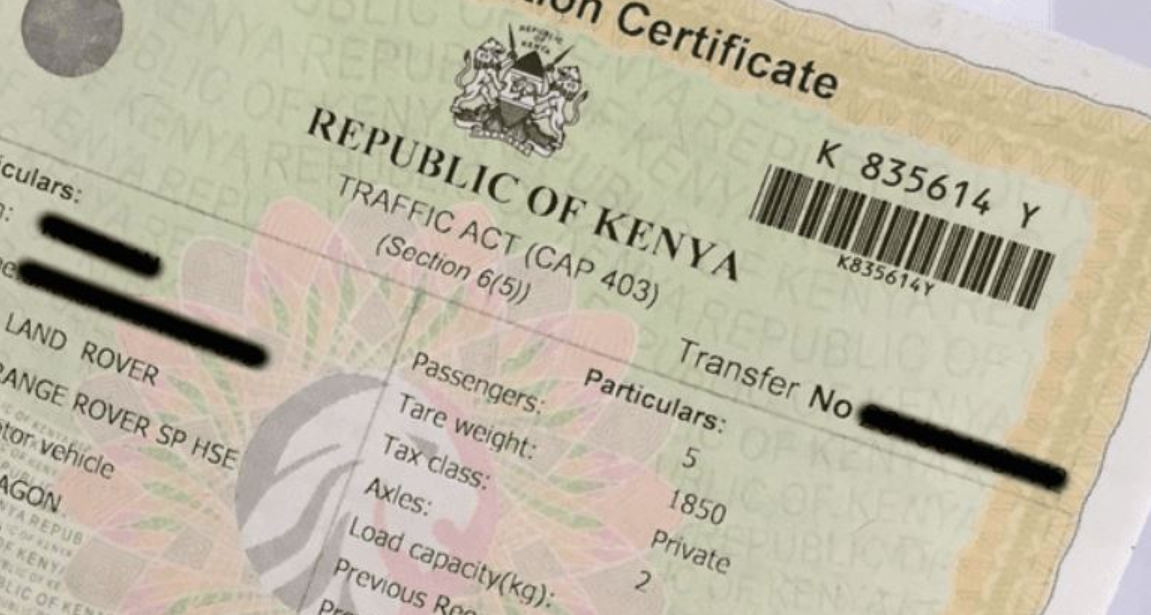
Losing your car’s logbook in Kenya can be quite frustrating, but the process to replace it is relatively simple and can be completed online. The logbook is an essential document that proves ownership of your vehicle, allowing you to access services such as car loans or transferring ownership. This step-by-step guide will walk you through how to replace your lost logbook through the NTSA TIMS portal.

  • Documents Required to Replace a Lost Logbook
  • How To Apply for a Duplicate Logbook on TIMS
  • Processing Time and Collection of Logbook
    • Collection of Your Logbook:
  • Final Thoughts

Documents Required to Replace a Lost Logbook

Before you begin the application process, ensure you have the following documents in hand:

DocumentPurpose
Police AbstractConfirms that the logbook was reported as lost.
DCI Tape Lifting ReportVerifies the engine and chassis numbers of your vehicle.
Copy of ID and KRA PINConfirms ownership and your identity.
Proof of Payment (KES 2,500)NTSA processing fee for a duplicate logbook.

Ensure all documents are scanned clearly and are ready for upload.

ADVERTISEMENT

How To Apply for a Duplicate Logbook on TIMS

Once you have the necessary documents, follow these steps to apply for a duplicate logbook via the NTSA TIMS portal:

  1. Visit the NTSA TIMS Portal:
    • Go to TIMS Portal.
  2. Log In to Your Account:
    • Use your username and password to log in. If you don’t have an account, you’ll need to create one by following the registration instructions.
  3. Select ‘Apply for Duplicate Logbook’:
    • From the dashboard, choose the “Apply for Duplicate Logbook” option, and then click on “Create New.”
  4. Select the Vehicle:
    • Choose the vehicle for which the logbook is lost from your list of registered vehicles.
  5. Fill in the Form:
    • Complete the form with accurate details about the vehicle. Double-check to ensure all information is correct before submitting.
  6. Upload Documents:
    • Upload the required documents, including the police abstract and the DCI tape lifting report.
  7. Make the Payment:
    • Pay the KES 2,500 processing fee through M-Pesa or other available payment options. You’ll receive a payment confirmation, which you’ll need to keep as proof.
  8. Submit Your Application:
    • Once payment is complete, submit your application. The portal will generate an invoice as proof of payment.

Processing Time and Collection of Logbook

The NTSA typically processes duplicate logbook applications within one to two weeks, although this can vary based on the number of applications in the system.

ADVERTISEMENT

Once your application has been processed, you will receive a notification via SMS or email informing you that your duplicate logbook is ready for collection. You can also log in to the TIMS portal to check the status of your application.

Collection of Your Logbook:

  1. Go to the NTSA office you selected during your application.
  2. Carry your original ID and police abstract for verification.
  3. Collect your new logbook.

Final Thoughts

Replacing a lost logbook in Kenya is a straightforward process, thanks to the NTSA’s user-friendly TIMS portal. By following the steps outlined in this guide, you can quickly submit your application and obtain your duplicate logbook. Be sure to keep your documents and payment receipt safe throughout the process, and always track your application status to ensure timely collection of your new logbook.

By adhering to these steps, you can handle your lost logbook issue effectively, ensuring that your vehicle’s registration and ownership details remain intact.
Google Add as a Preferred Source on Google
Previous Post

How to Check if a Company is Registered in Kenya

Next Post

How to Renew Safaricom 4G for Home Internet Package: A Quick Guide

NyongesaSande News Desk

NyongesaSande News Desk

Nyongesa Sande offers diverse content across news, technology, entertainment, and more, aiming to provide readers with a wide range of informative and engaging articles. NYONGESA SANDE's dedicated team provides our audience not only with the highly relevant news but also with outstanding interactive experience.

Related Posts

How to Weld a 2-Block Rectangular Hollow Block Mold: Measurements, Materials and Step-by-Step Guide
How To

How to Weld a 2-Block Rectangular Hollow Block Mold: Measurements, Materials and Step-by-Step Guide

1 month ago
How to Create a Facebook Account on iPhone App
How To

How to Fix Facebook Confirmation Email Not Received

1 month ago
How to Create a Facebook Account on iPhone App
How To

How to Fix Facebook Confirmation Code Not Received

1 month ago
How to Create a Facebook Account on iPhone App
How To

How to Confirm Your Facebook Email or Phone Number

1 month ago
How to Create a Facebook Account on iPhone App
How To

How to Understand Your Facebook Account and Profiles

1 month ago
How to Create a Facebook Account on iPhone App
How To

How to Fix Facebook Name Not Accepted

1 month ago
Load More
Next Post
Safaricom 4G

How to Renew Safaricom 4G for Home Internet Package: A Quick Guide

Complete Guide on How to Get an International Driving Permit in Kenya

Complete Guide on How to Get an International Driving Permit in Kenya

ADVERTISEMENT

Who We Are

Nyongesa Sande

NyongesaSande.com is a digital news and media platform covering breaking news, business, technology, AI, politics, sports, world affairs and African innovation.

News Sections

  • News
    • World
    • Africa
  • Politics
  • Business
  • Tech
  • AI
  • Telecom
  • Sports
  • Opinion
  • Lifestyle
  • Live

Editorial Standards

  • Editorial Policy
  • Fact Checking Policy
  • Corrections Policy
  • Ethics Policy
  • AI Usage Policy
  • News Tips
  • Submit Press Release

Legal

  • Privacy Policy
  • Terms of Use
  • Cookie Policy
  • Risk Disclaimer
  • Disclaimer
  • DMCA
  • Ad Choices

Our Company

  • About Us
    • Nyosake Designers
      • Nyosake Webmasters
      • Nyosake Investment
  • Contact Us
    • Newsroom Contact
  • Ownership Disclosure
  • Advertise
  • Privacy Policy
  • Terms of Use
  • Cookie Policy
  • Risk Disclaimer
  • Disclaimer
  • DMCA
  • Ad Choices

NyongesaSande.com is an independent digital news and media platform covering Africa, business, technology, AI, politics and global developments.

© 2026 NyongesaSande.com. All rights reserved.

No Result
View All Result
  • News
    • World
    • Africa
  • Politics
  • Business
  • Tech
  • AI
  • Telecom
  • Sports
  • Opinion
  • Lifestyle
  • Live

NyongesaSande.com is an independent digital news and media platform covering Africa, business, technology, AI, politics and global developments.

© 2026 NyongesaSande.com. All rights reserved.