
Nyongesa Sande
No Result
View All Result
  • News
    • World
    • Africa
  • Politics
  • Business
  • Tech
  • AI
  • Telecom
  • Sports
  • Opinion
  • Lifestyle
  • Live
Nyongesa Sande
  • About Us
    • Nyosake Designers
      • Nyosake Webmasters
      • Nyosake Investment
  • Contact Us
    • Newsroom Contact
  • Ownership Disclosure
  • Advertise
No Result
View All Result
Nyongesa Sande
No Result
View All Result
  • News
  • Politics
  • Business
  • Tech
  • AI
  • Telecom
  • Sports
  • Opinion
  • Lifestyle
  • Live
ADVERTISEMENT

Home » How to Renew Safaricom 4G for Home Internet Package: A Quick Guide

How to Renew Safaricom 4G for Home Internet Package: A Quick Guide

NyongesaSande News Desk by NyongesaSande News Desk
5 months ago
in Telecom Providers
Reading Time: 4 mins read
A A
Safaricom 4G

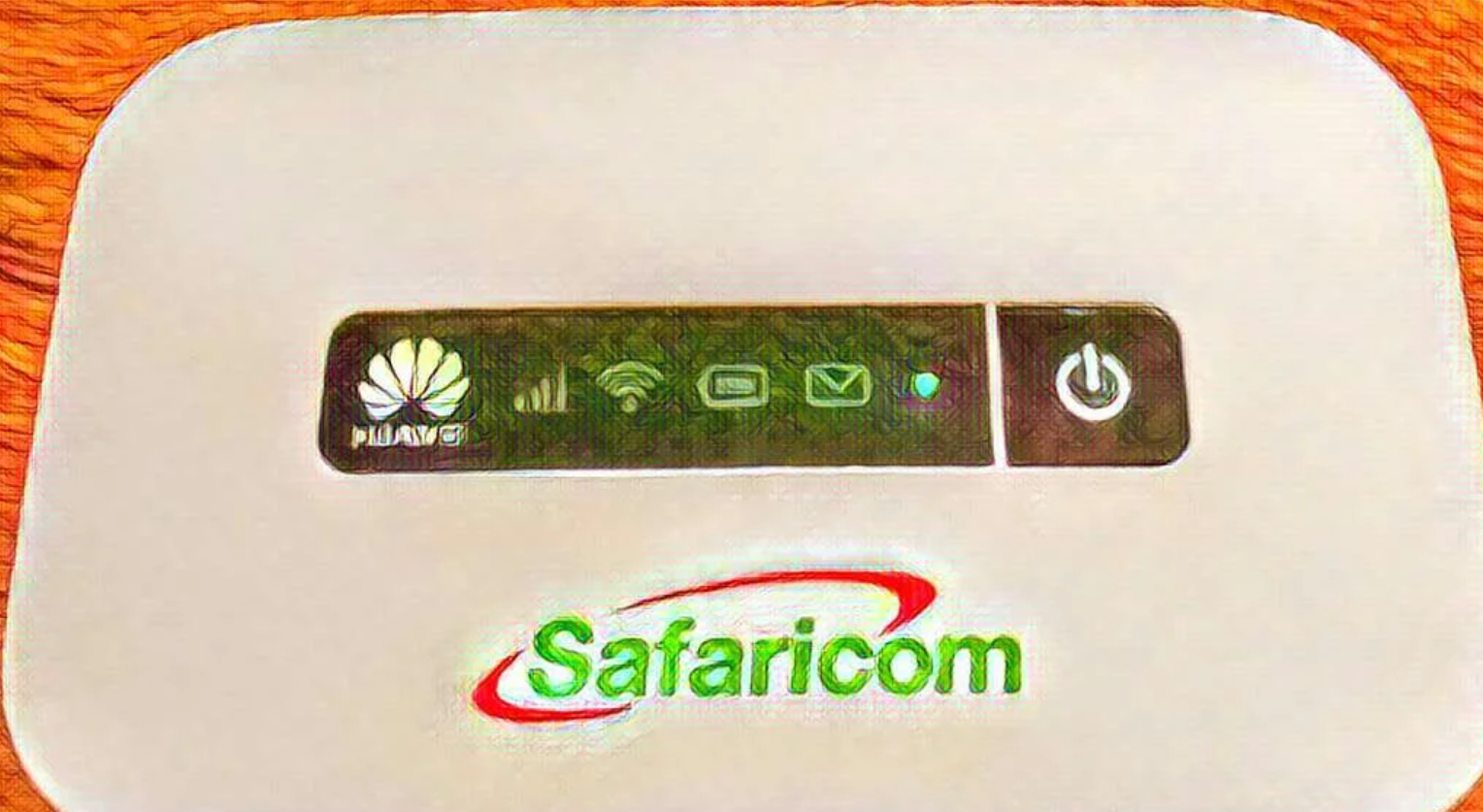
Safaricom’s 4G for Home Internet package offers a fast, reliable, and affordable internet solution, perfect for home use. If you’re nearing the end of your 30-day subscription, don’t worry – renewing it is quick and easy. Whether you prefer using USSD or a direct airtime top-up, Safaricom has made the process simple to ensure you stay connected without any hassle.

  • How to Renew Safaricom 4G for Home Internet Package
    • Option 1: Renew Through USSD Menu
    • Option 2: Renew Using Airtime Top-Up
  • Safaricom 4G for Home Plans
  • Final Thoughts

Here’s a step-by-step guide to renewing your Safaricom 4G for Home Internet package.


How to Renew Safaricom 4G for Home Internet Package

Renewing your Safaricom 4G for Home Internet plan can be done in just a few steps. You’ll need your 4G SIM card number and your phone ready for the process.

ADVERTISEMENT

Option 1: Renew Through USSD Menu

  1. Dial the USSD Code:
    • Start by dialing *400# on your Safaricom phone.
  2. Select ‘4G for Home’:
    • Choose the “4G for Home” option to continue.
  3. Choose ‘Buy 4G Plans’:
    • This option will allow you to purchase or renew your plan.
  4. Enter Your Account Number:
    • Type in the 4G SIM card number linked to your router.
  5. Choose Your Plan:
    • Select whether you want the 3 Mbps or 5 Mbps plan.
  6. Select Payment Method:
    • Choose how you’d like to pay – either via M-Pesa, Postpay, or Bonga points.
  7. Confirm the Payment:
    • If you’re paying with M-Pesa, enter your 4-digit PIN and confirm.

Once payment is successful, you’ll receive an SMS notification confirming your renewal.


Option 2: Renew Using Airtime Top-Up

  1. Load Airtime:
    • Dial 141 followed by your recharge code and the 4G SIM number printed on the back of your router. For example: 141123456789*0987654321#
  2. Purchase Your Plan:
    • After loading airtime, you can proceed to purchase your 4G plan either via USSD or directly through *400#.

This method is especially useful for those who prefer managing everything through airtime, without needing to use M-Pesa.

ADVERTISEMENT

Safaricom 4G for Home Plans

Here are the available options for the 4G for Home Internet package:

Plan SpeedPrice (KES)Validity
3 MbpsFrom 2,99930 days
5 MbpsFrom 3,99930 days

Please note that speeds may vary depending on your area’s network coverage. Also, unused data does not carry over, so make sure to use your data within the 30-day period.


Final Thoughts

Renewing your Safaricom 4G for Home Internet plan is a quick and convenient process, whether using USSD or airtime top-up. Safaricom offers flexible plans that cater to your home internet needs, and with reliable service, you can enjoy seamless browsing, streaming, and communication.

ADVERTISEMENT

Make sure to renew on time to avoid any interruptions in your internet service and continue enjoying fast, reliable internet at home!

Google Add as a Preferred Source on Google
Previous Post

Step-by-Step Guide on How To Replace A Lost Logbook in Kenya

Next Post

Complete Guide on How to Get an International Driving Permit in Kenya

NyongesaSande News Desk

NyongesaSande News Desk

Nyongesa Sande offers diverse content across news, technology, entertainment, and more, aiming to provide readers with a wide range of informative and engaging articles. NYONGESA SANDE's dedicated team provides our audience not only with the highly relevant news but also with outstanding interactive experience.

Related Posts

AT&T Build-A-Plan Lets Users Customize Wireless Plans
Telecom Providers

AT&T Build-A-Plan Lets Users Customize Wireless Plans

2 weeks ago
Verizon and Other Carriers Push Back Against Nvidia’s AI Plans for Telecom Networks
Telecom Providers

Verizon Upgrades 5G Network for Indy 500 With Speeds Above 1Gbps

3 weeks ago
AT&T Launches eSIM Service for FIFA World Cup 2026 Visitors
Telecom Providers

AT&T Launches eSIM Service for FIFA World Cup 2026 Visitors

3 weeks ago
Visible Launches Graduation Discounts and iPhone Sweepstakes
Telecom Providers

Visible Launches Graduation Discounts and iPhone Sweepstakes

3 weeks ago
Bharti Airtel Pushes Standalone 5G as Africa Strategy Expands
Telecom Providers

Bharti Airtel Pushes Standalone 5G as Africa Strategy Expands

3 weeks ago
Sunil Mittal Expands Airtel Africa With $2.9 Billion Bet
Telecom Providers

Sunil Mittal Expands Airtel Africa With $2.9 Billion Bet

3 weeks ago
Load More
Next Post
Complete Guide on How to Get an International Driving Permit in Kenya

Complete Guide on How to Get an International Driving Permit in Kenya

How to Pay for Zuku Internet Through M-Pesa: A Step-by-Step Guide

How to Pay for Zuku Internet Through M-Pesa: A Step-by-Step Guide

ADVERTISEMENT

Who We Are

Nyongesa Sande

NyongesaSande.com is a digital news and media platform covering breaking news, business, technology, AI, politics, sports, world affairs and African innovation.

News Sections

  • News
    • World
    • Africa
  • Politics
  • Business
  • Tech
  • AI
  • Telecom
  • Sports
  • Opinion
  • Lifestyle
  • Live

Editorial Standards

  • Editorial Policy
  • Fact Checking Policy
  • Corrections Policy
  • Ethics Policy
  • AI Usage Policy
  • News Tips
  • Submit Press Release

Legal

  • Privacy Policy
  • Terms of Use
  • Cookie Policy
  • Disclaimer
  • Risk Disclaimer
  • DMCA
  • Ad Choices

Our Company

  • About Us
    • Nyosake Designers
      • Nyosake Webmasters
      • Nyosake Investment
  • Contact Us
    • Newsroom Contact
  • Ownership Disclosure
  • Advertise
  • Privacy Policy
  • Terms of Use
  • Cookie Policy
  • Disclaimer
  • Risk Disclaimer
  • DMCA
  • Ad Choices

NyongesaSande.com is an independent digital news and media platform covering Africa, business, technology, AI, politics and global developments.

© 2026 NyongesaSande.com. All rights reserved.

No Result
View All Result
  • News
    • World
    • Africa
  • Politics
  • Business
  • Tech
  • AI
  • Telecom
  • Sports
  • Opinion
  • Lifestyle
  • Live

NyongesaSande.com is an independent digital news and media platform covering Africa, business, technology, AI, politics and global developments.

© 2026 NyongesaSande.com. All rights reserved.