
Nyongesa Sande
No Result
View All Result
  • News
    • World
    • Africa
  • Politics
  • Business
  • Tech
  • AI
  • Telecom
  • Sports
  • Opinion
  • Lifestyle
  • Live
  • World Cup 2026
    • World Cup 2026 Standings
    • World Cup 2026
Nyongesa Sande
  • About Us
    • Nyosake Designers
      • Nyosake Webmasters
      • Nyosake Investment
  • Contact Us
    • Newsroom Contact
  • Ownership Disclosure
  • Advertise
No Result
View All Result
Nyongesa Sande
No Result
View All Result
  • News
  • Politics
  • Business
  • Tech
  • AI
  • Telecom
  • Sports
  • Opinion
  • Lifestyle
  • Live
  • World Cup 2026
ADVERTISEMENT

Home » Step-by-Step Guide on How To Pay NSSF Via M-Pesa

Step-by-Step Guide on How To Pay NSSF Via M-Pesa

NyongesaSande News Desk by NyongesaSande News Desk
6 months ago
in How To
Reading Time: 4 mins read
A A
Step-by-Step Guide on How To Pay NSSF Via M-Pesa

Paying NSSF contributions via M-Pesa is one of the fastest and most convenient ways for employers in Kenya to remit statutory pension deductions. The National Social Security Fund requires all registered employers to submit monthly contributions to secure employees’ retirement benefits.

  • How To Pay NSSF For a Company Via M-Pesa
  • Get Your Unique Payment Number (UPN)
  • Make Payment Using M-Pesa
  • Important Things To Note When Paying NSSF Via M-Pesa
    • Pay Before the 15th of Every Month
    • Always Confirm UPN Accuracy
    • Only Use the Official NSSF Paybill
  • Need Help With NSSF M-Pesa Payments?
  • Final Advice

Each month, employers must remit 12% of pensionable wages, split equally between employer and employee. This guide explains how to pay NSSF for a company via M-Pesa, step by step, and highlights key points to avoid penalties or delays.

How To Pay NSSF For a Company Via M-Pesa

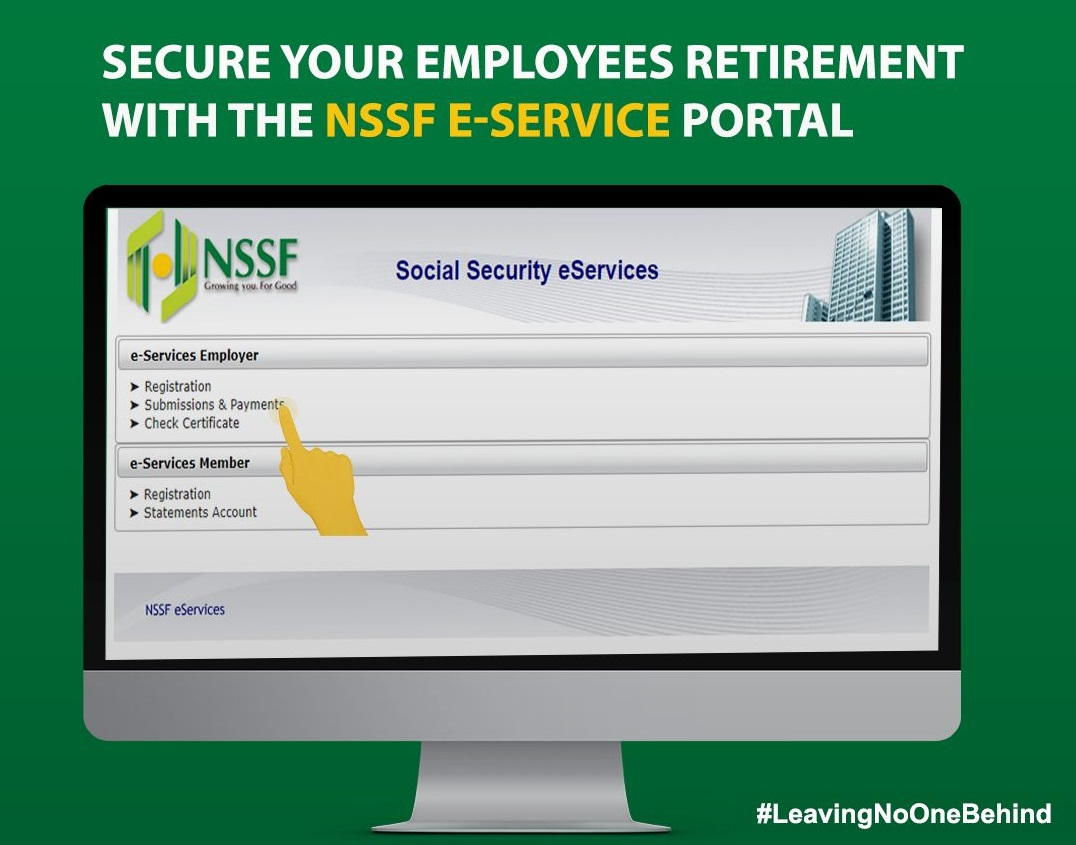
Before making any payment, ensure your company’s payroll returns have been uploaded on the NSSF eServices portal. Payments made without uploaded returns will not be matched to your account.

ADVERTISEMENT

Get Your Unique Payment Number (UPN)

The Unique Payment Number (UPN) is mandatory for all NSSF payments made via M-Pesa. It links your payment to your company’s returns.

Follow these steps:

ADVERTISEMENT
  1. Log in to the NSSF eServices portal
  2. Upload your monthly payroll returns
  3. Submit the returns
  4. An E-slip will be generated
  5. Note the Unique Payment Number (UPN) shown on the E-slip

You cannot complete payment without this UPN.

Make Payment Using M-Pesa

Once you have your UPN, proceed to pay using M-Pesa.

Steps to follow on your phone:

ADVERTISEMENT
  1. Open the M-Pesa menu
  2. Select Lipa na M-Pesa
  3. Choose PayBill
  4. Enter 333300 as the Business Number
  5. Enter your Unique Payment Number (UPN) as the Account Number
  6. Input the amount to be paid
  7. Enter your M-Pesa PIN
  8. Press OK

You will receive a confirmation SMS from M-Pesa indicating the payment has been successfully sent to NSSF.

Important Things To Note When Paying NSSF Via M-Pesa

Pay Before the 15th of Every Month

NSSF contributions must be paid on or before the 15th day of each month. Late payments can attract penalties and enforcement action.

Always Confirm UPN Accuracy

An incorrect UPN means your payment may not reflect in your company’s NSSF account. Always confirm the number from your E-slip before submitting payment.

Only Use the Official NSSF Paybill

The official NSSF M-Pesa Paybill number is 333300. Avoid using unofficial numbers to prevent fraud or loss of funds.

Need Help With NSSF M-Pesa Payments?

If you encounter issues with payments, UPNs, or contribution records, contact NSSF directly:

  • Phone: 0709 583 000 / 0730 882 000
  • Twitter/X: @NSSF_ke
  • Facebook: NSSF Kenya

Their support teams can assist with payment confirmation, account reconciliation, and portal access issues.

Final Advice

Learning how to pay NSSF via M-Pesa is essential for every employer, payroll officer, or HR manager in Kenya. Always upload returns first, use the correct UPN, pay before the deadline, and keep confirmation messages for records. When done correctly, M-Pesa makes NSSF compliance fast, secure, and stress-free.
Share1Tweet1SendShareScanSharePinShareShare
Google Add as a Preferred Source on Google
Previous Post

How to Start Rosemary Farming in Kenya and Make Profits

Next Post

NTSA Guidelines on How to Register Ex GK Vehicles With NTSA in Kenya

NyongesaSande News Desk

NyongesaSande News Desk

Nyongesa Sande offers diverse content across news, technology, entertainment, and more, aiming to provide readers with a wide range of informative and engaging articles. NYONGESA SANDE's dedicated team provides our audience not only with the highly relevant news but also with outstanding interactive experience.

Related Posts

How to Weld a 2-Block Rectangular Hollow Block Mold: Measurements, Materials and Step-by-Step Guide
How To

How to Weld a 2-Block Rectangular Hollow Block Mold: Measurements, Materials and Step-by-Step Guide

2 months ago
How to Create a Facebook Account on iPhone App
How To

How to Fix Facebook Confirmation Email Not Received

2 months ago
How to Create a Facebook Account on iPhone App
How To

How to Fix Facebook Confirmation Code Not Received

2 months ago
How to Create a Facebook Account on iPhone App
How To

How to Confirm Your Facebook Email or Phone Number

2 months ago
How to Create a Facebook Account on iPhone App
How To

How to Understand Your Facebook Account and Profiles

2 months ago
How to Create a Facebook Account on iPhone App
How To

How to Fix Facebook Name Not Accepted

2 months ago
Load More
Next Post
NTSA Guidelines on How to Register Ex GK Vehicles With NTSA in Kenya

NTSA Guidelines on How to Register Ex GK Vehicles With NTSA in Kenya

Why Your KPLC Token Meter Is Not Connecting and How to Fix It

Why Your KPLC Token Meter Is Not Connecting and How to Fix It

ADVERTISEMENT

Who We Are

Nyongesa Sande

NyongesaSande.com is a digital news and media platform covering breaking news, business, technology, AI, politics, sports, world affairs and African innovation.

News Sections

  • News
    • World
    • Africa
  • Politics
  • Business
  • Tech
  • AI
  • Telecom
  • Sports
  • Opinion
  • Lifestyle
  • Live
  • World Cup 2026
    • World Cup 2026 Standings
    • World Cup 2026

Editorial Standards

  • Editorial Policy
  • Fact Checking Policy
  • Corrections Policy
  • Ethics Policy
  • AI Usage Policy
  • News Tips
  • Submit Press Release

Legal

  • Privacy Policy
  • Terms of Use
  • Cookie Policy
  • Disclaimer
  • Risk Disclaimer
  • DMCA
  • Ad Choices

Our Company

  • About Us
    • Nyosake Designers
      • Nyosake Webmasters
      • Nyosake Investment
  • Contact Us
    • Newsroom Contact
  • Ownership Disclosure
  • Advertise
  • Privacy Policy
  • Terms of Use
  • Cookie Policy
  • Disclaimer
  • Risk Disclaimer
  • DMCA
  • Ad Choices

NyongesaSande.com is an independent digital news and media platform covering Africa, business, technology, AI, politics and global developments.

© 2026 NyongesaSande.com. All rights reserved.

No Result
View All Result
  • News
    • World
    • Africa
  • Politics
  • Business
  • Tech
  • AI
  • Telecom
  • Sports
  • Opinion
  • Lifestyle
  • Live
  • World Cup 2026
    • World Cup 2026 Standings
    • World Cup 2026

NyongesaSande.com is an independent digital news and media platform covering Africa, business, technology, AI, politics and global developments.

© 2026 NyongesaSande.com. All rights reserved.