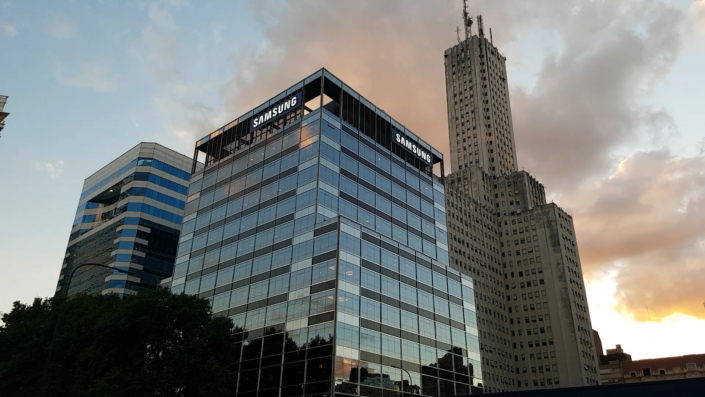
Samsung Electronics Argentina SWIFT code is the official international identifier for Samsung Electronics Argentina S.A., a corporate entity operating in Buenos Aires, Argentina. The 8-character version is SECTARB1, while the full 11-character format is SECTARB1XXX. Sometimes it is mistakenly written as SECTARB1 XXX, but the correct version is always SECTARB1XXX without spaces.
The registered head-office address for this SWIFT code is:
Samsung Electronics Argentina S.A., Bouchard 547, Floor 3, Buenos Aires, Argentina.
SWIFT Code Structure
A SWIFT/BIC code is structured into four main parts:
- SECT → bank/organization code (Samsung Electronics)
- AR → country code (Argentina)
- B1 → location code (Buenos Aires, branch designation)
- XXX → branch identifier (head office or primary code)
From this structure, SECTARB1 identifies Samsung Electronics Argentina in Buenos Aires. Adding XXX makes it the complete 11-character corporate SWIFT code: SECTARB1XXX.
Quick reference (copy-ready)
- 8-character SWIFT/BIC: SECTARB1
- 11-character SWIFT/BIC: SECTARB1XXX
- Company: Samsung Electronics Argentina S.A.
- Address: Bouchard 547, Floor 3, Buenos Aires, Argentina
- Usage: Corporate international transfers and settlements
When to use it
Use the Samsung Electronics Argentina SWIFT code when sending or receiving international corporate payments, such as supplier settlements, royalties, trade invoices, or cross-border corporate financing.
Common mistakes to avoid
- Writing the SWIFT code with spaces (always use SECTARB1XXX, not “SECTARB1 XXX”).
- Confusing this corporate SWIFT with Samsung Electronics headquarters in South Korea.
- Using the 8-character format when the 11-character version is required for corporate transfers.
Step-by-step guide to making a transfer with Samsung Electronics Argentina SWIFT code
- Confirm the recipient’s account name and Samsung Argentina account number (if applicable).
- Enter the SWIFT code: SECTARB1 (8-character) or SECTARB1XXX (11-character).
- Provide the official address: Bouchard 547, Floor 3, Buenos Aires, Argentina.
- Choose the transfer currency (USD, EUR, ARS, or KRW may apply).
- Decide how fees will be applied (sender, recipient, or shared).
- State the purpose of the transfer clearly (e.g., supplier payment, license fee, corporate settlement).
- Double-check all transaction details before confirming.
- Save your transfer slip and share the reference number with Samsung’s finance department if needed.
Final checklist
✔ Correct SWIFT code entered (SECTARB1 or SECTARB1XXX)
✔ Recipient’s corporate account details correct
✔ Official company address provided
✔ Purpose of transfer clearly explained
✔ Fee arrangement confirmed
By using the Samsung Electronics Argentina SWIFT code correctly, you ensure your international corporate transfers are processed securely, efficiently, and without unnecessary delays.