🎬 How to Use AI to Edit YouTube Videos Automatically
Editing YouTube videos can be time-consuming—but it doesn’t have to be. With modern tools, you can now learn how to use AI to edit YouTube videos automatically and dramatically speed up your content production without sacrificing quality. Whether you’re a vlogger, educator, or business creator, AI has your back.
🧠 Why Use AI for YouTube Video Editing?
AI video editors help you:
- ✂️ Auto-cut silences and unnecessary footage
- 💬 Add captions and subtitles instantly
- 🎨 Enhance visuals and audio quality
- 🧠 Identify key highlights for short clips or reels
- 📹 Export in multiple formats (YouTube, TikTok, Shorts)
The result? Cleaner videos, faster turnaround, and more content output.
🛠️ Best AI Tools to Edit YouTube Videos Automatically
🔹 1. Descript
Use For: Podcast-style videos, vlogs, screen recordings
- Edit by modifying the transcript
- Auto-remove filler words and silences
- Add AI voiceovers and captions
Great for creators who want fast, text-based editing.
🔹 2. Pictory

Use For: Turning long videos or scripts into short YouTube content
- Auto-generate scenes and B-roll
- Highlight key points using AI
- Add branded captions and visuals
Perfect for repurposing webinars, interviews, and blogs.
🔹 3. Wisecut
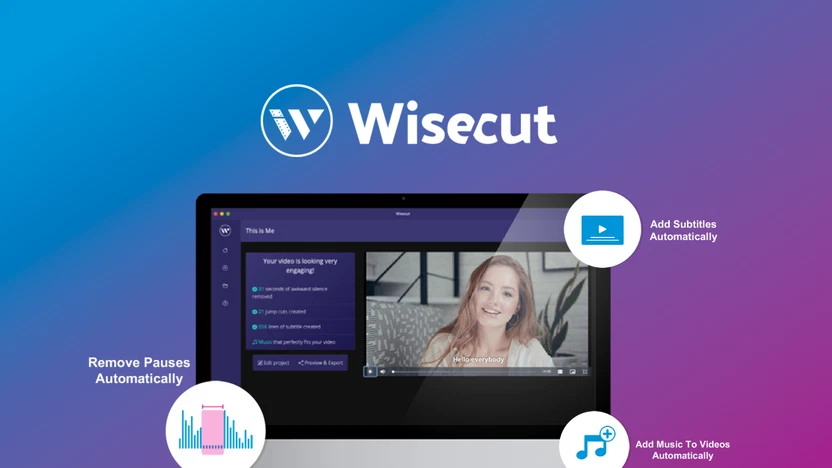
Use For: Face-to-camera videos and online tutorials
- Auto-cut pauses, generate subtitles, add music
- Translate and voice-over in multiple languages
- Cloud-based and beginner-friendly
Ideal for solo YouTubers and coaches.
🔹 4. Runway ML

Use For: Creative edits and professional-looking effects
- Background removal, motion tracking, AI filters
- Text-to-video features and visual enhancements
A great tool for creators wanting cinematic flair with minimal effort.
🔹 5. Adobe Premiere Pro (with Adobe Sensei AI)
Use For: Pro-level AI-assisted editing
- Scene detection, auto reframing, audio clean-up
- AI tools to speed up timeline edits and visual corrections
Best for creators looking to level up their editing while keeping creative control.
📦 What You Can Automate with AI Video Editors
| Task | Tool Recommendation | Benefit |
|---|---|---|
| Cutting silences & dead space | Descript, Wisecut | Cleaner pacing, faster uploads |
| Auto-subtitles and captions | Pictory, Descript | Improved accessibility & SEO |
| Creating highlight clips | Pictory, Runway ML | Perfect for Shorts, TikTok, Reels |
| Translations and voiceovers | Wisecut | Reach wider audiences |
| Adding B-roll and visuals | Pictory, Runway ML | More engaging storytelling |
✅ How to Use AI to Edit YouTube Videos Automatically (Step-by-Step)
Step 1: Upload Your Video
Start by importing your raw footage into the AI editor of your choice (e.g., Descript or Pictory).
Step 2: Let AI Analyze the Content
The tool will transcribe, detect silences, and highlight filler words, cuts, or background noise.
Step 3: Select Your Editing Preferences
Choose whether to auto-trim, add subtitles, apply effects, or generate voiceovers.
Step 4: Preview and Customize
Make light tweaks to ensure everything flows naturally and reflects your brand tone.
Step 5: Export and Upload
Export your video in YouTube format (1080p or 4K) and upload directly—or repurpose into Shorts!
💡 Tips for Smart AI Video Editing
- Batch-edit videos in advance using templates
- Use branded presets for consistency in visuals and captions
- Repurpose long videos into multiple short-form versions
- Optimize each export for YouTube SEO (thumbnails, keywords, titles)
- Always proofwatch AI edits before final upload
🔍 Best AI Video Editors by Use Case
| Creator Type | Recommended Tool(s) | Why It Works |
|---|---|---|
| YouTube vloggers | Descript, Wisecut | Fast talking-head editing |
| Coaches & educators | Pictory, Descript | Clean, professional, branded videos |
| Short-form creators | Pictory, Runway ML | Highlight generation + B-roll |
| Filmmakers | Adobe Premiere + Sensei | High-end, creative control |
| Podcasters | Descript, Wisecut | Audio + video in one workflow |
🎯 Final Thoughts on How to Use AI to Edit YouTube Videos Automatically
You no longer need to be a professional editor to create professional content. Knowing how to use AI to edit YouTube videos automatically means you can focus on storytelling while AI handles the time-consuming technical work.
Faster edits. Sharper videos. More content. Let AI streamline your creative process.