
Nyongesa Sande
No Result
View All Result
  • News
    • World
    • Africa
  • Politics
  • Business
  • Tech
  • AI
  • Telecom
  • Sports
  • Opinion
  • Lifestyle
  • Live
Nyongesa Sande
No Result
View All Result
Nyongesa Sande
No Result
View All Result
  • News
  • Politics
  • Business
  • Tech
  • AI
  • Telecom
  • Sports
  • Opinion
  • Lifestyle
  • Live
ADVERTISEMENT

Home » How to Request Refunds for Wrong SHA Premium Payments via M-Pesa

How to Request Refunds for Wrong SHA Premium Payments via M-Pesa

NyongesaSande News Desk by NyongesaSande News Desk
5 months ago
in How To
Reading Time: 5 mins read
A A
How to Request Refunds for Wrong SHA Premium Payments via M-Pesa

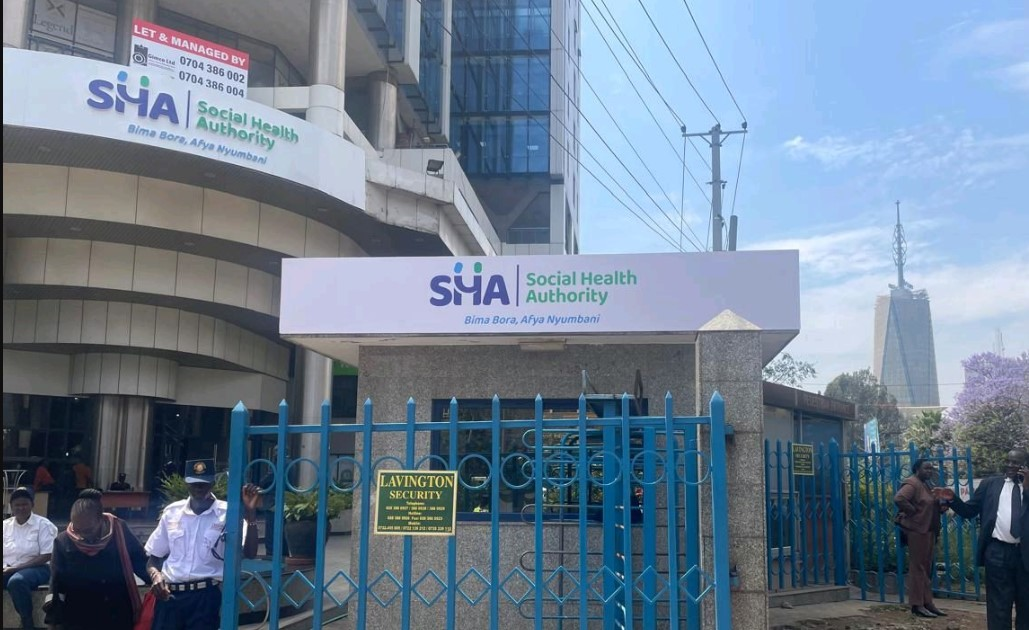
Mistakes in sending payments are common, and if you’ve mistakenly sent your Social Health Authority (SHA) premium payment to the wrong M-Pesa account, don’t worry. The SHA has made it simple to request a refund for such errors, helping you quickly recover the amount. This guide will show you exactly how to request a refund in just a few easy steps.

  • SHA Refund Process for Wrong Premium Payments via M-Pesa
    • Step-by-Step Guide to Request Refunds
    • Submission Methods
  • Verification and Refund Timeline
  • SHA’s Efforts to Support Affordable Healthcare
  • Important Reminders for Kenyans
  • Conclusion

SHA Refund Process for Wrong Premium Payments via M-Pesa

SHA provides a straightforward and transparent process for individuals who need to request refunds for mistakenly sent premium payments. The steps to get your money back are clear, and understanding them ensures a smooth and hassle-free experience.

Step-by-Step Guide to Request Refunds

When requesting a refund for an incorrect SHA premium payment via M-Pesa, you need to prepare and submit the following documents.

ADVERTISEMENT

Documents Required:

DocumentDescription
M-Pesa StatementA clear copy showing the wrong payment transaction.
Identification DocumentA copy of your National ID, Alien ID, or passport.
Refund Request LetterA signed letter addressed to SHA’s CEO, requesting a refund.

Submission Methods

You can submit your refund request using two primary methods—email or in person.

ADVERTISEMENT
  1. Email Submission:
    • Email your scanned documents to [email protected] or [email protected].
    • Make sure the documents are clear, and each one is correctly labeled.
    • Include your full name, phone number, and National ID number in the email body to speed up verification.
  2. Physical Submission:
    • Drop off your documents at any SHA County Office or Huduma Center near you.
    • Original copies are preferred, and staff will guide you through the next steps.

If you need help, SHA’s customer service team is available at 147 for any inquiries.


Verification and Refund Timeline

After submission, SHA will verify your claim by checking if the payment was indeed made to the wrong account. The verification process is important to ensure refunds are issued only to the rightful payer.

Once verified, the refund will be processed. While the exact timeline for processing isn’t specified, you can follow up with the SHA offices or use the provided helplines to track the progress of your claim.

ADVERTISEMENT

SHA’s Efforts to Support Affordable Healthcare

This refund process is part of the SHA’s broader efforts to enhance the accessibility and affordability of healthcare in Kenya. Through the Social Health Insurance Fund (SHIF), SHA replaces the National Health Insurance Fund (NHIF), ensuring fair contributions from Kenyans based on their income.

The government is also working to ensure healthcare coverage for vulnerable Kenyans, with 2.2 million individuals set to have their contributions fully covered under the Universal Health Coverage (UHC) initiative.


Important Reminders for Kenyans

Here are a few key tips to make sure your refund request is processed smoothly:

TipDetails
Check your M-Pesa transaction detailsEnsure the transaction ID and amount match your claim.
Use your registered IDThe ID must match the M-Pesa account holder’s name.
Avoid multiple submissionsSubmit only once via one method to prevent confusion.
Keep copies of all documentsRetain copies of all documents for future reference.

By following these simple steps and keeping your documentation accurate, you can avoid delays and ensure a quicker refund process.


Conclusion

Requesting a refund for an incorrect SHA premium payment made via M-Pesa is a simple process when you follow the outlined steps. By submitting the necessary documents and ensuring accuracy, you can quickly recover your funds. SHA’s efforts to streamline this refund process, along with its broader work to improve healthcare access for all Kenyans, reflect its commitment to transparency and fairness.

Stay proactive, submit your refund request promptly, and ensure your payments are always correct to avoid unnecessary delays.
Google Add as a Preferred Source on Google
Previous Post

How to Apply and Repay a Branch Loan Via M-Pesa in Kenya

Next Post

Guide on How to Block Someone on WhatsApp Without Them Knowing

NyongesaSande News Desk

NyongesaSande News Desk

Nyongesa Sande offers diverse content across news, technology, entertainment, and more, aiming to provide readers with a wide range of informative and engaging articles. NYONGESA SANDE's dedicated team provides our audience not only with the highly relevant news but also with outstanding interactive experience.

Related Posts

How to Weld a 2-Block Rectangular Hollow Block Mold: Measurements, Materials and Step-by-Step Guide
How To

How to Weld a 2-Block Rectangular Hollow Block Mold: Measurements, Materials and Step-by-Step Guide

1 month ago
How to Create a Facebook Account on iPhone App
How To

How to Fix Facebook Confirmation Email Not Received

1 month ago
How to Create a Facebook Account on iPhone App
How To

How to Fix Facebook Confirmation Code Not Received

1 month ago
How to Create a Facebook Account on iPhone App
How To

How to Confirm Your Facebook Email or Phone Number

1 month ago
How to Create a Facebook Account on iPhone App
How To

How to Understand Your Facebook Account and Profiles

1 month ago
How to Create a Facebook Account on iPhone App
How To

How to Fix Facebook Name Not Accepted

1 month ago
Load More
Next Post
Block Someone on WhatsApp Without Them Knowing

Guide on How to Block Someone on WhatsApp Without Them Knowing

Guide on How to Check If a Company Is Registered in Kenya

Guide on How to Check If a Company Is Registered in Kenya

ADVERTISEMENT

Who We Are

Nyongesa Sande

NyongesaSande.com is a digital news and media platform covering breaking news, business, technology, AI, politics, sports, world affairs and African innovation.

News Sections

  • News
    • World
    • Africa
  • Politics
  • Business
  • Tech
  • AI
  • Telecom
  • Sports
  • Opinion
  • Lifestyle
  • Live

Editorial Standards

  • Editorial Policy
  • Fact Checking Policy
  • Corrections Policy
  • Ethics Policy
  • AI Usage Policy
  • News Tips
  • Submit Press Release

Legal

  • Privacy Policy
  • Terms of Use
  • Cookie Policy
  • Disclaimer
  • Risk Disclaimer
  • DMCA
  • Ad Choices

Our Company

  • About Us
    • Nyosake Designers
      • Nyosake Webmasters
      • Nyosake Investment
  • Contact Us
    • Newsroom Contact
  • Ownership Disclosure
  • Advertise
  • Privacy Policy
  • Terms of Use
  • Cookie Policy
  • Disclaimer
  • Risk Disclaimer
  • DMCA
  • Ad Choices

NyongesaSande.com is an independent digital news and media platform covering Africa, business, technology, AI, politics and global developments.

© 2026 NyongesaSande.com. All rights reserved.

No Result
View All Result
  • News
    • World
    • Africa
  • Politics
  • Business
  • Tech
  • AI
  • Telecom
  • Sports
  • Opinion
  • Lifestyle
  • Live

NyongesaSande.com is an independent digital news and media platform covering Africa, business, technology, AI, politics and global developments.

© 2026 NyongesaSande.com. All rights reserved.