


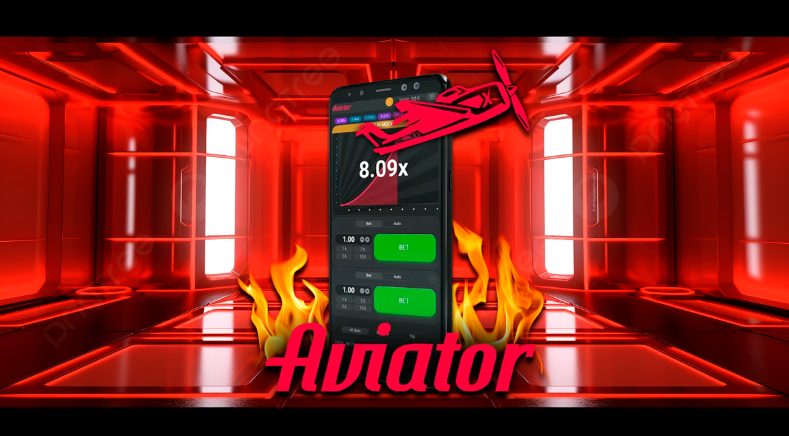
The Aviator app is a thrilling crash-betting game that’s taken the mobile gambling world by storm, letting you bet on a virtual plane’s ascent and cash out before it crashes. Available for Android, iOS, Windows, and Mac, it’s packed with features like auto-bet, auto-cashout, and a demo mode—perfect for strategy and fun. But there’s no standalone app from Spribe (the game’s developer), so you’ll download it via licensed casino apps or web platforms. This guide walks you through downloading, installing, and using Aviator safely on your device, plus troubleshooting tips to keep your gaming smooth. Let’s get started!
Things You Should Know
- No Official App: Aviator isn’t a standalone app from Spribe—download it via trusted casino apps or websites, not Google Play or the App Store.
- System Needs: Android 5.1+ or iOS 11.0+ (or higher), 40MB storage, and 4GB RAM ensure smooth play—check your device first.
- Safety First: Stick to licensed casinos (e.g., 1Win, Parimatch) with positive reviews to avoid scams—look for SSL encryption and Curacao licenses.
Part 1: Understanding the Aviator App
Step 1: Learn About Aviator’s Key Features
- Game Type: Aviator is a crash game where you bet on a plane’s climb, cashing out before it disappears to win—strategy and timing are key.
- Latest Version: As of February 2025, it’s version 1.2.6 (per js13kgames.com, aviator-game.in), with bug fixes and performance boosts.
- Language Support: Hindi, English, and others (e.g., via 1win, Parimatch) make it global-friendly.
- System Requirements: Needs Android 5.1+/iOS 11.0+, 40MB storage, and 4GB RAM—works on most modern phones (e.g., Samsung Galaxy S10, iPhone 6S+).
- Tip: Use a device with 90Hz+ refresh rate for smoother gameplay (per aviator-game.in).
Step 2: Check Device Compatibility
- Android/iOS: Works on Android (5.1+), iOS (11.0+), and tablets—see techweez.com for specifics.
- Windows/Mac: No native app; use Android emulators (e.g., BlueStacks) or casino websites (per dashfight.com).
- Browser Option: Play via casino mobile sites if your device can’t handle the app—HTML5 ensures compatibility (per aviator-games.com).
Part 2: Downloading the Aviator App
Method 1: Download on Android
Step 1: Pick a Trusted Casino
- Choose wisely: Select a licensed casino like 1Win, Parimatch, or 4rabet (per aviator-app.in, telecomasia.net)—check reviews on X or forums for safety.
- Verify licensing: Look for Curacao Gaming Commission licenses (e.g., 8048/JAZ2018-040 for 1Win).
Step 2: Download the APK
- Visit the site: Open your Android browser (e.g., Chrome) and go to the casino’s official site.
- Find the APK: Click the “Download APK” or “Android App” button—avoids Google Play since it’s not there (per techweez.com).
- Adjust settings: Go to Settings > Security > Unknown Sources, and enable it to allow third-party installs (per aviator-game.in).
- Warning: Only download from verified casinos to avoid malware—stick to sites like aviatorplane.games.
Step 3: Install the App
- Locate the file: Open your “Downloads” folder, tap the APK (e.g., version 1.2.6, 4MB per citizen.digital), and hit “Install.”
- Wait: Installation takes seconds—look for a success message.
- Launch: Find the Aviator icon on your home screen, tap to open, and log in or register.
Method 2: Download on iOS
Step 1: Select a Compatible Casino
- Find a safe site: Choose casinos offering iOS apps (e.g., 1Win, Parimatch)—check aviator-canada.com for options.
- Verify safety: Ensure SSL encryption and positive reviews (per dashfight.com).
Step 2: Download via Casino or App Store
- Casino site method: Open Safari, visit the casino’s mobile site, and click the “iOS App” or “Download” link (per aviator-game.in).
- Alternative: Search “Aviator” in the App Store, pick the casino app (e.g., 1Win), and tap “Get” (per capitalfm.co.ke).
- Install: The IPA file auto-installs or downloads from the App Store—takes 1-2 minutes.
- Note: No “Unknown Sources” needed for iOS (per js13kgames.com).
Step 3: Open and Set Up
- Locate the app: Find the casino app icon on your home screen (e.g., 1Win with Aviator inside).
- Log in/register: Tap to open, sign in, or create an account with your email/phone—verify via SMS or email.
Method 3: Download on Windows/Mac
Step 1: Use an Android Emulator
- Choose an emulator: Download BlueStacks or LDPlayer from their official sites (per aviatorplane.games, dashfight.com).
- Install: Run the installer, follow prompts, and sign in with your Google account.
- Download APK: In the emulator, visit a trusted casino site (e.g., 1Win), grab the APK, and install it via drag-and-drop or the emulator’s “Install APK” feature.
- Warning: No native apps exist for Windows/Mac—web versions work if no emulator (per aviator-online.biz).
Step 2: Launch and Play
- Open the app: Find Aviator in the emulator, log in, and start playing—same as mobile versions.
- Browser option: If emulators lag, play via the casino’s website in Chrome or Safari (per aviator-games.com).
Part 3: Using the Aviator App
Step 1: Understand Gameplay
- Learn the basics: Bet on the plane’s climb, cash out before it crashes—higher climb, bigger win (per xscores.com).
- Use demo mode: Play for free in demo mode (via casino apps like 4rabet) to practice without risking money (per aviator-ua.net).
- Tip: Start with small bets (e.g., 10 INR) to test strategy.
Step 2: Leverage Special Features
- Enable Auto-Bet: Set automatic bets at round start—choose amounts (e.g., 50 INR) to save time (per aviator-game-app.in).
- Set Auto-Cashout: Pick a multiplier (e.g., 2x) to cash out automatically, avoiding late clicks (per telecomasia.net).
- Example: Bet 100 INR, set auto-cashout at 2x—win 200 INR if the plane hits 2x before crashing.
Step 3: Navigate the Interface
- Explore layout: Find bet buttons, cashout options, and chat—user-friendly for beginners (per dashfight.com).
- Check history: View past rounds and top bets to refine strategies (per aviator-game.in).
- Use languages: Switch to Hindi or English via settings for comfort (per aviator-app.in).
Part 4: Troubleshooting Common Issues
Step 1: Fix Black/Blank Screen
- Restart the app: Close and reopen Aviator (per aviator-plane.games, citizen.digital).
- Reboot device: Turn off your phone/tablet, wait 30 seconds, and turn it back on—try again.
- Reinstall: Uninstall, download from the same trusted source, and reinstall (per dashfight.com).
- Note: Ensure you’re on version 1.2.6 (per js13kgames.com) for fixes.
Step 2: Resolve Connection Errors
- Check internet: Switch to Wi-Fi or 4G/5G—stable connections are key (per aviator-game.in).
- Wait out server issues: If it’s a server problem, wait 15-20 minutes and retry (per aviator-app.in).
- Tip: Use 3G/5G or Wi-Fi for real-time features (per techweez.com).
Step 3: Handle Deposit Failures
- Wait 24-48 hours: Payments often process slowly—check your account (per dashfight.com).
- Contact support: Reach out to the casino (e.g., 1Win via live chat) if funds don’t appear (per aviator-canada.com).
- Example: Use Paytm, GPay, or crypto (per js13kgames.com) for faster deposits.
Tips
- Stay Updated: Check casino sites for version 1.2.6 or newer—updates fix bugs (per aviator-gen.in).
- Play Responsibly: Set a budget (e.g., 500 INR/day)—Aviator’s thrill can lead to overspending (per aviatorplane.games).
- Test Demos: Use demo mode on trusted casinos to practice before real bets (per aviator-ua.net).
- Secure Your Device: Enable 2FA on your casino account for extra safety (per aviator-game-app.in).
Warnings
- Avoid Untrusted Sources: Don’t download APKs from random sites—stick to licensed casinos (e.g., 1Win, Parimatch) to dodge malware (per techweez.com).
- No Real Money on Demos: Demo versions (e.g., via Spribe’s site) don’t let you win cash—use casino apps for real bets (per aviatorplane.games).
- Legal Risks: Check Kenya’s gambling laws (e.g., BCLB regulations)—Aviator’s legal only via licensed platforms (per citizen.digital, for African context).
- Data Use: The app uses minimal data (per aviator-game.in), but ensure a stable connection to avoid losses mid-game.
Conclusion
Downloading and using the Aviator app on Android, iOS, or even Windows/Mac is simple with the right steps—pick a licensed casino, tweak settings for Android, or use the App Store for iOS. Enjoy its crash-betting thrill, auto-features, and demo mode, but play smart and safe. Follow this guide, troubleshoot issues, and stick to trusted platforms to keep your gaming secure and fun. Start your Aviator journey today and soar to wins!




