
Nyongesa Sande
No Result
View All Result
  • News
    • World
    • Africa
  • Politics
  • Business
  • Tech
  • AI
  • Telecom
  • Sports
  • Opinion
  • Lifestyle
  • Live
Nyongesa Sande
  • About Us
    • Nyosake Designers
      • Nyosake Webmasters
      • Nyosake Investment
  • Contact Us
    • Newsroom Contact
  • Ownership Disclosure
  • Advertise
No Result
View All Result
Nyongesa Sande
No Result
View All Result
  • News
  • Politics
  • Business
  • Tech
  • AI
  • Telecom
  • Sports
  • Opinion
  • Lifestyle
  • Live
ADVERTISEMENT

Home » How to Confirm the Progress of Your NEMA Permit Application

How to Confirm the Progress of Your NEMA Permit Application

Step-by-Step Guide on How to Track the Status of Your NEMA Permit Application Online

NyongesaSande News Desk by NyongesaSande News Desk
5 months ago
in How To
Reading Time: 5 mins read
A A
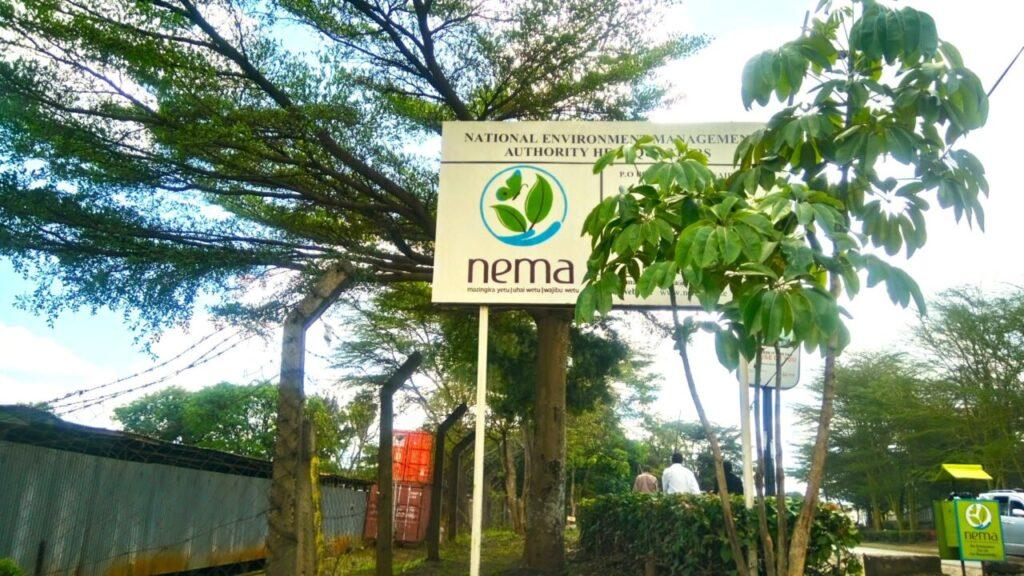
nema

Tracking the progress of your NEMA permit application is an essential step for anyone in the process of obtaining environmental permits in Kenya. Whether you’re applying for an Environmental Impact Assessment (EIA), an emission license, or a waste management permit, it’s crucial to stay updated. Thankfully, the National Environment Management Authority (NEMA) has integrated tracking features into its eCitizen platform and the NEMA Licensing Portal for real-time updates on your application status. This guide will walk you through the process of checking your application status online, ensuring you stay informed.

  • How to Confirm the Progress of Your NEMA Permit Application
    • 1. Visit the Official NEMA or eCitizen Portal
    • 2. Log In and Access Your Applications
    • 3. Enter Reference Number and Track Status
  • What Do the Different Application Statuses Mean?
  • 4. Download and Secure Your Approved NEMA Permit
  • 5. Track and Follow Up on Your Application
  • Wrapping Up

How to Confirm the Progress of Your NEMA Permit Application

Confirming the status of your NEMA permit is a straightforward process. Follow these steps to check your application’s progress:

1. Visit the Official NEMA or eCitizen Portal

The first step is to visit the relevant portal where your application was submitted. Both the NEMA Licensing Portal and eCitizen offer tracking services for all NEMA-related permits.

ADVERTISEMENT
  • NEMA Portal: For direct NEMA portal users, navigate to the “Track Application” section.
  • eCitizen Portal: If you applied through eCitizen, simply select NEMA from the list of government services.

Both platforms provide the option to track and review the status of your application.

2. Log In and Access Your Applications

Once on the portal, log in using the credentials you used when submitting your application. This could be your username, email, or ID number depending on the portal you used.

ADVERTISEMENT
  • eCitizen: Once logged in, click on the NEMA service tab, and your applications will be displayed.
  • NEMA Portal: Enter your login details (username/email and password) to access your applications.

3. Enter Reference Number and Track Status

To track the status of a specific application, you will need to enter the Application Reference Number (usually found on your payment receipt, confirmation email, or SMS). This number typically looks like NEMA/EIA/1234/2025.

  • Search field: Enter your Application Reference Number in the Tracking ID or Application Reference Number search box.
  • Search: Click “Search” or “Verify” to get the latest update on your application status.

What Do the Different Application Statuses Mean?

When you check the status of your NEMA permit application, you’ll encounter different status updates. Here’s what each one means:

  • Received: NEMA has received your documents, and your application is under review.
  • Under Review: Your application is currently being evaluated by NEMA officers.
  • Queried: NEMA needs more documents or clarification. You’ll need to respond by submitting the required information.
  • Approved/Issued: Your permit is ready for download. You can proceed to download your permit.
  • Rejected: Your application did not meet the necessary requirements. You’ll need to review the feedback and reapply if possible.

4. Download and Secure Your Approved NEMA Permit

Once your application is approved or issued, you can download your official permit directly from the portal.

ADVERTISEMENT

Here’s how to download your approved NEMA permit:

  • Look for the Download Permit or View License button on your application page.
  • Ensure that the permit details are accurate, including your name, project title, permit number, and the validity period.
  • Save your permit as a PDF file and also print a copy for physical display, especially if your project will undergo inspections.

5. Track and Follow Up on Your Application

If you haven’t received an update or if you notice any discrepancies, it’s crucial to follow up with NEMA directly. Always keep a copy of your application and any relevant documents.

  • Follow up: If your application status remains unchanged or if you need additional support, reach out to NEMA via their contact details provided on the portal.

Wrapping Up

Tracking your NEMA permit application progress is a crucial part of the process. Using the NEMA Licensing Portal or eCitizen, you can easily monitor the status of your application, respond to queries, and download your approved permit.

By staying on top of the process, you can avoid unnecessary delays, ensure compliance, and keep your project on track. Regularly checking the status of your application helps you stay informed and ready for the next steps in your environmental compliance journey.
Google Add as a Preferred Source on Google
Previous Post

Easy Guide on How to Send Money From M-Pesa to I&M Bank

Next Post

How to Apply for a Coastal Zone Management Permit in Kenya – A Step-by-Step Guide

NyongesaSande News Desk

NyongesaSande News Desk

Nyongesa Sande offers diverse content across news, technology, entertainment, and more, aiming to provide readers with a wide range of informative and engaging articles. NYONGESA SANDE's dedicated team provides our audience not only with the highly relevant news but also with outstanding interactive experience.

Related Posts

How to Weld a 2-Block Rectangular Hollow Block Mold: Measurements, Materials and Step-by-Step Guide
How To

How to Weld a 2-Block Rectangular Hollow Block Mold: Measurements, Materials and Step-by-Step Guide

1 month ago
How to Create a Facebook Account on iPhone App
How To

How to Fix Facebook Confirmation Email Not Received

1 month ago
How to Create a Facebook Account on iPhone App
How To

How to Fix Facebook Confirmation Code Not Received

1 month ago
How to Create a Facebook Account on iPhone App
How To

How to Confirm Your Facebook Email or Phone Number

1 month ago
How to Create a Facebook Account on iPhone App
How To

How to Understand Your Facebook Account and Profiles

1 month ago
How to Create a Facebook Account on iPhone App
How To

How to Fix Facebook Name Not Accepted

1 month ago
Load More
Next Post
How to Apply for a Coastal Zone Management Permit in Kenya – A Step-by-Step Guide

How to Apply for a Coastal Zone Management Permit in Kenya – A Step-by-Step Guide

How to Deposit Money from M-Pesa to NCBA Loop: Easy Guide

How to Deposit Money from M-Pesa to NCBA Loop: Easy Guide

ADVERTISEMENT

Who We Are

Nyongesa Sande

NyongesaSande.com is a digital news and media platform covering breaking news, business, technology, AI, politics, sports, world affairs and African innovation.

News Sections

  • News
    • World
    • Africa
  • Politics
  • Business
  • Tech
  • AI
  • Telecom
  • Sports
  • Opinion
  • Lifestyle
  • Live

Editorial Standards

  • Editorial Policy
  • Fact Checking Policy
  • Corrections Policy
  • Ethics Policy
  • AI Usage Policy
  • News Tips
  • Submit Press Release

Legal

  • Privacy Policy
  • Terms of Use
  • Cookie Policy
  • Risk Disclaimer
  • Disclaimer
  • DMCA
  • Ad Choices

Our Company

  • About Us
    • Nyosake Designers
      • Nyosake Webmasters
      • Nyosake Investment
  • Contact Us
    • Newsroom Contact
  • Ownership Disclosure
  • Advertise
  • Privacy Policy
  • Terms of Use
  • Cookie Policy
  • Risk Disclaimer
  • Disclaimer
  • DMCA
  • Ad Choices

NyongesaSande.com is an independent digital news and media platform covering Africa, business, technology, AI, politics and global developments.

© 2026 NyongesaSande.com. All rights reserved.

No Result
View All Result
  • News
    • World
    • Africa
  • Politics
  • Business
  • Tech
  • AI
  • Telecom
  • Sports
  • Opinion
  • Lifestyle
  • Live

NyongesaSande.com is an independent digital news and media platform covering Africa, business, technology, AI, politics and global developments.

© 2026 NyongesaSande.com. All rights reserved.