


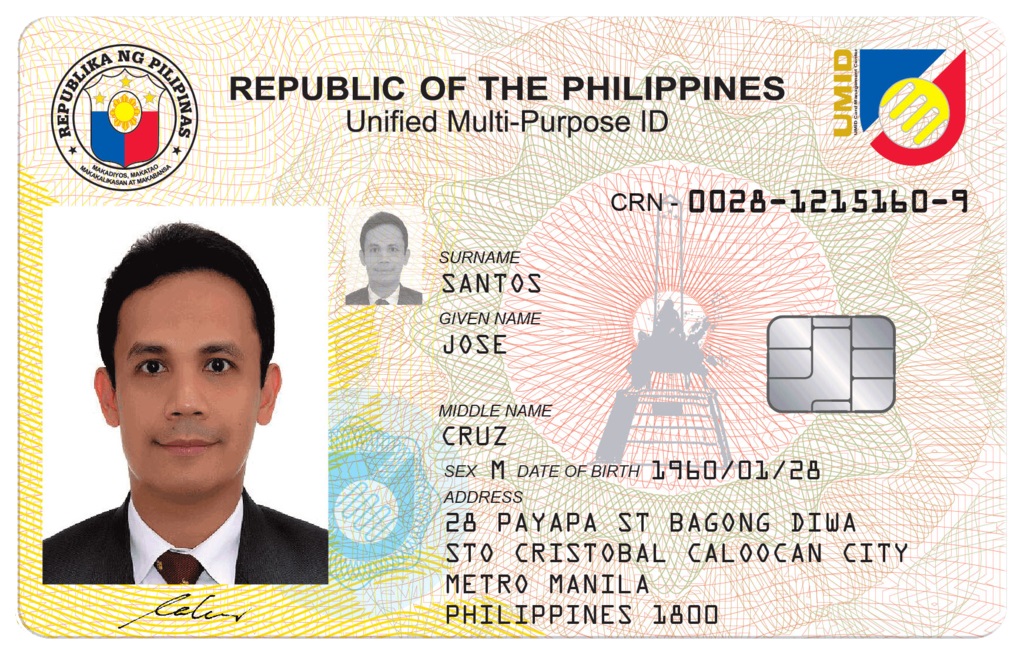
The Unified Multi-Purpose ID (UMID) card serves as an essential identification document in the Philippines, used for transactions with government agencies such as the Social Security System (SSS), Government Service Insurance System (GSIS), Philippine Health Insurance Corporation (PhilHealth), and the Home Development Mutual Fund (Pag-IBIG Fund).
If any of the details on your UMID card are incorrect or need updating, it is crucial to amend them to avoid discrepancies in your official records. This guide provides a comprehensive step-by-step process to amend or update your UMID card information through the SSS.
Step 1: Identify the Changes You Need to Make
Before initiating the amendment process, determine which details need to be updated on your UMID card. Common reasons for updating or correcting UMID information include:
✔ Name Change – Due to marriage, legal name change, or typographical error
✔ Date of Birth Correction – If the birthdate recorded is incorrect
✔ Gender Correction – For incorrect gender records
✔ Civil Status Change – If your civil status has changed due to marriage, annulment, or legal separation
✔ Address Update – If you have moved to a new permanent residence
✔ Contact Information Update – If your registered mobile number or email address has changed
Important: Make sure you have the correct supporting documents for your request.
Step 2: Prepare the Required Documents
To update your UMID card, you must submit the Member Data Change Request Form (SSS Form E-4) along with supporting documents. Below is a breakdown of what you need based on the type of correction or update.
✔ Required Form
✅ SSS Form E-4 (Member Data Change Request Form) – This form is available at any SSS branch or can be downloaded from the SSS website.
✔ Supporting Documents Based on the Requested Update
| Type of Amendment | Required Documents |
|---|---|
| Correction of Name | Birth Certificate, Marriage Certificate (for married women), or Court Order (for legal name change) |
| Correction of Date of Birth | Birth Certificate |
| Correction of Gender | Birth Certificate or Valid Government ID showing the correct gender |
| Change of Civil Status | Marriage Certificate (for married individuals), Annulment Papers, Court Order (for legal separation) |
| Change of Address | Latest Utility Bill, Barangay Clearance, or Government ID with new address |
| Change of Contact Information | Any government ID and a written request for update |
👉 If your UMID card is lost or damaged, you will need to submit:
- Affidavit of Loss (for lost UMID cards)
- Damaged UMID card (if replacing a faulty one)
- Valid ID for identity verification
Step 3: Submit Your Application at an SSS Branch
Once you have completed the SSS Form E-4 and gathered the necessary documents, visit the nearest SSS branch to submit your application.
✔ Steps for Submission:
- Visit the nearest SSS branch with your filled-out form and supporting documents.
- Proceed to the Member Services Section and request assistance.
- Present your original and photocopies of documents for validation.
- If applicable, pay the replacement fee for a new UMID card.
- Receive an acknowledgment stub as proof of your application.
Step 4: Pay the Required Fees
The processing fee depends on the nature of your amendment:
| Type of Update/Correction | Fee |
|---|---|
| Correction due to SSS Encoding Error | Free |
| Correction due to Member’s Incorrect Information | ₱200 |
| Change of Name, Civil Status, or Birthdate | ₱200 |
| Lost or Damaged UMID Card Replacement | ₱200 |
Payment Methods:
- SSS Branch Office (Cash Payment)
- Accredited Banks and Payment Centers
- SSS Online Payment Portals
👉 Important: For lost UMID cards, an Affidavit of Loss is required before a replacement can be issued.
Step 5: Biometric Data Capture (If Required)
For some updates like name changes, birthdate corrections, or card replacements, you may be asked to undergo biometric data capture at the SSS branch.
During this step, SSS will take your new photo, fingerprints, and signature to update your digital records.
Step 6: Wait for the Processing of Your Updated UMID Card
After submitting your application and completing biometric capture (if required), the processing of your updated UMID card will take several weeks.
✔ Processing Time:
- The usual processing time is 30-60 days, but it may vary depending on the volume of applications.
- You will receive a notification via SMS or email once your new UMID card is ready for pick-up.
Step 7: Claim Your Updated UMID Card
Once notified, visit the SSS branch to claim your updated UMID card.
✔ Steps to Claim Your UMID Card:
- Go to the SSS branch where you applied for the update.
- Bring the Acknowledgment Stub and a Valid ID.
- Sign the release logbook to confirm receipt of your UMID card.
- Check the accuracy of the details before leaving the SSS office.
Step 8: Ensure Your Records are Updated Across Other Agencies
Once you receive your updated UMID card, make sure your records are consistent across government agencies, such as:
- PhilHealth (Update your health insurance details)
- Pag-IBIG Fund (Ensure your membership records are up to date)
- GSIS (For government employees)
- Banks and Employers (Inform them about your updated details)
Frequently Asked Questions (FAQs)
1. How long does it take to update my UMID card?
The standard processing time is 30-60 days, depending on the volume of applications. You will receive an SMS notification when your card is ready for pick-up.
2. Can I update my UMID card information online?
Currently, SSS requires members to visit an SSS branch to submit the necessary documents and undergo biometric data capture.
3. Do I need to surrender my old UMID card?
Yes, if you are correcting information or changing personal details, you must surrender your old UMID card when claiming the updated one.
4. What happens if I lost my UMID card?
You need to file an Affidavit of Loss, pay ₱200, and apply for a card replacement following the same process.
5. Can someone else claim my UMID card for me?
Yes, but you must provide: ✔ An Authorization Letter
✔ A copy of your Valid ID
✔ The authorized person’s Valid ID
Final Thoughts
Updating or correcting your UMID card ensures your personal information remains accurate for smooth transactions with government agencies. Follow this step-by-step guide carefully and ensure all your documents are in order before heading to the SSS branch.
By keeping your UMID details updated, you can avoid delays in benefits processing, banking transactions, and government services. If you have any concerns, contact SSS Customer Service via hotline 1455 or visit their official website www.sss.gov.ph.
Need assistance? Visit your nearest SSS branch today and update your UMID card hassle-free! 🚀


