
Nyongesa Sande
No Result
View All Result
  • News
    • World
    • Africa
  • Politics
  • Business
  • Tech
  • AI
  • Telecom
  • Sports
  • Opinion
  • Lifestyle
  • Live
  • World Cup 2026
    • World Cup 2026 Standings
    • World Cup 2026
Nyongesa Sande
No Result
View All Result
Nyongesa Sande
No Result
View All Result
  • News
  • Politics
  • Business
  • Tech
  • AI
  • Telecom
  • Sports
  • Opinion
  • Lifestyle
  • Live
  • World Cup 2026
ADVERTISEMENT

Home » How To Fix Your Water-Damaged Phone in Kenya

How To Fix Your Water-Damaged Phone in Kenya

News Desk by News Desk
2 years ago
in How To
Reading Time: 5 mins read
A A
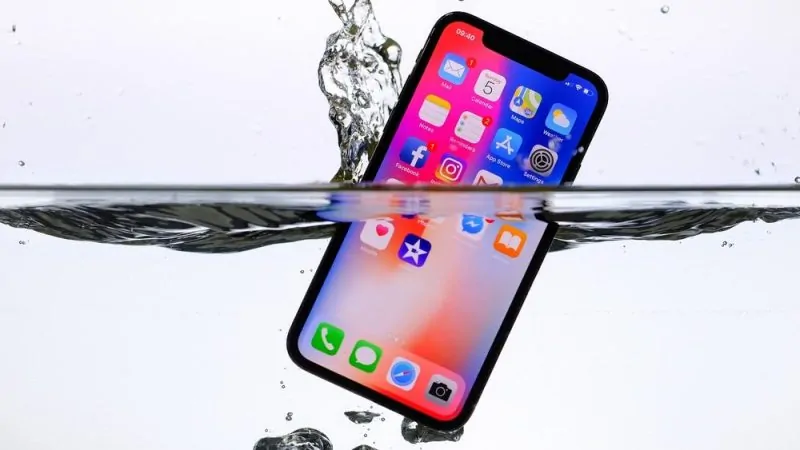
How To Fix Your Water-damaged Phone In Kenya

How To Fix Your Water-damaged Phone In Kenya

Water damage can be a nightmare for phone users in Kenya, where unexpected rains or accidental spills are common. Acting swiftly and knowing the right steps can save your phone from permanent damage. Here’s a detailed guide to fixing your water-damaged phone and preventing future mishaps.

  • Signs of Water Damage in a Phone
  • Immediate Steps After Water Exposure
  • DIY Methods to Fix a Water-Damaged Phone
  • Professional Repair Services in Kenya
  • Preventing Water Damage
  • FAQs on Water-Damaged Phones in Kenya
  • Final Thoughts

Signs of Water Damage in a Phone

  • Non-responsive screen: The phone won’t turn on or touchscreen functions are erratic.
  • Audio issues: Sound distortion or complete loss during calls or media playback.
  • Camera fogging: Condensation inside the lens.
  • Charging problems: Slow or no charging when plugged in.
  • Overheating: The device heats up more than usual.

Immediate Steps After Water Exposure

  1. Turn Off the Phone
    Power off the device immediately to prevent short circuits.
  2. Remove Accessories
    Take out the SIM card, SD card, and protective case to prevent further moisture absorption.
  3. Wipe the Exterior
    Use a soft, absorbent cloth to dry the surface. Avoid shaking or blowing into the device as this could push water further inside.
  4. Avoid Charging
    Do not attempt to charge or turn on the phone until it’s fully dry.

DIY Methods to Fix a Water-Damaged Phone

  1. Silica Gel Packets
    • Place the phone in an airtight container filled with silica gel packets.
    • Leave it for 24-48 hours to absorb the moisture.
  2. Uncooked Rice Method(Alternative)
    • Submerge the phone in a container of uncooked rice.
    • Seal the container and leave it for 48 hours to draw out moisture.
  3. Sun-Drying(With Caution)
    • Place the phone in indirect sunlight for a few hours.
    • Avoid prolonged direct exposure to prevent overheating.

Professional Repair Services in Kenya

If DIY methods fail, professional repair services can assess and fix your phone.

  • Nairobi: iFix Kenya, MobileHub
  • Mombasa: PhoneFix Mombasa
  • Kisumu: SmartTech Repairs

Expect costs to range between Ksh 2,000 to Ksh 10,000, depending on the extent of damage and phone model.

ADVERTISEMENT

Preventing Water Damage

  1. Invest in Waterproof Cases
    Use water-resistant phone cases like OtterBox or LifeProof.
  2. Avoid Risky Scenarios
    • Keep your phone away from pools, sinks, and outdoor activities during rains.
    • Store it in a waterproof bag during travel.
  3. Regular Backups
    Frequently back up data to the cloud or an external drive to prevent data loss in emergencies.

FAQs on Water-Damaged Phones in Kenya

1. Can water-damaged phones be fixed permanently?

  • Yes, if addressed promptly and professionally.

2. How long should I leave my phone in rice?

ADVERTISEMENT
  • At least 48 hours to ensure moisture is fully absorbed.

3. Is water damage covered under warranty?

  • Most warranties exclude water damage unless explicitly mentioned.

4. Should I open my phone to dry it?

  • Only if you have the technical expertise. Otherwise, leave it to professionals.

Final Thoughts

Fixing a water-damaged phone requires immediate action. DIY drying techniques like silica gel or uncooked rice can work for minor cases, but professional repair services are recommended for severe damage. Protect your phone with waterproof accessories and practice caution near water to avoid future incidents.

Tags: How To
ShareTweetSendShareSharePinShareShare
Google Add as a Preferred Source on Google
Previous Post

Safaricom Ethiopia

Next Post

Apple MagSafe Charger Price in Kenya

News Desk

News Desk

Nyongesa Sande offers diverse content across news, technology, entertainment, and more, aiming to provide readers with a wide range of informative and engaging articles. NYONGESA SANDE's dedicated team provides our audience not only with the highly relevant news but also with outstanding interactive experience.

Related Posts

How to Weld a 2-Block Rectangular Hollow Block Mold: Measurements, Materials and Step-by-Step Guide

by News Desk
3 months ago
0
How to Weld a 2-Block Rectangular Hollow Block Mold: Measurements, Materials and Step-by-Step Guide

Building a strong hollow block mold is one of the most important steps in producing...

Read moreDetails

How to Fix Facebook Confirmation Email Not Received

by News Desk
3 months ago
0
How to Create a Facebook Account on iPhone App

How to Fix Facebook Confirmation Email Not Received is a common issue for users who...

Read moreDetails

How to Fix Facebook Confirmation Code Not Received

by News Desk
3 months ago
0
How to Create a Facebook Account on iPhone App

How to Fix Facebook Confirmation Code Not Received is a common issue for users trying...

Read moreDetails

How to Confirm Your Facebook Email or Phone Number

by News Desk
3 months ago
0
How to Create a Facebook Account on iPhone App

How to Confirm Your Facebook Email or Phone Number is an important step when creating...

Read moreDetails

How to Understand Your Facebook Account and Profiles

by News Desk
3 months ago
0
How to Create a Facebook Account on iPhone App

How to Understand Your Facebook Account and Profiles is essential for anyone using Facebook to...

Read moreDetails

How to Fix Facebook Name Not Accepted

by News Desk
3 months ago
0
How to Create a Facebook Account on iPhone App

How to Fix Facebook Name Not Accepted is a common issue for users trying to...

Read moreDetails
Load More
Next Post
Apple MagSafe Battery Pack

Apple MagSafe Charger Price in Kenya

The BlackBerry Curve 9380

Why You Should Buy Refurbished Phones in Kenya

ADVERTISEMENT

Who We Are

Nyongesa Sande

NyongesaSande.com is a digital news and media platform covering breaking news, business, technology, AI, politics, sports, world affairs and African innovation.

Our Brands

  • YouTube
  • Forums
  • Law Archive
  • Sandes Kitchen

News Sections

  • News
    • World
    • Africa
  • Politics
  • Business
  • Tech
  • AI
  • Telecom
  • Sports
  • Opinion
  • Lifestyle
  • Live
  • World Cup 2026
    • World Cup 2026 Standings
    • World Cup 2026

Editorial Standards

  • Editorial Policy
  • Fact Checking Policy
  • Corrections Policy
  • Ethics Policy
  • AI Usage Policy
  • News Tips
  • Submit Press Release

Legal

  • Privacy Policy
  • Terms of Use
  • Cookie Policy
  • Risk Disclaimer
  • Disclaimer
  • DMCA
  • Ad Choices
  • YouTube

Our Company

  • About Us
    • Nyosake Designers
      • Nyosake Webmasters
      • Nyosake Investment
  • Contact Us
    • Newsroom Contact
  • Ownership Disclosure
  • Advertise
  • Privacy Policy
  • Terms of Use
  • Cookie Policy
  • Risk Disclaimer
  • Disclaimer
  • DMCA
  • Ad Choices
  • YouTube

NyongesaSande.com is an independent digital news and media platform covering Africa, business, technology, AI, politics and global developments.

© 2026 NyongesaSande.com. All rights reserved.

No Result
View All Result
  • News
    • World
    • Africa
  • Politics
  • Business
  • Tech
  • AI
  • Telecom
  • Sports
  • Opinion
  • Lifestyle
  • Live
  • World Cup 2026
    • World Cup 2026 Standings
    • World Cup 2026

NyongesaSande.com is an independent digital news and media platform covering Africa, business, technology, AI, politics and global developments.

© 2026 NyongesaSande.com. All rights reserved.