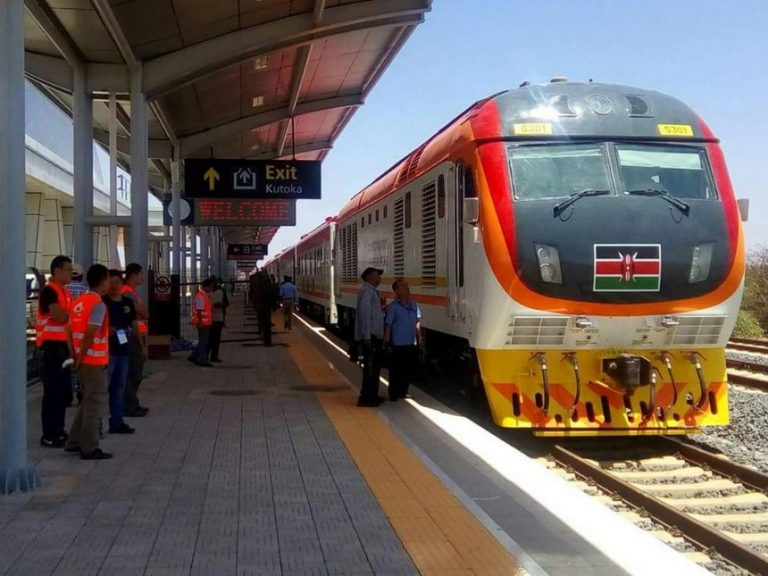
Traveling by the Standard Gauge Railway (SGR), also known as the Madaraka Express, has revolutionized travel between Nairobi and Mombasa. With the rise of mobile technology, booking SGR tickets has become more convenient through multiple options. One of the most accessible methods is using the USSD code *639#, allowing you to book tickets directly from your phone without needing internet access.
This guide takes you through the step-by-step process of booking SGR tickets via USSD, ensuring a seamless and efficient booking experience. Whether you’re a local commuter or a tourist, this fast method is ideal for hassle-free travel arrangements.
1. How to Book SGR Tickets via USSD Code on Your Phone
Booking your SGR ticket via *USSD code 639# is simple and does not require internet. Follow these steps for a quick booking process.
*Steps to Book Your SGR Ticket Using 639#
Step 1: Dial the USSD Code
- On your Safaricom line, dial *639# to access the SGR booking menu.
- You’ll be presented with a range of options such as:
- Inter-County (8:00 AM)
- Nairobi-Voi-Mombasa Express
- Mombasa-Voi-Nairobi Express
- Suswa Train
Step 2: Enter Your Travel Details
- Choose the train service that fits your schedule and destination.
- Enter departure and destination stations, travel date, coach type (Economy or First Class), and the number of passengers (maximum five per transaction).
- Please note, the travel date should be within 60 days from the booking date.
Step 3: Provide Passenger Information
- Enter the full names and ID or passport numbers for each passenger. Ensure that the details are accurate to avoid issues when collecting your physical ticket.
Step 4: Confirm and Pay via M-Pesa
- After entering the passenger details, you will be shown a summary of your booking.
- Select “Pay Now” and enter your M-Pesa PIN to complete the payment.
- The transaction will be processed instantly, and your booking will be confirmed.
Step 5: Receive and Save Your Confirmation SMS
- Once payment is successful, you will receive a confirmation SMS with:
- Booking reference
- Ticket number
- Travel date and train information
- Save this confirmation SMS as it acts as proof of payment and is required for collecting your physical ticket.
2. Requirements to Use the SGR USSD Code
Here’s what you need to use the SGR USSD booking system:
| Requirement | Description |
|---|---|
| Phone type | Any phone that supports USSD |
| Network | Safaricom (only) |
| Payment method | M-Pesa linked to your Safaricom number |
| Passenger info | Full name and ID/passport for all travelers |
| Booking window | Up to 60 days before travel |
| Ticket confirmation | SMS with booking reference |
Ensure your M-Pesa account has sufficient balance before starting the process to avoid any interruptions.
3. Why Use the SGR USSD Booking Option
The *USSD 639# booking option is one of the most efficient and accessible ways to book SGR tickets, especially for those who may not have a stable internet connection. Here’s why it’s a favorite:
- No Internet Needed: You can book tickets from anywhere in Kenya without requiring mobile data.
- Fast and Secure: Payments are processed directly through M-Pesa, making it fast and reliable.
- Instant Confirmation: Get a ticket reference and confirmation SMS immediately after payment.
- Accessible to All: Works on any mobile phone, even non-smartphones.
This method has simplified travel booking for thousands of Kenyans, eliminating the need to queue at stations or rely on third-party agents.
4. Tips for a Smooth SGR Booking Experience
To ensure your SGR booking process goes smoothly, consider these helpful tips:
- Book Early: SGR trains are popular, especially on weekends and holidays. It’s best to book tickets in advance to secure your seat.
- Double-check Details: Ensure that the names and ID numbers entered are correct. Any errors could prevent you from boarding.
- Keep Your Confirmation SMS: The SMS serves as proof of payment and is needed to print your physical ticket at the station.
- Arrive Early: It’s recommended to arrive at least 1 hour before departure to allow time for check-in.
- Customer Support: Call 0709 388 888 if you experience any issues with the booking or payment process.
5. Final Word
Booking SGR tickets via *USSD code 639# is a fast and hassle-free method for securing your travel on Kenya’s modern Madaraka Express. With this simple process, you can make instant payments via M-Pesa, get confirmation right away, and enjoy a smooth travel experience. Whether you’re traveling for business or leisure, this method ensures convenience and speed every time.