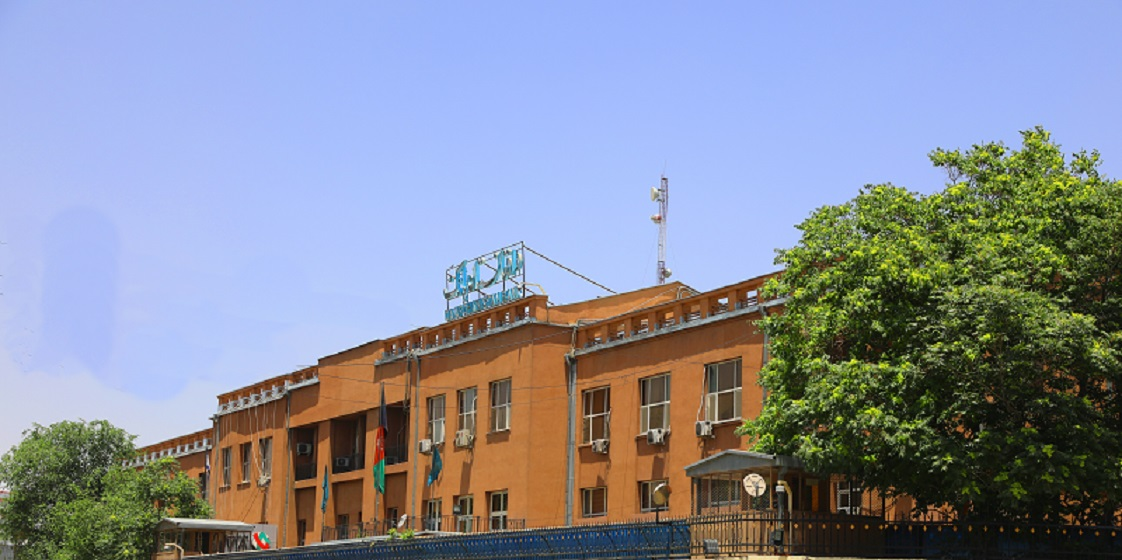
If you need to send money to Da Afghanistan Bank in Afghanistan, using the correct SWIFT code is essential. International wire transfers depend on accurate bank identification details, and incorrect information can result in delays or rejected transactions.
This guide provides the official SWIFT code for Da Afghanistan Bank and explains how to use it when making international transfers.
SWIFT Code of Da Afghanistan Bank
The official SWIFT code for Da Afghanistan Bank is:
AFGBAFKAXXX
Breakdown of the SWIFT code:
- AFGB – Bank code for Da Afghanistan Bank
- AF – Country code for Afghanistan
- KA – Location code (Kabul)
- XXX – Main branch indicator
Branch Details:
Bank Name: Da Afghanistan Bank
Branch Name: Da Afghanistan Bank
Branch Address: Ibn Sina Wat, Main Building
City: Kabul
SWIFT Code: AFGBAFKAXXX
The XXX at the end indicates the bank’s main branch in Kabul.
What Is a SWIFT Code
A SWIFT code, also known as a BIC (Bank Identifier Code), is a globally recognized code used to identify banks during international financial transactions. It allows secure communication between financial institutions when sending cross-border payments.
A SWIFT code typically contains 8 or 11 characters:
- First 4 letters: Bank identifier
- Next 2 letters: Country code
- Next 2 letters: Location code
- Last 3 letters: Branch code (if applicable)
Using the correct SWIFT code ensures funds are routed to the correct bank.
How to Transfer Money to Da Afghanistan Bank Using SWIFT
Step 1: Gather Recipient Information
You will need:
- Recipient’s full name
- Recipient’s account number
- Bank name: Da Afghanistan Bank
- SWIFT code: AFGBAFKAXXX
- Bank address: Ibn Sina Wat, Main Building, Kabul, Afghanistan
Step 2: Initiate the Transfer
At a Bank Branch
Visit your bank and request an international wire transfer form. Provide the SWIFT code AFGBAFKAXXX and all recipient details. Confirm applicable fees before approving the transfer.
Online Banking
Log into your bank’s online platform. Select International Wire Transfer, enter the recipient’s information including the SWIFT code, confirm the amount and currency, and submit.
Mobile Banking
If available, use your bank’s mobile app to initiate the transfer. Carefully verify all information before final authorization.
Step 3: Obtain a Reference Number
After the transfer is processed, your bank will provide a transaction reference number. Keep this number for tracking purposes.
Processing Time and Fees
SWIFT transfers typically take between one and five business days. Processing times depend on intermediary banks, compliance procedures, and currency conversion requirements.
Possible charges include:
- Sending bank fee
- Receiving bank fee
- Intermediary bank charges
- Exchange rate margin
Confirm all fees with your bank before initiating the transfer.
Important Tips
Always double-check the SWIFT code AFGBAFKAXXX before submitting the transfer.
Ensure the recipient’s name matches exactly with bank records.
Verify the correct currency to avoid unnecessary conversion costs.
Keep proof of payment until the recipient confirms receipt.
Errors in banking details can cause delays or returned funds.
Conclusion
The SWIFT code of Da Afghanistan Bank is AFGBAFKAXXX. This code identifies the main branch located at Ibn Sina Wat, Main Building in Kabul, Afghanistan.
Using accurate information and understanding how SWIFT transfers work will help ensure your international payment is completed securely and efficiently.