The Copilot Plus AI experience is already transforming modern work by bringing powerful on-device intelligence to Windows systems. With Copilot+ PCs, these features run directly on the hardware, making tasks faster, clearer, and more intuitive. Many businesses focus on upcoming tools like Recall, yet several Copilot+ abilities are available immediately. These tools improve communication, support hybrid teams, and help professionals complete tasks with greater efficiency.
Copilot Chat for Faster Workflows
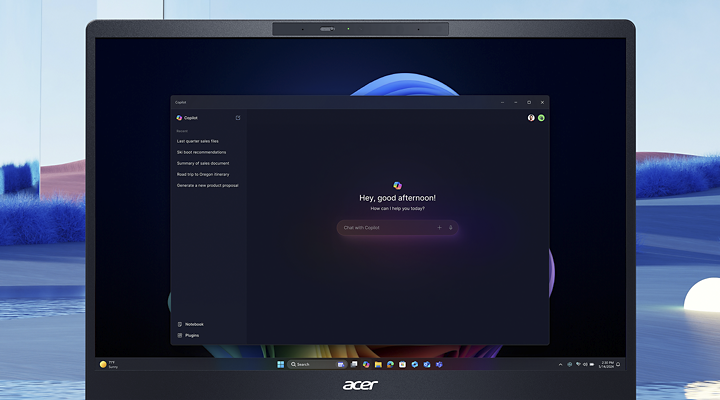
Copilot Chat integrates directly into Microsoft 365 apps. It lets users write, summarize, analyze, and create content using natural language. In Word, it rewrites and expands text. In Excel, it clarifies trends and builds formulas. In PowerPoint, it outlines slides and suggests visuals. This makes the workflow smoother because users do not need advanced skills to complete detailed tasks. Everything happens in context, right next to their files.
Live Captions for Real-Time Understanding
Live Captions convert spoken content into on-screen text across applications. This feature helps users follow meetings, videos, or recorded audio with better clarity. It supports multilingual situations by translating speech from more than forty languages into English. It also works offline, which helps teams work on the go. Employees with hearing challenges benefit from real-time accessibility, while busy professionals can follow conversations even in noisy locations.
Windows Studio Effects for Better Calls
Windows Studio Effects improves video calls through AI-powered enhancements. Eye contact correction adjusts the user’s gaze for a more natural look. Auto framing keeps the speaker in view as they move. Background blur removes distractions, and voice focus reduces background noise. These improvements help users appear confident and polished during presentations, client meetings, or team discussions. Because these tools run on the NPU, performance remains smooth.
Cocreator in Paint for Quick Visuals
Cocreator in Paint turns text prompts into images. Users type a few words, and the AI generates matching visuals in seconds. This supports marketing teams, product managers, and creators who need quick concept art or mockups. It also includes content filters and responsible-use safeguards to ensure safe image generation. Businesses can design drafts, improve presentations, and communicate ideas more effectively.
Auto Super Resolution for Clearer Media
Auto Super Resolution uses AI to upscale images and videos. It boosts clarity during work with media-heavy applications without slowing the system. Designers, editors, and engineers can preview assets more smoothly. Teams handling 3D models, video projects, or large visuals gain better responsiveness even when running multiple tools at once. This enhances productivity for professionals who rely on clear and precise visuals.
Getting Started with Copilot+
These features work on Copilot+ PCs with advanced NPUs capable of more than 40 TOPS. Devices like Acer TravelMate models provide the power needed to run these tools smoothly. They offer strong security, durable build quality, and efficient processors designed for professional workloads. With Copilot+ built into the system, users gain access to AI support that helps them move through daily tasks at a faster pace.