AI video editing tools are changing how creators produce videos in 2026. What once required hours of cutting, trimming, captioning, sound cleanup and formatting can now be handled in minutes by smart software that understands speech, scenes, faces, music, subtitles and social media formats.
For YouTubers, podcasters, course creators, social media managers, marketers, agencies and small businesses, AI video editors are no longer optional extras. They are becoming part of the normal production workflow. The best tools can remove filler words, cut silent gaps, generate subtitles, reframe horizontal videos into vertical clips, improve voice quality, create B-roll, translate captions, generate avatars and even build complete videos from scripts or prompts. Creators who are just starting out often look for the best free AI video generators before committing to a paid platform.
This shift matters because video demand keeps rising. Creators are expected to publish YouTube videos, TikToks, Instagram Reels, LinkedIn clips, podcast highlights, product demos, training content and ads at the same time. Manual editing can slow that process down. AI helps creators move faster without needing a large editing team.
However, not every AI video editor is built for the same purpose. Some tools are best for generative video. Some are better for editing podcasts. Some specialize in turning long videos into short clips. Others are made for professional editors who still want timeline control. The right choice depends on the creator’s workflow.
This guide breaks down the best AI video editing tools for content creators in 2026, what each platform does best, who should use it, and how to choose the right one for your content strategy.
What Are AI Video Editing Tools?
AI video editing tools are software platforms that use artificial intelligence to automate or improve the video production process. Instead of manually cutting every pause, typing every caption or searching for every B-roll clip, creators can use AI to speed up repetitive editing work.
These tools can analyze video, audio and text. They can detect speakers, silence, filler words, scene changes, faces, background noise, viral hooks and important moments. Some tools can also generate new video content from prompts, scripts, images or articles.
A traditional video editor gives you tools to cut and arrange footage. An AI video editor goes further by helping decide what should be cut, highlighted, enhanced or repurposed.
Common AI video editing features include automatic captions, text-based editing, audio cleanup, silence removal, speaker tracking, social media resizing, background removal, AI voiceovers, translation, clip generation, AI avatars, text-to-video generation and generative video effects.
For creators, this means less time spent on technical editing and more time spent on planning, storytelling and publishing.
Why AI Video Editing Matters in 2026
AI video editing matters because content creation has become faster, more competitive and more platform-driven. A single long-form video is rarely enough. Creators now need multiple versions of the same idea across different platforms.
A YouTube podcast may need a full episode, five short clips, a vertical teaser, subtitles, a blog version, a LinkedIn version and a short trailer. Doing all of that manually takes time. AI tools make repurposing faster.
Another reason AI matters is accessibility. Many creators do not have professional editing skills. AI makes video production easier for beginners by handling technical tasks such as caption timing, audio repair, scene selection and social formatting.
AI also helps small teams compete with larger production teams. A solo creator can now produce content that previously required an editor, captioner, designer, voiceover artist and social media assistant.
The best AI video editors do not replace creativity. They reduce the manual work around creativity. The creator still decides the message, tone, audience and final story. AI simply makes the production process faster.
How to Choose the Best AI Video Editor
The best AI video editor depends on your content type. A podcast editor needs different features from a short-form creator. A course creator needs different tools from a marketing agency. A professional filmmaker needs different controls from a beginner making social videos.
Before choosing a tool, consider five questions.
What type of content do you create most often?
Do you need long-form editing, short-form repurposing, AI avatars, text-to-video generation or professional timeline editing?
Do you want full creative control, or do you prefer automation?
Will you publish mostly on YouTube, TikTok, Instagram, LinkedIn, Facebook or internal company platforms?
Do you need team collaboration, brand kits, templates, translations or client review tools?
The best choice is not always the most powerful tool. It is the tool that removes the biggest bottleneck in your workflow.
Here is a List of Best AI Video Editing Tools for Content Creators in 2026
1. Runway ML – The King of Generative Video
Runway is one of the strongest AI video platforms for generative video, creative experimentation and advanced AI-assisted editing. It is popular among creators who want to generate visuals, transform footage, experiment with styles and create video assets that would be difficult or expensive to film.
Runway is especially useful for creators who work with concepts rather than only recorded footage. It can help generate video from prompts, modify scenes, remove backgrounds, create stylized visuals and support workflows where AI becomes part of the creative process.
For YouTubers, Runway can help create B-roll, cinematic visuals, abstract sequences, transitions and concept footage. For marketers, it can support product visuals, social ads and visual storytelling. For creative agencies, it can speed up ideation and pre-production.
Runway is not just a basic editor. It is closer to a creative AI studio. That makes it powerful, but it also means users may need time to understand how to prompt, refine and control outputs.

Runway ML has emerged as a leader in AI-powered video generation and editing. It offers tools like green screen removal, object tracking, and even text-to-video generation—all without needing expensive gear.
Top features include:
- Generative fill for missing frames
- AI color grading and stylization
- Scene editing based on text prompts
- Easy-to-use timeline interface
Best for: Creators seeking to turn ideas into visuals without filming anything.
2. Pictory – Script to Video Magic
Pictory is one of the most useful AI video editing tools for turning written content into video. It is especially helpful for bloggers, marketers, educators and website owners who want to convert articles, scripts or text ideas into shareable videos.
The main strength of Pictory is script-to-video creation. A creator can start with a written script, article, blog post or outline, and Pictory helps build a video using scenes, visuals, captions and voiceovers. This makes it useful for people who already publish written content and want to expand into video without learning complex editing software.
Pictory is also useful for faceless YouTube channels, educational explainers, product summaries, list videos and social media content. It can help creators produce videos from text faster than starting from a blank timeline.
The platform is not designed for high-end cinematic editing, but that is not its main purpose. Its value is speed, simplicity and content repurposing.

Pictory lets you convert text scripts, blog posts, or articles into short-form videos using AI. It automatically selects relevant visuals, adds voiceovers, and syncs everything.
Top features include:
- AI scene segmentation
- Auto captioning
- Branded templates
- Stock footage integration
Best for: Marketers and bloggers who want video content without manual editing.
3. Descript – Podcast Meets Video Editor
Descript is one of the best AI video editing tools for podcasters, educators, interview creators and speech-based content. Its biggest advantage is text-based editing. Instead of cutting video clips manually on a timeline, users can edit the transcript like a document.
When you delete a word from the transcript, Descript removes that part from the video or audio. This makes editing podcasts, interviews, webinars and talking-head videos much easier.
Descript also includes strong audio tools. Its Studio Sound feature can improve voice quality, reduce background noise and make recordings sound more professional. Its AI co-editor, Underlord, helps with tasks such as removing filler words, improving sound and creating clips.
For creators who record long conversations, Descript can save a lot of time. It is easier to scan a transcript than scrub through a long video timeline. This makes it especially useful for podcasters who need to clean up episodes and create shorter clips.

Descript is a hybrid AI video and audio editor that lets you edit by editing text. Delete words in your transcript and the tool automatically cuts the video accordingly.
Top features include:
- Overdub voice cloning
- Studio Sound AI audio repair
- Multitrack editing
- Screen recording
Best for: Podcasters, educators, and creators who need high-quality, transcript-based editing.
4. Wisecut – Smart Cuts and Voice Sync

Wisecut is a hands-free video editor designed to auto-cut long videos, remove silences, add background music, and generate subtitles—without user intervention.
Top features include:
- AI speech recognition
- Background music matching
- Auto subtitle translations
- Face-aware zooming
Best for: YouTubers and course creators producing talking-head or educational content.
5. Synthesia – AI Avatar-Based Video Generation

Synthesia creates AI avatar videos using just text. It’s ideal for corporate training, explainer videos, and global communication, allowing creators to choose AI presenters in different languages and accents.
Top features include:
- 120+ avatars
- 60+ language voiceovers
- Custom avatar creation
- Text-to-speech video delivery
Best for: Enterprises, educators, and creators who want fast, scalable content without being on camera.
6. Magisto – Mobile Editing with AI

Magisto, backed by smart AI, makes mobile video editing easy. It analyzes your footage, selects highlights, adds music, and applies cinematic effects—automatically.
Top features include:
- AI-driven shot selection
- Licensed music library
- Custom aspect ratios for social media
- Emotion and theme-based editing
Best for: Mobile-first creators and social media managers who want to post quickly.
7. OpusClip
OpusClip is built for creators who want to turn long-form videos into short-form clips. It is especially useful for YouTubers, podcasters, livestreamers, coaches, educators and agencies that need to repurpose content for TikTok, Instagram Reels, YouTube Shorts, Facebook Reels and LinkedIn.
The platform analyzes long videos and identifies moments that could work as short clips. It can add captions, reframe videos for vertical formats, track moving subjects and generate clips from longer content.

This is valuable because short-form content is now one of the fastest ways to grow audience reach. But manually watching a one-hour podcast and cutting it into clips can take a lot of time. OpusClip helps automate that process.
One of its most useful features is auto-reframing. It can keep the speaker or subject centered when converting horizontal footage into vertical clips. This helps creators publish professional-looking shorts without manually adjusting every frame.
Best for: repurposing podcasts, interviews, webinars, YouTube videos and livestreams into short-form clips.
Key features:
Long-form to short-form clipping
AI clip selection
Auto reframe
Speaker tracking
Animated captions
Virality scoring
Multi-platform formatting
OpusClip is ideal for creators who already make long videos and want to multiply their output across short-form platforms.
8. Vizard.ai
Vizard.ai is another strong AI video clipping and repurposing tool. Like OpusClip, it helps creators turn long-form videos into short social clips. It is useful for creators, marketers, agencies, podcasters and educators who want to create more clips without spending hours editing.
Vizard can analyze long videos, create short clips, add captions and make videos ready for social platforms. It also offers AI editing tools that help with subtitles, scene changes and social formatting.

The platform is designed for speed. Users can upload a long video and quickly generate multiple short versions for TikTok, Instagram, YouTube Shorts and other channels. This is helpful for creators who want to post consistently but do not have time to manually cut every clip.
Vizard also works well for teams that need a simple browser-based clipping workflow. It is not meant to replace a professional editing suite, but it is very useful for distribution-focused creators.
Best for: clipping long videos into social-ready short videos.
Key features:
AI long-video clipping
Auto captions
Social media formatting
Speaker-focused editing
Browser-based editing
Short-form repurposing
Clip customization
Vizard is a strong option for creators who want fast, simple and repeatable short-form video production.
9. Adobe Premiere Pro
Adobe Premiere Pro remains one of the most important professional video editing tools, and its AI features have made it more useful for editors who want speed without giving up control.
Unlike fully automated AI video editors, Premiere Pro is designed for professional timeline editing. The AI features help speed up specific parts of the editing process while allowing editors to keep creative control.
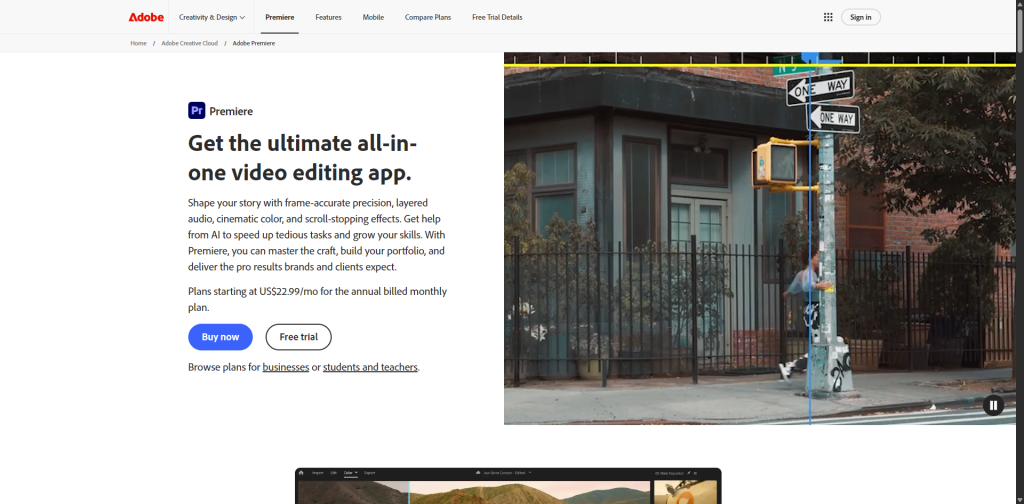
Text-Based Editing allows users to work from transcripts and create rough cuts more quickly. Generative Extend, powered by Adobe Firefly, helps extend clips by adding extra frames at the beginning or end of a shot. This can help smooth transitions, hold a reaction longer or fix timing gaps.
Premiere Pro is best for creators who need professional editing power but still want AI assistance. It is suitable for YouTubers, filmmakers, agencies, commercial editors, newsrooms and production teams.
Best for: professional editors, agencies, YouTubers, filmmakers and teams that need timeline control.
Key features:
Text-Based Editing
Generative Extend
AI masking and object tools
Professional timeline editing
Multicam workflows
Color correction
Audio editing
Team project workflows
Adobe Premiere Pro is not the easiest tool for complete beginners, but it remains one of the strongest choices for serious creators who want AI inside a professional editing environment. If you prefer a lighter, browser-based tool rather than a full desktop suite, Adobe Express allows you to create videos online using quick AI templates, drag-and-drop features, and instant social media resizing.
10. InVideo AI
InVideo AI is a strong option for creators who want to generate videos from text prompts. It is designed around a prompt-based workflow, where users can describe the kind of video they want and let the platform help build a first draft.
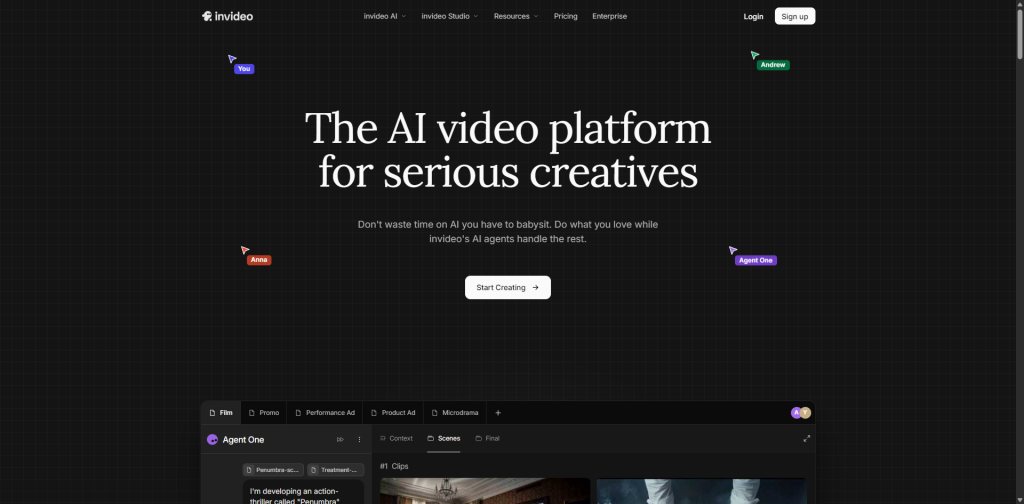
This makes it useful for creators who do not want to start with a blank timeline. A marketer can type a product idea, a YouTuber can describe a short explainer, or a social media manager can request a platform-specific video concept.
InVideo AI can help with scripts, scenes, visuals, voiceovers and edits. It is especially useful for social videos, promotional clips, explainers and marketing content.
Its biggest advantage is accessibility. Creators who are not trained editors can use natural language to create video drafts. However, like most prompt-based tools, the quality depends heavily on the clarity of the prompt and the user’s final review.
Best for: prompt-to-video workflows, marketing videos, social clips and quick drafts.
Key features:
Text prompt to video
AI-assisted scene creation
Voiceover support
Stock media integration
Natural language editing
Social video formats
Marketing video workflows
InVideo AI is a good choice for creators who want to move from idea to first draft quickly.
11. Wisecut
Wisecut is an AI video editor designed for automatic cutting, silence removal and talking-head content. It is especially useful for creators who record tutorials, lessons, webinars, interviews or YouTube videos with a lot of speech.
One of its main strengths is automatic silence detection. Wisecut can identify and remove pauses, helping videos feel faster and more polished. It can also generate subtitles and use auto zoom-in features to make talking-head footage more dynamic.
Wisecut is not a full professional editor like Premiere Pro. Its value is automation. It is built for creators who want to upload a video and quickly receive a cleaner, tighter version.
For course creators and educators, this can be very useful. Long pauses, dead air and awkward silence can make educational videos feel slow. Wisecut helps tighten pacing without heavy manual editing.
Best for: YouTubers, educators, course creators and talking-head video producers.
Key features:
Automatic silence removal
Subtitle generation
Auto zoom
Storyboard-based editing
Speech-based editing
Background music support
Simple browser workflow
Wisecut is best for creators who want to clean up spoken videos quickly.
12. Kapwing
Kapwing is a browser-based video editing platform with a broad set of AI tools for creators and teams. It is useful for social media videos, memes, subtitles, explainers, ads, repurposing and collaborative editing.
Kapwing’s strength is flexibility. It combines a simple online editor with AI features such as subtitles, background removal, dubbing, voiceover, AI video generation and formatting for different platforms.
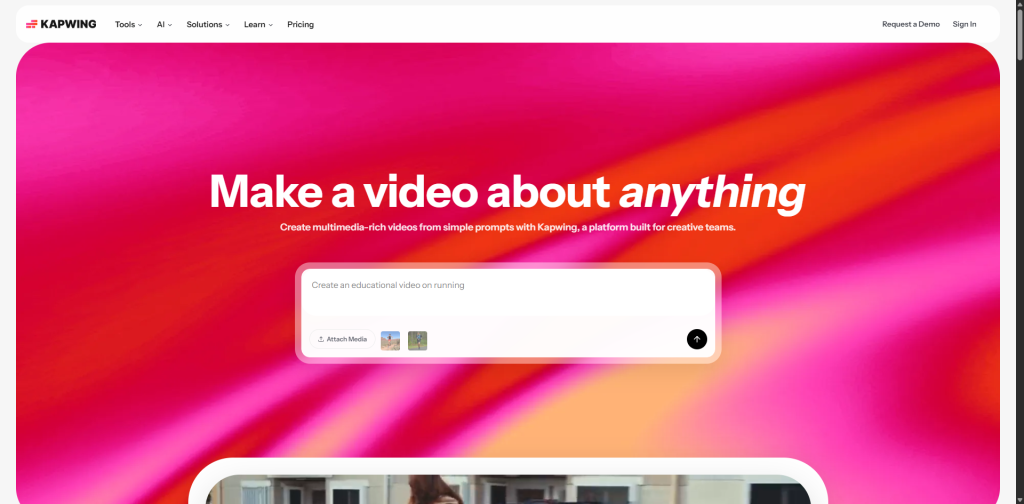
Because it runs in the browser, Kapwing is convenient for teams that need quick collaboration. It is also useful for creators who do not want to install heavy desktop software.
Kapwing is not as advanced as a professional editing suite for complex productions, but it is very strong for everyday content creation. Social media managers, marketers and small teams can use it to create videos quickly.
Best for: social media teams, marketers, online creators and collaborative browser-based editing.
Key features:
AI subtitles
AI video generation
Background removal
Voiceover tools
Dubbing
Browser-based timeline
Team collaboration
Social media formatting
Kapwing is a practical all-in-one option for creators who want a simple online editor with AI support.
13. Magisto and Vimeo Video Editor
Magisto has long been known as an AI-assisted mobile video editor, while Vimeo’s video tools now offer broader browser-based editing features. For mobile-first creators, small businesses and quick social media production, these tools can still be useful.
Magisto focuses on automatically turning clips and photos into polished videos with themes, music and effects. It is designed for speed and simplicity rather than advanced control.

Vimeo’s online video editor offers browser-based editing features such as trimming, cropping, merging, branding, text, music and AI-enhanced tools on supported plans. This makes it useful for businesses already using Vimeo for hosting, webinars or marketing videos.
These tools are best for creators who want quick results without detailed editing work. They are not the strongest choice for advanced AI generation or professional editing, but they can help with simple branded videos and fast social content.
Best for: mobile-first creators, small businesses, quick branded videos and simple social content.
Key features:
Smart video creation
Templates
Music and effects
Browser-based editing
Social-ready formatting
Simple trimming and branding
Magisto and Vimeo tools are best for quick marketing videos rather than complex creator workflows.
Best AI Video Editing Tools by Use Case
Different creators need different tools. The best AI video editor depends on the content format.
For generative video, Runway is one of the strongest choices. It is useful when creators need AI-generated visuals, creative effects and experimental video assets.
For script-to-video workflows, Pictory is a strong option. It works well for bloggers, marketers and faceless video creators who want to turn written content into videos.
For podcasts and speech-based editing, Descript is one of the best tools. Its transcript-based editing makes it easier to cut interviews, remove filler words and improve audio.
For turning long videos into short clips, OpusClip and Vizard are both strong options. They help creators repurpose podcasts, interviews and YouTube videos into short-form social content.
For professional editing, Adobe Premiere Pro is still one of the best choices. Its AI tools speed up workflows without removing creative control.
For AI avatars and corporate video, Synthesia is one of the strongest tools. It is ideal for training, internal communication and multilingual explainers.
For prompt-based video creation, InVideo AI is useful for creators who want to generate drafts from natural language instructions.
For automatic talking-head cleanup, Wisecut is a practical choice.
For online team editing, Kapwing is a strong browser-based option.
Comparison Snapshot
| Tool | Best For | Standout Feature |
|---|---|---|
| Runway | Generative video creators | Text-to-video and AI visual generation |
| Pictory | Bloggers and marketers | Script-to-video creation |
| Descript | Podcasters and educators | Edit video by editing text |
| OpusClip | Short-form repurposing | AI clipping and auto reframe |
| Vizard.ai | Social clip creation | Long video to short clips |
| Adobe Premiere Pro | Professional editors | Generative Extend and Text-Based Editing |
| Synthesia | Corporate training | AI avatars and multilingual video |
| InVideo AI | Prompt-based creators | Text prompt to video |
| Wisecut | Talking-head videos | Silence removal and auto zoom |
| Kapwing | Social media teams | Browser-based AI editing |
| Magisto/Vimeo | Quick branded videos | Smart templates and simple editing |
Essential AI Video Editing Features to Look For
The best AI video editing tools usually include several important features. Creators should look for tools that match their workflow rather than choosing only by popularity.
Text-based editing is useful because it lets creators edit video by editing transcripts. This is especially helpful for interviews, podcasts and tutorials.
Automatic captions are important for accessibility and social media performance. Many viewers watch videos without sound, especially on mobile platforms.
AI audio cleanup helps remove background noise, echo and uneven speech quality. This can make home recordings sound more professional.
Auto reframing is essential for turning horizontal videos into vertical clips. It helps creators publish across YouTube Shorts, TikTok, Instagram Reels and Facebook Reels.
Silence removal is useful for talking-head content, courses and podcasts. It makes videos faster and easier to watch.
AI clipping is important for creators who repurpose long-form content into short clips.
Generative B-roll can help creators add visual interest without filming extra footage.
Translation and dubbing help creators reach international audiences.
Brand templates help teams keep videos consistent across campaigns.
Collaboration features matter for agencies, businesses and media teams.
Benefits of AI Video Editing Tools
AI video editing tools offer several major benefits for creators.
The first benefit is speed. AI can handle repetitive editing tasks much faster than manual editing. This helps creators publish more often.
The second benefit is lower cost. Small creators and businesses can produce more content without hiring a full editing team for every project.
The third benefit is consistency. Templates, brand kits and automated captions help maintain a consistent look across platforms.
The fourth benefit is accessibility. Beginners can create videos without advanced editing knowledge.
The fifth benefit is repurposing. AI makes it easier to turn one long video into many shorter pieces of content.
The sixth benefit is scalability. Agencies and businesses can create more videos for more platforms without starting from scratch every time.
AI does not remove the need for good ideas. But it makes it easier to produce and distribute those ideas.
Limitations of AI Video Editors
AI video editors are powerful, but they are not perfect. Creators should still review every final video before publishing.
AI can choose the wrong clip, misunderstand context or cut out important pauses. Automatic captions may contain errors, especially with names, accents, technical terms or background noise.
Generative video tools can produce unrealistic motion, strange details or visuals that do not fully match the prompt. AI avatars can feel unnatural if the script is too emotional or conversational.
Another limitation is creative control. Fully automated tools are fast, but they may not deliver the exact style a creator wants. Professional editors may still prefer timeline tools for detailed work.
There are also ethical and legal considerations. Creators should use licensed media, avoid copying other people’s work and get permission before using someone’s face, voice or likeness in AI-generated content.
The best workflow is human-led and AI-assisted. Let AI speed up the process, but keep human judgment in charge.
AI Video Editing Trends in 2026
Several trends are shaping AI video editing in 2026.
The first trend is prompt-based editing. More tools now allow creators to type instructions such as “remove the silence,” “make this vertical,” “add captions,” or “create a 30-second promotional version.”
The second trend is generative video. Platforms are improving text-to-video, image-to-video and video transformation features.
The third trend is AI copilots. Instead of only offering tools, editors are becoming assistants that suggest cuts, captions, hooks, titles and social formats.
The fourth trend is short-form automation. As creators publish more Reels, Shorts and TikToks, AI clipping tools are becoming more important.
The fifth trend is multilingual video. AI translation, dubbing and avatar tools are helping creators reach global audiences faster.
The sixth trend is browser-based collaboration. Teams want tools that work online, support feedback and make it easier to create content remotely.
The seventh trend is hybrid editing. Professional editors are not abandoning traditional software. Instead, they are adding AI features to speed up specific tasks inside professional workflows.
Which AI Video Editor Is Best Overall?
There is no single best AI video editor for everyone. The best choice depends on the creator.
Runway is best for creators who want generative visuals and AI-powered creative experimentation.
Descript is best for podcasters and creators who edit speech-heavy videos.
Pictory is best for turning articles and scripts into videos.
OpusClip and Vizard are best for converting long videos into short clips.
Adobe Premiere Pro is best for professional editors who want AI features inside a serious editing suite.
Synthesia is best for AI avatar videos, business training and multilingual explainers.
InVideo AI is best for prompt-based video drafts.
Wisecut is best for automatically cleaning up talking-head videos.
Kapwing is best for browser-based editing and social media teams.
Magisto and Vimeo are best for simple branded videos and fast mobile-friendly creation.
The right tool is the one that saves the most time in your specific workflow.
Final Verdict
AI video editing tools have become essential for content creators in 2026. They help creators work faster, publish more often and compete across platforms without needing large production teams.
The most important change is that video editing is no longer limited to people who understand complex timelines. Creators can now edit through text, generate videos from prompts, create avatars from scripts, turn podcasts into shorts, add captions automatically and clean audio with one click.
For serious creators, AI should not be treated as a shortcut for weak content. It should be treated as a production advantage. The idea, message and storytelling still matter most. AI simply helps move those ideas from draft to published video faster.
Creators who choose the right AI video editing tools can produce more content, reach more platforms and spend less time on repetitive editing tasks. In 2026, the smartest creators are not replacing creativity with AI. They are using AI to protect their creative time.
Read Also: AI for Video Editing: The Future of Fast, Smart, and Stunning Content