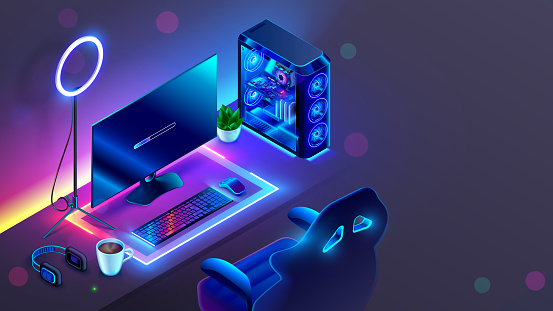
When diving into the world of gaming PCs, several critical factors come into play to ensure you get the best experience for your budget and gaming preferences. Here’s a comprehensive guide to help you understand what to look for when purchasing a gaming PC:
Understanding Gaming PCs
A gaming PC is engineered specifically to handle the complex and resource-intensive nature of modern video games that demand more from the system than typical applications. Unlike regular PCs, gaming PCs are equipped with high-performance video cards and other specifications that can handle intensive gaming applications without compromising speed or quality.
Key Specifications to Consider
- Cost: The budget you allocate for a gaming PC will dictate the quality and performance of your gaming experience. Prices can range from a few hundred dollars for entry-level systems to several thousand for top-tier models.
- Graphics Card: This is perhaps the most crucial component of a gaming PC. A good graphics card determines how well your system can render game graphics, affect load times, and influence overall gameplay smoothness. Look for recent GPU models like Nvidia’s RTX series or AMD’s RX series, depending on your budget and requirements.
- Processor (CPU): The processor is the heart of your computer. For gaming, a powerful CPU will ensure that your games run smoothly without any lag. Higher-end CPUs like Intel’s i9 or AMD’s Ryzen 9 series offer top-of-the-line performance but come at a higher cost. Mid-range options like Intel’s i5 or AMD’s Ryzen 5 provide good performance for most gamers.
- RAM: Gaming PCs should have at least 16GB of RAM to ensure that games and other applications run efficiently and smoothly. More RAM allows for better multitasking and enhanced performance during gaming sessions.
- Storage: Opt for an SSD (Solid State Drive) over an HDD (Hard Disk Drive) for faster game load times and overall system responsiveness. A minimum of 512GB of SSD storage is recommended, though 1TB is ideal for storing multiple games and media files.
- Custom vs. Pre-built: You can choose between building your own PC or buying a pre-built one. Building your own can be more cost-effective and allows for customized specs, but a pre-built PC is good for those who want convenience and assurance that all components will work together seamlessly.
Additional Considerations
- Upgrade Potential: Consider the ease of upgrading your chosen gaming PC. A system that allows for easy upgrades in the future can save you money and extend the life of your setup.
- Aesthetics: Gaming PCs often come with customizable RGB lighting and clear side panels to show off the internal components. Choose a design that fits your style and can be a centerpiece of your gaming setup.
- Cooling System: Adequate cooling is essential, especially if you plan to run demanding games. Look for PCs with robust cooling systems to prevent overheating.
- Peripheral Compatibility: Ensure that the gaming PC has sufficient ports and is compatible with your gaming peripherals such as controllers, VR headsets, high-resolution monitors, and more.
Final Tips
- Reviews and Benchmarks: Before purchasing, look up benchmarks and reviews for the gaming PC or its components to ensure they perform well in real-world gaming scenarios.
- Sales and Deals: Keep an eye out for sales, especially during events like Black Friday or back-to-school seasons, to get more value for your money.
- Future-Proofing: Investing a bit more in high-quality components can save future costs and help your system stay relevant longer as games continue to advance technologically.
By considering these factors, you can find a gaming PC that not only fits your current gaming needs but also your future requirements.