
Nyongesa Sande
No Result
View All Result
  • News
    • World
    • Africa
  • Politics
  • Business
  • Tech
  • AI
  • Telecom
  • Sports
  • Opinion
  • Lifestyle
  • Live
  • World Cup 2026
    • World Cup 2026 Standings
    • World Cup 2026
Nyongesa Sande
  • About Us
    • Nyosake Designers
      • Nyosake Webmasters
      • Nyosake Investment
  • Contact Us
    • Newsroom Contact
  • Ownership Disclosure
  • Advertise
No Result
View All Result
Nyongesa Sande
No Result
View All Result
  • News
  • Politics
  • Business
  • Tech
  • AI
  • Telecom
  • Sports
  • Opinion
  • Lifestyle
  • Live
  • World Cup 2026
ADVERTISEMENT

Home » Can I Use ChatGPT Without an Account?

Can I Use ChatGPT Without an Account?

NyongesaSande News Desk by NyongesaSande News Desk
11 months ago
in ChatGPT
Reading Time: 6 mins read
A A
How to Use ChatGPT for Business Automation

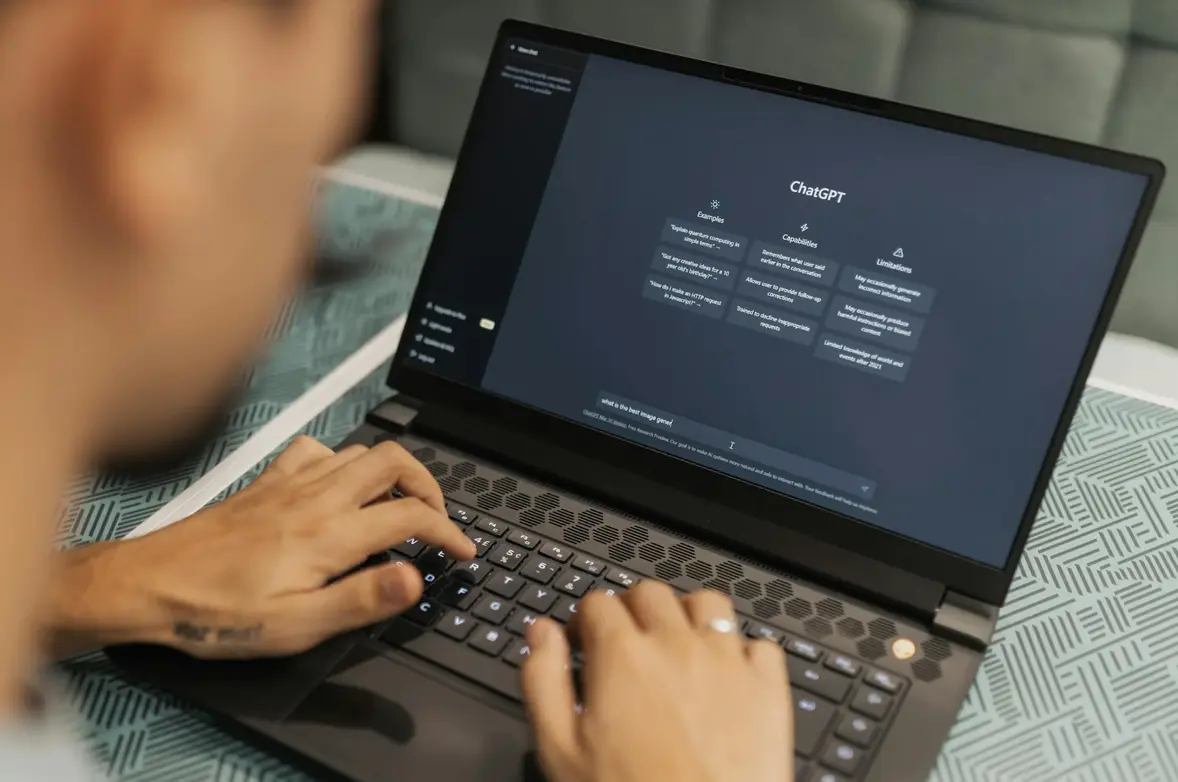
ChatGPT, developed by OpenAI, has become one of the most popular AI tools for a wide range of applications, from casual conversations to problem-solving and content creation. One common question users have is whether they can use ChatGPT without creating an account.

  • Can You Use ChatGPT Without an Account?
    • Guest Access
    • Limitations of Using ChatGPT Without an Account:
  • Why You Should Create a ChatGPT Account
    • 1. Access to More Powerful Models (GPT-4)
    • 2. Save Your Conversations
    • 3. Personalization
    • 4. Enhanced Features
    • 5. Improved Security
  • How to Create a ChatGPT Account
  • Advantages of Using ChatGPT with an Account
  • Is ChatGPT Free to Use?
  • Conclusion

In this article, we’ll explore whether or not you can access ChatGPT without signing up, what features you can use without an account, and the benefits of creating a ChatGPT account for a more personalized experience.


Can You Use ChatGPT Without an Account?

Yes, it is possible to use ChatGPT without an account, but with certain limitations. ChatGPT offers a guest mode for users who want to interact with the AI without signing up for an account. However, the experience may be restricted compared to having an official account.

ADVERTISEMENT

Guest Access

When you visit the ChatGPT website (or a partnered platform), you might be able to start a conversation without logging in. Some ChatGPT models allow you to interact with the AI in a limited capacity without requiring you to sign up for an account. This is useful if you want to try the AI quickly or use it for brief tasks.

Limitations of Using ChatGPT Without an Account:

  1. Limited Session Duration: You may be logged out after a period of inactivity, and your conversation history won’t be saved.
  2. Limited Features: Guest users may not have access to advanced features like the GPT-4 model or ChatGPT Plus options.
  3. No Customization: Without an account, you won’t be able to save your preferences, adjust settings, or access past conversations.

Why You Should Create a ChatGPT Account

While you can use ChatGPT without an account, signing up for one offers several advantages, especially if you plan to use the service frequently or for more complex tasks. Here’s why creating an account can enhance your experience:

ADVERTISEMENT

1. Access to More Powerful Models (GPT-4)

By signing up for an account and opting for ChatGPT Plus, you gain access to the GPT-4 model, which is significantly more powerful than the free GPT-3.5 model. With GPT-4, you can expect more accurate, detailed, and nuanced responses, especially for complex queries.

2. Save Your Conversations

When you have an account, ChatGPT will save your chat history, allowing you to revisit previous conversations and build on them. This is particularly useful for long-term projects or when you need to track progress over time.

3. Personalization

Having an account lets you personalize your ChatGPT experience. You can adjust settings, switch between models, and even tailor the responses to suit your needs.

ADVERTISEMENT

4. Enhanced Features

Creating an account opens up the possibility of subscribing to ChatGPT Plus, which provides enhanced features like faster response times, priority access during high traffic, and more extensive usage limits.

5. Improved Security

When you sign up for ChatGPT, you can secure your account with a password and verify your email address, adding an extra layer of safety and protection for your personal data.


How to Create a ChatGPT Account

If you decide to create an account to unlock all the features of ChatGPT, here’s how to do it:

  1. Visit the ChatGPT Website: Go to the official ChatGPT website.
  2. Click “Sign Up”: You’ll find the Sign Up button on the homepage.
  3. Choose Your Sign-Up Method: You can sign up using your Google or Microsoft account, or simply use your email address.
  4. Complete the Verification: You may be asked to verify your email address or complete a Captcha to prove you’re not a robot.
  5. Choose Your Plan: You can choose the free version or opt for ChatGPT Plus for access to GPT-4 and additional features.
  6. Start Using ChatGPT: Once signed up, log in to your account and start using ChatGPT to its full potential.

Advantages of Using ChatGPT with an Account

Having an official ChatGPT account unlocks a world of possibilities. Here are some key benefits:

  • Save and Retrieve Past Conversations: Your interactions are saved, so you can refer back to them at any time.
  • Access to GPT-4: The premium version of ChatGPT (ChatGPT Plus) grants you access to the latest and most powerful language model, GPT-4.
  • Extended Usage: With a subscription to ChatGPT Plus, you get priority access and increased usage limits, making it easier to get things done faster.

Is ChatGPT Free to Use?

While you can use ChatGPT without an account, the free version has limitations in terms of features and the model version. The free tier provides access to GPT-3.5 and may be sufficient for casual users, but if you require more advanced capabilities, signing up for ChatGPT Plus offers access to GPT-4 and other premium features.

  • Free Version: Gives access to GPT-3.5 with some usage restrictions.
  • ChatGPT Plus: For $20/month, you can access GPT-4, faster response times, and priority access during peak times.

Conclusion

In summary, while ChatGPT can be used without an account for quick interactions, signing up provides many advantages, including access to more powerful models, saving conversations, and enhanced features. Creating an account allows you to maximize your ChatGPT experience, whether you’re using it for casual queries or more complex tasks.

If you want to unlock the full potential of ChatGPT, consider creating an account and upgrading to ChatGPT Plus for access to the advanced GPT-4 model and additional features.


Tags: ChatGPT accessChatGPT featuresChatGPT registrationChatGPT without accountuse ChatGPT
Share2Tweet1SendShareScanSharePinShareShare
Google Add as a Preferred Source on Google
Previous Post

How Do I Create an Account on ChatGPT?

Next Post

How Do I Log in to ChatGPT?

NyongesaSande News Desk

NyongesaSande News Desk

Nyongesa Sande offers diverse content across news, technology, entertainment, and more, aiming to provide readers with a wide range of informative and engaging articles. NYONGESA SANDE's dedicated team provides our audience not only with the highly relevant news but also with outstanding interactive experience.

Related Posts

Etsy Expands AI Push With ChatGPT App Launch
ChatGPT

Etsy Expands AI Push With ChatGPT App Launch

1 month ago
EMEA CIOs Told to Audit Systems as AI Rollouts Stall
ChatGPT

EMEA CIOs Told to Audit Systems as AI Rollouts Stall

2 months ago
OpenAI Unveils ChatGPT Health with Apple Health & MyFitnessPal Integration
Artificial Intelligence

OpenAI Unveils ChatGPT Health with Apple Health & MyFitnessPal Integration

5 months ago
ChatGPT App Store Update: New Tools Revolutionizing Productivity in 2026
ChatGPT

ChatGPT App Store Update: New Tools Revolutionizing Productivity in 2026

5 months ago
Inside OpenAI’s Pro-Grade Codex 5.2: Made for Software Teams & Security Work
ChatGPT

Inside OpenAI’s Pro-Grade Codex 5.2: Made for Software Teams & Security Work

6 months ago
How to Fix Incorrect Apple Music Replay 2026 Statistics
ChatGPT

ChatGPT Could Soon Build Apple Music Playlists for You

6 months ago
Load More
Next Post
How Do I Log in to ChatGPT?

How Do I Log in to ChatGPT?

What is ChatGPT Plus?

What is ChatGPT Plus?

Trending

  • Top 10 Richest People in Tripura (2026)

    Top 10 Richest People in Tripura (2026)

    171 shares
    Share 68 Tweet 43
  • Product Review: Bose Portable Smart Speaker

    187 shares
    Share 75 Tweet 47
  • Gillette Stadium World Cup 2026 Guide: Capacity, Location, Matches and Quarterfinal Venue

    1 shares
    Share 0 Tweet 0
  • Top 10 Richest People in Meru County

    88 shares
    Share 35 Tweet 22
  • Mukangala – Jacob Luseno (Lyrics)

    26 shares
    Share 10 Tweet 7
  • Colombia vs Uzbekistan: FIFA 2026 World Cup Preview

    2 shares
    Share 1 Tweet 1
  • Levi’s Stadium World Cup 2026 Guide: Capacity, Location, Matches and Round of 32 Venue

    2 shares
    Share 1 Tweet 1
  • MetLife Stadium World Cup 2026 Guide: Capacity, Location, Matches and Final Venue

    1 shares
    Share 0 Tweet 0
  • Top 10 Richest People in Manipur (2026)

    59 shares
    Share 24 Tweet 15
  • List of Elected MCAs in Narok County 2022-2027

    59 shares
    Share 24 Tweet 15
ADVERTISEMENT
ADVERTISEMENT

Who We Are

Nyongesa Sande

NyongesaSande.com is a digital news and media platform covering breaking news, business, technology, AI, politics, sports, world affairs and African innovation.

News Sections

  • News
    • World
    • Africa
  • Politics
  • Business
  • Tech
  • AI
  • Telecom
  • Sports
  • Opinion
  • Lifestyle
  • Live
  • World Cup 2026
    • World Cup 2026 Standings
    • World Cup 2026

Editorial Standards

  • Editorial Policy
  • Fact Checking Policy
  • Corrections Policy
  • Ethics Policy
  • AI Usage Policy
  • News Tips
  • Submit Press Release

Legal

  • Privacy Policy
  • Terms of Use
  • Cookie Policy
  • Risk Disclaimer
  • Disclaimer
  • DMCA
  • Ad Choices

Our Company

  • About Us
    • Nyosake Designers
      • Nyosake Webmasters
      • Nyosake Investment
  • Contact Us
    • Newsroom Contact
  • Ownership Disclosure
  • Advertise
  • Privacy Policy
  • Terms of Use
  • Cookie Policy
  • Risk Disclaimer
  • Disclaimer
  • DMCA
  • Ad Choices

NyongesaSande.com is an independent digital news and media platform covering Africa, business, technology, AI, politics and global developments.

© 2026 NyongesaSande.com. All rights reserved.

No Result
View All Result
  • News
    • World
    • Africa
  • Politics
  • Business
  • Tech
  • AI
  • Telecom
  • Sports
  • Opinion
  • Lifestyle
  • Live
  • World Cup 2026
    • World Cup 2026 Standings
    • World Cup 2026

NyongesaSande.com is an independent digital news and media platform covering Africa, business, technology, AI, politics and global developments.

© 2026 NyongesaSande.com. All rights reserved.




