


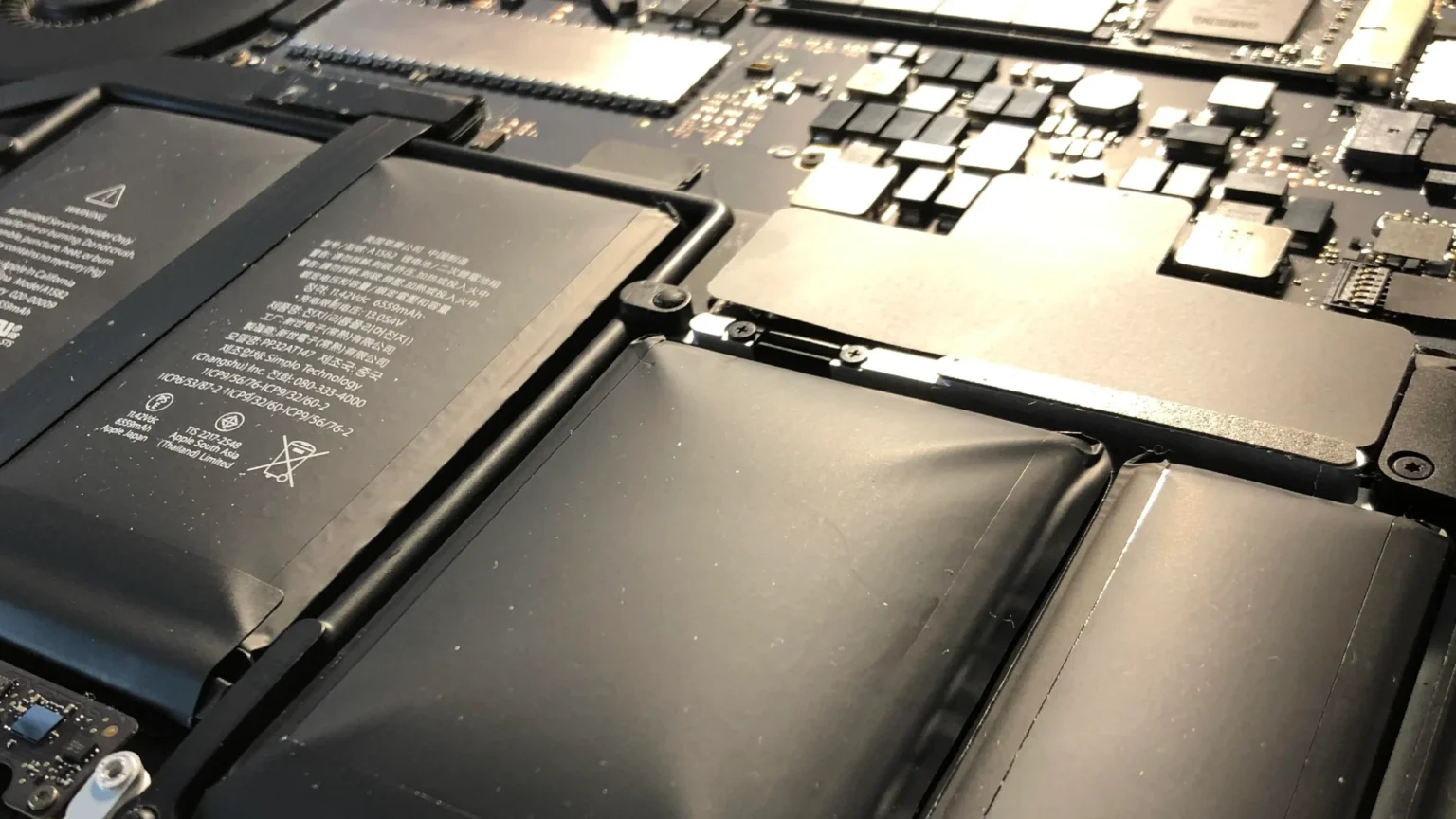
What Causes Battery Swelling?
Battery swelling can occur for a variety of reasons, posing significant safety risks to electronic device users. Understanding the common causes can help in prevention:
- Overcharging: Continuously charging your device beyond full capacity can stress the battery, leading to swelling.
- Manufacturing Defects: Flaws during the battery’s production can increase the risk of swelling over time.
- Extreme Temperatures: Exposure to very high or low temperatures can damage the battery’s internal structure, causing it to expand.
- Physical Damage: Impacts or punctures can compromise the battery’s integrity, leading to swelling.
The Dangers of Swollen Batteries
A swollen battery is not just a device issue; it’s a serious safety concern:
- Fire Hazard: The gases inside a swollen battery are flammable and can ignite, posing a risk of fire.
- Chemical Burns: If a battery ruptures, it can release caustic chemicals that can cause skin burns and other injuries.
- Device Damage: The expansion of the battery can cause physical damage to the device, potentially making it inoperable.
How to Handle a Swollen Battery Safely
If you suspect your battery is swollen, it’s crucial to handle the situation carefully to avoid accidents:
ADVERTISEMENT
Do:
- Isolate the Device: Immediately stop using the device and turn it off if possible.
- Use Safe Storage: Place the device in a non-flammable container away from combustible materials.
- Seek Professional Help: Take the device to a certified disposal facility or contact professional services for safe battery removal and disposal.
Don’t:
- Continue Using or Charging the Device: This can exacerbate the swelling and increase the risk of explosion.
- Attempt DIY Repairs: Trying to remove or puncture a swollen battery can lead to chemical exposure or fire.
- Dispose of in Regular Trash: Swollen batteries need to be disposed of according to specific safety protocols to avoid environmental damage.
Preventative Measures to Avoid Battery Swelling
Taking proactive steps can minimize the risk of your device’s battery swelling:
- Follow Charging Best Practices: Avoid leaving devices plugged in for extended periods. Use the charger provided by the manufacturer, and remove the device from the charger once it’s fully charged.
- Maintain Appropriate Temperatures: Keep your device out of extreme heat or cold to prevent battery damage.
- Regular Inspections: Routinely check your device for signs of battery swelling, such as a bulging case or unusual device performance issues.
Key Takeaways
- A swollen battery represents a significant failure in the battery’s integrity and should be addressed immediately to prevent risks of explosion and fire.
- Recognizing the early signs of battery swelling can prevent serious accidents and device damage.
- Professional handling and proper disposal of swollen batteries are crucial for safety.
Additional Resources
For further information and to view examples of swollen batteries, visit the Reddit community focused on this topic at r/spicypillows.
ADVERTISEMENT
By staying informed about the causes, risks, and proper handling of swollen batteries, you can ensure both your safety and the longevity of your electronic devices.


