Nyongesa Sande
No Result
View All Result
  • News
    • World
    • Africa
  • Politics
  • Business
  • Tech
  • AI
  • Telecom
  • Sports
  • Opinion
  • Lifestyle
  • Live
  • World Cup 2026
    • World Cup 2026 Standings
    • World Cup 2026
Nyongesa Sande
No Result
View All Result
Nyongesa Sande
No Result
View All Result
  • News
  • Politics
  • Business
  • Tech
  • AI
  • Telecom
  • Sports
  • Opinion
  • Lifestyle
  • Live
  • World Cup 2026
ADVERTISEMENT

Home » Everything You Need to Know About Scams on Apple Pay

Everything You Need to Know About Scams on Apple Pay

NyongesaSande News Desk by NyongesaSande News Desk
2 years ago
in Howto & Style
Reading Time: 3 mins read
A A
Easily Add Venmo to Wallet: Debit Card or Apple Cash

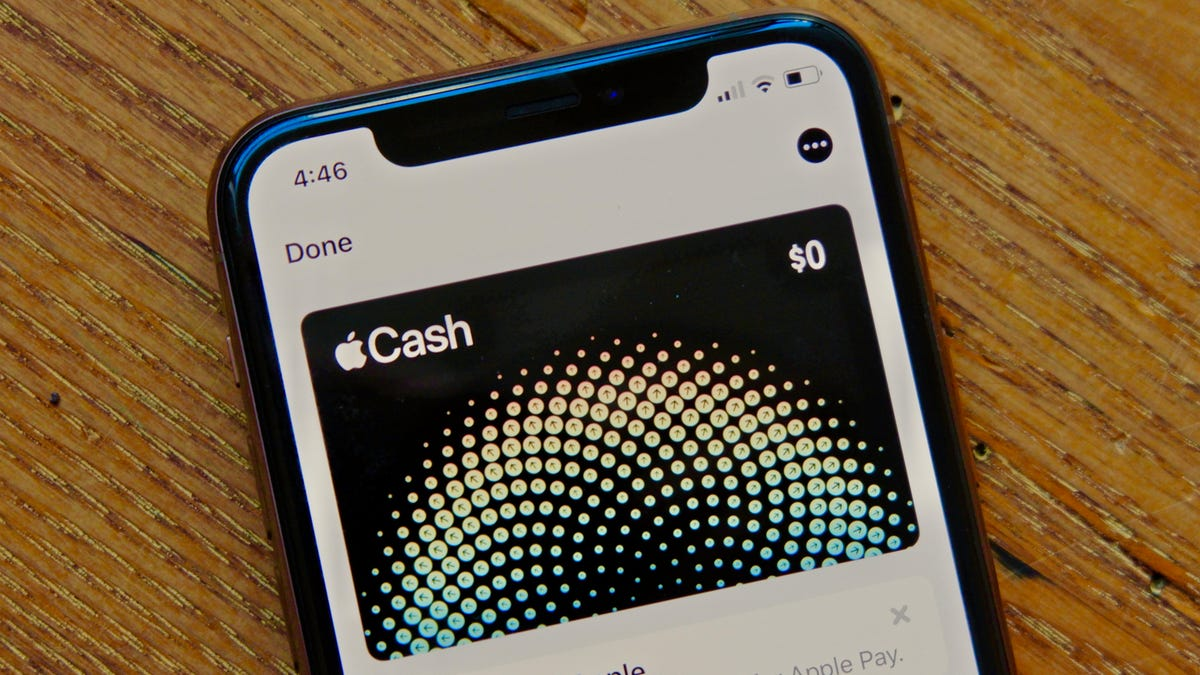
Apple Cash

Mobile payment services like Apple Pay are convenient but can also be exploited by scammers. Here’s a breakdown of scams you may encounter, how to protect yourself, and what to do if you’re affected:

  • Common Scams
  • How to Avoid Scams
  • What to Do If You’re Scammed

Common Scams

  1. Apple Cash Scams: Scammers may request money via the Messages app using Apple Cash, which doesn’t offer buyer protection. Always verify the recipient before sending money.
  2. Apple Pay Scams: Direct scams via Apple Pay are rare since it’s a highly encrypted platform. However, unauthorized charges can occur if someone gains access to your payment credentials.
  3. Apple Card Scams: Unauthorized charges can sometimes appear on your Apple Card, but the card’s issuer, Mastercard, provides dispute mechanisms.

How to Avoid Scams

  1. Use Secure Networks: Avoid adding cards to Apple Pay while connected to public Wi-Fi.
  2. Use a Credit Card: Credit cards generally offer more protection against unauthorized charges than debit cards.
  3. Be Wary of Phishing: Verify the sender before clicking on links in emails or texts, and report phishing emails to [email protected].
  4. Enable Security Features: Set up two-factor authentication (2FA), Face ID, or Touch ID for extra protection.
  5. Check Transactions Regularly: Review your Apple Pay and Apple Card transactions frequently and report any suspicious activity.
  6. Use Caution in Marketplaces: Be careful with online marketplaces like Craigslist, and avoid overpayment scams.

What to Do If You’re Scammed

  1. Report Suspicious Activity: Report unauthorized charges via the Wallet app, and contact your bank or card provider to dispute charges.
  2. Request Refunds:
    • Apple Cash: Tap the payment in Messages and try to cancel it. If the payment was accepted, contact the recipient directly, though recovery is unlikely.
    • Apple Pay: Report the issue via the Wallet app or contact your card provider directly.
    • Apple Card: Dispute the charge in the Wallet app under “Report an Issue.”
  3. Notify Authorities: Report phone numbers or other scammer details to local authorities if you suspect fraud.
  4. Seek Assistance from Apple: While Apple may not guarantee refunds for scams, reporting suspicious activity helps protect others and enables Apple to improve its security measures.

Stay alert and informed to protect yourself from these scams while enjoying the convenience of mobile payments.


Tags: Scams on Apple Pay
ShareTweetSendShareSharePinShareShare
Google Add as a Preferred Source on Google
Previous Post

Apple Pay: How to Use Your iPhone’s Digital Wallet to Pay In-Store

Next Post

How to Use Apple Pay

NyongesaSande News Desk

NyongesaSande News Desk

Nyongesa Sande offers diverse content across news, technology, entertainment, and more, aiming to provide readers with a wide range of informative and engaging articles. NYONGESA SANDE's dedicated team provides our audience not only with the highly relevant news but also with outstanding interactive experience.

Related Posts

How to Improve Social Skills as an Adult
Howto & Style

How to Build Confidence in Conversations

2 weeks ago
How to Take a Hearing Test and Turn On the Hearing Aid Feature – Easy Guide
Howto & Style

How to Take a Hearing Test and Turn On the Hearing Aid Feature – Easy Guide

5 months ago
How to Work Out with iPhone and AirPods Pro 3 or Other Heart Rate Monitors
Howto & Style

How to Work Out with iPhone and AirPods Pro 3 or Other Heart Rate Monitors

5 months ago
How to Truly Be There for Yourself
Howto & Style

How to Truly Be There for Yourself

8 months ago
Marjorie Stewart Joyner
Howto & Style

How to Make Curly Hair Grow Longer

1 year ago
An Open Letter to Safaricom: A Plea for Reinstatement of My Long-Held Phone Number
Howto & Style

An Open Letter to Safaricom: A Plea for Reinstatement of My Long-Held Phone Number

2 years ago
Load More
Next Post
How to Send Money from Apple Pay to Cash App: Step-by-Step Method

How to Use Apple Pay

K.U Portal: Your Gateway to Academic Management and Personalized Services

List Of Accredited Courses Offered At Kenyatta University

ADVERTISEMENT

Who We Are

Nyongesa Sande

NyongesaSande.com is a digital news and media platform covering breaking news, business, technology, AI, politics, sports, world affairs and African innovation.

Our Brands

  • YouTube
  • Forums
  • Law Archive
  • Sandes Kitchen

News Sections

  • News
    • World
    • Africa
  • Politics
  • Business
  • Tech
  • AI
  • Telecom
  • Sports
  • Opinion
  • Lifestyle
  • Live
  • World Cup 2026
    • World Cup 2026 Standings
    • World Cup 2026

Editorial Standards

  • Editorial Policy
  • Fact Checking Policy
  • Corrections Policy
  • Ethics Policy
  • AI Usage Policy
  • News Tips
  • Submit Press Release

Legal

  • Privacy Policy
  • Terms of Use
  • Cookie Policy
  • Disclaimer
  • Risk Disclaimer
  • DMCA
  • Ad Choices
  • YouTube

Our Company

  • About Us
    • Nyosake Designers
      • Nyosake Webmasters
      • Nyosake Investment
  • Contact Us
    • Newsroom Contact
  • Ownership Disclosure
  • Advertise
  • Privacy Policy
  • Terms of Use
  • Cookie Policy
  • Disclaimer
  • Risk Disclaimer
  • DMCA
  • Ad Choices
  • YouTube

NyongesaSande.com is an independent digital news and media platform covering Africa, business, technology, AI, politics and global developments.

© 2026 NyongesaSande.com. All rights reserved.

No Result
View All Result
  • News
    • World
    • Africa
  • Politics
  • Business
  • Tech
  • AI
  • Telecom
  • Sports
  • Opinion
  • Lifestyle
  • Live
  • World Cup 2026
    • World Cup 2026 Standings
    • World Cup 2026

NyongesaSande.com is an independent digital news and media platform covering Africa, business, technology, AI, politics and global developments.

© 2026 NyongesaSande.com. All rights reserved.