Australia’s natural resources, business friendly climate, and familiar working culture, make it a popular place for expats to start businesses. Throw in the weather and laid back lifestyle, and it’s an appealing option, whatever your line of work.
If you’re considering opening a business in Australia, you’ll have lots to think about. One thing that might be playing on your mind is how to open a bank account for your new company. Don’t worry, though, this doesn’t have to be difficult.
Here’s a guide to showing what you need to get started.
| 🌎💸 Wise is saving over 10 million customers £3 million in bank fees every day. Join the revolution – get Wise. |
|---|
What types of corporate entities are there in Australia?
Australian law recognises the following business entity structures:
- Sole trader
- Company
- Partnership
- Trust
Each business type is different, but the basics are clearly explained on the Australian Department of Industry, Innovation and Science website. Although it’s not compulsory to have a specific business account if you operate as a sole trader, it’s good practise to do so. If you have a company, partnership or trust, then you must have a business bank account in order to operate.
Can I open a business bank account in Australia with a foreign corporate entity?
It is possible to open a business bank account in Australia however, your business must be registered in Australia and hold an ABN/ACN registration number.¹
What’s the process for opening a business bank account in Australia?
Each bank will have their own specific requirements to open a business bank account – however, you will most likely need to have the following:
- Proof of the ID of the directors of the company, and any shareholders with more than 25% holding. Banks operate a ‘points’ system, meaning that you can provide different documentary proof as long as it adds up to sufficient points. Passports and photo ID cards, for example, rank highly in the points system, and presenting a passport and driving license would get you enough points to get started.
- Certificate of incorporation or business registration, or documentary evidence of the creation of your trust.
- ABN/ACN registered office address for your business.
If anyone involved in the creation of the business is a US citizen they’ll be required to provide a tax identification number and if the business is involved in financial services, additional licensing details may be required.
It may be possible for a company to nominate one person to certify signatories to the account. This means that only one person has to provide the full range of documents and can then authorise other colleagues to access the account.
Can I open a business bank account as a non-resident?
It’s not necessary to be a resident of Australia to open an account there. However, to open a business bank account, the company must be registered in Australia.²
If you have any doubts about what account is suitable for you, talk to the ‘Big Four’ banks listed below as they’ve a broad range of specialised products and may be able to help.
Can I open a business bank account from abroad?
Australian banks will allow you to apply online for a business bank account, and then present the documentation needed in the branch later. This makes it possible to at least start the process of opening an account before you arrive in Australia.
There may be limits on the account until you have completed the document verification process – for example, you may be able to pay cash in, but not make withdrawals.
If you already have a registered business in Australia or hold a personal bank account with an Australian bank, you might find that you can open your business account online while still abroad.
Can I open a business bank account online?
It may be possible to open your business account online.
The Commonwealth Bank of Australia, for example, offers online verification for new customers opening some Business Transaction accounts. ID and company registration details can be checked online in real time, to speed the process up. However, this service isn’t available on all products.
The Wise Multi-currency account. For business without borders.
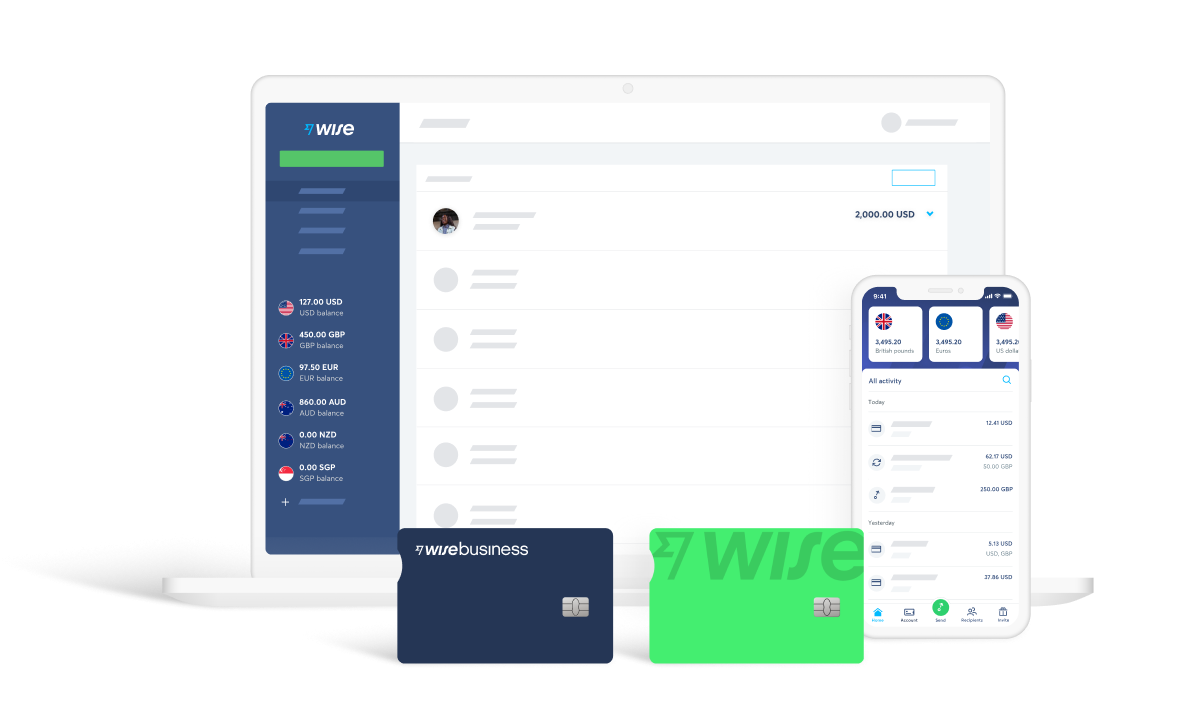
If you need a quick-to-open business account without the hassle of going to the branch, you might want to know more about Wise Multi-currency account.
Now you can send, receive and organise your money internationally, without crazy fees or even-crazier exchange rates – just a small, fair charge when your money moves between currencies.
Which bank should I choose?
Australia’s four biggest banks have good branch and ATM coverage across the country, making them a solid choice for your business account. Each offers slightly different accounts, with periodic promotions (like free banking for new customers for a limited period). The ‘Big Four’ are listed here:
National Australian Bank (NAB) offers a fee free business account, which allows for free cash withdrawals from networked ATMs in Australia, as well as a host of other perks. There are also specialised business accounts, for example if you want an interest bearing product. As one of the largest banks in Australia, you’ll have access to over 1,500 branches and 3,400 ATMs.
The Commonwealth Bank’s regular business bank account costs $10 a month to run, with some additional transaction charges depending on usage. You can open an account online although you’d then still be required to present documents in branch if you’re a new customer.The Commonwealth Bank operates across the region, and the UK, and has over 1,100 branches worldwide. There are also over 4,300 networked ATMs.
ANZ Bank is Australia’s fourth largest bank, and have two ‘everyday’ business bank accounts on offer, including a ‘low fee’ option. There are also several more specialised banking products depending on your personal needs. Conveniently, the bank website has a comparison table with all the important facts about the accounts, including fees and charges.
Westpac has a range of different business bank accounts, which run from low fee basic accounts to those designed for larger and more active businesses. There are various offers and promotions attached to the accounts, including free banking for new customers. There are 1,429 branches and 3,850 ATMs in the Westpac network.
Banking fees and charges
Before you open your business bank account in Australia, it’s important to read the terms and conditions carefully – especially in relation to banking fees and charges.
It’s common to find monthly account handling charges and fixed fees for banking transactions. Even when these fees look small, they can build up over time. Some banks offer to reduce or waive the fee for new customers, which might be worth considering.
From time to time, most businesses need to make international money transfers for things such as paying suppliers based overseas. This can be an expensive process and many banks don’t offer a good deal to their customers on transactions like this.
Often they’ll add a high initial ‘admin’ charge for processing the transaction, as well as steep transaction fees. These may be fixed fees or a percentage of the amount transferred.
But even if the listed fees look quite low, your bank will make their cut on the deal. Instead of a transparent, up-front fee, you might find that your bank’s profit is rolled into a poor exchange rate. If your bank applies an exchange rate which is worse than the real, mid-market rate, then you lose out as the true cost of your transfer is higher than it needs to be.
| 💡 To make sure your bank isn’t taking an extra cut, you’ll want to use an online currency converter to check the actual value of your money before you transfer internationally. If you do make a transfer, you might consider using an alternative service like Wise.Not only does Wise already offer the true exchange rate you can find on Google, but since your international transfer is made with two local transfers in each respective country, large SWIFT transfer fees are also cut out, leaving you with more money in the end. |
|---|
Sources used:
- Ablis blog post – Foreign Company Registration
- Business gov.au blog post
*Please see terms of use and product availability for your region or visit Wise fees and pricing for the most up to date pricing and fee information.
This publication is provided for general information purposes and does not constitute legal, tax or other professional advice from Wise Payments Limited or its subsidiaries and its affiliates, and it is not intended as a substitute for obtaining advice from a financial advisor or any other professional.
We make no representations, warranties or guarantees, whether expressed or implied, that the content in the publication is accurate, complete or up to date.