To log into a Safaricom Home Fibre router, you can:
- Open a web browser on a device connected to the router
- Type 192.168.8.1 into the address bar
- Enter the username and password
The default username and password are both “admin” or the values indicated on the router.
You can also use the My Safaricom app to reset your router or change your password. To do this, you can:
ADVERTISEMENT
- Open the My Safaricom app
- Go to Home Internet
- Select Home Fibre
- Select Manage account
If you’re having trouble, you can call Safaricom’s support team at 400.
Safaricom Router Login
Safaricom Web GUI allows you to change WiFi password, Network Name (SSID), and default router settings at http://192.168.100.1 or http://192.168.8.1.
ADVERTISEMENT
How to login to Safaricom router?
- Open a browser and type 192.168.100.1 or 192.168.8.1 in the address bar.
- Enter the Username and Password and click Login.
- You will be logged in to the Safaricom router settings.
Note: The Router IP Address, Username and Password are printed on a sticker on the back of the router.
ADVERTISEMENT
How to change Safaricom Wi-Fi Password and Network Name?
Select your router:
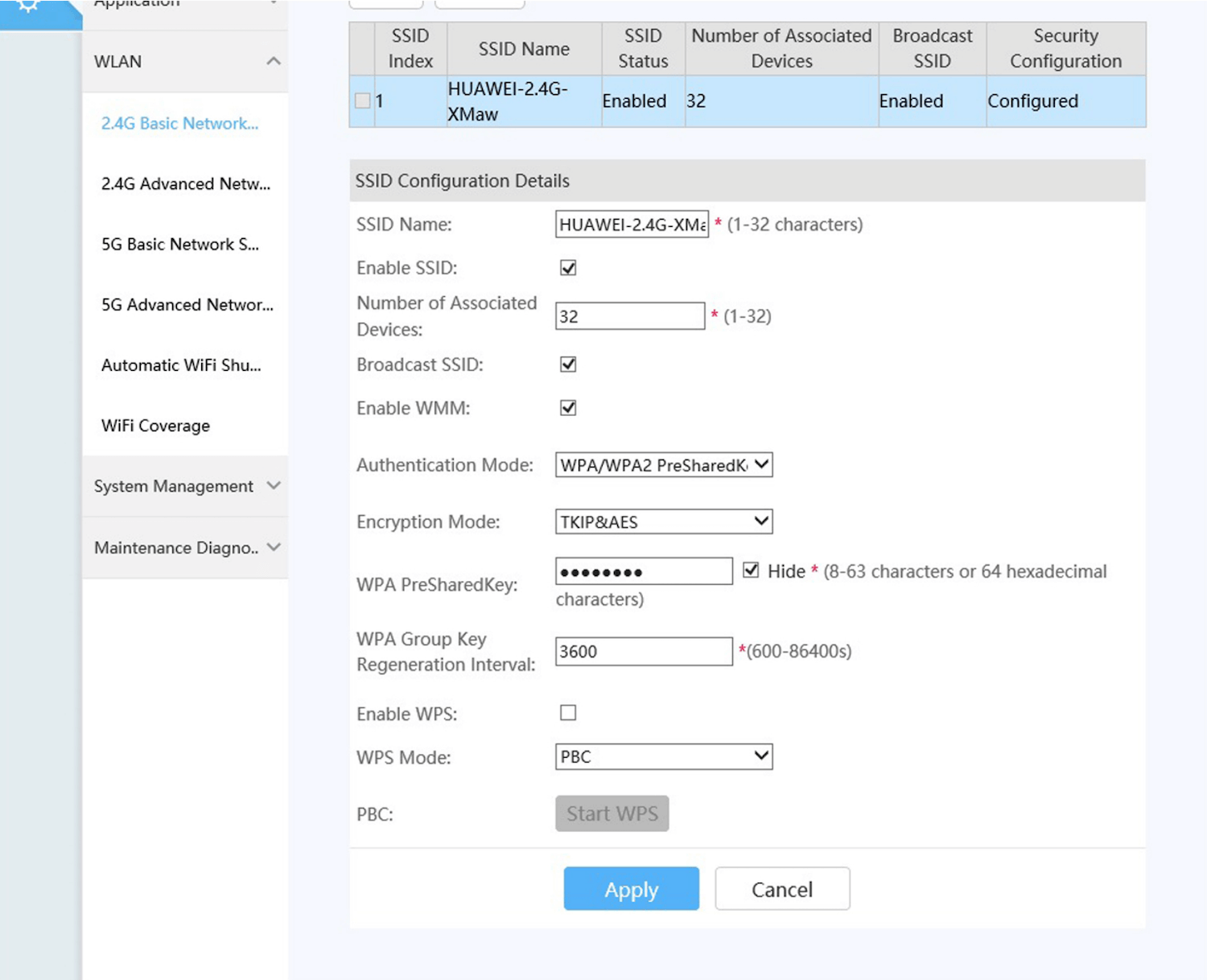
Huawei HG8145V5
- Open a browser and type http://192.168.100.1 in the address bar.
- Enter the Username: root and Password and click Log In. (The Password is printed on the bottom of your router.)
- Select Advanced > WLAN > 2.4G Basic Network Settings.

- Enter the Wi-Fi Network Name in the SSID Name field.
- Enter the Wi-Fi Password in the WPA PreSharedKey field.
- Click Apply.
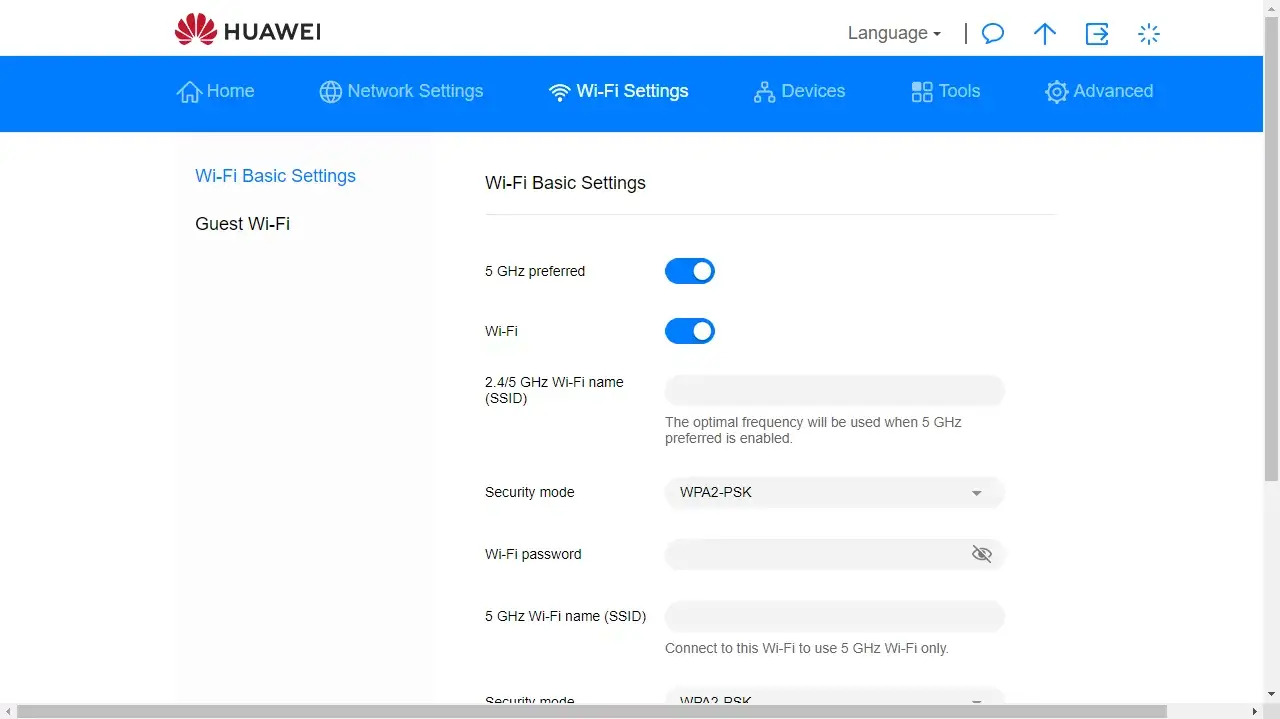
Safaricom Home 4G Wi-Fi (Huawei Router)
- Open a browser and type http://192.168.8.1 in the address bar.
- Enter the Router login password and click Log in. (The Password is printed on the back of the router.)
- Select Wi-Fi Settings.

- Enter the Wi-Fi Network Name in the Wi-Fi name (SSID) field.
- Enter the Wi-Fi Password in the Wi-Fi password field.
- Click Save.
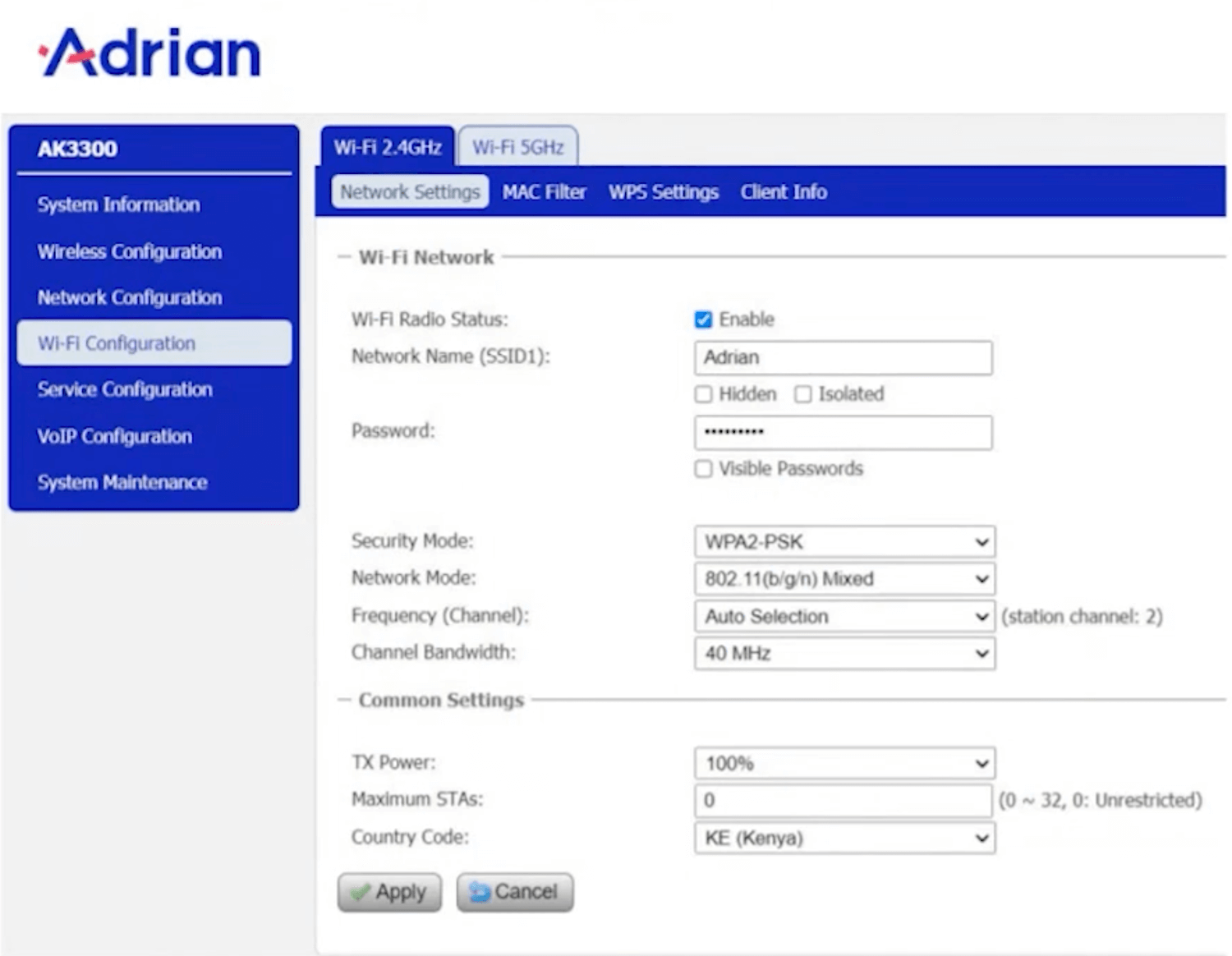
Adrian AK3300 4G CPE
- Open a browser and type http://192.168.0.1 in the address bar.
- Enter the Password: admin_4Gfwa and click LOGIN.
- Select Wi-Fi Configuration > Wi-Fi 2.4GHz > Network Settings.

- Enter the Wi-Fi Network Name in the Network Name (SSID) field.
- Enter the Wi-Fi Password in the Password field.
- Click Apply.