


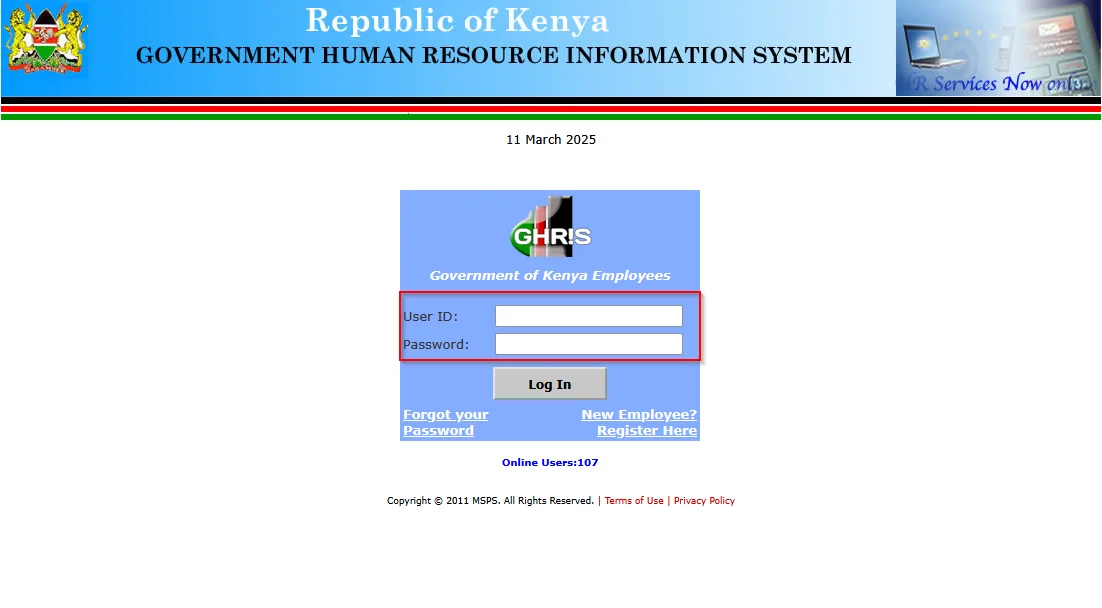
For government employees in Kenya, accessing a GHRIS payslip is an essential part of financial management. Whether you need a payslip for loan applications, tax filings, or employment verification, the Government Human Resource Information System (GHRIS) provides a centralized platform for all Kenyan government employees to access their salary records online.
If you’re wondering how to retrieve your payslip from GHRIS in 2025, this guide will walk you through the process.
What is GHRIS?
GHRIS stands for Government Human Resource Information System, a Kenyan government-owned portal designed to streamline HR management for state employees. The system allows government workers to access their salary statements, update personal details, and manage their employment records in a digital environment.
The platform serves employees from: ✔ Ministries and State Departments
✔ Constitutional Commissions and Independent Offices
✔ County Governments
✔ State Corporations and Semi-Autonomous Government Agencies (SAGAs)
✔ Disciplined Forces (Kenya Police, Army, etc.)
✔ Third-party Organizations (e.g., SACCOS, Banks, Pension Schemes, etc.)
What is a GHRIS Payslip?
A payslip is a document issued by an employer that details an employee’s salary breakdown, including:
✔ Gross Salary
✔ Basic Pay
✔ Allowances
✔ Deductions (PAYE, NHIF, NSSF, HELB, etc.)
✔ Net Pay
For Kenyan government employees, the payslip is available exclusively via the GHRIS system.
How to Access Your GHRIS Payslip in 2025
To generate and download your payslip, follow these simple steps:
Step 1: Visit the GHRIS Portal
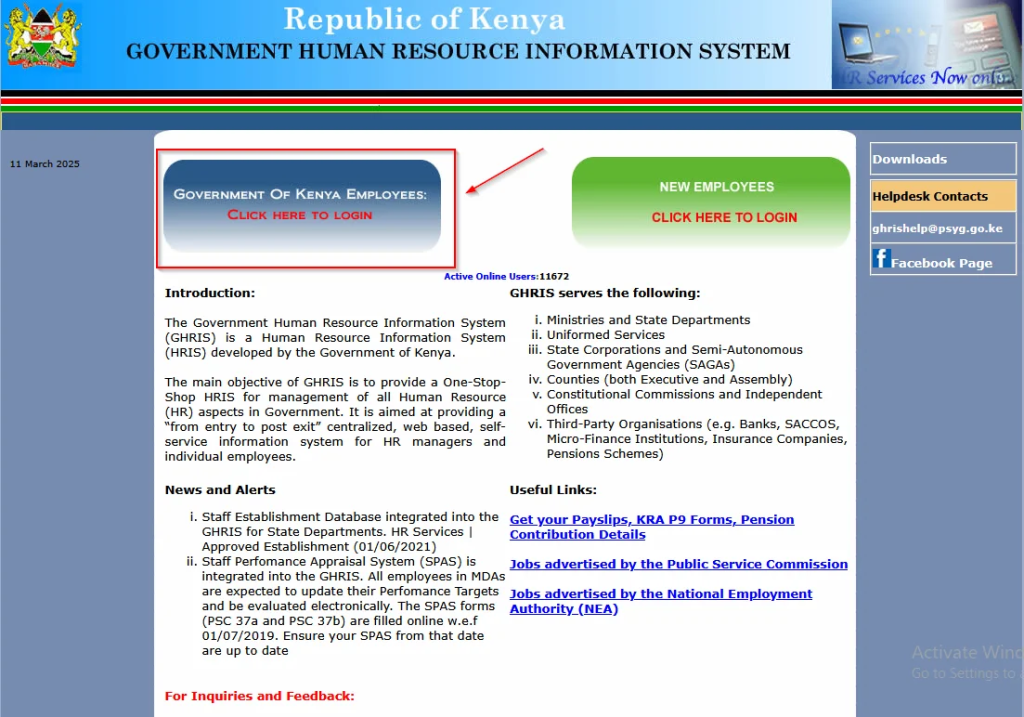
- Open your browser and go to www.ghris.go.ke
- Click on “Government of Kenya Employee” to log in.
📌 Note: If you don’t have an account, select “New Employee” to register.
Step 2: Login to the GHRIS System
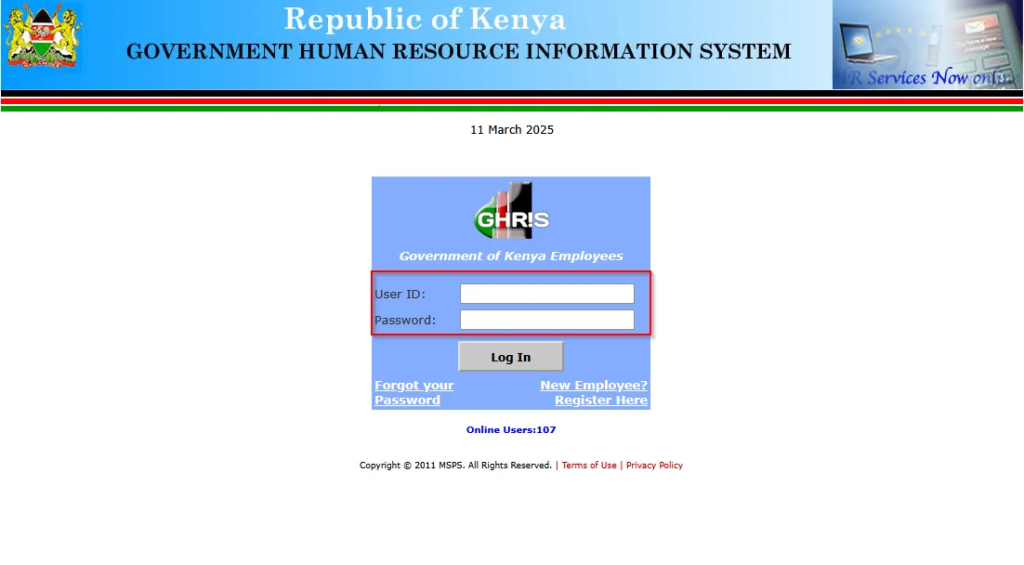
- Enter your User ID (Personal Number) and Password.
- Click Login to access the dashboard.
Step 3: Update Your Personal Information (If Not Done Already)
- Fill in your details under:
- Basic Information
- Home Area
- Duties
- Academic Qualifications
- Employment History
- Next-of-Kin/Dependants
📌 Note: You must complete these details before you can access payslips.
Step 4: Open the “My Records” Tab
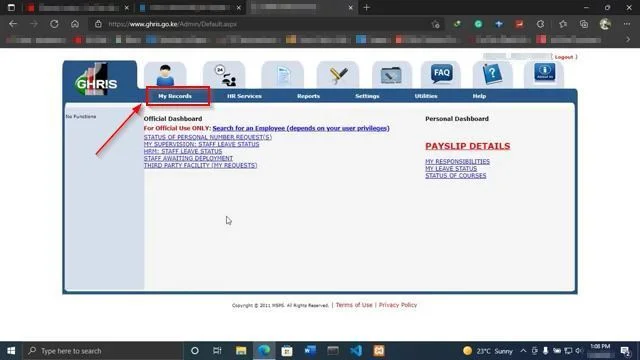
- On the GHRIS dashboard, locate “My Records” and click on it.
- A dropdown menu will appear.
Step 5: Click on “My Payslip”
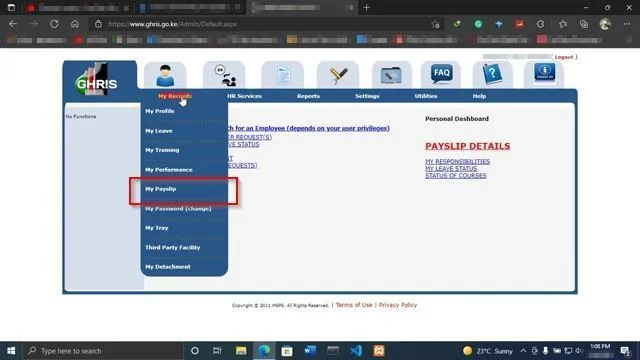
- Select “My Payslip” to proceed to the payroll section.
Step 6: Open “Current Payslip” or “Previous Payslips”
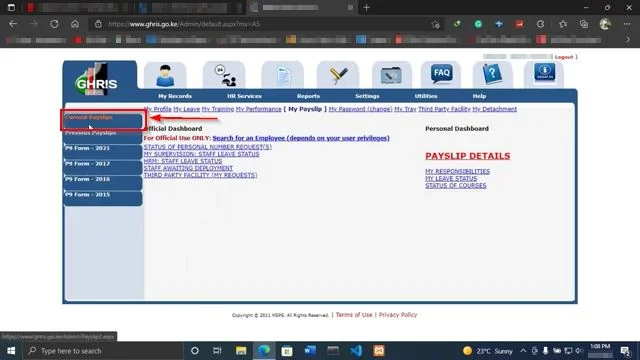
- Click “Current Payslip” to view the most recent one.
- Click “Previous Payslips” if you need an older payslip.
Step 7: View Your Payslip
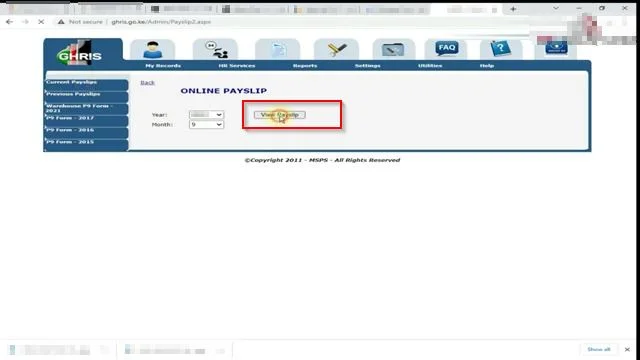
- Click “View Payslip” to generate the document.
- Your salary breakdown will be displayed.
Step 8: Download and Print Your Payslip
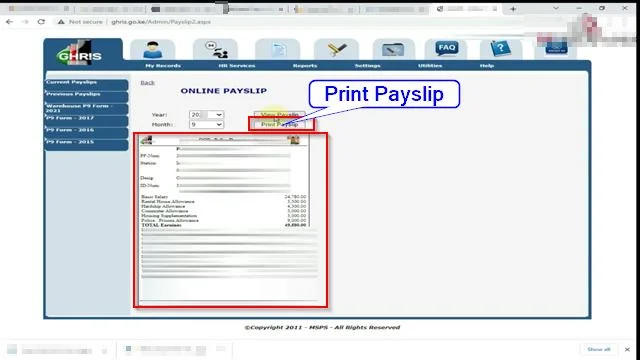
- Click “Print Payslip” to download or print a copy for your records.
Troubleshooting: Can’t Access Your GHRIS Payslip?
If you encounter issues, try the following:
1. Reset Your Password
- Click on “Forgot Password” on the login page.
- Follow the instructions to reset your password.
2. Check Your Personal Information
- Ensure that all required details are correctly filled in on the GHRIS portal.
3. Contact GHRIS Support
- Email [email protected]
- Visit your HR department for assistance.
Final Thoughts
With GHRIS, accessing your Kenyan government payslips has never been easier. By following these steps, you can securely access, download, and print your payslips anytime, anywhere.
Whether you need a payslip for loans, tax filings, or personal records, keeping track of your salary history is now effortless with GHRIS.
🔹 Bookmark the GHRIS portal for easy access: www.ghris.go.ke
🔹 Keep your login credentials secure
🔹 Regularly update your details to avoid issues
💡 Need further assistance? Contact GHRIS support or visit your HR department for help!


