


Selecting the best digital signage screen is a crucial step for businesses looking to make an impact with their messaging. Unlike static posters, digital signage delivers dynamic visuals and real-time content that engage customers more effectively. With advancements in hardware and cloud-based platforms like Samsung VXT, businesses now have flexible tools to manage and deliver content across multiple locations with ease.

The right screen choice depends on factors such as size, resolution, display technology, and integration with content management systems. By considering these elements, organizations can deploy screens that are reliable, visually appealing, and aligned with business needs.
Selecting the Right Screen for Digital Signage
When choosing an Android-based digital signage display, important factors include screen size, aspect ratio, and resolution. Large screens are ideal for lobbies, retail spaces, and other wide environments, while smaller screens are effective in confined spaces where close-up viewing is common. The standard 16:9 aspect ratio works well for most video and graphic content.
Resolution is a critical factor, with 1080p or 4K offering crisp, clear visuals. For display technology, OLED screens provide deeper contrast, better viewing angles, and richer colors, making them suitable for premium indoor environments. LED displays, on the other hand, are generally brighter, durable, and better for continuous operation in varied lighting conditions.
Setting Up Your Digital Signage System
The effectiveness of a signage screen often depends on its placement. Displays should be positioned in high-visibility areas such as entrances, waiting rooms, or lobbies at eye level for maximum impact. Avoid direct sunlight or glare that can reduce visibility. Reliable network connectivity—either Wi-Fi or Ethernet—is also essential for managing and updating content.
Planning for both hardware and software from the beginning ensures the system runs smoothly. Businesses should consider both the physical environment and the digital workflow that will power content delivery.
Choosing Digital Signage Software
A powerful CMS is essential for controlling displays and content. Software should enable scheduling, playback, and real-time updates across single or multiple screens. Cloud-based platforms save time and reduce maintenance by enabling remote control of displays.
Samsung VXT offers one of the most comprehensive solutions, with VXT Canvas for easy content creation, template libraries, and broad compatibility with different hardware. Its web-based content player allows administrators to control displays without needing additional media players, streamlining operations.
Digital Signage Screen Use Cases
In retail environments, digital signage displays showcase promotions and product highlights to capture attention and encourage impulse purchases. Restaurants use digital menu boards to update specials throughout the day, while corporate offices display company news, events, or welcome messages.
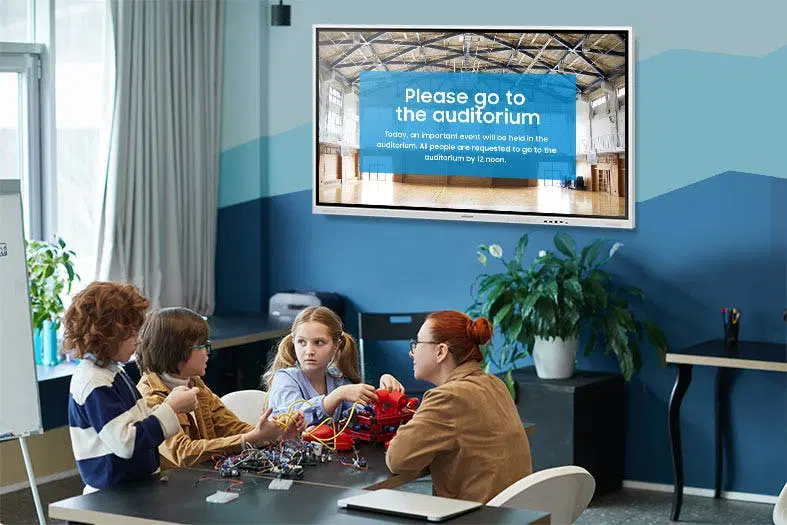
Educational institutions, healthcare facilities, and community centers leverage digital bulletin boards to share updates, announcements, and morale-boosting content. In high-traffic environments, video walls made up of multiple displays deliver powerful storytelling opportunities and brand experiences.
Get Started with the Right Digital Signage Screen
Android-based displays combined with Samsung VXT provide an affordable, easy-to-deploy option for businesses of all sizes. However, it’s important to avoid consumer-grade TVs, which are not designed for 24/7 operation. Professional digital signage screens are engineered for durability, continuous use, and optimal performance.
Choosing the best digital signage screen means balancing technology, durability, and software integration. With the right screen and CMS, businesses can deliver impactful, reliable, and engaging content that drives results and enhances customer experiences.


