
Nyongesa Sande
No Result
View All Result
  • News
    • World
    • Africa
  • Politics
  • Business
  • Tech
  • AI
  • Telecom
  • Sports
  • Opinion
  • Lifestyle
  • Live
Nyongesa Sande
No Result
View All Result
Nyongesa Sande
No Result
View All Result
  • News
  • Politics
  • Business
  • Tech
  • AI
  • Telecom
  • Sports
  • Opinion
  • Lifestyle
  • Live
ADVERTISEMENT

Home » How to Buy KCB Bank Shares: A Step-by-Step Guide

How to Buy KCB Bank Shares: A Step-by-Step Guide

NyongesaSande News Desk by NyongesaSande News Desk
6 months ago
in How To
Reading Time: 7 mins read
A A
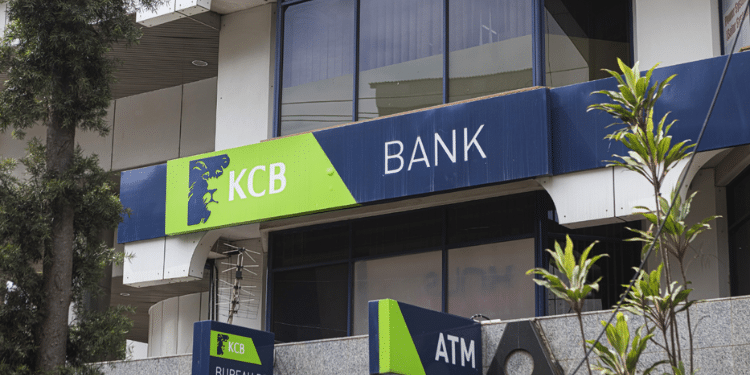
KCB Bank Kenya SWIFT code: KCBLKENX explained (step-by-step)

KCB Bank is one of Kenya’s most valuable companies, offering strong dividends and growth potential. If you’re interested in investing in KCB shares, the process is relatively simple. This guide will walk you through the steps on how to buy KCB bank shares, either via a stockbroker or online.

  • Step 1: Set Up a CDS Account
    • How to Open a CDS Account:
  • Step 2: Choose a Stockbroker
    • Popular Stockbrokers:
  • Step 3: Fund Your CDS Account
  • Step 4: Place Your Order
    • Two Types of Orders:
    • Minimum Purchase:
  • Step 5: Buying KCB Shares Online
  • Step 6: Wait for Your Shares to Reflect
  • Step 7: Buying KCB Shares Using Bonga Points
    • How to Redeem Bonga Points:
  • Frequently Asked Questions (FAQs)
    • 1. How Can I Buy KCB Shares?
    • 2. Is There a Minimum Amount of KCB Shares I Can Buy?
    • 3. How Long Does It Take to Buy KCB Shares?
    • 4. How Will I Receive My KCB Shares?
  • Final Words

Step 1: Set Up a CDS Account

To buy shares in KCB Bank, you must first open a Central Depository System (CDS) account. This is where your shares will be held electronically.

How to Open a CDS Account:

  1. Visit a CMA-Licensed Stockbroker:
    Go to any stockbroker licensed by the Capital Markets Authority (CMA). You’ll need to provide the following documents:
    • Your National ID
    • Two passport-sized photos
    • KRA PIN
    • Some brokers may also ask for a bank statement or utility bill.
  2. Account Setup:
    Once you’ve submitted your documents, the broker will open your CDS account. This account will hold your shares.

Tip: Opening a CDS account is free, but stockbrokers charge a commission when you buy and sell shares.


Step 2: Choose a Stockbroker

To buy KCB Bank shares, you must go through a registered stockbroker. Kenya has over 20 licensed brokers. You can also use your bank if it’s authorized to provide stock brokerage services.

ADVERTISEMENT

Note: Brokers may charge a commission for executing trades on your behalf.

Popular Stockbrokers:

  • NCBA Capital
  • AIB-AXYS
  • Faida Investment Bank
  • ABC Capital
  • Kingdom Securities
  • Old Mutual Securities
  • Dyer & Blair Investment Bank

Step 3: Fund Your CDS Account

Before you can buy shares, you’ll need to fund your CDS account. You can do this by transferring money from your bank account or through MPesa.

  1. Bank Transfer:
    Ask your broker for the account details to transfer money from your bank account.
  2. MPesa Payment:
    Ask your broker for the Paybill number to use for transferring funds via MPesa. Make sure to include your CDS account number in the transaction.

Tip: Confirm with your broker about the correct Paybill number and account details.


Step 4: Place Your Order

Now that your account is funded, you can place an order to buy KCB shares.

ADVERTISEMENT

Two Types of Orders:

  1. Market Order:
    You can buy KCB shares at the current market price. The order will be executed immediately at the best available price.
  2. Limit Order:
    A limit order allows you to set a price at which you are willing to buy KCB shares. The order will only be executed if the share price reaches your desired price.

Minimum Purchase:

  • You can buy shares in multiples of 100 shares. For example, you can buy 100, 200, 300 shares, etc.

Step 5: Buying KCB Shares Online

If you’re busy or prefer the convenience of online trading, most brokers offer online trading platforms or apps. Here’s how you can buy KCB shares online:

  1. Log into the Online Trading App:
    Access your broker’s online platform or app.
  2. Fund Your CDS Account:
    If you haven’t already done so, transfer funds into your CDS account via bank transfer or MPesa.
  3. Select KCB Shares:
    Once your account is funded, select KCB shares from the available options.
  4. Enter Quantity and Price:
    Specify the number of shares you want to buy (in multiples of 100). If using a limit order, enter your desired price.
  5. Confirm Your Order:
    After reviewing the details, confirm your order. Your broker will execute it.

Step 6: Wait for Your Shares to Reflect

Once the order is executed, your KCB shares will be reflected in your CDS account within 2 working days.

Tip: You can log into your CDS account to check the status of your shares and confirm they’ve been credited.


Step 7: Buying KCB Shares Using Bonga Points

If you have Bonga points from Safaricom, you can use them to buy KCB shares through specific brokers, such as:

ADVERTISEMENT
  • NCBA Capital
  • AIB-AXYS
  • Faida Investment Bank
  • ABC Capital

How to Redeem Bonga Points:

  1. Dial *126# to access the ‘Lipa-na-Bonga’ menu.
  2. Select ‘Paybill’ and enter the broker’s Paybill number.
  3. Type your CDSC account number.
  4. Enter the amount to be transferred (in Kshs) and select Send.

Tip: Confirm the Paybill number with your broker before using this option.


Frequently Asked Questions (FAQs)

1. How Can I Buy KCB Shares?

To buy KCB shares, you need a CDS account and a licensed stockbroker. You can place orders through your broker or use an online trading app provided by your broker.

2. Is There a Minimum Amount of KCB Shares I Can Buy?

Yes, you must buy shares in multiples of 100. For example, you can buy 100, 200, or 500 shares, but not 150 shares.

3. How Long Does It Take to Buy KCB Shares?

Once your order is placed, the shares should appear in your CDS account within 2 working days.

4. How Will I Receive My KCB Shares?

After the purchase, the shares will be credited to your CDS account. You can monitor the status online.


Final Words

Buying KCB Bank shares is a simple process that involves setting up a CDS account, choosing a licensed stockbroker, funding your account, and placing an order through your broker. Whether you choose to trade online or through a broker, you can invest in KCB shares with just a few clicks.

If you have any questions, don’t hesitate to contact your broker or visit their online platform for assistance.

Tags: Buy KCB SharesCDS accountInvestment in KCBKCB sharesKenya StocksNairobi Securities ExchangeOnline Tradingstockbroker
Google Add as a Preferred Source on Google
Previous Post

How to Sell Safaricom Shares in Kenya: Step-by-Step Procedure

Next Post

How to Buy Treasury Bills in Kenya: A Step-by-Step Guide

NyongesaSande News Desk

NyongesaSande News Desk

Nyongesa Sande offers diverse content across news, technology, entertainment, and more, aiming to provide readers with a wide range of informative and engaging articles. NYONGESA SANDE's dedicated team provides our audience not only with the highly relevant news but also with outstanding interactive experience.

Related Posts

How to Weld a 2-Block Rectangular Hollow Block Mold: Measurements, Materials and Step-by-Step Guide
How To

How to Weld a 2-Block Rectangular Hollow Block Mold: Measurements, Materials and Step-by-Step Guide

by NyongesaSande News Desk
4 weeks ago
0

Building a strong hollow block mold is one of the most important steps in producing...

Read moreDetails
How to Create a Facebook Account on iPhone App
How To

How to Fix Facebook Confirmation Email Not Received

by NyongesaSande News Desk
1 month ago
0

How to Fix Facebook Confirmation Email Not Received is a common issue for users who...

Read moreDetails
How to Create a Facebook Account on iPhone App
How To

How to Fix Facebook Confirmation Code Not Received

by NyongesaSande News Desk
1 month ago
0

How to Fix Facebook Confirmation Code Not Received is a common issue for users trying...

Read moreDetails
How to Create a Facebook Account on iPhone App
How To

How to Confirm Your Facebook Email or Phone Number

by NyongesaSande News Desk
1 month ago
0

How to Confirm Your Facebook Email or Phone Number is an important step when creating...

Read moreDetails
How to Create a Facebook Account on iPhone App
How To

How to Understand Your Facebook Account and Profiles

by NyongesaSande News Desk
1 month ago
0

How to Understand Your Facebook Account and Profiles is essential for anyone using Facebook to...

Read moreDetails
How to Create a Facebook Account on iPhone App
How To

How to Fix Facebook Name Not Accepted

by NyongesaSande News Desk
1 month ago
0

How to Fix Facebook Name Not Accepted is a common issue for users trying to...

Read moreDetails
Load More
Next Post
CRB Clearance Certificate in Kenya – How to Get It

How to Buy Treasury Bills in Kenya: A Step-by-Step Guide

CRB Clearance Certificate in Kenya – How to Get It

How to Make Money from Treasury Bonds in Kenya: A Step-by-Step Guide

ADVERTISEMENT

Who We Are

Nyongesa Sande

NyongesaSande.com is a digital news and media platform covering breaking news, business, technology, AI, politics, sports, world affairs and African innovation.

News Sections

  • News
    • World
    • Africa
  • Politics
  • Business
  • Tech
  • AI
  • Telecom
  • Sports
  • Opinion
  • Lifestyle
  • Live

Editorial Standards

  • Editorial Policy
  • Fact Checking Policy
  • Corrections Policy
  • Ethics Policy
  • AI Usage Policy
  • News Tips
  • Submit Press Release

Legal

  • Privacy Policy
  • Terms of Use
  • Cookie Policy
  • Risk Disclaimer
  • Disclaimer
  • DMCA
  • Ad Choices

Our Company

  • About Us
    • Nyosake Designers
      • Nyosake Webmasters
      • Nyosake Investment
  • Contact Us
    • Newsroom Contact
  • Ownership Disclosure
  • Advertise
  • Privacy Policy
  • Terms of Use
  • Cookie Policy
  • Risk Disclaimer
  • Disclaimer
  • DMCA
  • Ad Choices

NyongesaSande.com is an independent digital news and media platform covering Africa, business, technology, AI, politics and global developments.

© 2026 NyongesaSande.com. All rights reserved.

No Result
View All Result
  • News
    • World
    • Africa
  • Politics
  • Business
  • Tech
  • AI
  • Telecom
  • Sports
  • Opinion
  • Lifestyle
  • Live

NyongesaSande.com is an independent digital news and media platform covering Africa, business, technology, AI, politics and global developments.

© 2026 NyongesaSande.com. All rights reserved.