
Nyongesa Sande
No Result
View All Result
  • News
    • World
    • Africa
  • Politics
  • Business
  • Tech
  • AI
  • Telecom
  • Sports
  • Opinion
  • Lifestyle
  • Live
Nyongesa Sande
No Result
View All Result
Nyongesa Sande
No Result
View All Result
  • News
  • Politics
  • Business
  • Tech
  • AI
  • Telecom
  • Sports
  • Opinion
  • Lifestyle
  • Live
ADVERTISEMENT

Home » How to Apply for Electricity in Kenya: A Simple Step-by-Step Guide

How to Apply for Electricity in Kenya: A Simple Step-by-Step Guide

NyongesaSande News Desk by NyongesaSande News Desk
5 months ago
in How To
Reading Time: 5 mins read
A A
How to Apply for Electricity in Kenya: A Step-by-Step Guide

Access to reliable electricity is a key driver of growth and development in Kenya. Whether you are setting up a new home, opening a business, or expanding your operations, getting connected to the power grid is essential. While applying for electricity in Kenya might seem complex, the process has become much easier in recent years, thanks to digital platforms. This step-by-step guide will walk you through how to apply for electricity in Kenya quickly and efficiently.

  • Required Documents for Electricity Application
  • Step 1: Submit Your Application Online
    • 1.1 Application via ‘My Power’ App or Website
  • Step 2: Receive Your Quotation
  • Step 3: Construction and Metering
  • Step 4: Final Connection and Activation
  • Other Important Considerations
  • How to Track Your Application
  • Conclusion

Required Documents for Electricity Application

Before beginning the application process, ensure you have the following documents ready:

  1. Application Form: Available on the Kenya Power website or through the ‘My Power’ app.
  2. National ID: This confirms your identity during the application process.
  3. Property Ownership Documents: Provide proof of ownership such as a title deed or lease document for the property you wish to connect to the electricity grid.
  4. PIN Certificate: This is necessary to verify your tax registration status.
  5. Property Map: A map indicating the exact location of your premises.
  6. Wiring Certificate: To be submitted after receiving your application reference number but before the construction of the electricity network begins.

Step 1: Submit Your Application Online

Kenya Power now offers a streamlined application process through their digital platforms, making it easier for you to apply for electricity from the comfort of your home. Here’s how to begin:

ADVERTISEMENT

1.1 Application via ‘My Power’ App or Website

  • Download the ‘My Power’ App from the Google Play Store or Apple Store.
  • Alternatively, visit the Kenya Power website.

Once on the platform, you will fill in the required details and submit the necessary documents. Upon submission, you will instantly receive a reference number, which you can use to track your application.


Step 2: Receive Your Quotation

After submitting your application, Kenya Power will provide a quotation based on your property’s specifications. The quotation includes:

ADVERTISEMENT
  • Electricity lines and poles: The cost of the infrastructure required to connect you to the grid.
  • Labor and transportation costs: These charges cover the physical installation and transport of materials.

This quotation is valid for 90 days, so make sure to complete the payment within that timeframe. Payments can be made through:

  • Kenya Power Offices: Pay directly at any Kenya Power service center.
  • M-Pesa: Pay via Kenya Power’s Paybill number.
  • Authorized Partners: Pay through any of Kenya Power’s registered partners.

Step 3: Construction and Metering

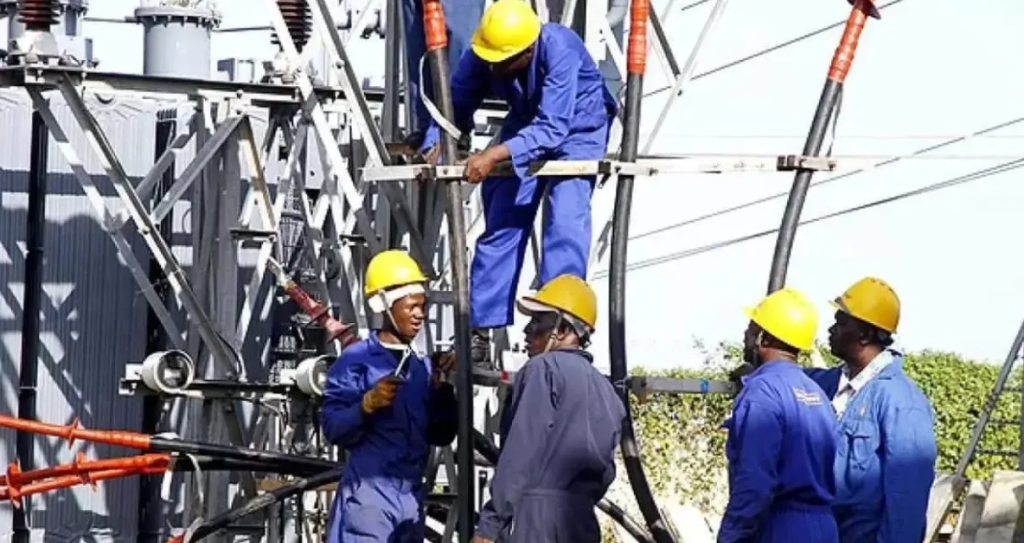
Once you’ve made your payment, Kenya Power will begin the construction of the necessary electricity supply lines to your property and install a meter. Here are the key steps in this phase:

  • Consent: If necessary, Kenya Power will seek the appropriate permissions for laying down the infrastructure.
  • Installation: After receiving the necessary approvals, Kenya Power will begin the installation of power lines and a meter, connecting your property to the national grid.

The timeline for installation depends on the complexity of the connection but typically takes a few weeks.

ADVERTISEMENT

Step 4: Final Connection and Activation

After the construction is complete and the meter is installed, Kenya Power will activate your connection. You will receive a notification confirming that your electricity is now live and ready to use.

You will also be advised on how to read your meter and understand your billing process, as well as how to manage your energy consumption efficiently.


Other Important Considerations

  • Cost: The cost of electricity connections is based on the quotation Kenya Power provides. The application process itself is free, but there are additional fees for installation and infrastructure.
  • Payment Options: Besides M-Pesa and Kenya Power offices, you can pay through mobile money services or authorized agents.
  • Processing Time: While the time for completion can vary, most electricity connections take between 2 to 6 weeks to complete after payment. During high-demand periods, the process may take longer.

How to Track Your Application

To monitor the status of your application, you can use the reference number provided after submitting your online application. You can track the progress on:

  • Kenya Power’s website: Check your connection status.
  • My Power App: Access real-time updates on your application directly from your mobile device.

Conclusion

Getting electricity in Kenya is a straightforward process when you follow the correct steps. With the added convenience of online applications and payment methods, the process is faster than ever. Whether you are connecting your home or business, understanding the application process and having the right documents will ensure a smooth and successful experience.
Tags: electricity applicationKenya electricity connectionKenya PowerM-PESA paymentsMy Power apppower connection
Google Add as a Preferred Source on Google
Previous Post

How to Apply for a USA Visa in 7 Easy Steps

Next Post

How to Reverse M-PESA Sent to the Wrong Till or Paybill: A Step-by-Step Guide

NyongesaSande News Desk

NyongesaSande News Desk

Nyongesa Sande offers diverse content across news, technology, entertainment, and more, aiming to provide readers with a wide range of informative and engaging articles. NYONGESA SANDE's dedicated team provides our audience not only with the highly relevant news but also with outstanding interactive experience.

Related Posts

How to Weld a 2-Block Rectangular Hollow Block Mold: Measurements, Materials and Step-by-Step Guide
How To

How to Weld a 2-Block Rectangular Hollow Block Mold: Measurements, Materials and Step-by-Step Guide

by NyongesaSande News Desk
4 weeks ago
0

Building a strong hollow block mold is one of the most important steps in producing...

Read moreDetails
How to Create a Facebook Account on iPhone App
How To

How to Fix Facebook Confirmation Email Not Received

by NyongesaSande News Desk
1 month ago
0

How to Fix Facebook Confirmation Email Not Received is a common issue for users who...

Read moreDetails
How to Create a Facebook Account on iPhone App
How To

How to Fix Facebook Confirmation Code Not Received

by NyongesaSande News Desk
1 month ago
0

How to Fix Facebook Confirmation Code Not Received is a common issue for users trying...

Read moreDetails
How to Create a Facebook Account on iPhone App
How To

How to Confirm Your Facebook Email or Phone Number

by NyongesaSande News Desk
1 month ago
0

How to Confirm Your Facebook Email or Phone Number is an important step when creating...

Read moreDetails
How to Create a Facebook Account on iPhone App
How To

How to Understand Your Facebook Account and Profiles

by NyongesaSande News Desk
1 month ago
0

How to Understand Your Facebook Account and Profiles is essential for anyone using Facebook to...

Read moreDetails
How to Create a Facebook Account on iPhone App
How To

How to Fix Facebook Name Not Accepted

by NyongesaSande News Desk
1 month ago
0

How to Fix Facebook Name Not Accepted is a common issue for users trying to...

Read moreDetails
Load More
Next Post
M-PESA Charges 2023

How to Reverse M-PESA Sent to the Wrong Till or Paybill: A Step-by-Step Guide

Top 10 Best Shipping Container Sellers in Kenya

How to File for a Customs Declaration Form in Kenya: A Step-by-Step Guide

ADVERTISEMENT

Who We Are

Nyongesa Sande

NyongesaSande.com is a digital news and media platform covering breaking news, business, technology, AI, politics, sports, world affairs and African innovation.

News Sections

  • News
    • World
    • Africa
  • Politics
  • Business
  • Tech
  • AI
  • Telecom
  • Sports
  • Opinion
  • Lifestyle
  • Live

Editorial Standards

  • Editorial Policy
  • Fact Checking Policy
  • Corrections Policy
  • Ethics Policy
  • AI Usage Policy
  • News Tips
  • Submit Press Release

Legal

  • Privacy Policy
  • Terms of Use
  • Cookie Policy
  • Disclaimer
  • Risk Disclaimer
  • DMCA
  • Ad Choices

Our Company

  • About Us
    • Nyosake Designers
      • Nyosake Webmasters
      • Nyosake Investment
  • Contact Us
    • Newsroom Contact
  • Ownership Disclosure
  • Advertise
  • Privacy Policy
  • Terms of Use
  • Cookie Policy
  • Disclaimer
  • Risk Disclaimer
  • DMCA
  • Ad Choices

NyongesaSande.com is an independent digital news and media platform covering Africa, business, technology, AI, politics and global developments.

© 2026 NyongesaSande.com. All rights reserved.

No Result
View All Result
  • News
    • World
    • Africa
  • Politics
  • Business
  • Tech
  • AI
  • Telecom
  • Sports
  • Opinion
  • Lifestyle
  • Live

NyongesaSande.com is an independent digital news and media platform covering Africa, business, technology, AI, politics and global developments.

© 2026 NyongesaSande.com. All rights reserved.