
Nyongesa Sande
No Result
View All Result
  • News
    • World
    • Africa
  • Politics
  • Business
  • Tech
  • AI
  • Telecom
  • Sports
  • Opinion
  • Lifestyle
  • Live
  • World Cup 2026
    • World Cup 2026 Standings
    • World Cup 2026
Nyongesa Sande
  • About Us
    • Nyosake Designers
      • Nyosake Webmasters
      • Nyosake Investment
  • Contact Us
    • Newsroom Contact
  • Ownership Disclosure
  • Advertise
No Result
View All Result
Nyongesa Sande
No Result
View All Result
  • News
  • Politics
  • Business
  • Tech
  • AI
  • Telecom
  • Sports
  • Opinion
  • Lifestyle
  • Live
  • World Cup 2026
ADVERTISEMENT

Home » How to Change Your ChatGPT Language Settings: A Step-by-Step Guide

How to Change Your ChatGPT Language Settings: A Step-by-Step Guide

NyongesaSande News Desk by NyongesaSande News Desk
11 months ago
in ChatGPT
Reading Time: 3 mins read
A A
How to Change Your ChatGPT Language Settings: A Step-by-Step Guide

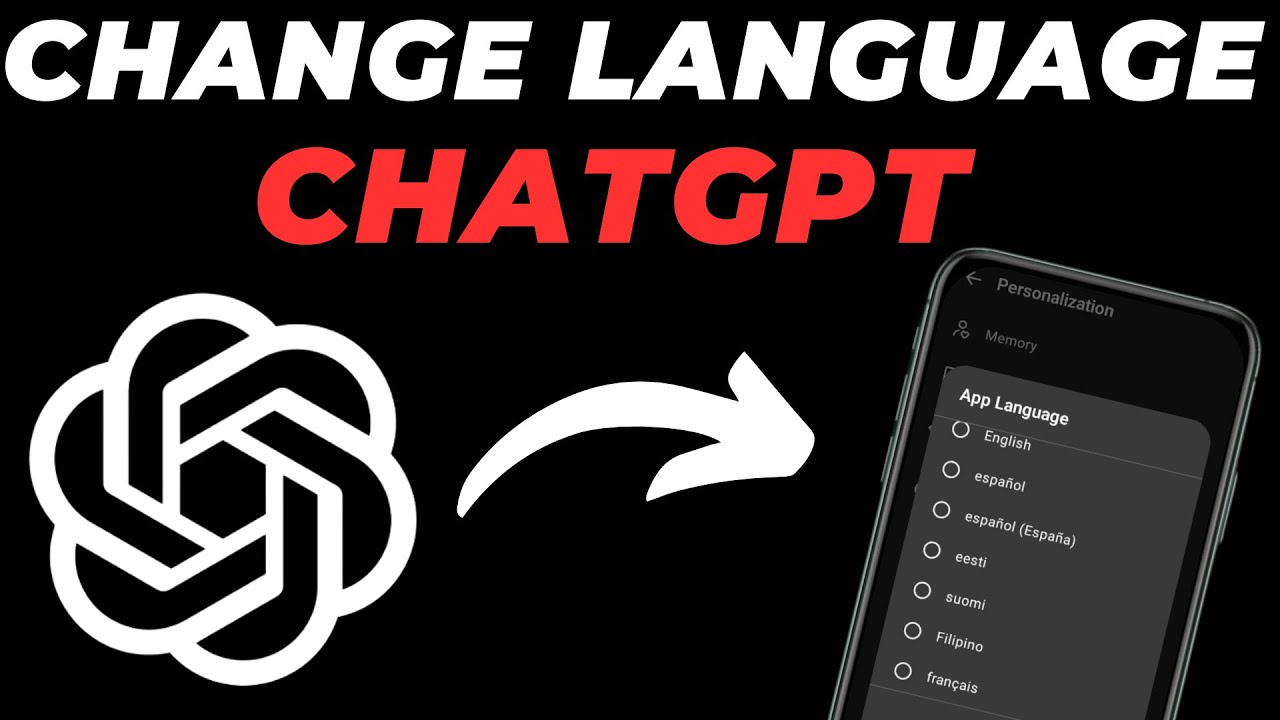
Changing the language settings in ChatGPT allows you to interact with the AI in your preferred language, enhancing your user experience. Whether you’re using ChatGPT on a desktop or mobile device, follow these steps to customize your language settings.

  • On Desktop (Web Browser)
  • On Mobile App (iOS and Android)
  • Troubleshooting Tips
  • Conclusion

On Desktop (Web Browser)

  1. Log In to ChatGPT:
    Open your preferred web browser and navigate to the ChatGPT website. Log in to your account.
  2. Access Settings:
    Click on your profile icon located in the bottom-left corner of the screen.
  3. Navigate to Language Settings:
    In the menu that appears, select Settings. Then, go to the General tab and click on Language.
  4. Select Your Preferred Language:
    A dropdown menu will appear with a list of supported languages. Choose your desired language from the list.
  5. Save Changes:
    After selecting your language, the changes will be saved automatically.

Note: ChatGPT supports a wide range of languages, including but not limited to English, Spanish, French, German, Italian, Dutch, Russian, Chinese, Japanese, Korean, Hindi, and Swahili. OpenAI Help Center

On Mobile App (iOS and Android)

  1. Open the ChatGPT App:
    Launch the ChatGPT app on your mobile device.
  2. Access Profile Settings:
    Tap on the Profile icon, usually located at the bottom of the screen.
  3. Navigate to Language Settings:
    Under the App section, tap on Language.
  4. Select Your Preferred Language:
    A list of supported languages will appear. Choose your preferred language.
  5. Save Changes:
    The app will automatically save your language preference.

Note: If your desired language is not listed, ensure that your device’s language settings are set to the language you prefer. ChatGPT may automatically detect and adjust to your device’s language. OpenAI Help Center

ADVERTISEMENT

Troubleshooting Tips

  • Language Not Available: If your preferred language is not listed in the settings, it may not be supported by ChatGPT. You can check the list of supported languages on the ChatGPT help page.
  • Language Defaults to English: If ChatGPT defaults to English despite selecting another language, ensure that your browser or device’s language settings are configured correctly.
  • Language Glitches: In some cases, ChatGPT may display text in an unexpected language due to browser settings or cookies. Clearing your browser’s cache and cookies can resolve such issues.

Conclusion

Changing your ChatGPT language settings is a straightforward process that can significantly enhance your interaction with the AI. By following the steps outlined above, you can customize ChatGPT to communicate in your preferred language, making your experience more personalized and efficient.


Tags: change ChatGPT language settingsChatGPT customizationChatGPT GuideChatGPT language settingsOpenAI
Share4Tweet2SendShareScanSharePin1Share1Share
Google Add as a Preferred Source on Google
Previous Post

Is ChatGPT Available in My Country? Find Out Where It’s Accessible

Next Post

Can ChatGPT Understand Multiple Languages? Here’s What You Need to Know

NyongesaSande News Desk

NyongesaSande News Desk

Nyongesa Sande offers diverse content across news, technology, entertainment, and more, aiming to provide readers with a wide range of informative and engaging articles. NYONGESA SANDE's dedicated team provides our audience not only with the highly relevant news but also with outstanding interactive experience.

Related Posts

Etsy Expands AI Push With ChatGPT App Launch
ChatGPT

Etsy Expands AI Push With ChatGPT App Launch

1 month ago
EMEA CIOs Told to Audit Systems as AI Rollouts Stall
ChatGPT

EMEA CIOs Told to Audit Systems as AI Rollouts Stall

2 months ago
OpenAI Unveils ChatGPT Health with Apple Health & MyFitnessPal Integration
Artificial Intelligence

OpenAI Unveils ChatGPT Health with Apple Health & MyFitnessPal Integration

5 months ago
ChatGPT App Store Update: New Tools Revolutionizing Productivity in 2026
ChatGPT

ChatGPT App Store Update: New Tools Revolutionizing Productivity in 2026

5 months ago
Inside OpenAI’s Pro-Grade Codex 5.2: Made for Software Teams & Security Work
ChatGPT

Inside OpenAI’s Pro-Grade Codex 5.2: Made for Software Teams & Security Work

6 months ago
How to Fix Incorrect Apple Music Replay 2026 Statistics
ChatGPT

ChatGPT Could Soon Build Apple Music Playlists for You

6 months ago
Load More
Next Post
What is ChatGPT Plus?

Can ChatGPT Understand Multiple Languages? Here's What You Need to Know

What is ChatGPT Plus?

How to Switch Between Different ChatGPT Models: A Step-by-Step Guide

Trending

  • Top 10 Richest People in Tripura (2026)

    Top 10 Richest People in Tripura (2026)

    171 shares
    Share 68 Tweet 43
  • Product Review: Bose Portable Smart Speaker

    187 shares
    Share 75 Tweet 47
  • Gillette Stadium World Cup 2026 Guide: Capacity, Location, Matches and Quarterfinal Venue

    1 shares
    Share 0 Tweet 0
  • Top 10 Richest People in Meru County

    88 shares
    Share 35 Tweet 22
  • Mukangala – Jacob Luseno (Lyrics)

    26 shares
    Share 10 Tweet 7
  • Colombia vs Uzbekistan: FIFA 2026 World Cup Preview

    2 shares
    Share 1 Tweet 1
  • Levi’s Stadium World Cup 2026 Guide: Capacity, Location, Matches and Round of 32 Venue

    2 shares
    Share 1 Tweet 1
  • MetLife Stadium World Cup 2026 Guide: Capacity, Location, Matches and Final Venue

    1 shares
    Share 0 Tweet 0
  • Top 10 Richest People in Manipur (2026)

    59 shares
    Share 24 Tweet 15
  • List of Elected MCAs in Narok County 2022-2027

    59 shares
    Share 24 Tweet 15
ADVERTISEMENT
ADVERTISEMENT

Who We Are

Nyongesa Sande

NyongesaSande.com is a digital news and media platform covering breaking news, business, technology, AI, politics, sports, world affairs and African innovation.

News Sections

  • News
    • World
    • Africa
  • Politics
  • Business
  • Tech
  • AI
  • Telecom
  • Sports
  • Opinion
  • Lifestyle
  • Live
  • World Cup 2026
    • World Cup 2026 Standings
    • World Cup 2026

Editorial Standards

  • Editorial Policy
  • Fact Checking Policy
  • Corrections Policy
  • Ethics Policy
  • AI Usage Policy
  • News Tips
  • Submit Press Release

Legal

  • Privacy Policy
  • Terms of Use
  • Cookie Policy
  • Risk Disclaimer
  • Disclaimer
  • DMCA
  • Ad Choices

Our Company

  • About Us
    • Nyosake Designers
      • Nyosake Webmasters
      • Nyosake Investment
  • Contact Us
    • Newsroom Contact
  • Ownership Disclosure
  • Advertise
  • Privacy Policy
  • Terms of Use
  • Cookie Policy
  • Risk Disclaimer
  • Disclaimer
  • DMCA
  • Ad Choices

NyongesaSande.com is an independent digital news and media platform covering Africa, business, technology, AI, politics and global developments.

© 2026 NyongesaSande.com. All rights reserved.

No Result
View All Result
  • News
    • World
    • Africa
  • Politics
  • Business
  • Tech
  • AI
  • Telecom
  • Sports
  • Opinion
  • Lifestyle
  • Live
  • World Cup 2026
    • World Cup 2026 Standings
    • World Cup 2026

NyongesaSande.com is an independent digital news and media platform covering Africa, business, technology, AI, politics and global developments.

© 2026 NyongesaSande.com. All rights reserved.




