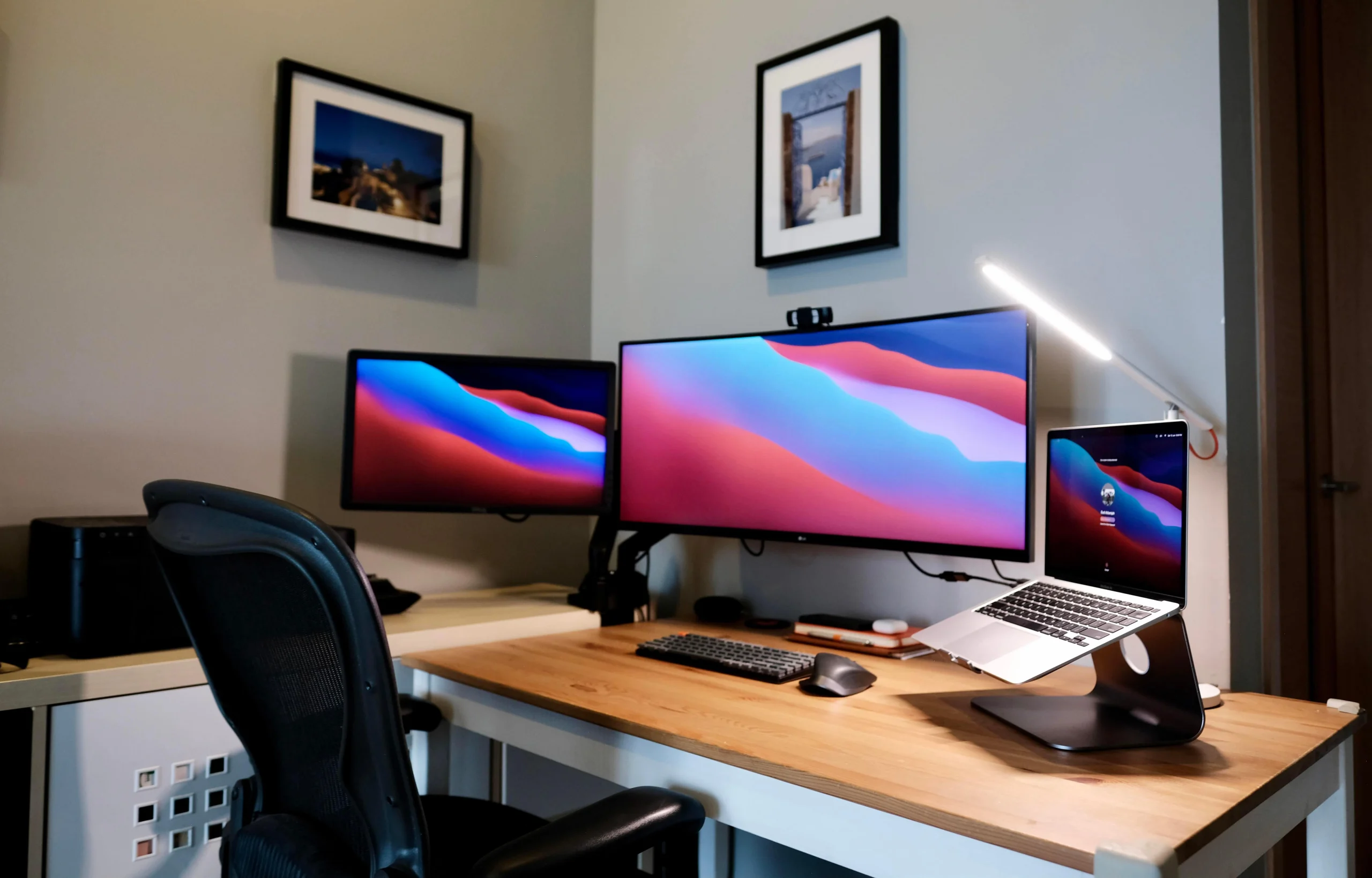
Choosing the best external monitor for MacBook can significantly improve your productivity, workflow, and overall user experience. MacBooks are powerful devices, but their screen size can limit multitasking. Adding an external display helps you work faster, stay organized, and reduce eye strain.
The best external monitor for MacBook should offer high resolution, accurate color, and seamless connectivity. Since macOS is optimized for high pixel density displays, choosing the right monitor ensures smooth scaling and sharp visuals.
Key Features of the Best External Monitor for MacBook
| Feature | Why It Matters |
|---|---|
| Resolution | 4K or 5K ensures sharp Retina-like visuals |
| Connectivity | USB-C or Thunderbolt allows single-cable setup |
| Power Delivery | Charges your MacBook while in use |
| Color Accuracy | Important for creators and designers |
| Screen Size | Larger screens improve productivity |
Best External Monitor for MacBook for Productivity
The best external monitor for MacBook should improve multitasking. A larger display allows you to work on multiple applications at once, such as spreadsheets, documents, and browsers.
Monitors with USB-C or Thunderbolt connectivity are ideal because they allow video, data, and power through one cable. This creates a clean and efficient workspace. Many modern monitors also include USB hubs, which make it easier to connect accessories.
Best External Monitor for MacBook for Creators
Creative professionals need monitors with excellent color accuracy and high resolution. Displays with 4K, 5K, or even 6K resolution provide sharp visuals and accurate color reproduction.
For example, high-end monitors like Apple’s 5K and 6K displays are designed for professional workflows, offering wide color gamuts and high brightness levels.
Additionally, monitors such as BenQ’s design-focused displays are calibrated to match MacBook color profiles, making them ideal for video editing and graphic design.
Best External Monitor for MacBook for Everyday Use
Not everyone needs premium features. Many users want a reliable external monitor for general tasks like browsing, office work, and streaming.
A 4K monitor is usually the best choice for everyday use. It provides enough screen space while maintaining sharp text and comfortable scaling in macOS. Many models also support USB-C power delivery, which simplifies cable management.
Best External Monitor for MacBook for Remote Work
Remote workers benefit greatly from external monitors. A larger screen allows you to manage meetings, emails, and tasks simultaneously.
Portable monitors are also a great option for MacBook users who work on the move. They provide additional screen space without sacrificing portability.
👉 Explore portable monitor options here:
https://www.nyongesasande.com/go/mobilepixels
How to Choose the Best External Monitor for MacBook
Choosing the best external monitor for MacBook depends on your needs. First, consider resolution. If you want sharp visuals, go for 4K or higher. Next, check connectivity. USB-C or Thunderbolt is the best option for seamless integration.
You should also consider power delivery. A monitor that charges your MacBook reduces the need for extra cables. Finally, think about your use case. Creators need color accuracy, while general users may prioritize affordability.
Benefits of Using the Best External Monitor for MacBook
Using the best external monitor for MacBook provides several benefits. First, it improves multitasking by giving you more space to work. Second, it enhances visual clarity, which reduces eye strain during long sessions.
It also boosts productivity. With more screen space, you can complete tasks faster and stay organized. Many users find that once they use an external monitor, they cannot go back to a single screen.
Final Thoughts on the Best External Monitor for MacBook
The best external monitor for MacBook can transform your workflow. It improves efficiency, enhances comfort, and helps you create a professional workspace.
Whether you need a high-resolution display for creative work or a simple monitor for daily tasks, the right choice depends on your needs.
👉 Upgrade your setup here:
https://www.nyongesasande.com/go/mobilepixels