AMD Radeon Drivers v23.19.12 are part of the AMD Software: Adrenalin Edition 24.3.1 driver package for select Radeon graphics products. This release is mainly important for users with supported AMD Radeon GPUs who need a stable WHQL-certified Windows driver for gaming, display performance, video playback and general graphics support.
The driver was released in March 2024 and supports Windows 11 and Windows 10 64-bit systems. It is not the newest AMD graphics driver available today, but it remains useful for users who specifically need the Adrenalin 24.3.1 v23.19.12 package for compatible Radeon hardware, especially systems involving Polaris and Vega-era graphics support.
Graphics drivers are important because they help the operating system communicate properly with the GPU. A good driver can improve stability, fix game issues, reduce crashes, solve display bugs and unlock better performance in supported applications.
This guide explains what AMD Radeon Video Card Drivers v23.19.12 include, who should download them, supported operating systems, compatible graphics cards, fixed issues, known problems and safe installation tips.
Quick Facts About AMD Radeon Video Card Drivers v23.19.12
| Item | Details |
|---|---|
| Driver name | AMD Radeon Video Card Drivers v23.19.12 |
| Software suite | AMD Software: Adrenalin Edition 24.3.1 |
| Driver version | 23.19.12 |
| Windows Driver Store version | 31.0.21912.14 |
| Release date | March 2024 |
| Certification | WHQL passed |
| Supported systems | Windows 11 21H2 or later, Windows 10 64-bit version 1809 or later |
| Main audience | Users with compatible AMD Radeon GPUs |
| Best for | Stability fixes, Windows graphics support, older supported Radeon products |
| Important note | Newer AMD GPUs may use newer Adrenalin releases instead |
What Is AMD Software: Adrenalin Edition?
AMD Software: Adrenalin Edition is AMD’s main graphics software package for Radeon GPUs. It includes the display driver, Radeon control panel, performance settings, recording features, gaming profiles, update tools and other GPU-related options.
For many users, Adrenalin is not just a driver installer. It also manages display settings, game optimisations, performance monitoring, Radeon features and system-level graphics controls.
The Adrenalin 24.3.1 family included different packages depending on GPU generation. The standard package supported more recent Radeon RX graphics products, while a separate Polaris and Vega package carried Driver Version 23.19.12 for older supported Radeon products.
Who Should Download AMD Radeon Drivers v23.19.12?
AMD Radeon Drivers v23.19.12 are mainly useful if your AMD GPU is supported by this specific release and you need the Adrenalin 24.3.1 compatibility package.
You may consider this driver if:
You have a compatible Radeon Polaris or Vega graphics card
You are running Windows 10 64-bit or Windows 11
You need a WHQL-certified driver
You are using an older supported Radeon GPU
Your current driver is unstable
You need to replace a beta or preview driver
You are troubleshooting display, crash or application issues
You should not automatically install this driver if your computer already supports a newer AMD driver that works well. Newer Radeon RX 7000, RX 6000 and RX 5000 series users may be better served by a more recent Adrenalin release from AMD’s official support page.
Supported Operating Systems
AMD Radeon Drivers v23.19.12 support Microsoft Windows platforms listed for the Adrenalin 24.3.1 Polaris and Vega release.
Supported operating systems include:
Windows 11 version 21H2 and later
Windows 10 64-bit version 1809 and later
Users should update Windows before installing graphics drivers. An outdated operating system can cause driver installation errors, missing features or performance problems.
This driver is not intended for Apple Boot Camp platforms. AMD advises users on those systems to contact the system manufacturer for driver support.
Supported AMD Radeon Graphics Cards
AMD’s official Polaris and Vega release notes list support for select Radeon products.
Supported desktop Radeon products include:
Radeon VII
Radeon RX Vega Series Graphics
AMD Radeon Pro Duo
Radeon RX 500 and Radeon 500X Series Graphics
Radeon RX 400 Series Graphics
Supported mobile Radeon products include:
AMD Radeon 600 Series Graphics
The release also supports certain AMD processors with Radeon graphics, including Ryzen processors with Radeon graphics, Ryzen PRO processors, Athlon processors with Radeon graphics and Athlon PRO processors.
For laptops and all-in-one PCs, AMD recommends using OEM-provided drivers when possible. Manufacturer drivers may include system-specific features, power management tuning, hotkeys, display switching support and validated compatibility for that exact device.
What Changed in AMD Radeon Drivers v23.19.12?
AMD Radeon Drivers v23.19.12 focused on stability and compatibility fixes for supported hardware. The release addressed two notable issues in the Polaris and Vega package.
The fixed issues included:
Camera footage looping intermittently during Microsoft Teams meetings on some AMD products
GPU acceleration missing or greyed out in Adobe Premiere Pro on some hybrid graphics systems
These fixes made the release especially relevant for users who depend on video conferencing or creative software. A stable graphics driver is not only important for gaming. It also affects professional editing, remote work, streaming, display output and everyday PC reliability.
Known Issues in AMD Radeon Drivers v23.19.12
AMD listed shader caching problems as a known issue in this release. The issue may affect Windows usernames containing accented characters.
Known issues do not affect every system. They are problems AMD has identified and documented so users know what to expect before installing the driver.
If your system is stable and you do not need one of the fixes in this driver, it may be better to avoid changing drivers unless necessary. Graphics driver changes can sometimes create new issues, especially on older laptops or hybrid graphics systems.
AMD Radeon Drivers v23.19.12 vs Newer AMD Drivers
AMD Radeon Drivers v23.19.12 are not the latest AMD graphics drivers available today. AMD has continued releasing newer Adrenalin drivers for supported GPUs.
That means users should choose carefully:
Use v23.19.12 if your GPU is supported by this package and you specifically need the Adrenalin 24.3.1 Polaris/Vega driver.
Use the latest AMD Adrenalin driver if your GPU is newer and AMD’s support page recommends a newer package.
Use your laptop manufacturer’s driver if AMD’s generic driver does not support your notebook properly.
This distinction matters because downloading the wrong package can cause installation failure, missing features, poor battery life or unstable graphics performance.
How to Download AMD Radeon Video Card Drivers v23.19.12
The safest place to download AMD Radeon Drivers is AMD’s official drivers and support website. Users should avoid unknown third-party download sites because unofficial driver files may be outdated, modified or unsafe.
To download the driver safely:
Go to AMD’s official support page.
Search for your exact Radeon GPU model.
Choose the correct Windows version.
Select the recommended driver package.
Check whether your GPU needs the standard Adrenalin package or the Polaris/Vega support package.
Download the installer directly from AMD.
Save the file before running it.
If you are unsure about your GPU model, use Windows Device Manager or AMD’s auto-detect tool. The auto-detect tool can identify compatible hardware and suggest the correct official driver package.
How to Install AMD Radeon Drivers v23.19.12
Before installation, close games, browsers, editing apps and other graphics-heavy programs. You should also save any open work because the display may flicker or restart during installation.
Installation steps:
Download the correct AMD driver package.
Right-click the installer and run it as administrator.
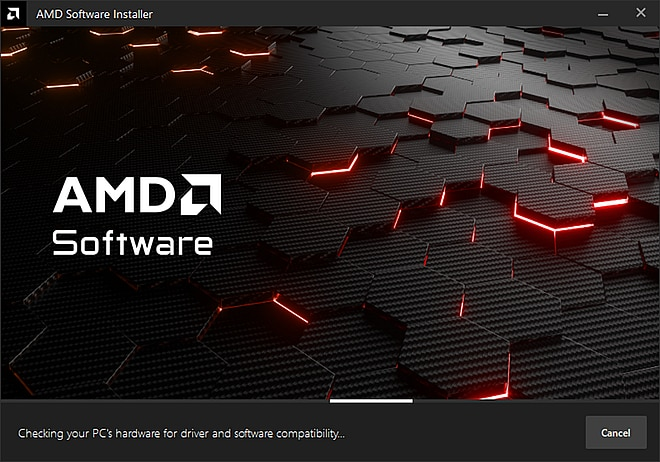
Wait for the AMD Software installer to detect your hardware.
Choose the installation type.
Follow the on-screen instructions.
Restart your computer when the installer asks.
After restart, open AMD Software and confirm the driver version.
AMD recommends administrator rights for installation. Without the correct permissions, the installer may fail or install only part of the package.
Should You Use Factory Reset During Installation?
AMD Software sometimes offers a Factory Reset option during installation. This removes previous AMD driver settings and installs a cleaner driver profile.
Factory Reset can help if:
Your previous driver was unstable
You installed a beta or preview driver
AMD Software will not open
Game profiles are broken
You have display crashes or driver timeouts
You are moving from an older major driver branch
However, Factory Reset may remove saved tuning profiles, custom settings and game-specific configurations. If you have important Radeon settings, note them before using this option.
Laptop and All-in-One PC Warning
Laptop users should be careful before installing generic AMD Radeon Drivers. Many notebooks use customised graphics drivers from the manufacturer. These drivers may support special features such as switchable graphics, battery saving, display brightness controls, function keys and thermal management.
AMD recommends OEM-provided drivers for laptops and all-in-one PCs when system-specific support is required.
If the AMD installer says your hardware is unsupported, do not force the installation. Visit your laptop brand’s support page and download the graphics driver made for your exact model.
Common Problems After Installing AMD Radeon Drivers
Some users may experience problems after installing a graphics driver. These issues are not always caused by the driver itself. They can also come from Windows updates, old driver leftovers, unsupported hardware, damaged system files or conflicting software.
Common problems include:
Black screen after installation
Display flickering
Game crashes
AMD Software not opening
Driver timeout messages
Missing GPU acceleration
Poor performance
Audio over HDMI not working
Wrong screen resolution
If a problem appears immediately after installation, restart the system first. Many driver issues disappear after a clean reboot.
How to Fix AMD Driver Problems
If AMD Radeon Drivers v23.19.12 do not work properly, try these steps:
Restart your PC.
Check whether Windows is fully updated.
Confirm that your GPU is supported.
Uninstall old AMD drivers.
Reinstall the driver as administrator.
Use AMD Cleanup Utility if needed.
Install the OEM laptop driver if using a notebook.
Roll back to the previous driver if the new driver is unstable.
Report the issue using AMD’s Bug Report Tool.
Rolling back the driver is useful when your system worked properly before the update. Windows Device Manager can sometimes restore the previous driver, but a clean reinstall may be better for serious problems.
AMD Radeon Drivers for Gaming
Graphics drivers can affect game performance, frame pacing, stutter, crashes and visual bugs. While v23.19.12 is not the newest gaming-focused AMD driver, it can still be useful for supported older Radeon cards that need stable Windows graphics support.
Gamers should check three things before installing:
Whether the driver supports their exact GPU
Whether a newer driver supports their game better
Whether their current driver is already stable
If your games run well, you may not need to update immediately. If you are facing crashes, driver timeouts or missing graphics features, a driver update may help.
AMD Radeon Drivers for Creative Apps
AMD Radeon drivers also matter for creative applications such as Adobe Premiere Pro, DaVinci Resolve, Photoshop, Blender and video recording tools. GPU acceleration can improve playback, exports, effects, rendering and timeline performance.
The v23.19.12 release is notable because it fixed a problem where GPU acceleration could be missing or greyed out in Adobe Premiere Pro on some hybrid graphics systems.
For creators, a stable driver is often more important than the newest release. If a driver works reliably with your editing workflow, avoid unnecessary updates before major projects.
Safety Tips Before Downloading GPU Drivers
GPU drivers are system-level software, so users should download them carefully.
Use these safety tips:
Download only from AMD or your device manufacturer.
Avoid unknown driver updater tools.
Do not install drivers from random pop-up ads.
Create a restore point before major driver changes.
Keep your laptop plugged in during installation.
Close all heavy programs before installing.
Restart after installation.
Keep a copy of your previous working driver if possible.
These steps reduce the risk of installation failure and make troubleshooting easier.
Key Takeaways
AMD Radeon Drivers v23.19.12 are part of AMD Software: Adrenalin Edition 24.3.1.
The v23.19.12 package applies to select Polaris and Vega-supported Radeon products.
The driver supports Windows 11 21H2 or later and Windows 10 64-bit version 1809 or later.
AMD lists the Windows Driver Store version as 31.0.21912.14.
The release passed WHQL testing and Microsoft certification.
Fixed issues include Microsoft Teams camera looping and missing GPU acceleration in Adobe Premiere Pro on some hybrid graphics systems.
A known issue involves shader caching for Windows usernames with accented characters.
Laptop users should prefer OEM-provided drivers when AMD’s generic driver is not fully supported.
This is not the newest AMD driver today, so users with newer GPUs should check AMD’s latest official support page.
Frequently Asked Questions
- What are AMD Radeon Drivers v23.19.12?
AMD Radeon Drivers v23.19.12 are graphics drivers included in AMD Software: Adrenalin Edition 24.3.1 for select supported Radeon graphics products.
- Is AMD Radeon Drivers v23.19.12 the latest AMD driver?
No. It is an older 2024 driver package. AMD has released newer Adrenalin drivers since then for supported GPUs.
- Which Windows versions support AMD Radeon Drivers v23.19.12?
The driver supports Windows 11 version 21H2 or later and Windows 10 64-bit version 1809 or later.
- Is AMD Radeon Drivers v23.19.12 WHQL certified?
Yes. AMD’s release notes show the driver passed WHQL testing and Microsoft certification.
- Which GPUs support AMD Radeon Drivers v23.19.12?
The Polaris and Vega release supports products such as Radeon VII, RX Vega series, Radeon Pro Duo, RX 500/500X series, RX 400 series and AMD Radeon 600 series mobile graphics.
- Should laptop users install AMD Radeon Drivers v23.19.12?
Laptop users should first check the driver from their device manufacturer. OEM drivers may support laptop-specific features better than AMD’s generic driver.
- What issues did AMD Radeon Drivers v23.19.12 fix?
The release fixed Microsoft Teams camera looping on some AMD products and missing or greyed-out GPU acceleration in Adobe Premiere Pro on some hybrid graphics systems.
- What known issue exists in AMD Radeon Drivers v23.19.12?
AMD listed a shader caching issue that may affect Windows usernames containing accented characters.
- Where should I download AMD Radeon Drivers?
Download AMD Radeon drivers from AMD’s official support page or your PC manufacturer’s website.
- What should I do if the driver causes problems?
Restart your PC, check compatibility, reinstall the driver, use AMD Cleanup Utility if needed, or roll back to the previous working driver.
Conclusion
AMD Radeon Video Card Drivers v23.19.12 remain useful for users with compatible Radeon graphics hardware who need the Adrenalin 24.3.1 Polaris and Vega support package. The driver brings WHQL-certified Windows support, stability fixes and improved compatibility for select systems.
However, this is not the latest AMD graphics driver. Users with newer Radeon GPUs should check AMD’s current support page and install the latest recommended Adrenalin package for their exact hardware. Laptop users should also check OEM driver pages before installing AMD’s generic package.
For the best results, confirm your GPU model, choose the correct Windows version, download only from official sources and keep a rollback option available in case the new driver does not work well on your system.
Download AMD Video Card Drivers
Read Also: AMD Radeon Adrenalin vs. Radeon Pro: Choosing the Right Driver for Your Needs