Nyongesa Sande
No Result
View All Result
  • News
    • World
    • Africa
  • Politics
  • Business
  • Tech
  • AI
  • Telecom
  • Sports
  • Opinion
  • Lifestyle
  • Live
Nyongesa Sande
No Result
View All Result
Nyongesa Sande
No Result
View All Result
  • News
  • Politics
  • Business
  • Tech
  • AI
  • Telecom
  • Sports
  • Opinion
  • Lifestyle
  • Live
ADVERTISEMENT

Home » iOS 26.2 Fixes Emergency Call Issue for iPhone 12 Users in Australia

iOS 26.2 Fixes Emergency Call Issue for iPhone 12 Users in Australia

NyongesaSande News Desk by NyongesaSande News Desk
6 months ago
in iPhone
Reading Time: 2 mins read
A A
How Long Your iPhone 12 Really Lasts Before Apple Drops Support

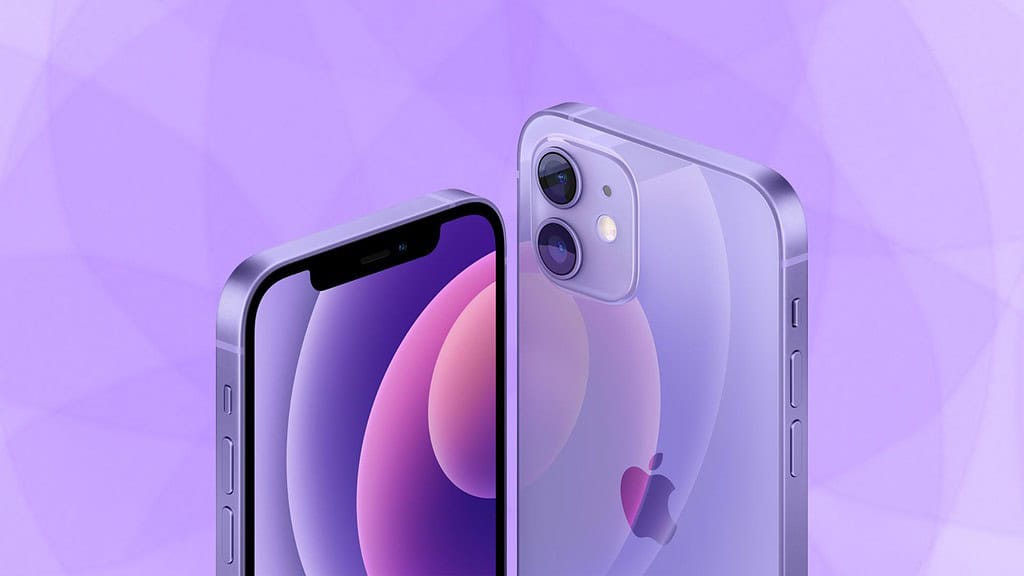
Apple has confirmed a technical issue affecting iPhone 12 users in Australia, where some older phones could not make emergency calls by dialing 000. This problem primarily occurred in regional areas when the primary mobile network was unavailable, and despite another network being accessible, calls did not always connect. The issue, now resolved with iOS 26.2, is considered rare, but Apple has shared steps to ensure users stay protected. iPhone 12 emergency call fix

  • The Issue and Affected Devices
  • What iOS 26.2 Does
  • How to Update Your iPhone
  • Apple’s Ongoing Efforts
  • The Bottom Line

The Issue and Affected Devices

The emergency call issue mostly impacted iPhone 12 users in areas where their main mobile network was unavailable. iPhone XS, XR, iPhone 11, and newer iPhones were not affected by this issue. However, iPhone 12 users needed a software fix to ensure reliable emergency call connections, especially when networks fail or switch.

What iOS 26.2 Does

The iOS 26.2 update released last week addresses this issue for iPhone 12 users by improving how the device connects to emergency services when network conditions are unstable. It ensures that calls to emergency services (dialing 000) are more likely to succeed, even in situations where a network failure occurs.

ADVERTISEMENT

Apple also reassured users that if other older iPhone models were affected, mobile operators would contact customers directly with guidance.

How to Update Your iPhone

To protect yourself from potential issues like this, it’s crucial to keep your software up to date. Here’s how to install the latest update on your iPhone:

ADVERTISEMENT
  1. Open the Settings app
  2. Tap General
  3. Tap Software Update and install the latest version

Apple’s Ongoing Efforts

Apple reminds users that iPhones support multiple ways to reach emergency services, including cellular networks, Wi-Fi Calling, and satellite features where available. These options enhance your chances of staying connected when coverage is limited.

Australian mobile operators are also working to improve emergency calling support across their networks. While the failure raised concerns, Apple assures that fixes are in progress, and the issue is considered rare.

The Bottom Line

If you’re using an iPhone 12 in Australia, it’s important to install iOS 26.2 to fix the emergency call issue. Updating your iPhone ensures that you can reach emergency services reliably when needed.

Tags: Apple supportemergency calling issueiOS 26.2 updateiPhone 12 emergency fix
Google Add as a Preferred Source on Google
Previous Post

How Long Your iPhone 12 Really Lasts Before Apple Drops Support

Next Post

iOS 26.3 Beta 1: New Features and Changes So Far

NyongesaSande News Desk

NyongesaSande News Desk

Nyongesa Sande offers diverse content across news, technology, entertainment, and more, aiming to provide readers with a wide range of informative and engaging articles. NYONGESA SANDE's dedicated team provides our audience not only with the highly relevant news but also with outstanding interactive experience.

Related Posts

iPhone 17 Leads Global Smartphone Sales in Q1
iPhone

iPhone 17 Leads Global Smartphone Sales in Q1

1 month ago
iPhone Fold hinge may use 3D printing
iPhone

iPhone Fold hinge may use 3D printing

2 months ago
Apple iPhone Air review
iPhone

iPhone Air Full Specs Review – Ultra-Thin Flagship Explained

3 months ago
Apple iPhone Air review
iPhone

iPhone Air Price in Kenya

3 months ago
iPhone 17e Rumors Point to Smart, Subtle Upgrades
iPhone

iPhone 17e Rumors Point to Smart, Subtle Upgrades

3 months ago
iPhone Red Color May Lead Apple’s Next Pro Line
iPhone

iPhone Red Color May Lead Apple’s Next Pro Line

3 months ago
Load More
Next Post
iOS 26.3 Beta 1: New Features and Changes So Far

iOS 26.3 Beta 1: New Features and Changes So Far

Apple Fitness+ Expands to 28 New Markets with Dubbing and K-Pop

Apple Fitness+ Expands to 28 New Markets with Dubbing and K-Pop

ADVERTISEMENT

Who We Are

Nyongesa Sande

NyongesaSande.com is a digital news and media platform covering breaking news, business, technology, AI, politics, sports, world affairs and African innovation.

News Sections

  • News
    • World
    • Africa
  • Politics
  • Business
  • Tech
  • AI
  • Telecom
  • Sports
  • Opinion
  • Lifestyle
  • Live

Editorial Standards

  • Editorial Policy
  • Fact Checking Policy
  • Corrections Policy
  • Ethics Policy
  • AI Usage Policy
  • News Tips
  • Submit Press Release

Legal

  • Privacy Policy
  • Terms of Use
  • Cookie Policy
  • Disclaimer
  • Risk Disclaimer
  • DMCA
  • Ad Choices

Our Company

  • About Us
    • Nyosake Designers
      • Nyosake Webmasters
      • Nyosake Investment
  • Contact Us
    • Newsroom Contact
  • Ownership Disclosure
  • Advertise
  • Privacy Policy
  • Terms of Use
  • Cookie Policy
  • Disclaimer
  • Risk Disclaimer
  • DMCA
  • Ad Choices

NyongesaSande.com is an independent digital news and media platform covering Africa, business, technology, AI, politics and global developments.

© 2026 NyongesaSande.com. All rights reserved.

No Result
View All Result
  • News
    • World
    • Africa
  • Politics
  • Business
  • Tech
  • AI
  • Telecom
  • Sports
  • Opinion
  • Lifestyle
  • Live

NyongesaSande.com is an independent digital news and media platform covering Africa, business, technology, AI, politics and global developments.

© 2026 NyongesaSande.com. All rights reserved.