
Nyongesa Sande
No Result
View All Result
  • News
    • World
    • Africa
  • Politics
  • Business
  • Tech
  • AI
  • Telecom
  • Sports
  • Opinion
  • Lifestyle
  • Live
  • World Cup 2026
    • World Cup 2026 Standings
    • World Cup 2026
Nyongesa Sande
No Result
View All Result
Nyongesa Sande
No Result
View All Result
  • News
  • Politics
  • Business
  • Tech
  • AI
  • Telecom
  • Sports
  • Opinion
  • Lifestyle
  • Live
  • World Cup 2026
ADVERTISEMENT

Home » Comprehensive Guide to Efficient File Sharing Between Macs

Comprehensive Guide to Efficient File Sharing Between Macs

NyongesaSande News Desk by NyongesaSande News Desk
2 years ago
in Gadget Reviews
Reading Time: 3 mins read
A A
Comprehensive Guide to Efficient File Sharing Between Macs

MAC- Apple Insider

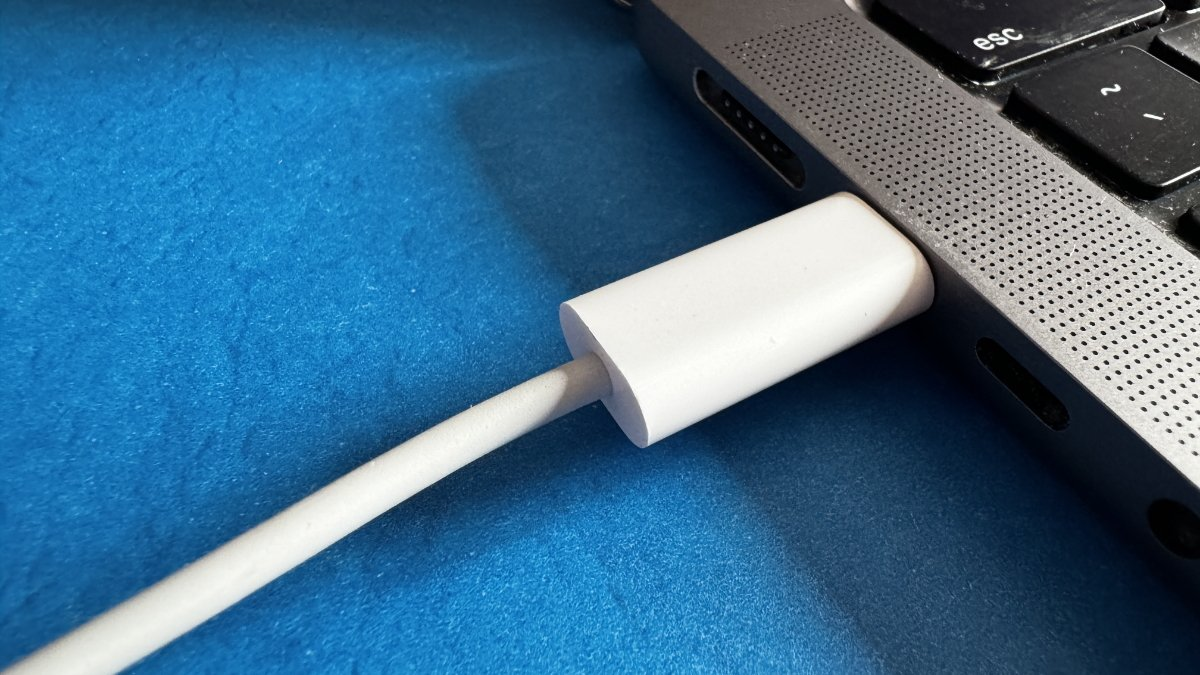
Transferring files between two Mac computers can seem daunting, especially when dealing with large files or different software environments. Despite the convenience of wireless methods like AirDrop, certain scenarios require a more robust, wired approach. Here’s how you can use cables for faster and more reliable file transfers between Macs.

1. High-Speed File Transfer with Thunderbolt Networking To achieve rapid file transfers, use Thunderbolt networking. This method involves connecting two Macs via their USB-C Thunderbolt ports, which not only supports high-speed data transfer but also powers devices and outputs video through the same cable. Here’s how to set it up:

  • Ensure both Macs have Thunderbolt 3 (USB-C) or Thunderbolt 4 (USB-C) ports.
  • On both Macs, open ‘Settings’ and go to the ‘Network’ section.
  • Select ‘Thunderbolt Bridge’. If prompted, click ‘OK’ to detect the new interface.
  • On one Mac, navigate to the ‘Thunderbolt Bridge’ section and select the other Mac from the service list.
  • Set an IP address manually by choosing ‘Manually’ in the ‘Configure IPv4’ dropdown.
  • Enter the necessary IP address, subnet mask, and router address, then click ‘OK’.

2. Using Target Disk Mode for Direct Access Target Disk Mode turns one Mac into an external drive accessible by another. This method is particularly useful for accessing files from a non-operational Mac or directly managing files without booting the operating system.

ADVERTISEMENT
  • Connect both Macs using a Thunderbolt cable (required for macOS 11 and newer).
  • On the Mac intended as the external drive, open ‘Startup Disk’ settings, and select ‘Restart in Target Disk Mode’.
  • The other Mac will display the first Mac as an external disk. Access files as needed.
  • To disconnect safely, drag the disk icon to the Trash on the desktop, then power down the Target Disk Mode Mac and disconnect.

3. Establishing a Connection via Ethernet Although less common due to the absence of built-in Ethernet ports on newer MacBooks, using an Ethernet cable with adapters remains a viable option for file transfers, especially when other methods are incompatible or unavailable.

  • Connect the two Macs using an Ethernet cable.
  • Enable file sharing on both Macs via ‘Settings’ > ‘General’ > ‘Sharing’.
  • Record the name of each computer from the Sharing settings.
  • On one Mac, open Finder, go to the ‘Go’ menu, select ‘Connect to Server’, then click ‘Browse’ and select the other Mac.
  • Enter login credentials if prompted.

Choosing the Right Method The best method for transferring files between Macs depends on your specific needs:

ADVERTISEMENT
  • Thunderbolt Networking is ideal for fast transfers and is straightforward with newer Mac models.
  • Target Disk Mode suits scenarios requiring direct access to a Mac’s file system.
  • Ethernet offers reliability where Wi-Fi is unstable or unavailable, though it might require additional adapters.

These wired methods provide dependable alternatives to wireless transfers, ensuring efficient management and movement of large data volumes between Mac computers.

Tags: File Sharing Between Macs
ShareTweetSendShareSharePinShareShare
Google Add as a Preferred Source on Google
Previous Post

The “48 Laws of Power” is a renowned book by Robert Greene, first published in 1998.

Next Post

Discovering 3D Movies on Apple Vision Pro: A New Dimension of Entertainment

NyongesaSande News Desk

NyongesaSande News Desk

Nyongesa Sande offers diverse content across news, technology, entertainment, and more, aiming to provide readers with a wide range of informative and engaging articles. NYONGESA SANDE's dedicated team provides our audience not only with the highly relevant news but also with outstanding interactive experience.

Related Posts

Samsung Galaxy A57 Review and Full Specs
Gadget Reviews

Samsung Galaxy A57 Review and Full Specs

2 months ago
Samsung Galaxy A37 Review and Full Specs
Gadget Reviews

Samsung Galaxy A37 Review and Full Specs

2 months ago
Honor MagicBook Pro 14 (2026) Review
Gadget Reviews

Honor MagicBook Pro 14 (2026) Review

Sony Xperia 1 VIII Review: Sony’s Flagship Stays Uniquely Different
Gadget Reviews

Sony Xperia 1 VIII Review: Sony’s Flagship Stays Uniquely Different

Shell Stations in Eastern Kenya: Fuel, EV Charging & Café
Gadget Reviews

Shell Stations in Lower Mt. Kenya: Fuel & EV Charging

3 months ago
Xbox Mode Windows 11 rollout begins globally
Gadget Reviews

Xbox Mode Windows 11 rollout begins globally

3 months ago
Load More
Next Post
Discovering 3D Movies on Apple Vision Pro: A New Dimension of Entertainment

Discovering 3D Movies on Apple Vision Pro: A New Dimension of Entertainment

Enhancing Privacy on Apple Music: Disabling ‘Discoverable by Nearby Contacts’

Enhancing Privacy on Apple Music: Disabling 'Discoverable by Nearby Contacts'

ADVERTISEMENT

Who We Are

Nyongesa Sande

NyongesaSande.com is a digital news and media platform covering breaking news, business, technology, AI, politics, sports, world affairs and African innovation.

Our Brands

  • YouTube
  • Forums
  • Law Archive
  • Sandes Kitchen

News Sections

  • News
    • World
    • Africa
  • Politics
  • Business
  • Tech
  • AI
  • Telecom
  • Sports
  • Opinion
  • Lifestyle
  • Live
  • World Cup 2026
    • World Cup 2026 Standings
    • World Cup 2026

Editorial Standards

  • Editorial Policy
  • Fact Checking Policy
  • Corrections Policy
  • Ethics Policy
  • AI Usage Policy
  • News Tips
  • Submit Press Release

Legal

  • Privacy Policy
  • Terms of Use
  • Cookie Policy
  • Disclaimer
  • Risk Disclaimer
  • DMCA
  • Ad Choices
  • YouTube

Our Company

  • About Us
    • Nyosake Designers
      • Nyosake Webmasters
      • Nyosake Investment
  • Contact Us
    • Newsroom Contact
  • Ownership Disclosure
  • Advertise
  • Privacy Policy
  • Terms of Use
  • Cookie Policy
  • Disclaimer
  • Risk Disclaimer
  • DMCA
  • Ad Choices
  • YouTube

NyongesaSande.com is an independent digital news and media platform covering Africa, business, technology, AI, politics and global developments.

© 2026 NyongesaSande.com. All rights reserved.

No Result
View All Result
  • News
    • World
    • Africa
  • Politics
  • Business
  • Tech
  • AI
  • Telecom
  • Sports
  • Opinion
  • Lifestyle
  • Live
  • World Cup 2026
    • World Cup 2026 Standings
    • World Cup 2026

NyongesaSande.com is an independent digital news and media platform covering Africa, business, technology, AI, politics and global developments.

© 2026 NyongesaSande.com. All rights reserved.